
1. Įvadas
This manual provides essential information for setting up, operating, and maintaining your GMKtec Mini PC G10. Please read these instructions carefully before using the device to ensure optimal performance and longevity.
2. Pakuotės turinys
Patikrinkite, ar pakuotėje yra visi reikalingi daiktai:
- GMKtec Nucbox G10 Mini PC
- Maitinimo adapteris ir laidas
- HDMI kabelis
- VESA laikiklis ir varžtai
- Vartotojo vadovas

Image: Contents of the GMKtec Mini PC G10 package, including the mini PC, power adapter, HDMI cable, VESA mount, and user manual.
3. Produktas baigtasview ir sąsajos
The GMKtec Mini PC G10 features a compact design with a variety of ports for connectivity. Familiarize yourself with the available interfaces:
Priekinis skydelis:
- 1x CTIA Audio Jack
- 2x USB 3.2 (5Gbps) Ports
- 1x maitinimo mygtukas
Galinis skydas:
- 1x USB-C Power Input (PD Only)
- 1x USB-C (Full-function: DisplayPort, Data, Power Delivery)
- 1x USB 2.0 prievadas
- 1x 2.5G Gigabit Ethernet (LAN) Port
- 1x HDMI 2.1 (4K@60Hz) Port
- 1x DisplayPort 1.4 (4K @ 60Hz)
- 1 x Kensingtono užrakto lizdas

Vaizdas: Išsamus view of the front and rear ports of the GMKtec Mini PC G10, illustrating USB, HDMI, DisplayPort, Ethernet, and power connections.
4. Sąranka
Follow these steps to set up your GMKtec Mini PC G10:
- Prisijungti prie ekrano: Connect your monitor(s) to the Mini PC using the HDMI, DisplayPort, or USB-C (DisplayPort Alt Mode) outputs. The device supports up to three displays simultaneously.
- Prijunkite išorinius įrenginius: Prijunkite klaviatūrą, pelę ir kitus USB įrenginius prie laisvų USB prievadų.
- Tinklo prisijungimas: For a wired connection, connect an Ethernet cable to the 2.5G LAN port. For wireless, ensure Wi-Fi is enabled in the operating system settings after initial boot.
- Maitinimas: Connect the power adapter to the Mini PC's USB-C power input and then to a power outlet. Press the power button on the front panel to turn on the device.
- Pradiniai nustatymai: Vykdykite ekrane pateikiamus nurodymus, kad užbaigtumėte „Windows 11 Pro“ sąranką.
5. Operacinė sistema
The GMKtec Mini PC G10 comes pre-installed with Windows 11 Pro. It is also compatible with Windows 10 and various Linux distributions.
Windows 11 Pro Features:
- Patobulintos saugumo funkcijos.
- BitLocker device encryption.
- Remote Desktop capabilities.
- Domain Join and Group Policy management.
Ensure your operating system is regularly updated for security and performance improvements.
6. Našumas ir saugykla
The Mini PC G10 is designed for efficient daily computing and light gaming, featuring robust components for smooth operation.
Procesorius:
Įrengtas an AMD Ryzen 5 3500U Processor, a 64-bit quad-core CPU with 8 threads, based on AMD's 12nm Zen+ architecture. It offers a base frequency of 2.1 GHz and a boost frequency of up to 3.7 GHz, with a TDP of 15W (configurable up to 35W for higher performance).
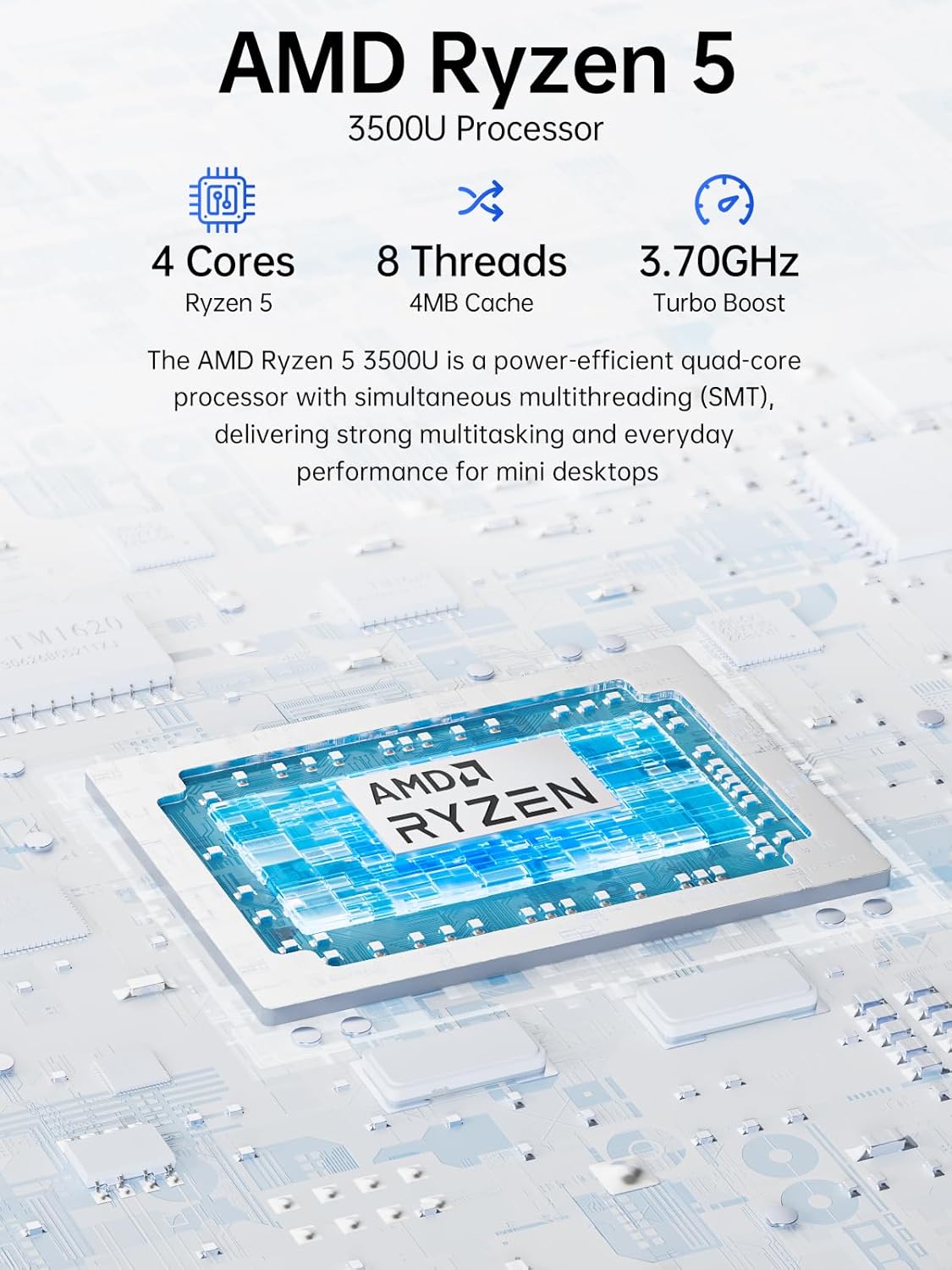
Image: Visual representation of the AMD Ryzen 5 3500U processor, highlighting its 4 cores, 8 threads, 4MB cache, and 3.70GHz turbo boost.
Grafika:
Integruota Radeon Vega 8 grafika (up to 1.2 GHz) provides capable performance for video editing, multimedia playback, and casual gaming.
Atmintis (RAM):
Sistema apima 16GB of DDR4 SO-DIMM dual-channel RAM (2 x 8GB). The memory is expandable up to 32GB.
Saugykla:
Savybės a 1TB PCIe 3.0 x4 NVMe SSD, offering significantly faster data transfer speeds (up to 3500 MB/s) compared to traditional SATA SSDs. This results in quicker boot times, faster application loading, and smoother file pervedimai.
Paveikslėlis: Palyginimas, iliustruojantis greičio padidinimątage of PCIe 3.0 NVMe SSDs (up to 3500 MB/s) over SATA SSDs (up to 550 MB/s).
Saugyklos išplėtimas:
The Mini PC G10 is equipped with two M.2 2280 PCIe 3.0 slots, allowing for storage expansion up to 16TB (with 2 x 8TB SSDs, not included).

Image: Diagram showing the dual SO-DIMM DDR4 slots for RAM expansion up to 64GB and two M.2 2280 SSD slots for storage expansion up to 16TB.
7. Ekrano konfigūracija
The GMKtec Mini PC G10 supports a triple display setup, allowing for enhanced productivity and immersive multimedia experiences.
- Connect up to three monitors simultaneously using the HDMI 2.1, DisplayPort 1.4, and full-function USB-C ports.
- All display outputs support 4K resolution at 60Hz.

Image: An illustration of a triple monitor setup connected to the Mini PC, demonstrating its multi-display capability for a productive workspace.
8. Ryšys
The Mini PC G10 offers versatile connectivity options for both wired and wireless networks and peripherals.
- „Wi-Fi 5“: Provides fast wireless internet access.
- "Bluetooth 5.0": For connecting wireless peripherals such as keyboards, mice, and headphones.
- 2.5 gigabito eternetas: An ultra-fast wired network connection for high-speed data transfer and low-latency applications.

Image: A visual representation of the Mini PC connected wirelessly via Wi-Fi and Bluetooth, and wired via 2.5GbE Ethernet, highlighting its comprehensive connectivity.
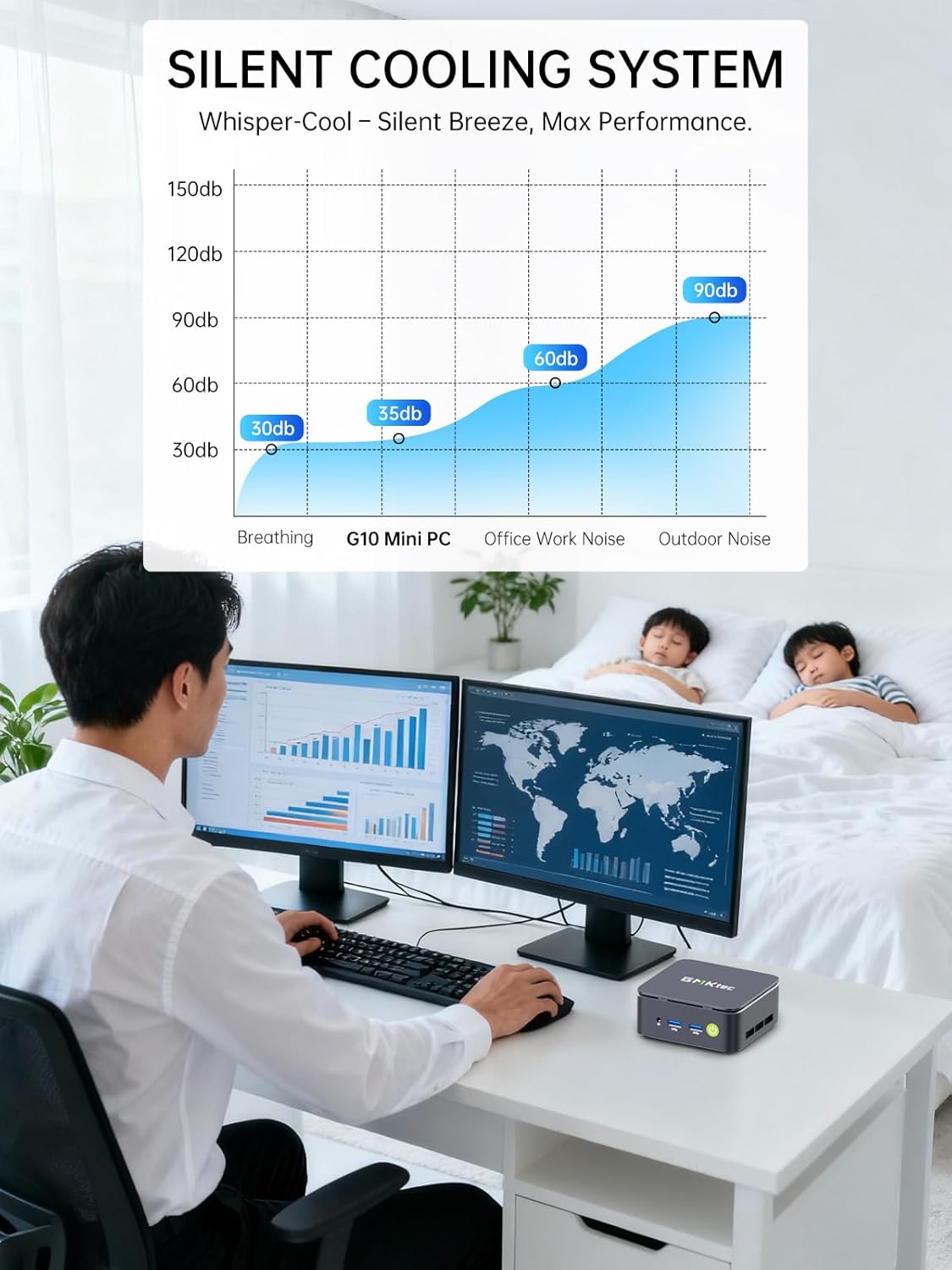
9. Silent Cooling System
The GMKtec Mini PC G10 incorporates a silent turbo cooling fan designed to maintain optimal operating temperatures while minimizing noise output. This ensures stable performance even under load.

Paveikslėlis: sprogęs view of the Mini PC G10 showing the internal silent turbo cooling fan and its airflow path.
10. Priežiūra
Reguliarus techninis aptarnavimas padeda užtikrinti jūsų „Mini PC“ ilgaamžiškumą ir optimalų veikimą.
- Valymas: Periodically clean the exterior of the Mini PC with a soft, dry cloth. Use compressed air to clear dust from ventilation openings. Ensure the device is powered off and unplugged before cleaning.
- Programinės įrangos atnaujinimai: Nuolat atnaujinkite operacinę sistemą ir tvarkykles iki naujausių versijų. Tai pagerina saugumą, stabilumą ir našumą.
- Vėdinimas: Ensure the Mini PC is placed in a well-ventilated area and that its vents are not obstructed. Proper airflow is crucial for cooling.
- Saugyklos valdymas: Reguliariai tvarkykite savo saugyklą ištrindami nereikalingus fileir programas, kad būtų palaikomas optimalus SSD našumas.
11. Problemų sprendimas
If you encounter issues with your GMKtec Mini PC G10, refer to the following common troubleshooting steps:
Nėra maitinimo / Sistema neįsijungia:
- Įsitikinkite, kad maitinimo adapteris yra tvirtai prijungtas tiek prie „Mini PC“, tiek prie veikiančio maitinimo lizdo.
- Patikrinkite, ar maitinimo lizdas veikia, prijungdami prie jo kitą įrenginį.
- Tvirtai paspauskite maitinimo mygtuką.
Nėra ekrano išvesties:
- Patikrinkite, ar HDMI, DisplayPort arba USB-C laidas yra tvirtai prijungtas prie mini kompiuterio ir monitoriaus.
- Įsitikinkite, kad monitorius įjungtas ir nustatytas tinkamas įvesties šaltinis.
- Jei įmanoma, išbandykite kitą ekrano kabelį arba monitorių.
No Wi-Fi / Bluetooth Connection:
- Check if Wi-Fi or Bluetooth is enabled in the Windows settings.
- Paleiskite „Mini PC“ ir maršrutizatorių / modemą iš naujo.
- Įsitikinkite, kad tvarkyklės yra atnaujintos.
Lėtas našumas:
- Uždarykite nereikalingas programas, veikiančias fone.
- Patikrinkite, ar SSD diske yra pakankamai laisvos vietos.
- Ensure the Mini PC is well-ventilated to prevent thermal throttling.
- Paleiskite sistemos nuskaitymą, ar nėra kenkėjiškų programų ar virusų.
If these steps do not resolve the issue, please contact GMKtec customer support.
12. Specifikacijos
Detailed technical specifications for the GMKtec Mini PC G10:
| Funkcija | Specifikacija |
|---|---|
| Prekės ženklas | GMKtec |
| Modelis | Nucbox G10 |
| Operacinė sistema | Windows 11 Pro |
| CPU modelis | AMD Ryzen 5 3500U |
| CPU greitis | 2.1 GHz (Boost up to 3.7 GHz) |
| Procesorių skaičius | 4 (8 Threads) |
| Grafikos koprocesorius | Radeon Vega 8 |
| RAM Installed | 16 GB DDR4 |
| Max RAM Size | 64 GB |
| RAM Speed | 2400 MHz |
| Sandėliavimo talpa | 1 TB SSD (PCIe 3.0 x4 NVMe) |
| Saugyklos išplėtimas | 2x M.2 2280 PCIe 3.0 slots (up to 16TB total) |
| Vaizdo išvesties sąsaja | HDMI 2.1, DisplayPort 1.4, USB-C (DP Alt Mode) |
| Maksimali ekrano raiška | 3840 x 2160 (4K) @ 60 Hz |
| Belaidė technologija | „Wi-Fi 5“ (802.11ac), „Bluetooth 5.0“ |
| Laidinis ryšys | 2.5 Gigabit Ethernet |
| USB prievadai | 2x USB 3.2, 1x USB 2.0, 1x USB-C (full-function) |
| Garso išvestis | 1x CTIA Audio Jack |
| Maitinimo įvestis | USB-C (PD) |
| Modelio metai | 2023 |
13. Garantija ir palaikymas
GMKtec provides comprehensive warranty and support for your Mini PC G10.
- Garantija: Each Mini PC comes with a limited 3-year warranty from the date of purchase. This includes replacement during the first year and repair services for the subsequent two years, covering design and manufacturing defects.
- Klientų aptarnavimas: For any inquiries or technical assistance, you can contact GMKtec's professional after-sales team.
Kontaktinė informacija:
- „Amazon“ palaikymas: Prisijunkite prie „Amazon“ paskyros, eikite į „Jūsų užsakymai“ ir pasirinkite „Užduoti klausimą apie produktą“, kad gautumėte tiesioginę pagalbą.
- El. paštas po pardavimo: Siųsti el. laišką adresu eu-cs@gmktec.com už klientų aptarnavimą visą parą.

Image: Details on GMKtec's warranty and support, including contact methods for Amazon support and the after-sales email address.