
Arylic UP2Stream-50Wx2-100W
Arylic UP2Stream 2.1 žemųjų dažnių garsiakalbis Amplifier Board vartotojo vadovas
Įvadas
This manual provides detailed instructions for the installation, operation, and maintenance of your Arylic UP2Stream 2.1 Subwoofer Amplifier Board. This high-performance amplifier board integrates WiFi and Bluetooth 5.0 connectivity, delivering 50W x 2 for stereo channels and 100W for a subwoofer, making it ideal for DIY speaker projects and multi-room audio setups. Please read this manual thoroughly before use to ensure proper functionality and safety.
Saugos informacija
Visada laikykitės šių saugos priemonių:
- Užtikrinkite maitinimo šaltinio ttage matches the requirements specified for the ampkėlimo lenta.
- Saugokite įrenginį nuo vandens, drėgmės ar ekstremalių temperatūrų.
- Venkite dėti amplifier board in direct sunlight or near heat sources.
- Nebandykite atidaryti ar modifikuoti įrenginio. Visus techninės priežiūros darbus patikėkite kvalifikuotiems darbuotojams.
- Laikyti vaikams nepasiekiamoje vietoje.
- Prieš atlikdami bet kokius prijungimus ar atjungimus, atjunkite maitinimą.
Pakuotės turinys
Patikrinkite, ar pakuotėje yra visi reikalingi daiktai:
- Arylic UP2Stream 2.1 žemųjų dažnių garsiakalbis Ampgelbėtojų lenta
- Nuotolinio valdymo pultas
- Vartotojo vadovas (šis dokumentas)
- (Additional cables or accessories may be included depending on the specific package)
Produktas baigtasview ir Savybės
The Arylic UP2Stream 2.1 Amplifier Board offers advanced audio streaming capabilities and powerful amplification for your custom audio projects.
- Belaidis stereo Ampgyvybingesnis: Adds wireless or network streaming functionality to existing speakers, home stereo systems, or receivers.
- High-Performance Subwoofer Output: Features 50W x 2 for stereo channels and a dedicated 100W output for a subwoofer. Supports virtual bass (activatable via remote control) and high-resolution sound. Capable of driving a 10-inch subwoofer for home theater applications.
- Stable Streaming and High Sound Quality: Supports lossless music file playback including MP3, APE, FLAC, and WAV with high-resolution audio. Bluetooth range extends up to 30 meters, while WiFi streaming covers the entire signal range.
- Multiple Music Sources and Protocols: Compatible with various streaming services such as Spotify, TuneIn, iHeartRadio, TIDAL, and supports protocols like AirPlay1, Qplay, DLNA, and UPnP. Also accepts local music from USB flash drives, NAS, and Line inputs.
- Multi-Purpose Streaming: Allows for setting up multiple Arylic devices on the same network, enabling control via the 4stream app to play different audio in various rooms or synchronize the same audio across all devices.

Vaizdo aprašymas: Iš viršaus į apačią view of the Arylic UP2Stream 2.1 Subwoofer Amplifier Board, showcasing its various components including heatsinks, capacitors, input/output terminals, and control knobs. The board is black with silver and green accents.
Sąranka
1. Fiziniai ryšiai
Before powering on the device, ensure all necessary audio inputs and speaker outputs are correctly connected.
- Garsiakalbio jungtis: Connect your passive stereo speakers to the left and right speaker terminals. Connect your passive subwoofer to the dedicated subwoofer output terminals. Ensure correct polarity (+ to + and - to -).
- Garso įvestis: Connect your audio source (e.g., TV, CD player, computer) to the RCA Line Input. Alternatively, use Bluetooth or WiFi for wireless audio input.
- Maitinimas: Connect a compatible DC power adapter (not included, typically 12-24V) to the power input jack.

Vaizdo aprašymas: A diagram illustrating the various input and output connections of the Arylic UP2Stream 2.1 Amplifier Board. It shows connections for RCA input, Bluetooth input, DAC, Preamp, and outputs to speakers and headphones. Devices like a TV, laptop, DVD player, and smartphone are shown as potential input sources.
2. Network and Bluetooth Setup
The amplifier board supports both WiFi and Bluetooth for wireless audio streaming.
- WiFi sąranka: Download the "4stream" app from your device's app store (iOS or Android). Follow the in-app instructions to connect the amplifier board to your home WiFi network. This enables multi-room audio and access to online streaming services.
- „Bluetooth“ susiejimas: Įjunkite maitinimą amplifier board. On your smartphone or other Bluetooth-enabled device, search for available Bluetooth devices and select "Arylic UP2Stream" (or similar name) to pair.
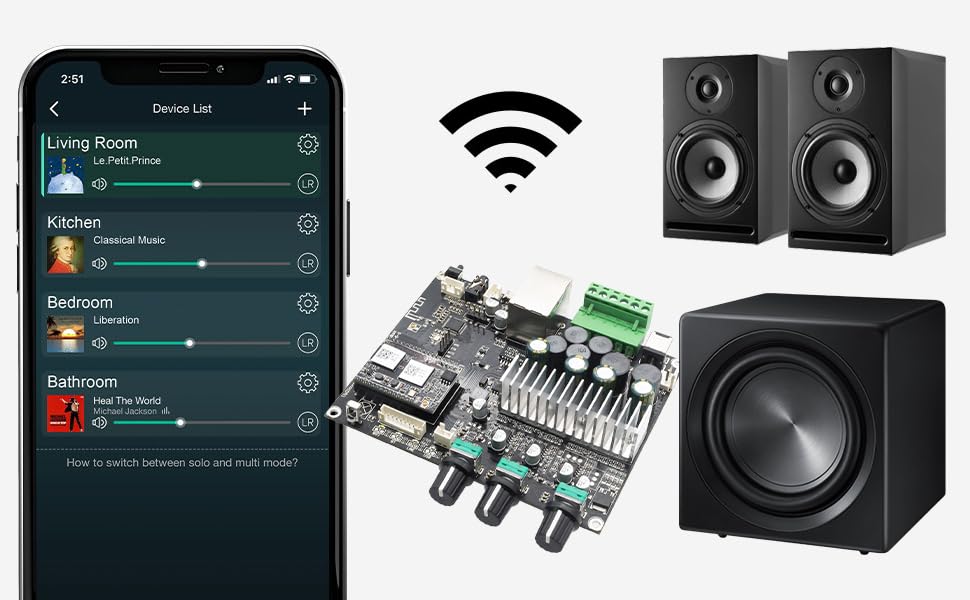
Vaizdo aprašymas: An illustration showing the Arylic UP2Stream 2.1 Amplifier Board at the center, surrounded by a smartphone displaying the "4stream" app interface, a WiFi signal icon, two bookshelf speakers, and a subwoofer. This depicts a complete wireless audio setup.
Naudojimo instrukcijos
1. Garso atkūrimas
- Via 4stream App: Once connected to WiFi, use the 4stream app to select music sources (streaming services, local files, NAS) and control playback, volume, and multi-room settings.
- Per Bluetooth: After pairing, play audio from your Bluetooth-connected device.
- Via Line Input: Select the Line Input source (if available via app or physical control) and play audio from your connected analog source.
2. Kelių kambarių transliacija
The 4stream app allows you to group multiple Arylic devices for synchronized playback or play different audio in separate zones.

Vaizdo aprašymas: A smartphone screen displaying the "4stream" app interface, showing a "Device List" with different rooms (Living Room, Kitchen, Bedroom, Bathroom) and currently playing music in each. This illustrates the multi-room audio control capability.
3. EQ Control and Audio Effects
Customize your audio experience by adjusting Treble and Bass settings using the ACPWorkbench Audio Effect Tool. This tool provides advanced equalization options.
- Accessing ACPWorkbench: Refer to the Arylic website or product support for instructions on downloading and using the ACPWorkbench software.
- Virtual Bass: Activate the virtual bass feature via the remote control for enhanced low-frequency response.
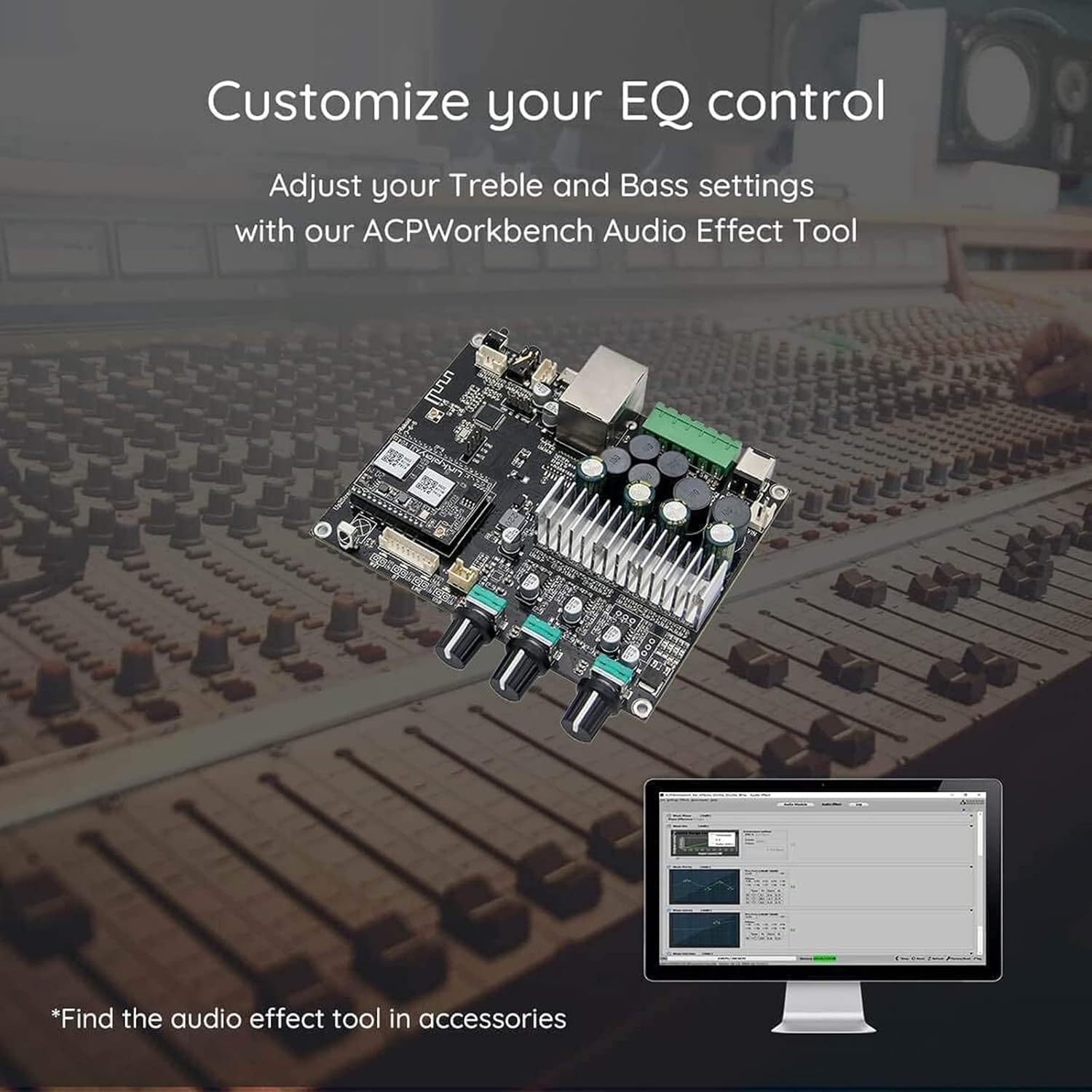
Vaizdo aprašymas: The Arylic UP2Stream 2.1 Amplifier Board positioned in front of a large audio mixing console, with a computer monitor displaying the "ACPWorkbench Audio Effect Tool" interface. This highlights the customization options for audio settings.
4. Nuotolinio valdymo pulto naudojimas
The included remote control provides convenient access to basic functions such as power, volume, input selection, and virtual bass activation.

Vaizdo aprašymas: A hand holding the Arylic remote control, pointing towards a stereo system with two speakers and a receiver, demonstrating its use for controlling the audio setup.
Priežiūra
- Valymas: Valymui naudokite minkštą, sausą šluostę ampNenaudokite skystų valiklių ar tirpiklių.
- Vėdinimas: Ensure adequate airflow around the board to prevent overheating. Do not obstruct the heatsinks.
- Saugykla: Jei prietaisą ilgesnį laiką sandėliuosite, atjunkite jį nuo maitinimo šaltinio ir laikykite vėsioje, sausoje vietoje.
Trikčių šalinimas
| Problema | Galima priežastis | Sprendimas |
|---|---|---|
| Nėra galios | Maitinimo adapteris neprijungtas arba sugedęs; maitinimo lizdas neveikia. | Check power connections. Try a different power outlet or adapter. |
| Nėra garso išvesties | Incorrect speaker connections; wrong input source selected; volume too low; faulty audio cable. | Verify speaker polarity and connections. Select the correct input source. Increase volume. Test with a different audio cable. |
| Nepavyksta prisijungti prie „WiFi“ | Incorrect WiFi password; device too far from router; network issues. | Double-check WiFi password. Move device closer to router. Restart router. Follow 4stream app setup steps carefully. |
| „Bluetooth“ susiejimas nepavyksta | Device not in pairing mode; too many paired devices; interference. | Užtikrinti, amplifier board is in Bluetooth pairing mode. Clear previous Bluetooth connections on your source device. Try pairing again. |
| Garso iškraipymas | Volume too high; impedance mismatch with speakers; faulty speakers/cables. | Reduce volume. Ensure speakers are compatible with amplifier output. Test with different speakers or cables. |
Specifikacijos
- Modelio numeris: UP2Stream-50Wx2-100W
- Prekinis ženklas: Ariliškas
- Išėjimo galia: 50W x 2 (Stereo), 100W (Subwoofer)
- Ryšys: „Wi-Fi“, „Bluetooth 5.0“
- Palaikomi garso formatai: MP3, APE, FLAC, WAV (Lossless)
- Protokolai: AirPlay1, Qplay, DLNA, UPnP
- Įėjimai: Line Input (RCA), USB Flash Drive, NAS
- Valdymo programa: 4stream (iOS & Android)
- Matmenys: 13.6 x 9.2 x 2.6 colio
- Svoris: 8.01 uncijos
- Montavimo tipas: Vidinis
- Kanalų skaičius: 3 (2.1)
Garantija ir palaikymas
Arylic products are designed for reliability and performance. For warranty information, technical support, or service inquiries, please contact Arylic customer support directly through their official websvetainę arba perkant pateiktą kontaktinę informaciją.
Gamintojas: Rakoit Technology (Shenzhen) Co., Ltd.
Susiję dokumentai - UP2Stream-50Wx2-100W
 |
„Arylic Up2Stream Pro“ naudotojo vadovas: „WiFi“ ir „Bluetooth“ garso imtuvas Išsamus „Arylic Up2Stream Pro“, „Wi-Fi“ ir „Bluetooth“ garso imtuvo plokštės, naudotojo vadovas. Sužinokite apie jos funkcijas, jungtis, sąranką, specifikacijas ir kaip naudoti programėlę „4STREAM“ sklandžiam muzikos transliavimui. |
 |
Arylic Up2Stream Plate AMP 2.1 User Manual - WiFi Bluetooth Ampkėlimo vadovas Detailed user manual for the Arylic Up2Stream Plate AMP 2.1, a versatile 2.1 channel plate amplifier offering WiFi and Bluetooth 5.0 connectivity, high-quality audio output, and app control for seamless music streaming. |
 |
„Arylic Up2Stream Pro“ „WiFi“ ir „Bluetooth“ garso imtuvo naudotojo vadovas „Arylic Up2Stream Pro“ yra universali „WiFi“ ir „Bluetooth“ garso imtuvo plokštė, sukurta lengvai integracijai į esamas garso sistemas. Ji leidžia transliuoti tinklą ir „Bluetooth“ iš įvairių šaltinių, palaikydama kelių kambarių ir kelių zonų atkūrimą. Šiame vadove pateikiama išsami informacija apie sąranką, naudojimą ir specifikacijas. |
 |
Aryl Up2Stream AMP2.1 WiFi ir Bluetooth 5.0 Amplifier vartotojo vadovas User manual for the Arylic Up2Stream AMP2.1, a WiFi and Bluetooth 5.0 amplifier with subwoofer output board for DIY audio systems. Learn about its features, interface, setup, and specifications. |
 |
Arylic Up2Stream 2.0 Amp V3 naudotojo vadovas: belaidis WiFi „Bluetooth“ Ampgyvybingesnis Išsamus „Arylic Up2Stream 2.0“ naudotojo vadovas Amp V3, kuriame išsamiai aprašomos jo funkcijos, jungtys, sąranka ir specifikacijos, skirtos kurti individualias belaides garso sistemas. |
 |
Up2Stream plokštė AMP 2.1 Vartotojo vadovas User manual for the Up2Stream Plate AMP 2.1, a WiFi and Bluetooth 5.0 2.1 channel plate amplifier for building high-quality wireless streaming speakers. Details features, interface, setup, and specifications. |
Ask a question about this manual
Ask about setup, troubleshooting, compatibility, parts, safety, or missing instructions. Manuals+ will review the question and use this page’s manual context to help answer it.