
1. Įvadas
Thank you for choosing the KOORUI N07 27-inch 4K UHD Monitor. This monitor is designed to provide a superior visual experience with its 3840x2160 resolution, IPS panel, 60Hz refresh rate, HDR10 support, and Adaptive Sync technology. This manual provides essential information for setting up, operating, and maintaining your monitor to ensure optimal performance and longevity. Please read this manual thoroughly before using the product.
2. Saugos informacija
- Visada statykite monitorių ant stabilaus, lygaus paviršiaus.
- Neuždenkite vėdinimo angų.
- Naudokite tik gamintojo pateiktą maitinimo adapterį.
- Laikykite monitorių atokiau nuo vandens ir per didelės drėgmės.
- Avoid exposing the monitor to direct sunlight or high temperatures.
- Atjunkite maitinimo laidą žaibuojant arba kai prietaisas ilgą laiką nenaudojamas.
3. Pakuotės turinys
Atidarę pakuotę, patikrinkite jos turinį. Jei trūksta kokių nors daiktų arba jie pažeisti, susisiekite su pardavėju.
- KOORUI N07 27-inch 4K UHD Monitor
- Monitoriaus stovas (pagrindas ir kaklelis)
- Maitinimo adapteris ir maitinimo laidas
- HDMI kabelis
- „DisplayPort“ laidas
- Vartotojo vadovas
4. Monitor Assembly and Setup
4.1 Stovo tvirtinimas
- Atsargiai padėkite monitorių ekranu žemyn ant minkšto, švaraus audinio, kad nesubraižytumėte.
- Attach the stand neck to the back of the monitor, aligning the mounting points.
- Pritvirtinkite stovo kaklelį pridėtais varžtais.
- Pritvirtinkite stovo pagrindą prie stovo kaklelio ir priveržkite nykštukinį varžtą.

4.1 pav.: galinis view of the monitor showing VESA mount and tilt adjustment.
4.2 Jungiamieji kabeliai
The KOORUI N07 monitor offers versatile connectivity options. Ensure your computer is turned off before making any connections.
- Maitinimo jungtis: Connect the power adapter to the monitor's DC input port, then plug the power cable into a power outlet.
- Vaizdo jungtis: Connect one end of the HDMI or DisplayPort cable to the corresponding port on your computer's graphics card and the other end to an HDMI (HDMI1 or HDMI2) or DisplayPort (DP) input on the monitor.
- Garso išvestis: If desired, connect external speakers or headphones to the 3.5mm audio output port on the monitor.

Figure 4.2: Connectivity options for the KOORUI N07 monitor.
4.3 Įjungimas
After connecting all necessary cables, press the power button on the monitor to turn it on. The monitor will automatically detect the active input source.
5. Naudojimo instrukcijos
5.1 Ekrano meniu (OSD)
OSD meniu leidžia reguliuoti įvairius monitoriaus nustatymus. Norėdami naršyti ir pasirinkti parinktis, naudokite monitoriaus apačioje dešinėje esančius mygtukus.
- Maitinimo mygtukas: Įjungia/išjungia monitorių.
- Meniu mygtukas: Atidaro OSD meniu.
- Naršymo mygtukai: Naudojamas meniu parinktims naršyti ir reikšmėms koreguoti.
- Išėjimo mygtukas: Išeina iš OSD meniu.
5.2 Pagrindiniai OSD nustatymai
- Vaizdo nustatymai: Reguliuokite ryškumą, kontrastą, aiškumą ir spalvų temperatūrą.
- Spalvų režimai: Select from various preset modes like Standard, Movie, Game, and Eye Care.
- Įvesties šaltinis: Manually select between HDMI1, HDMI2, or DisplayPort inputs.
- Adaptyvusis sinchronizavimas: Enable or disable Adaptive Sync for smoother gameplay.
- HDR10: Activate HDR10 for enhanced dynamic range with compatible content.
6. Funkcijos Overview
6.1 4K UHD Resolution (3840x2160)
Experience incredible detail and clarity with a resolution four times higher than Full HD. This monitor provides 8.3 million pixels for a sharper and more colorful image.

Figure 6.1: 4K UHD resolution detail comparison.
6.2 IPS Panel Technology
The IPS panel offers a wide 178° viewing angle and vibrant color reproduction (90% DCI-P3, 99% sRGB), ensuring consistent image quality from almost any perspective. This is ideal for graphic designers, gamers, and movie enthusiasts.

Figure 6.2: IPS panel with 99% sRGB color accuracy.
6.3 HDR10 palaikymas
Enjoy content with enhanced dynamic range. HDR10 provides brighter whites, deeper blacks, and more vivid colors, bringing your favorite movies and games to life with greater realism.

Figure 6.3: HDR10 technology for improved image quality.
6.4 Adaptyvioji sinchronizavimo technologija
Adaptive Sync eliminates screen tearing and stuttering, providing a smoother and more fluid visual experience, especially during fast-paced gaming or video playback.

Figure 6.4: Adaptive Sync in action, preventing screen tearing.
6.5 Akių priežiūros technologija
The monitor features a Blue Light Filter and Flicker-Free technology to reduce eye strain during prolonged use. The Eye Care mode optimizes settings to minimize blue light emission, promoting visual comfort.
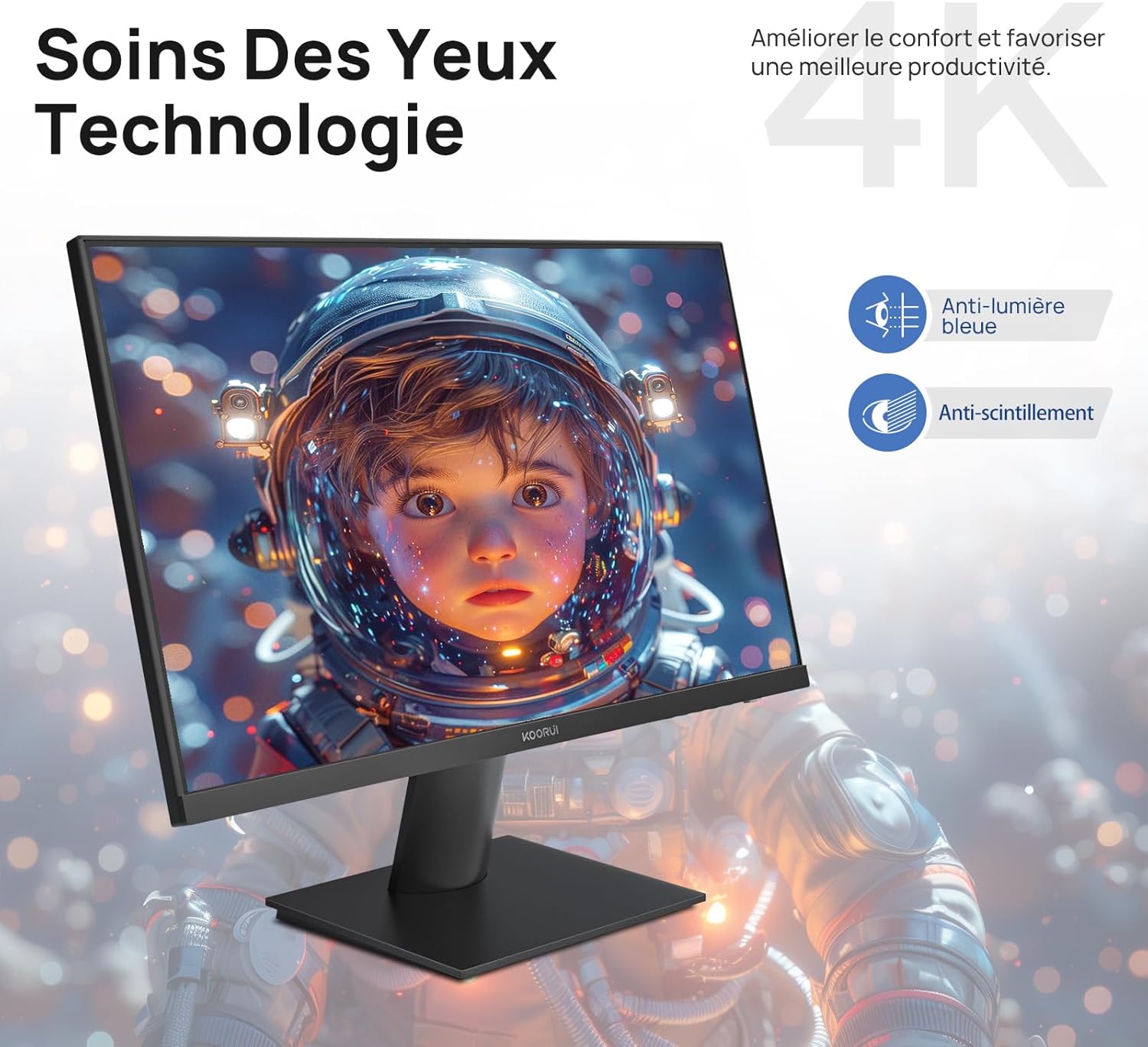
Figure 6.5: Eye Care technology for reduced eye strain.
6.6 Ergonomiškas dizainas
The monitor stand allows for tilt adjustment from -5° to 20°, enabling you to find the most comfortable viewing angle for your posture.
6.7 Suderinamumas su VESA tvirtinimo elementais
The KOORUI N07 supports 100x100mm VESA mounting, allowing you to easily attach it to a wall mount or an articulated monitor arm for a flexible and clutter-free workspace.

Figure 6.6: VESA mount compatibility for flexible setup.
7. Produkto vaizdo įrašasview
7.1 vaizdo įrašas: metimas per sekundęview of the KOORUI N07 27-inch 4K UHD monitor, highlighting its key features such as 4K resolution, DCI-P3 color gamut, HDR10 support, versatile usage for creation, viewing, and gaming, adjustable tilt, and VESA mounting capabilities.
8. Problemų sprendimas
Jei kyla problemų dėl monitoriaus, žr. šias dažniausiai pasitaikančias problemas ir sprendimus:
| Problema | Galimas sprendimas |
|---|---|
| Ekrane nėra vaizdo | Ensure power cable is securely connected. Check video cable connection (HDMI/DP) to both monitor and computer. Verify correct input source is selected in OSD. |
| Vaizdas neryškus arba iškraipytas | Check display resolution settings on your computer. Ensure it is set to 3840x2160. Adjust sharpness in the OSD menu. |
| Spalvos atrodo neteisingos | Adjust color temperature and color settings in the OSD menu. Try resetting picture settings to factory defaults. |
| Ekrano mirgėjimas | Ensure the video cable is securely connected. Disable Adaptive Sync if enabled, or update your graphics card drivers. |
9. Specifikacijos
| Funkcija | Detalė |
|---|---|
| Prekės ženklas | KOORUI |
| Modelio numeris | N07 |
| Ekrano dydis | 27 colių |
| Rezoliucija | 4K UHD (3840 x 2160 pikselių) |
| Skydelio tipas | IPS |
| Atnaujinimo dažnis | 60 Hz |
| Reagavimo laikas | 4 milisekundžių |
| Krašto santykis | 16:9 |
| Kontrasto santykis | 1000:1 |
| Ryškumas | 300 cd/m² |
| Viewing kampas | 178 laipsnių |
| Ryšys | 2 HDMI 2.0, 1 DisplayPort 1.4, 1 garso išvestis |
| VESA suderinamumas | 100x100mm |
| Ypatingos savybės | Blue Light Filter, Tilt Adjustment, Frameless, Flicker-Free, Adaptive Sync, HDR10 |
| Matmenys (G x P x A) | 20.5P x 61lx 45H centimetrų |
| Svoris | 3 kilogramo |
10. Priežiūra
To ensure the longevity and optimal performance of your KOORUI N07 monitor, follow these maintenance guidelines:
- Ekrano valymas: Švelniai nuvalykite ekraną minkštu, nepūkuotu skudurėliu. Jei dėmės sunkiai įveikiamos,ampŠluostę lengvai sudrėkinkite vandeniu arba specializuotu ekrano valikliu. Niekada nepurkškite skysčio tiesiai ant ekrano.
- C valymasasing: Monitorių valykite minkšta, sausa šluoste.asing. Venkite abrazyvinių valiklių ar tirpiklių.
- Vėdinimas: Įsitikinkite, kad monitoriaus ventiliacijos angos nėra užblokuotos, kad jis neperkaistų.
- Išjungti: Turn off the monitor when not in use for extended periods.
11. Garantija ir palaikymas
The KOORUI N07 monitor comes with a 2 metų gamintojo garantija. This warranty covers defects in materials and workmanship under normal use. For warranty claims or technical support, please contact KOORUI customer service or your retailer with your proof of purchase.
For additional support, troubleshooting guides, and driver downloads, please visit the official KOORUI websvetainę.