
Įvadas
This manual provides essential information for setting up, operating, maintaining, and troubleshooting your Xiaomi Redmi Note 14 Pro 5G smartphone. Please read this guide carefully to ensure proper use and to maximize the device's performance and longevity.
Sąranka
1. Kas yra dėžutėje
Your Xiaomi Redmi Note 14 Pro 5G package includes:
- „Xiaomi Redmi Note 14 Pro 5G“ išmanusis telefonas
- Maitinimo adapteris
- USB kabelis
- SIM išstūmimo įrankis
2. Įrenginys baigtasview
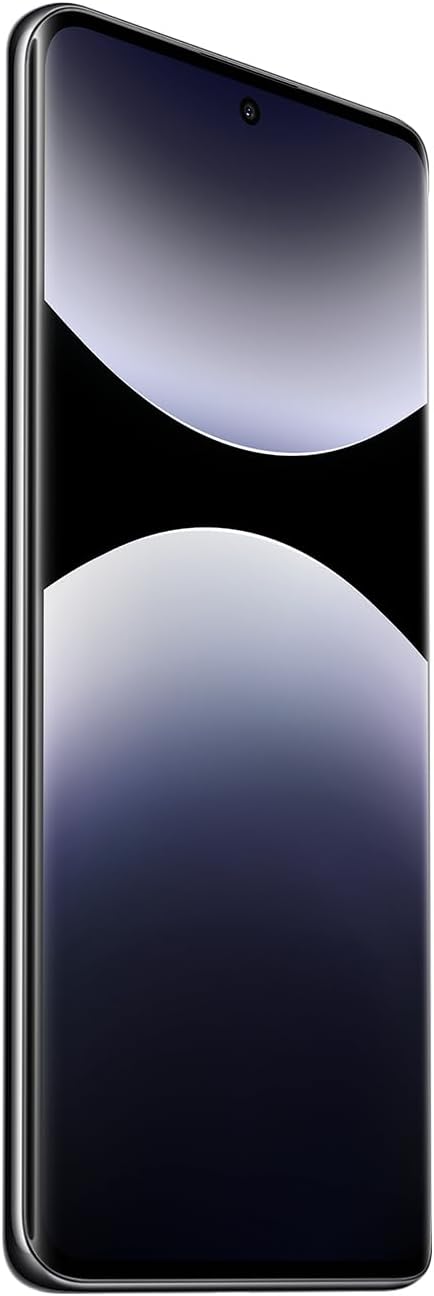
1 pav.: priekis view of the Xiaomi Redmi Note 14 Pro 5G, showing the display and front camera.
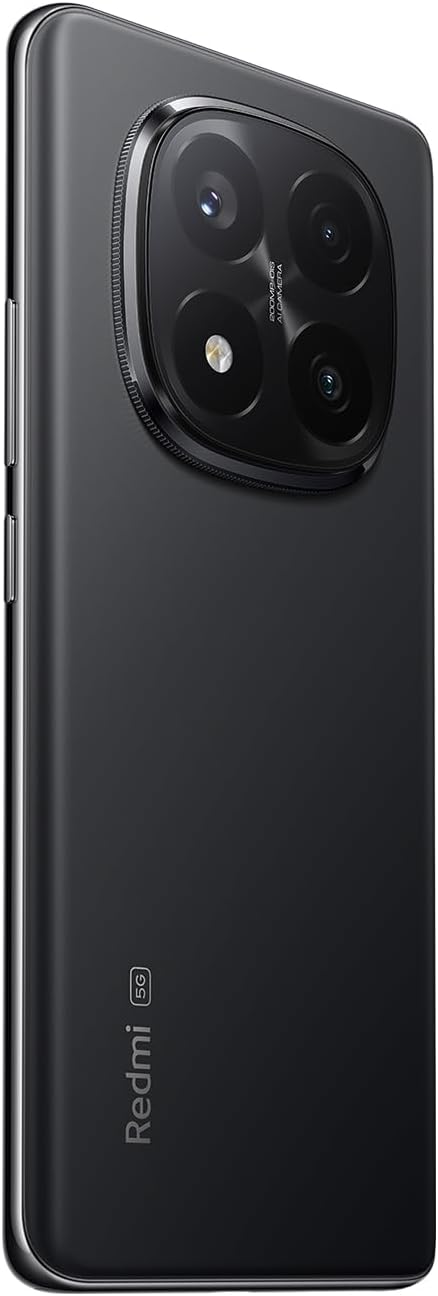
2 pav.: Nugara view of the Xiaomi Redmi Note 14 Pro 5G, highlighting the quad-camera module.
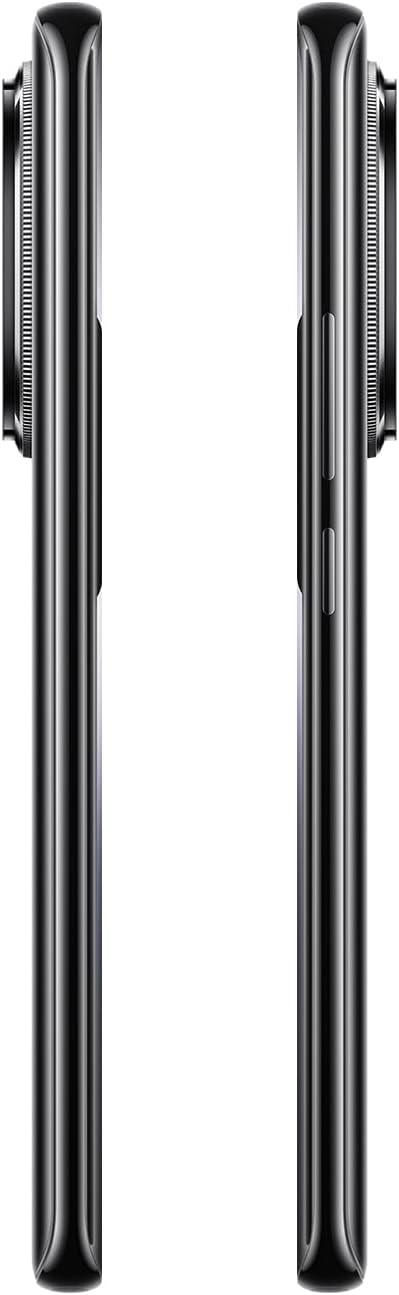
3 pav.: šonas view of the Xiaomi Redmi Note 14 Pro 5G, illustrating the power and volume buttons.
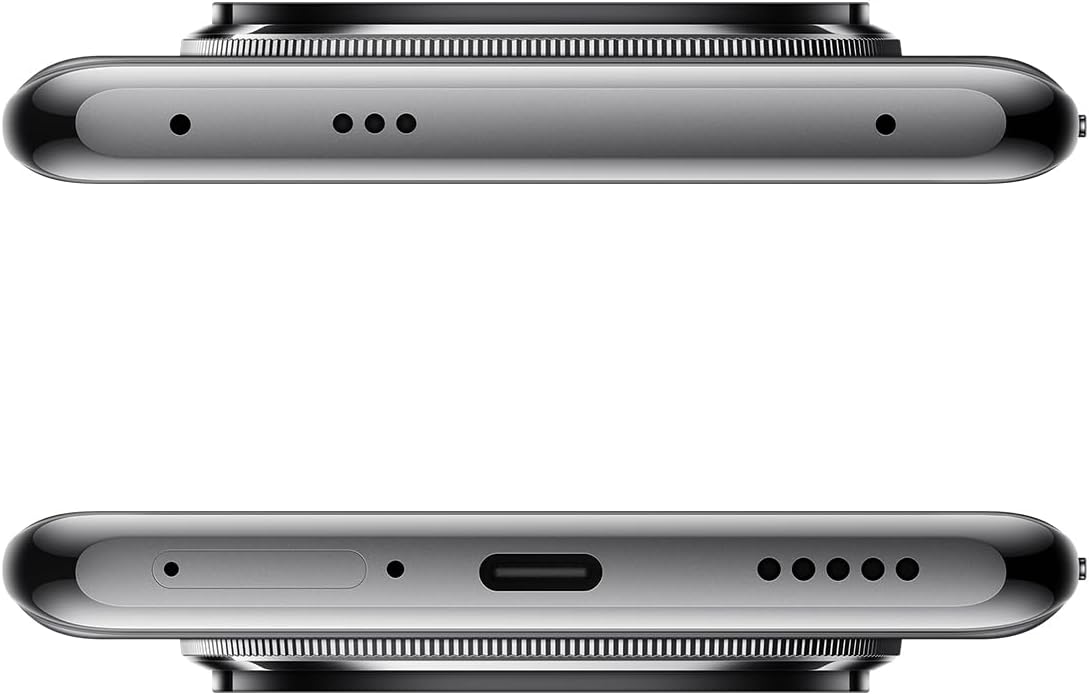
4 pav. Viršuje ir apačioje views of the Xiaomi Redmi Note 14 Pro 5G, detailing the USB-C port, speakers, and SIM card tray.
3. SIM kortelės įdėjimas
- Locate the SIM card tray on the side of your device (refer to Figure 4).
- Insert the SIM eject tool into the small hole next to the tray to open it.
- Place your Nano-SIM card(s) into the tray with the gold contacts facing down. This device supports Dual SIM.
- Atsargiai stumkite dėklą atgal į angą, kol jis spragtelėdamas užsifiksuos savo vietoje.
4. Pradinis įjungimas ir konfigūracija
- Press and hold the Power button (refer to Figure 3) until the Xiaomi logo appears.
- Vykdykite ekrane pateikiamus nurodymus, kad pasirinktumėte kalbą, prisijunkite prie „Wi-Fi“ tinklo ir sukonfigūruotumėte „Google“ paskyrą.
- Configure security settings, including fingerprint recognition, for enhanced device protection.
Prietaiso valdymas
1. Ekranas ir navigacija
The Redmi Note 14 Pro 5G features a 6.67-inch OLED touchscreen with a 2340 x 1080 resolution and a 120Hz refresh rate for smooth visuals. Navigate the Android operating system using touch gestures.
2. Kameros funkcijos
Your device is equipped with a powerful camera system:
- Galinė kamera: 200 MP main sensor with a quad-camera setup. Integrated flash.
- Priekinė kamera: 32 MP sensor.
- Fotografavimo režimai: Automatic, Portrait, Landscape, Sport, Night Mode, Macro.
To open the camera, tap the camera icon on your home screen or lock screen. Select your desired mode and tap the shutter button to capture photos or videos.
3. Ryšys
The device supports 5G cellular technology, Wi-Fi, Bluetooth, and NFC for various connectivity needs. Access these settings via the Quick Settings panel or the main Settings application.
4. Baterija ir įkrovimas
The Redmi Note 14 Pro 5G is powered by a 5500 mAh Lithium-ion battery. It supports 45W fast charging. Use the provided adapter and USB cable for optimal charging performance. Avoid using damaged cables or non-certified chargers.
Priežiūra
1. Įrenginio valymas
- Ekraną ir galinį skydelį nuvalykite minkštu, nepūkuotu skudurėliu.
- Venkite naudoti stiprias chemines medžiagas, abrazyvines medžiagas ar aerozolinius purškalus.
- Do not expose the device to excessive moisture. Note that the device is not water-resistant.
2. Programinės įrangos atnaujinimai
Regularly check for and install software updates to ensure your device has the latest features, security patches, and performance improvements. You can usually find this option in the device's Settings menu under "About phone" or "System updates."
3. Sandėliavimo valdymas
Your device comes with 256 GB of internal storage. To maintain optimal performance, regularly manage your storage by deleting unnecessary files, uninstalling unused apps, and backing up important data to cloud services or an external drive.
Trikčių šalinimas
Jei kyla problemų dėl įrenginio, išbandykite šiuos įprastus trikčių šalinimo veiksmus:
- Įrenginys nereaguoja: Paspauskite ir palaikykite maitinimo mygtuką maždaug 10–15 sekundžių, kad priverstumėte paleisti iš naujo.
- Programėlės strigimas: Uždarykite programėlę ir vėl ją atidarykite. Jei problema išlieka, išvalykite programėlės talpyklą ir duomenis nustatymuose arba pašalinkite ir iš naujo įdiekite programėlę.
- Ryšio problemos („Wi-Fi“ / „Bluetooth“ / mobilusis ryšys):
- Išjunkite ir įjunkite „Wi-Fi“ / „Bluetooth“ / mobiliojo ryšio duomenis.
- Iš naujo paleiskite įrenginį.
- Jei naudojate „Wi-Fi“, pamirškite tinklą ir prijunkite iš naujo.
- Jei naudojate mobilųjį ryšį, įsitikinkite, kad SIM kortelė tinkamai įdėta ir jūsų planas aktyvus.
- Greitai išsikrauna baterija: Check battery usage in Settings to identify power-hungry apps. Reduce screen brightness, disable unnecessary features (GPS, Bluetooth, Wi-Fi) when not in use, and close background apps.
- Lėtas našumas: Clear cache, free up storage space, and restart your device.
Dėl sudėtingesnių problemų kreipkitės į oficialią „Xiaomi“ palaikymo tarnybą. websvetainėje arba susisiekite su klientų aptarnavimo tarnyba.
Specifikacijos
| Funkcija | Detalė |
|---|---|
| Prekės ženklas | XIAOMI |
| Modelio pavadinimas | Note 14 Pro 5G |
| Operacinė sistema | Android |
| RAM dydis | 8 GB |
| Sandėliavimo talpa | 256 GB |
| Ekrano dydis | 6.67 colių |
| Rezoliucija | 2340 x 1080 |
| Atnaujinimo dažnis | 120 Hz |
| Ekrano tipas | OLED |
| Galinės kameros skiriamoji geba | 200 MP (Quad Camera) |
| Priekinės kameros skiriamoji geba | 32 MP |
| Baterijos talpa | 5500 mAh (ličio jonų) |
| Įkrovimas | 45W greitas įkrovimas |
| Korinio ryšio technologija | 5G |
| Ryšys | „Bluetooth“, NFC, „Wi-Fi“ |
| SIM kortelės tipas | Nano-SIM (Dual SIM) |
| Biometric Features | Pirštų atspaudų atpažinimas |
| Atsparumo vandeniui lygis | Neatsparus vandeniui |
| Svoris | 356 gramų |
| Spalva | Juoda |
Informacija apie garantiją
Your Xiaomi Redmi Note 14 Pro 5G comes with a 2 metų gamintojo garantija. This warranty covers defects in materials and workmanship under normal use. For detailed terms and conditions, please refer to the warranty card included in your product packaging or visit the official Xiaomi websvetainę.
Išsaugokite pirkimo įrodymą, kad galėtumėte kreiptis dėl garantijos.
Palaikymas ir kontaktai
For further assistance, technical support, or to find service centers, please visit the official Xiaomi support websvetainė:
You may also find helpful information and FAQs on the Xiaomi community forums.