
1. Įvadas
The Xigmatek Aqua V AIR is a high-performance mid-tower PC case designed for gaming enthusiasts. It features a spacious interior, optimized airflow, and tempered glass panels on the front and side to showcase your components. Equipped with seven 120mm ARGB fans, it supports graphics cards up to 410mm in length and is compatible with motherboards featuring hidden connectors for a clean build.
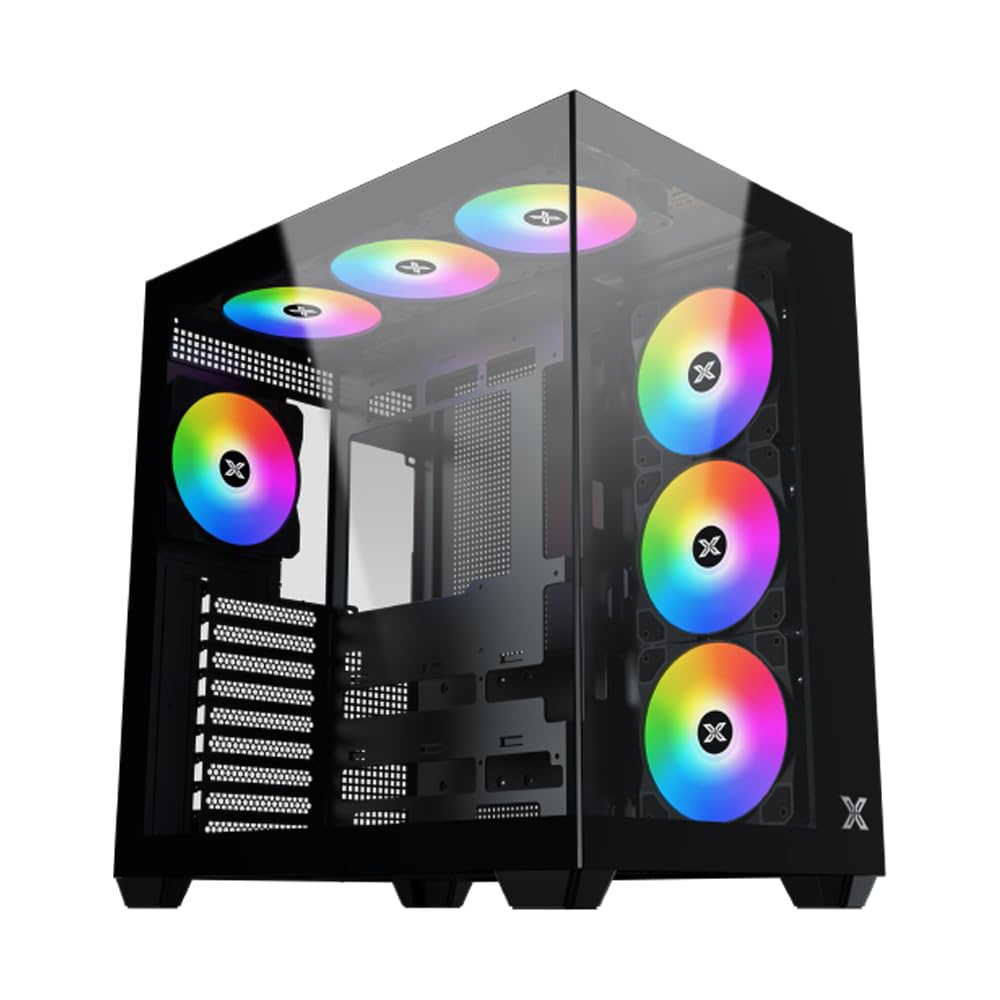
1 pav. Bendra view of the Xigmatek Aqua V AIR PC Case.
2. Pagrindinės savybės
- Medžiaga: Constructed from high-quality steel for durability and reliability.
- Matmenys: 427 x 285 x 455 mm (L x W x H), offering a spacious interior.
- Aušinimo sistema: Supports up to three 120mm or two 140mm fans for optimal cooling performance.
- Radiatoriaus palaikymas: Compatible with 240/280/360mm radiators on the top, bottom, and rear for versatile cooling options.
- Įvesties / išvesties skydelis: Features 2x USB 3.0 ports, 1x USB-C port, and HD audio for convenient connectivity.
- Pagrindinės plokštės suderinamumas: Supports ATX, Micro ATX, and Mini ITX motherboards, including those with hidden connectors.
- GPU ilgis: Talpina iki 410 mm ilgio vaizdo plokštes.
- Saugojimo palaikymas: Suteikia ample space for multiple storage drives.
3. Specifikacijos
| Funkcija | Detalė |
|---|---|
| Prekės ženklas | Xigmatek |
| Modelio numeris | EN45820 |
| Serija | Aqua V AIR BLACK |
| Spalva | Juoda |
| Matmenys (I x P x A) | 42.7 x 28.5 x 45.5 cm |
| Produkto svoris | 8.8 kilogramo |
| Medžiaga | Legiruotas plienas, grūdintas stiklas |
| Pagrindinės plokštės suderinamumas | ATX, mikro ATX, mini ITX |
| Atvejo tipas | Vidurio bokštas |
| Rekomenduojami naudojimo būdai | Gaming, High-Performance Computing |
| USB 3.0 prievadai | 2 |
| USB-C prievadai | 1 |
| Aušinimo būdas | Water (Liquid Cooling Support) |
| Ventiliatoriaus dydis | 120 Millimeters (Pre-installed ARGB fans) |
| Maitinimo bloko montavimo tipas | Apatinis kalnas |
4. Sąranka ir diegimas
This section provides general guidance for installing components into your Xigmatek Aqua V AIR PC case. Always refer to the specific manuals for your motherboard, power supply, and other components for detailed instructions.
4.1 Bylos parengimas
- Išpakuokite kompiuterio korpusą ir nuimkite visas pakavimo medžiagas.
- Carefully remove the tempered glass side panel(s) and front panel (if applicable) to access the interior. Store them safely to prevent damage.
- Identify the accessory box, which typically contains screws, cable ties, and other small parts.
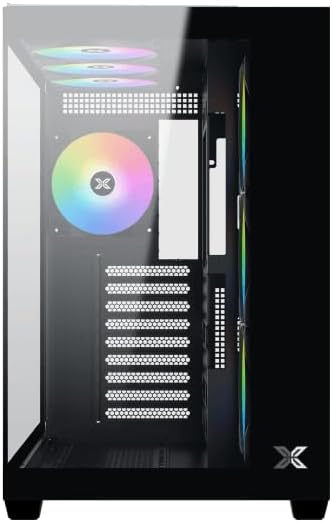
2 pav. Vidus view su nuimtu šoniniu skydeliu.
4.2 Pagrindinės plokštės montavimas
- Install the I/O shield (if not pre-installed on your motherboard) into the rear opening of the case.
- Align your ATX, Micro ATX, or Mini ITX motherboard with the standoffs inside the case. Ensure all standoffs match the screw holes on your motherboard.
- Secure the motherboard with the appropriate screws provided in the accessory kit.

Figure 3: Motherboard tray and cable management area.
4.3 Maitinimo bloko (PSU) montavimas
- Korpuso apačioje, gale, raskite maitinimo bloko tvirtinimo vietą.
- Slide your PSU into position, ensuring the fan faces downwards (if the case has a bottom vent) or upwards.
- Pritvirtinkite maitinimo bloką varžtais iš korpuso galo.
4.4 Atminties disko diegimas
The case supports various storage configurations. Refer to the case diagram for specific drive bay locations.
- Install 2.5" SSDs or 3.5" HDDs into the designated drive bays or mounting brackets.
- Secure the drives with screws.
4.5 Vaizdo plokštės (GPU) diegimas
- Nuimkite reikiamus PCIe lizdų dangtelius nuo korpuso galo.
- Įdėkite vaizdo plokštę į atitinkamą PCIe lizdą pagrindinėje plokštėje.
- Pritvirtinkite vaizdo plokštę varžtais.
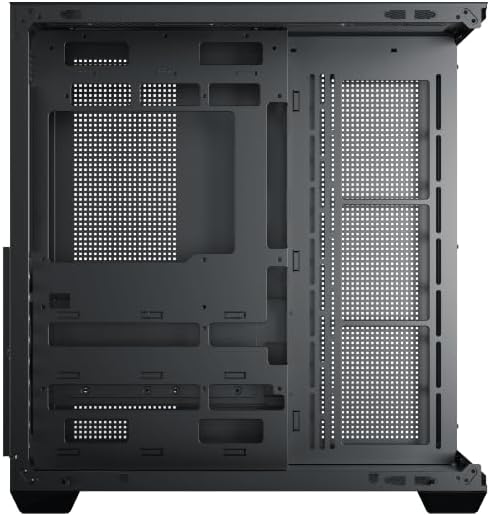
Figure 4: Components installed inside the case.
4.6 Kabelių valdymas
Utilize the cable routing cutouts and tie-down points behind the motherboard tray to manage cables for improved airflow and aesthetics.
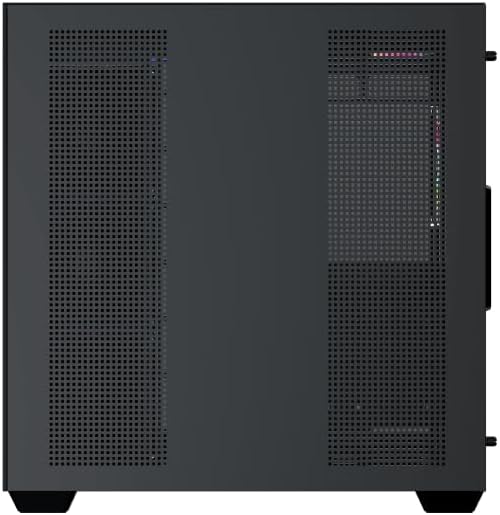
Figure 5: Top panel and I/O ports.
5. Naudojimo instrukcijos
5.1 Įjungimas
Once all components are securely installed and connected, close the side panels. Connect your power cable to the PSU and press the power button on the case's front I/O panel.
5.2 ARGB ventiliatoriaus valdymas
The Xigmatek Aqua V AIR comes with pre-installed ARGB fans. These fans can typically be controlled via:
- Pagrindinės plokštės programinė įranga: If your motherboard supports ARGB synchronization, connect the fan's ARGB cables to the motherboard's 3-pin 5V ARGB header and use the motherboard's software (e.g., ASUS Aura Sync, MSI Mystic Light, Gigabyte RGB Fusion) to customize lighting effects.
- Integruotas valdiklis: If your case includes a built-in ARGB controller, use the dedicated button on the I/O panel to cycle through various lighting modes and colors.
6. Priežiūra
Reguliarus techninis aptarnavimas padeda užtikrinti optimalų kompiuterio komponentų veikimą ir ilgaamžiškumą.
6.1 Dulkių filtro valymas
The Xigmatek Aqua V AIR case is equipped with dust filters to prevent dust buildup. Locate and gently remove the dust filters (typically on the top, front, and bottom). Clean them with compressed air or by rinsing with water. Ensure they are completely dry before reattaching.
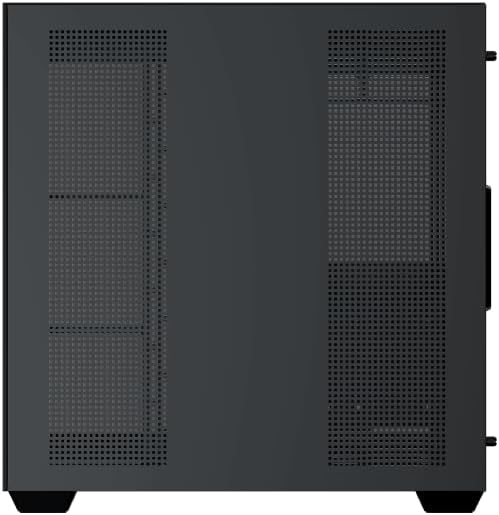
Figure 6: Bottom dust filter.
6.2 Bendras valymas
Use a soft, dry cloth to wipe down the exterior of the case. For tempered glass panels, use a glass cleaner and a microfiber cloth to avoid streaks. Avoid using abrasive cleaners or solvents.
7. Problemų sprendimas
Jei kyla problemų, apsvarstykite šiuos įprastus trikčių šalinimo veiksmus:
- Nėra galios:
- Ensure the PSU is switched on and properly connected to the wall outlet and motherboard.
- Check all power connections to components (motherboard, CPU, GPU, drives).
- Verify the front panel power switch cable is correctly connected to the motherboard.
- Ventiliatoriai nesisuka / RGB neveikia:
- Check if fan power cables are securely connected to the motherboard or fan controller.
- Ensure ARGB cables are connected to the correct 3-pin 5V ARGB header (not 4-pin 12V RGB).
- If using a controller, ensure it has power and is functioning correctly.
- Perkaitimas:
- Ensure all fans are spinning and oriented correctly for optimal airflow (intake/exhaust).
- Išvalykite dulkių filtrus ir vidinius komponentus.
- Verify CPU cooler and GPU cooler are properly seated and functioning.
8. Garantija ir palaikymas
The Xigmatek Aqua V AIR PC Case comes with a 2 metų gamintojo garantija. For technical support, warranty claims, or further assistance, please contact Xigmatek customer service or visit their official websvetainę.
Prašome išsaugoti pirkimo įrodymą garantijos tikslais.
