
1. Įvadas
Thank you for choosing the YI Smart Security Camera 360° PTZ Dome Camera. This camera provides comprehensive surveillance with its 360° pan and tilt capabilities, delivering crystal-clear 1080p Full HD video. Designed for indoor use, it features advanced motion detection, smart auto-tracking, enhanced night vision, and two-way audio communication. This manual will guide you through the setup, operation, and maintenance of your new security camera.
Pagrindinės funkcijos:
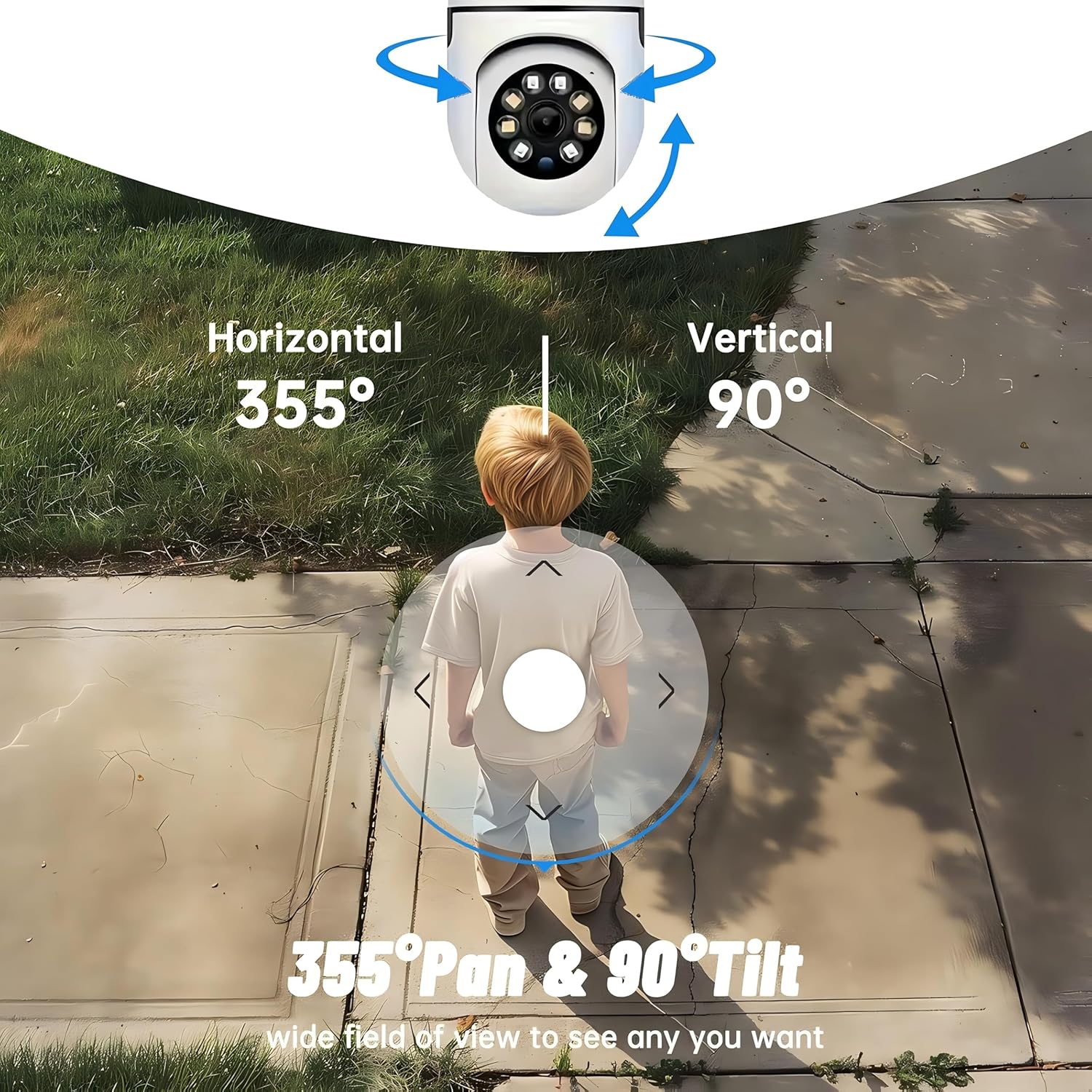
- 360° aprėptis: 355° horizontal and 90° vertical rotation for zero blind spots.
- 1080p Full HD: High-definition video for clear monitoring.
- Judesio aptikimas ir automatinis sekimas: Alerts and tracks moving objects automatically.
- Patobulintas naktinis matymas: Multiple modes including full-color night vision.
- Dvipusis garsas: Integruotas mikrofonas ir garsiakalbis bendravimui realiuoju laiku.
- Lankstus saugojimas: Supports Cloud storage and local storage via microSD card (up to 128GB).
2. Pakuotės turinys
Patikrinkite pakuotę, ar joje yra šie daiktai:
- YI Smart Security Camera x1
- USB laidas x1
- Naudotojo vadovas x1 (šis dokumentas)
3. Produktas baigtasview
Familiarize yourself with the components of your YI Smart Security Camera.

3.1 pav.: priekis view of the YI Smart Security Camera, showing the lens, LED lights, and two antennas.

Figure 3.2: Dimensions of the YI Smart Security Camera, indicating a height of 180mm (7.08in), width of 102mm (4.0in), and depth of 85mm (3.34in).
4. Sąranka ir diegimas
4.1 Pradinis įjungimas
- Connect the provided USB cable to the camera's power port and plug the other end into a compatible USB power adapter (not included).
- The camera will power on and initiate its self-test sequence. Wait for the indicator light to flash, indicating it's ready for setup.
4.2 Programėlės atsisiuntimas ir paskyros sukūrimas
- Atsisiųskite YI IOT App iš „App Store“ („iOS“) arba „Google Play“ parduotuvės („Android“).
- Atidarykite programėlę ir vykdykite ekrane pateikiamus nurodymus, kad sukurtumėte naują paskyrą arba prisijunkite, jei jau turite.
4.3 Kameros pridėjimas prie programėlės
- In the YI IOT App, tap the "+" icon to add a new device.
- Iš sąrašo pasirinkite savo fotoaparato modelį.
- Follow the app's instructions to connect the camera to your 2.4GHz Wi-Fi network. This typically involves scanning a QR code generated by the app with the camera's lens.
- Prisijungę galite pavadinti savo kamerą ir pradėti tiesioginį transliavimą. viewing.
4.4 Fotoaparato montavimas
The camera is designed for indoor use and can be placed on a flat surface or wall-mounted. For wall mounting, use the included mounting accessories (if applicable) and ensure the camera is securely fastened.
4.1 pav. Pvzamples of multi-scene applications, including wall and ceiling mounting, and placement in living rooms, bedrooms, and studies.
5. Kameros valdymas
5.1 Pakreipimo ir pasukimo valdymas
The YI Smart Security Camera offers extensive pan and tilt capabilities, allowing you to monitor a wide area.
- Horizontalus sukimasis: 355°
- Vertikalus sukimas: 90°
In the YI IOT App, use the directional controls on the live view screen to remotely adjust the camera's viewing kampas.

Figure 5.1: Illustration of the camera's 355° horizontal pan and 90° vertical tilt capabilities, providing a wide field of view.
5.2 Motion Detection & Smart Auto Tracking
The camera can detect movement and automatically track objects, sending alerts to your smartphone.
- Judesio aptikimas: When motion is detected, the camera will send an instant push notification with a 6-second video clip to your phone via the YI IOT App.
- Smart Auto Tracking: If enabled, the camera will automatically follow moving objects for up to 10 seconds after detection, ensuring continuous monitoring of the activity.
Adjust sensitivity settings and notification preferences within the app.

Figure 5.2: Real-time alarm notification on the YI IOT app, showing an intruder detected by the camera.

Figure 5.3: The camera's motion tracking feature focusing on a moving pet.

Figure 5.4: Visual representation of a motion detection alert, showing the camera capturing movement and sending notifications.
5.3 Patobulintas naktinis matymas
The camera is equipped with ultra-long-distance infrared LEDs and floodlight LEDs, offering multiple night vision modes for clear visibility in low-light conditions.
- Normal Night Vision: Standard black and white infrared view.
- Pažangus naktinis matymas: Automatically switches between infrared and full-color based on detected activity.
- Spalvotas naktinis matymas: Provides a color image even in low light, utilizing the built-in floodlight.
You can switch between these modes directly from the YI IOT App.

Figure 5.5: Comparison illustrating the difference between standard infrared night vision (monochrome) and 1080p full-color night vision.
5.4 Dvipusis garsas
Communicate through the camera using its built-in microphone and high-power speaker.
- Intercom režimas: Press and hold the microphone icon in the app to speak, and release to listen. Ideal for giving commands to pets or deterring unwanted visitors.
- Laisvų rankų režimas: Allows for a continuous two-way conversation, similar to a phone call.
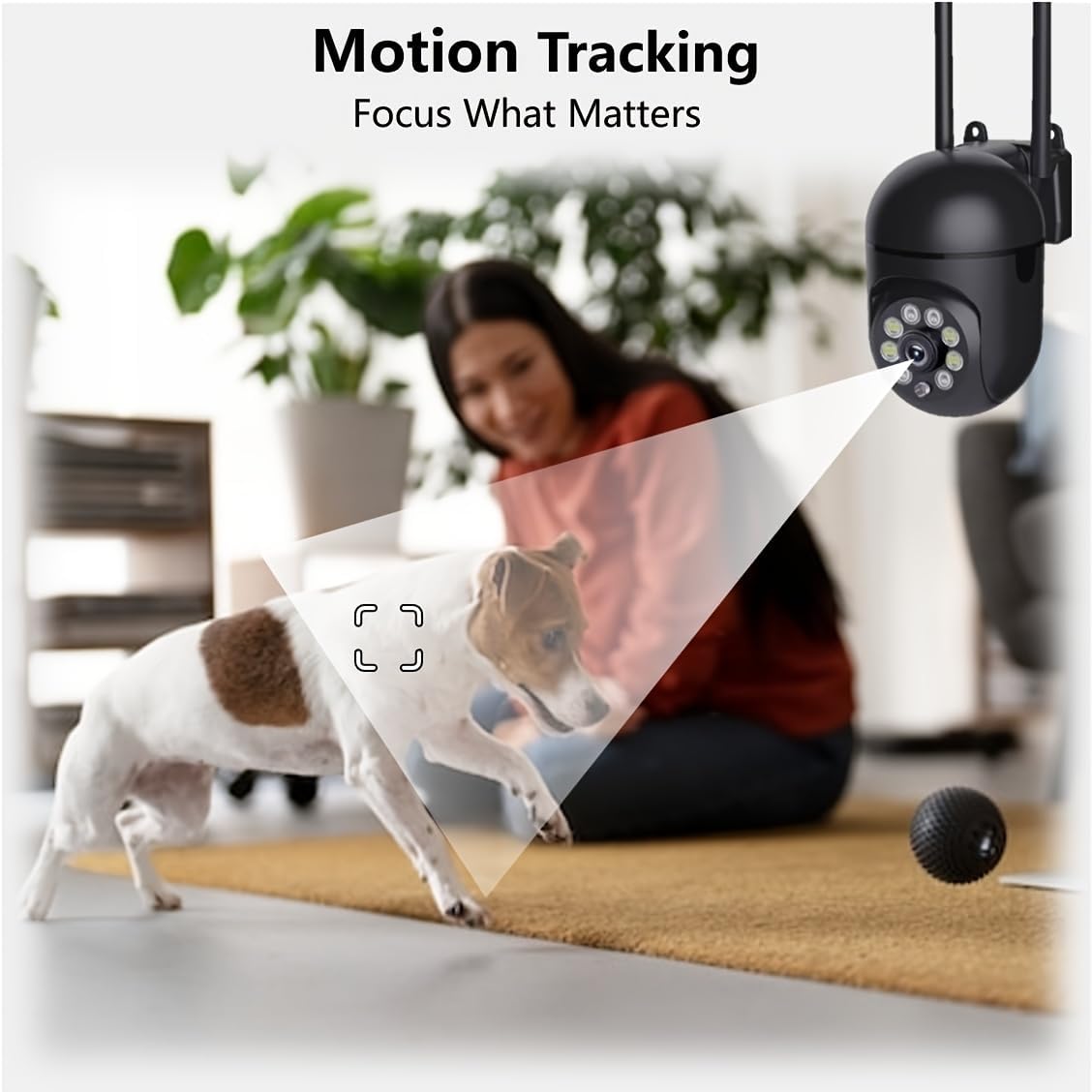
Figure 5.6: Demonstration of real-time two-way talk, allowing communication between the camera's location and the app user.
5.5 Cloud & Local Storage
Your camera offers flexible storage options for your video footage.
- YI Cloud Storage: Securely store 6-second video clips triggered by motion or sound detection. This ensures your footage is safe from loss, theft, or damage to local storage. Available for both iOS and Android.
- Vietinė saugykla: The camera supports microSD cards up to 128GB (not included) for continuous recording or event-triggered recordings.
6. Priežiūra
Norėdami užtikrinti optimalų fotoaparato veikimą ir ilgaamžiškumą, laikykitės šių priežiūros nurodymų:
- Valymas: Švelniai nuvalykite fotoaparato objektyvą ir korpusą minkštu, sausu skudurėliu. Venkite naudoti stiprias chemines medžiagas ar abrazyvines medžiagas.
- Firmware atnaujinimai: Regularly check for and install firmware updates via the YI IOT App. Updates often include performance improvements, new features, and security enhancements.
- Maitinimo ciklas: If the camera becomes unresponsive, unplug it from the power source for 10 seconds, then plug it back in to restart it.
7. Problemų sprendimas
Jei kyla problemų dėl fotoaparato, žr. toliau pateiktas dažniausiai pasitaikančias problemas ir sprendimus:
| Problema | Galima priežastis | Sprendimas |
|---|---|---|
| Fotoaparatas neprisijungęs | Nėra maitinimo; atjungtas „Wi-Fi“; maršrutizatoriaus problema | Check power connection; Restart camera and router; Reconnect camera to Wi-Fi via app. |
| Prasta vaizdo kokybė | Dirty lens; Insufficient lighting; Network bandwidth | Clean the lens; Ensure adequate lighting or enable night vision; Check Wi-Fi signal strength. |
| Judesio aptikimas neveikia | Feature disabled; Incorrect sensitivity; Obstruction | Enable motion detection in app; Adjust sensitivity; Ensure clear view. |
| Dvipusio garso problemos | Microphone/speaker muted; App permissions; Network delay | Check app settings; Grant microphone permissions; Ensure stable network connection. |
| „MicroSD“ kortelė neatpažinta | Card not inserted correctly; Incompatible card; Corrupted card | Reinsert card; Use a compatible card (Class 10 or higher); Format card in app or replace. |
If the problem persists, please contact YI customer support.
8. Specifikacijos
Detailed technical specifications for the YI Smart Security Camera.
| Funkcija | Specifikacija |
|---|---|
| Modelio pavadinimas | CB201-1X-W |
| Naudojimas viduje / lauke | Vidinis |
| Vaizdo įrašymo raiška | 1080p „Full HD“ |
| Ryšio technologija | Belaidis ryšys (2.4 GHz „Wi-Fi“) |
| Panardinimo / pakreipimo diapazonas | Horizontaliai 355°, vertikaliai 90° |
| Naktinio matymo diapazonas | 10 metrai |
| Dvipusis garsas | Taip |
| Saugojimo parinktys | Cloud Storage, MicroSD Card (up to 128GB) |
| Maitinimo šaltinis | Su laidu elektra |
| Suderinami įrenginiai | Išmanusis telefonas („iOS“ / „Android“) |
| Gaminio matmenys (I x P x A) | 4 x 3.35 x 7.09 colio |
| Įtraukti komponentai | Security Camera x1, USB Cable x1 |
9. Garantija ir palaikymas
For warranty information and technical support, please refer to the official YI website or contact their customer service directly. Details can typically be found on the product packaging or within the YI IOT App's 'About' or 'Support' section.
Palaikymas internetu: Visit the official YI webDUK, trikčių šalinimo vadovų ir kontaktinių parinkčių svetainė.
Programos palaikymas: Access support resources directly within the YI IOT App.