
Įvadas
Thank you for choosing the COLBOR CF5 Portable Fog Machine. This compact and powerful device is designed to create atmospheric effects for various applications, including photography, stage performances, parties, cosplay, streaming, and weddings. With its advanced features like adjustable smoke density, RGB lighting, and flexible design, the CF5 offers precise control and versatility. This manual provides essential information for safe and effective operation, setup, maintenance, and troubleshooting. Please read it thoroughly before using the product.

Figure 1: COLBOR CineFlare CF5 Portable Fog Machine, designed for atmosphere creation.
Saugos informacija
Norėdami užtikrinti saugų įrenginio veikimą ir išvengti žalos ar sužalojimų, laikykitės šių saugos nurodymų:
- Naudokite tik food-grade plant glycerin fog liquid with the CF5. Using other liquids may damage the machine or produce harmful fumes.
- Do not block the air vents or smoke outlet during operation.
- The machine generates heat during operation. Avoid touching the smoke outlet directly to prevent burns.
- Ensure adequate ventilation in the operating area.
- Laikykite prietaisą atokiau nuo vandens ir kitų skysčių. Nenaudokite drėgnomis sąlygomis.
- Nenaudojamą prietaisą laikykite vėsioje, sausoje vietoje.
- Laikyti vaikams ir naminiams gyvūnėliams nepasiekiamoje vietoje.
- Nebandykite patys ardyti ar taisyti įrenginio. Dėl remonto kreipkitės į kvalifikuotus specialistus.

Figure 2: The CF5 uses food-grade plant glycerin, ensuring safe and odorless fog production.
Pakuotės turinys
Atidarę pakuotę, patikrinkite, ar yra visi toliau išvardyti daiktai ir ar jie yra geros būklės:
- COLBOR CF5 Portable Fog Machine
- Nuotolinio valdymo pultas
- Lankstus vamzdis
- Antgalio dangtis
- Various Adapters/Nozzles
- USB įkrovimo laidas
- Dėklas nešiojimui
- Fog Liquid (sampbutelis)
- Vartotojo vadovas (šis dokumentas)

Figure 3: All components included with the COLBOR CF5 Portable Fog Machine.
Produktas baigtasview
The COLBOR CF5 features a compact and ergonomic design with key components for versatile operation.
- Reguliuojamas korpusas: The main body can be adjusted up to 60 degrees, allowing precise direction of smoke flow for various angles, including low-angle effects.
- Dūmų išleidimo anga: Where the fog is emitted. Equipped with a magnetic RGB light ring.
- Valdymo skydelis: Features buttons for power, density adjustment, fan speed, and cycle settings. Includes a display screen for current settings.
- Fog Liquid Chamber: 12 ml capacity for fog liquid.
- USB-C prievadas: Skirta vidinei baterijai įkrauti.
- Magnetic Fan: Built-in fan with adjustable speed (3 settings) to shape smoke flow.

Figure 4: The CF5's foldable body allows for flexible smoke direction.

Figure 5: Integrated RGB light and adjustable fan for enhanced effects.
Sąranka
- Įkraukite įrenginį: Before first use, fully charge the COLBOR CF5 using the provided USB-C cable. The battery indicator on the display will show charging status.
- Fill Fog Liquid:
- Locate the fog liquid chamber.
- Carefully pour the food-grade plant glycerin fog liquid into the chamber, ensuring not to overfill the 12 ml capacity.
- Securely close the chamber cap.
- Pritvirtinkite priedus (neprivaloma):
- For broader smoke dispersion or specific effects, attach the flexible tube or desired nozzle adapter to the smoke outlet.
- The nozzle cover can be used for specific directional control.

Figure 6: External accessories for varied smoke dispersion.
Naudojimo instrukcijos
- Maitinimo įjungimas/išjungimas: Norėdami įjungti arba išjungti įrenginį, paspauskite ir palaikykite nuspaudę maitinimo mygtuką valdymo skydelyje.
- Adjust Smoke Density:
- The CF5 offers 25 levels of smoke density adjustment.
- Use the '+' and '-' buttons on the control panel to increase or decrease the smoke output intensity.
- The current density level will be displayed on the screen.
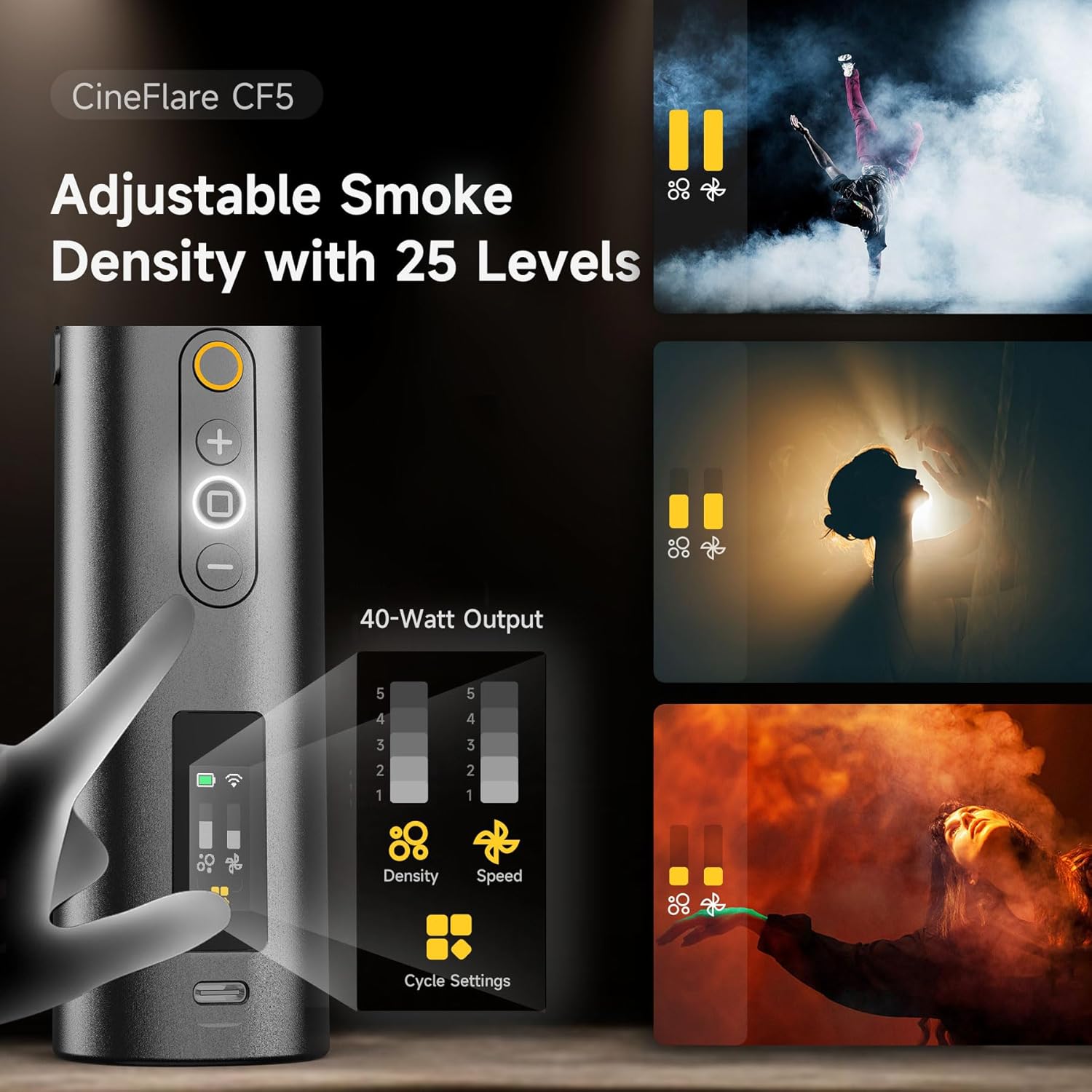
Figure 7: Control panel for adjusting smoke density and fan speed.
- Sureguliuokite ventiliatoriaus greitį:
- The built-in magnetic fan has 3 adjustable speed settings.
- Use the dedicated fan speed button (if available, or cycle through settings using a multi-function button) to change the fan speed. This affects how the smoke disperses.
- Control RGB Light:
- The 360-degree RGB light ring can add color to your smoke effects.
- Refer to the on-screen menu or dedicated light button to cycle through colors or adjust brightness.
- Nuotolinio valdymo pulto veikimas:
- The included remote control allows wireless operation up to 10 meters.
- Use the remote to power on/off, adjust smoke density, and control other settings from a distance.
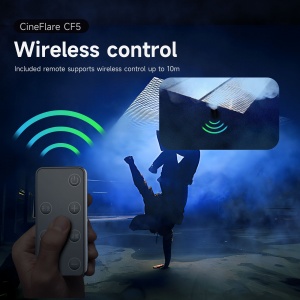
Figure 8: Wireless remote control for convenient operation.
- Custom Smoke Settings:
- The CF5 supports custom settings for continuous smoke duration, interval timing, and the number of smoke bursts.
- Access these settings via the control panel's menu or dedicated cycle settings button.
- The device can maintain continuous maximum smoke output for up to 10 minutes.

Figure 9: Advanced settings for precise smoke control.
Priežiūra
- Valymas: Reguliariai valykite prietaiso išorę minkštu, sausu skudurėliu. Nenaudokite abrazyvinių valiklių ar tirpiklių.
- Fog Liquid Chamber: If the machine will not be used for an extended period, empty the fog liquid chamber and run the machine briefly to clear any remaining liquid from the internal pump and heater.
- Saugykla: Store the COLBOR CF5 in its carrying case in a cool, dry place, away from direct sunlight and extreme temperatures.
Trikčių šalinimas
| Problema | Galima priežastis | Sprendimas |
|---|---|---|
| Nėra dūmų |
|
|
| Weak smoke output |
|
|
| Nuotolinio valdymo pultas neveikia |
|
|
Specifikacijos
| Funkcija | Detalė |
|---|---|
| Modelis | CF5 |
| Išėjimo galia | 40 vatų |
| Fog Liquid Capacity | 12 ml |
| Smoke Density Levels | 25 lygiai |
| Ventiliatoriaus greičio nustatymai | 3 lygiai |
| Adjustable Body Angle | Iki 60 laipsnių |
| Nuotolinio valdymo pulto diapazonas | Iki 10 metrų |
| Baterijos tipas | Ličio jonų (į komplektą įeina) |
| Prekės svoris | 2 svaro |
| Pakuotės matmenys | 11.59 x 5.5 x 3.7 colio |
Garantija ir palaikymas
COLBOR products are manufactured to high-quality standards. For information regarding warranty coverage, please refer to the warranty card included with your product or visit the official COLBOR websvetainę.
For technical support, troubleshooting assistance, or inquiries about replacement parts, please contact COLBOR customer service through their official channels.
- Official COLBOR Websvetainė: www.colborlight.com
- „Amazon“ parduotuvė: Visit the COLBOR Store on Amazon