
Produktas baigtasview
The MCHOSE X75 V2 is a versatile 75% layout mechanical keyboard designed for various uses, from gaming to professional work. It features multiple connectivity options, customizable RGB lighting, and an ergonomic design for comfortable use.
Pagrindinės savybės
- Embedded Multimedia Knob: Convenient control for media and mouse actions.
- Ergonomic Design & 75% Compact Layout: 18.5mm front height for comfortable typing, 82 keys saving 30% desktop space.
- Hot-Swappable Custom Mechanical Keyboard: Supports 3-pin & 5-pin mechanical switches, equipped with pre-lubed Hyacinth Switches.
- 5-Layer Gasket Structure Design: Enhances sound dampening and shock absorption for a consistent typing feel.
- Dvigubo smūgio PBT klavišų dangteliai: Durable keycaps that resist wear and shine.
- Per-key RGB Lighting & MCHOSE HUB: 16.8 million colors, various lighting effects, customizable via MCHOSE HUB software.
- Tri-Mode Connection & Large Capacity 8000mAh Battery: Bluetooth 5.0, 2.4GHz wireless, and USB-C wired connections, with long battery life.

Image: The MCHOSE X75 V2 Wireless Mechanical Keyboard in Retro White, highlighting its compact design and vibrant RGB lighting.
Kas yra dėžutėje
Your MCHOSE X75 V2 keyboard package includes the following items:
- MCHOSE X75 V2 klaviatūra
- Apsauga nuo dulkių
- USB-C kabelis
- 1 x Handy Guide
- 2.4 GHz imtuvas
- Klaviatūros dangtelis ir jungiklio ištraukiklis
- 2 x Hyacinth Switches
- 1 x Vartotojo vadovas

Image: Contents of the MCHOSE X75 V2 keyboard box, including the keyboard, USB-C cable, 2.4GHz receiver, keycap/switch puller, extra switches, and documentation.
Sąranka ir Ryšys
Trijų režimų jungtis
The MCHOSE X75 V2 keyboard supports three connection modes: Bluetooth 5.0, 2.4GHz wireless, and USB-C wired.

Image: The MCHOSE X75 V2 keyboard supports Bluetooth 5.0, 2.4GHz wireless, and USB-C wired connections, compatible with various devices.
2.4 GHz belaidis ryšys
- Locate the 2.4GHz USB receiver. It is stored in a hidden magnetic compartment on the right side of the keyboard.
- Prijunkite imtuvą prie laisvo įrenginio USB prievado.
- Toggle the switch on the right side of the keyboard to "2.4G" mode.
- Klaviatūra prisijungs automatiškai.
Bluetooth 5.0 ryšys
- Toggle the switch on the right side of the keyboard to "BT" mode.
- On your device, search for Bluetooth devices and select "MCHOSE X75 V2".
- Pair the keyboard with your device.
USB-C laidinis jungtis
- Connect the provided USB-C cable to the keyboard's port (located on the front top edge).
- Prijunkite kitą USB-C kabelio galą prie laisvo USB prievado savo įrenginyje.
- Klaviatūra veiks laidiniu režimu ir bus kraunama vienu metu.
Video: This video demonstrates how to connect the MCHOSE X75 V2 keyboard using its web driver and desktop driver.
Naudojimo instrukcijos
Multimedijos rankenėlė
The embedded multimedia knob on the left side of the keyboard allows for easy volume control. Rotate to adjust volume, press to mute/unmute.
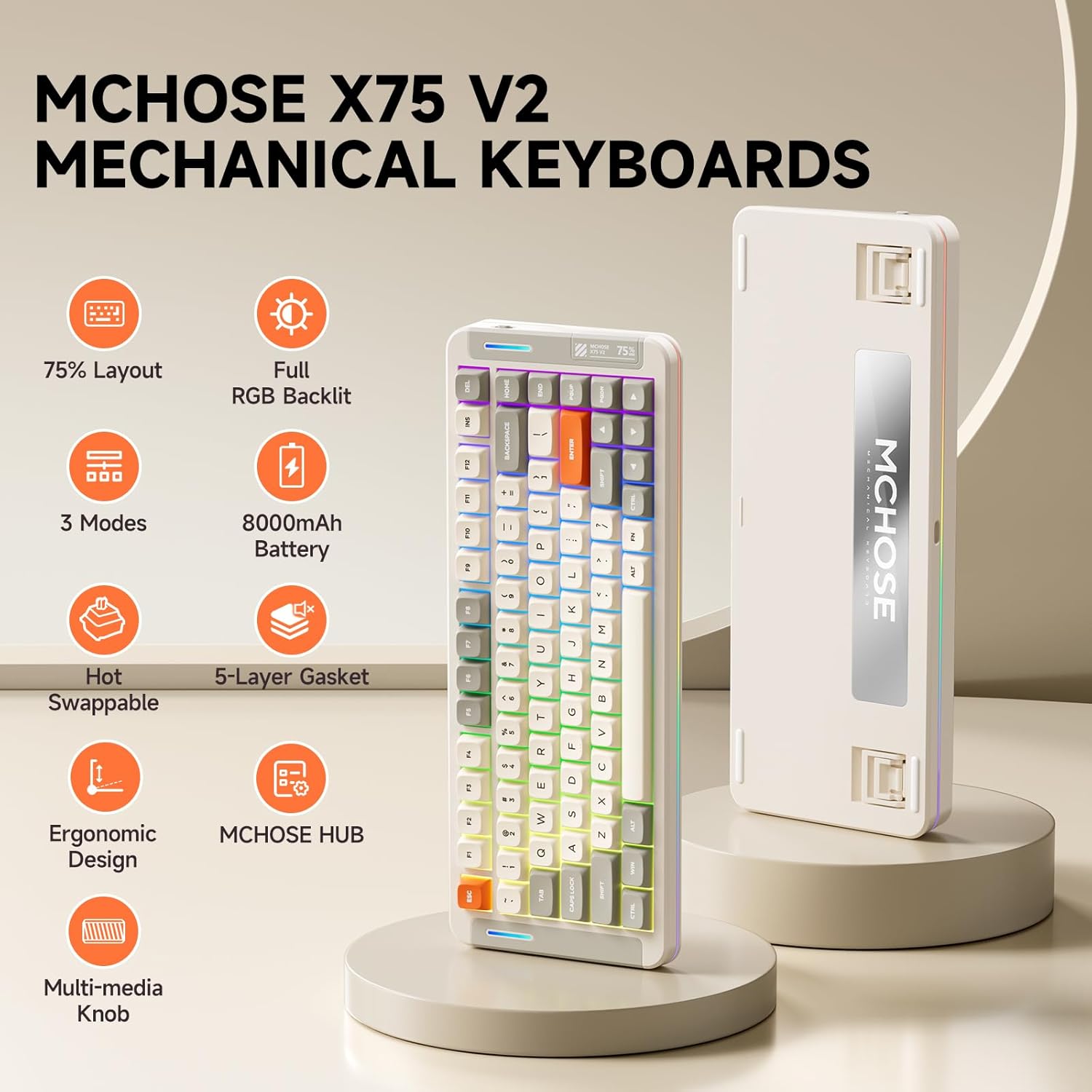
Image: The multimedia knob on the MCHOSE X75 V2 keyboard for volume control.
RGB apšvietimo valdymas
The keyboard features per-key RGB lighting and an atmosphere light bar with 16.8 million colors and various effects.
Foninio apšvietimo nustatymai
- Fn + Tab: Switch backlight color.
- Fn + Q/W/E/R/T/Y: Switch backlight mode.
- Fn + rodyklė aukštyn/žemyn: Sureguliuokite foninio apšvietimo ryškumą.
- Fn + rodyklė kairėn/dešinėn: Sureguliuokite foninio apšvietimo greitį.
Atmosphere Lighting Settings
- Fn + Shift dešinėn: Switch atmosphere lighting mode.
- Fn + B: Switch ambient light strip to power mode.
- Fn + Z: Switch atmosphere lighting color.

Image: Key combinations for adjusting the keyboard's RGB backlight and atmosphere lighting.
Video: An introduction to the MCHOSE X75 V2 Retro White keyboard, highlighting its features and design.
Ergonomiškas dizainas
The keyboard features a front height of approximately 18.5mm for comfortable typing. It also includes two-stage adjustable tilt legs on the underside to customize your typing angle, reducing strain on your fingers and wrists.

Image: The ergonomic design of the MCHOSE X75 V2 keyboard with adjustable tilt legs for personalized comfort.
Customization with MCHOSE HUB
The MCHOSE HUB software allows you to customize various settings of your X75 V2 keyboard, including macros, key assignments, rhythm effects, and lighting modes. Download the software from the official MCHOSE websvetainę.
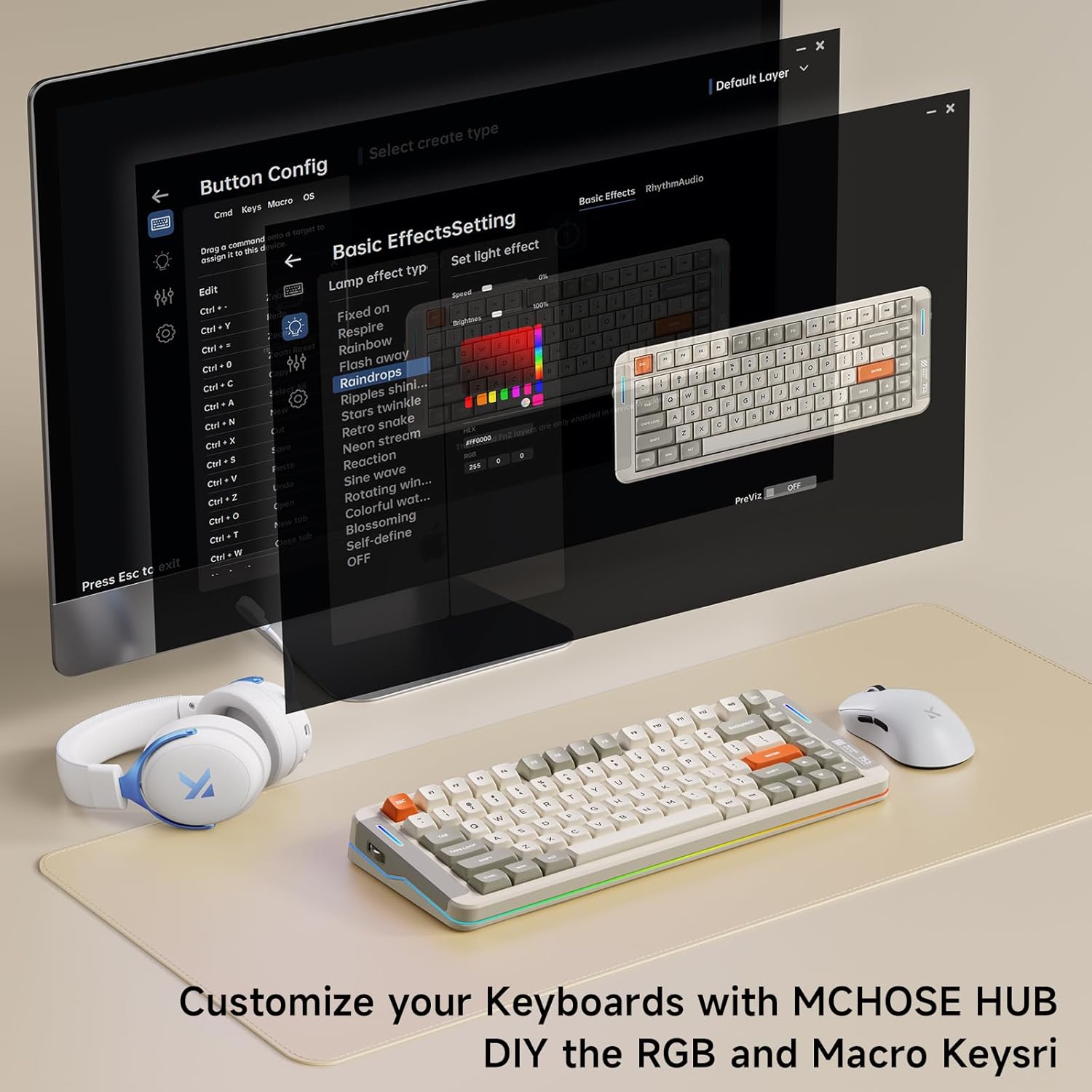
Image: The MCHOSE HUB software interface for customizing keyboard settings.
Priežiūra
Karštai keičiami jungikliai
The MCHOSE X75 V2 features hot-swappable PCB sockets, allowing you to easily change 3-pin and 5-pin mechanical switches without soldering. Use the provided keycap and switch puller for safe removal and installation.

Image: The hot-swappable design allows for easy customization of switches.
Klaviatūros dangtelio priežiūra
The double-shot PBT keycaps are designed for durability and resistance to shine and wear. Clean them with a soft, damp audinys. Venkite stiprių cheminių medžiagų.
5 sluoksnių tarpinės struktūra
The keyboard's 5-layer gasket structure enhances sound dampening and shock absorption, contributing to a consistent and pleasant typing experience. This design also helps protect internal components.

Vaizdas: Išsprogdintas view of the keyboard's 5-layer gasket structure, detailing its components for enhanced typing feel and sound.
Video: A typing sound test of the MCHOSE X75 V2 keyboard, demonstrating its 'creamy' sound profile.
Specifikacijos
| Funkcija | Detalė |
|---|---|
| Prekės ženklas | PASIRINKIMAS |
| Modelio numeris | X75 V2 |
| Ryšio technologija | 2.4 GHz belaidis ryšys, BT5.0, USB-C |
| Klaviatūros aprašymas | Mechaninis |
| Ypatingos savybės | Backlit, Customizable Display Keys, Ergonomic, Hot-Swappable, Rechargeable |
| Spalva | White (Retro White variant) |
| Klaviatūros apšvietimas | RGB |
| Gaminio matmenys | 13.7 colio ilgio x 5.5 colių pločio x 1.57 colio aukščio |
| Maitinimo šaltinis | Maitinamas baterija (8000 mAh) |
| Jungiklio tipas | Linear (Hyacinth Switches) |
| Raktų skaičius | 82 |
| Korpuso medžiaga | Metal, Plastic, Polycarbonate, Silicone |
Trikčių šalinimas
Ryšio problemos
- 2.4 GHz belaidis ryšys: Ensure the USB receiver is securely plugged in and the keyboard switch is set to "2.4G". Try a different USB port.
- Bluetooth: Ensure the keyboard switch is set to "BT" and your device's Bluetooth is enabled. Re-pair the device if necessary.
- Laidinis: Check the USB-C cable connection at both ends. Try a different USB-C cable or port.
Neveikia apšvietimas
- Check battery level; low battery can affect lighting.
- Ensure RGB lighting is enabled via Fn key combinations or MCHOSE HUB software.
Raktai nereaguoja
- Ensure the keyboard is properly connected and powered on.
- If using wireless modes, check battery level.
- For individual keys, ensure the switch is properly seated in the hot-swappable socket.
Garantija ir palaikymas
The MCHOSE X75 V2 keyboard comes with a 1-year manufacturer warranty.
For further assistance, please visit the MCHOSE Official websvetainėje arba susisiekite su klientų aptarnavimo tarnyba.
MCHOSE Official Seller: MCHOSE oficialus