
1. Įvadas
Thank you for choosing the Relaxweex Mini Digital Camera Keychain. This compact and portable camera is designed for capturing moments in 1080p resolution, featuring a built-in flash and a user-friendly interface. This manual provides essential information for setting up, operating, and maintaining your device to ensure optimal performance.
2. Produktas baigtasview
2.1 Pakuotės turinys
- 1 x Mini Digital Camera Keychain
- 1 x įkrovimo bazė
- 1 x 16GB TF Card (pre-installed or separate)
- 1x USB įkrovimo laidas
- 1 x Keychain Accessory
- 1x apyrankė
2.2 Kameros komponentai
Susipažinkite su fotoaparato fiziniais komponentais:

Image: The Relaxweex Mini Digital Camera Keychain shown with its charging base, USB cable, 16GB TF card, keychain accessory, and wristband.
- Objektyvas: Pagrindinis kameros objektyvas nuotraukoms ir vaizdo įrašams fotografuoti.
- Blykstės lemputė: Suteikia apšvietimą esant prastam apšvietimui.
- Ekranas: 1.44-inch color screen for live view, atkūrimas ir naršymas meniu.
- Maitinimo mygtukas: Įjungia / išjungia fotoaparatą.
- Režimo mygtukas: Switches between photo and video modes.
- Užrakto/įrašymo mygtukas: Pradeda fotografuoti arba filmuoti.
- Navigacijos mygtukai (+/-): Used for menu navigation, zooming, and filter selection.
- Atminties kortelės lizdas: For inserting the TF (MicroSD) card.
- USB-C prievadas: Įkrovimui ir duomenų perdavimui.
- Keychain/Lanyard Loop: Attachment point for accessories.

Paveikslėlis: detalus view of the camera's side, highlighting the action buttons for mode switching and filter selection, and the 1.44-inch screen.
3. Sąranka
3.1 Atminties kortelės įdėjimas
The camera requires a TF (MicroSD) card for storing photos and videos. A 16GB card is included.
- Suraskite atminties kortelės angą fotoaparato šone.
- Insert the TF card with the printed side facing up, gently pushing until it clicks into place. Ensure it is fully seated.
- To eject, gently press the card inward until it springs out.

Image: A close-up showing a 16GB memory card being inserted into the camera's designated slot, with an arrow indicating the correct direction.
3.2 Akumuliatoriaus įkrovimas
Before first use, fully charge the camera's built-in battery.
- Connect the charging base to the camera's USB-C port.
- Connect the USB charging cable to the charging base and a power source (e.g., computer USB port, USB wall adapter).
- The charging indicator light will show the charging status. A full charge provides approximately 600 minutes of operation.

Image: The camera is shown connected to its charging base, which is then connected via a USB cable to a power source, illustrating the charging process.
3.3 Priedų tvirtinimas
Attach the keychain or wristband for convenient carrying and to prevent loss.
- Thread the keychain or wristband loop through the designated attachment point on the camera.
- Secure the accessory as needed.

Image: A hand is shown attaching a keychain accessory to the camera's loop, demonstrating how to secure it for portability.
4. Naudojimo instrukcijos
4.1 Maitinimo įjungimas/išjungimas
- Norėdami įjungti, paspauskite ir palaikykite Maitinimo mygtukas kol ekranas įsižiebs.
- Norėdami išjungti, paspauskite ir palaikykite Maitinimo mygtukas dar kartą, kol ekranas išsijungs.
4.2 Nuotraukų režimas
- Įsitikinkite, kad fotoaparatas įjungtas.
- Paspauskite Režimo mygtukas to switch to photo mode (indicated by a camera icon on the screen).
- Kadruokite kadrą naudodami ekraną.
- Paspauskite Užrakto mygtukas nufotografuoti.
- To apply filters, use the Navigation Buttons (+/-) to cycle through available options (e.g., Cool Color, Warm Color, Black & White, Retro, Fresh).
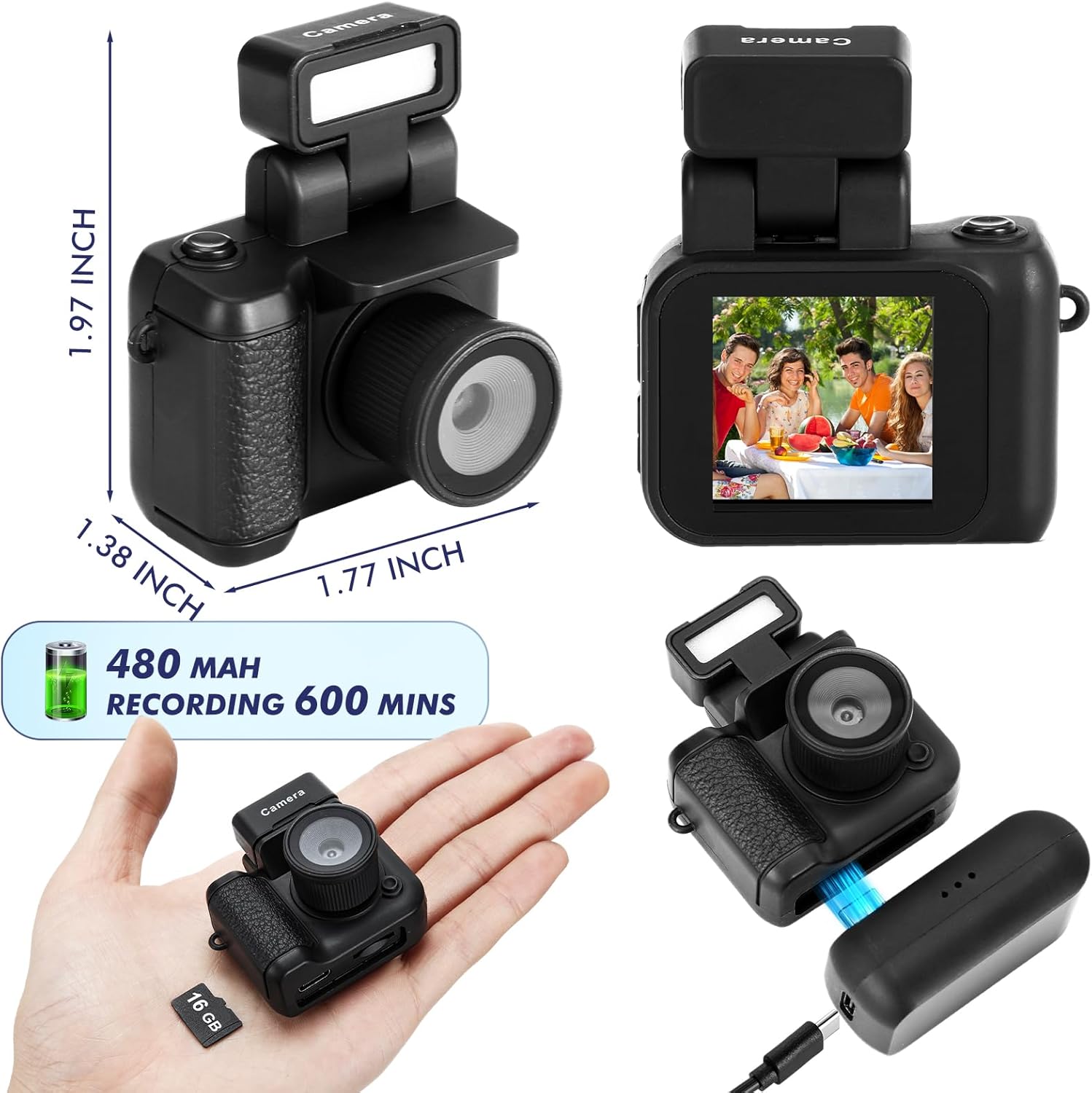
Image: The camera's screen displays different photo filters such as Original Image, Cool Color, Warm Color, Black & White, Retro, and Fresh, demonstrating the creative options available.
4.3 Vaizdo įrašo režimas
- Įsitikinkite, kad fotoaparatas įjungtas.
- Paspauskite Režimo mygtukas to switch to video mode (indicated by a video camera icon on the screen).
- Paspauskite Įrašymo mygtukas to start recording. A red indicator or timer will appear on the screen.
- Paspauskite Įrašymo mygtukas dar kartą, kad sustabdytumėte įrašymą.
Video: This video demonstrates the various features and usage scenarios of the Relaxweex Mini Digital Camera, including switching between photo and video modes, applying filters, and attaching accessories.
4.4 Blykstės funkcija
The camera features a built-in flash for improved visibility in dark environments.
- The flash component can be installed or removed as needed.
- When installed, the flash can be activated to provide continuous light or to flash during photo capture. Refer to the on-screen menu for flash settings (On/Fill).
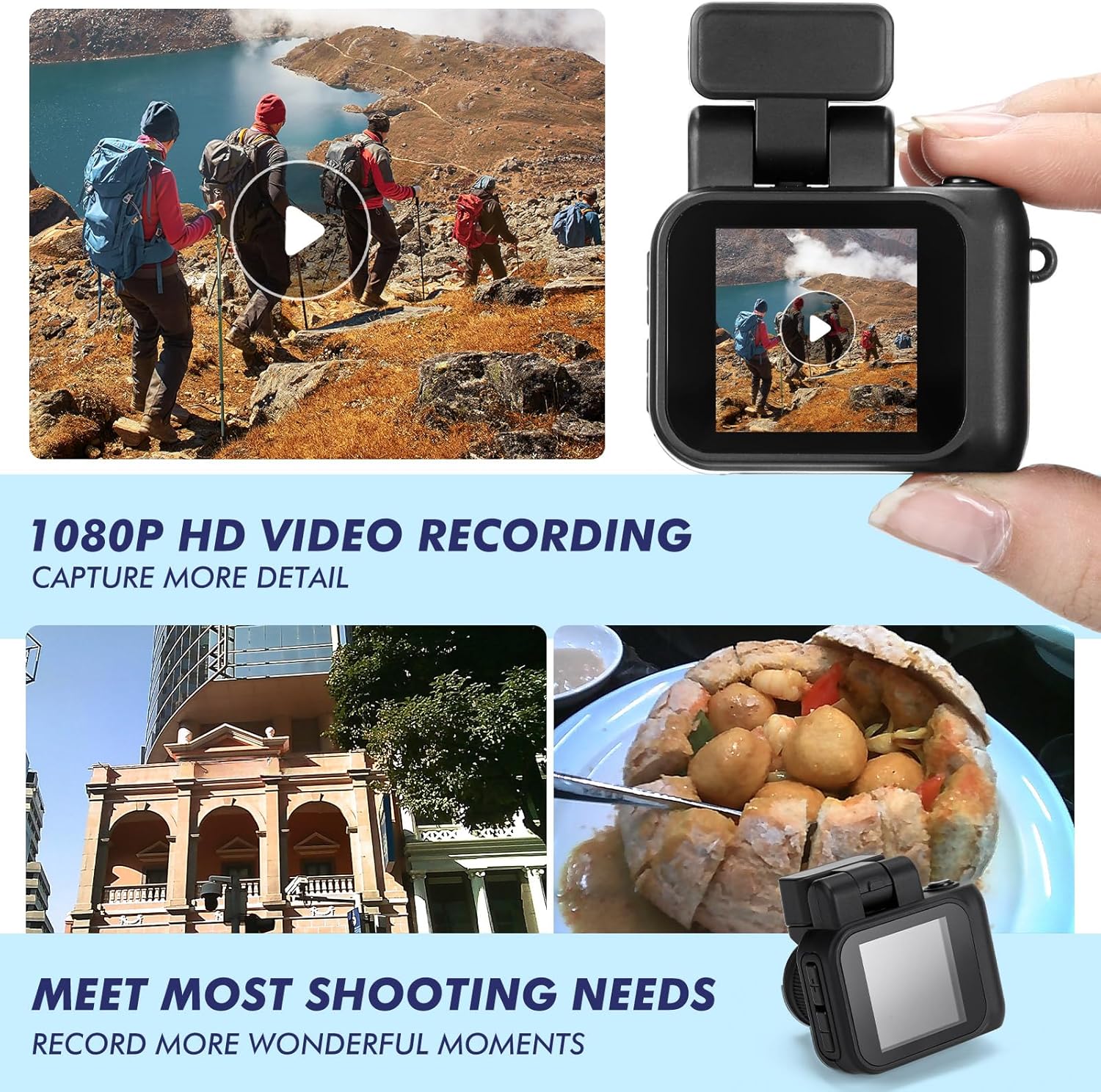
Image: Two images show a person on a bicycle, one with the flash off (Close Flash Effect) and one with the flash on (Open Flash Effect), illustrating the illumination provided by the camera's flash.
4.5 Viewnuotraukų ir vaizdo įrašų
Jūs galite iš naujoview your captured content directly on the camera's screen.
- In either photo or video mode, use the Navigation Buttons (+/-) to scroll through your saved files.
- Paspauskite Užrakto/įrašymo mygtukas to play a video or view nuotrauka per visą ekraną.
5. Atminties kortelių valdymas
5.1 Perdavimas Files prie kompiuterio
To access your photos and videos, connect the camera to a computer:
- Išjunkite fotoaparatą.
- Prijunkite fotoaparatą prie kompiuterio naudodami pateiktą USB kabelį.
- Kamera kompiuteryje bus rodoma kaip išimamas diskas.
- Atidarykite diską, kad galėtumėte pasiekti ir nukopijuoti savo files.
5.2 Atminties kortelės formatavimas
Formatting the memory card will erase all data. Back up important files prieš tęsdami.
- Navigate to the camera's settings menu (usually accessible by holding the Mode button or a specific combination).
- Select the 'Format Card' option.
- Confirm your selection to format the card.
6. Priežiūra
- Valymas: Use a soft, dry cloth to clean the camera body. For the lens and screen, use a specialized lens cleaning cloth. Avoid abrasive materials or harsh chemicals.
- Saugykla: Fotoaparatą laikykite vėsioje, sausoje vietoje, toliau nuo tiesioginių saulės spindulių ir ekstremalių temperatūrų.
- Akumuliatoriaus priežiūra: For long-term storage, charge the battery to about 50% to prolong its lifespan.
7. Problemų sprendimas
| Problema | Galima priežastis | Sprendimas |
|---|---|---|
| Kamera neįsijungia. | Senka baterija. | Charge the camera fully using the provided USB cable and charging base. |
| Atminties kortelės klaida. | Card not inserted correctly or corrupted. | Reinsert the TF card. If the issue persists, try formatting the card (after backing up data) or using a different TF card. |
| Prasta vaizdo / vaizdo kokybė. | Low light, dirty lens, or incorrect settings. | Ensure adequate lighting. Clean the lens. Check if flash is enabled in low light. |
| Charging base feels loose. | Minor manufacturing variation. | Ensure the camera is securely seated in the charging base and the USB cable is firmly connected. Handle with care during charging. |
| TF card difficult to insert/remove. | Misalignment or tight slot. | Ensure correct orientation. Apply gentle, even pressure. Do not force the card. If it's consistently difficult, contact support. |
8. Specifikacijos
| Funkcija | Detalė |
|---|---|
| Modelio pavadinimas | HAT0879 |
| Vaizdo raiška | 1080p |
| Nuotraukų jutiklio skiriamoji geba | 2.1 MP |
| Ekrano dydis | 1.44 inches (approx. 1 Centimeter) |
| Baterijos tipas | Įmontuotas ličio jonų akumuliatorius |
| Vidutinis akumuliatoriaus veikimo laikas | Up to 600 minutes (recording) |
| Atminties talpa | 16 GB (įskaitant TF kortelę) |
| Palaikoma File Formatas | JPEG (nuotraukos), MP4 (vaizdo įrašai) |
| Ryšio technologija | USB |
| Ypatingos savybės | Flash Function, Long Life Battery, Color Screen |
| Matmenys (apytiksliai) | 1.97 x 1.77 x 1.38 colio |
9. Garantija ir palaikymas
For warranty information or technical support, please refer to the product packaging or contact Relaxweex customer service through the retailer where the product was purchased. Keep your purchase receipt for warranty claims.