
1. Įvadas
This manual provides essential information for the safe and efficient operation of your ZDSSY E2 Mini Projector. Please read it thoroughly before use and retain it for future reference.
2. Sąranka
2.1 Išpakavimas ir komponentai
Atsargiai išpakuokite visus daiktus iš dėžės. Įsitikinkite, kad yra šie komponentai:
- Mini projektorius
- Nuotolinio valdymo pultas
- Maitinimo laidas
- Vartotojo vadovas (šis dokumentas)
2.2 Įjungimas
- Prijunkite maitinimo laidą prie projektoriaus maitinimo įvesties prievado.
- Kitą maitinimo laido galą prijunkite prie tinkamo elektros lizdo.
- Norėdami įjungti įrenginį, paspauskite projektoriaus arba nuotolinio valdymo pulto maitinimo mygtuką.
2.3 Pradinis išdėstymas
Padėkite projektorių ant stabilaus, lygaus paviršiaus. Optimaliam veikimui viewing, ensure the projection surface (wall or screen) is clean and smooth. The projector supports various mounting options including table placement, tripod mount, and ceiling mount.
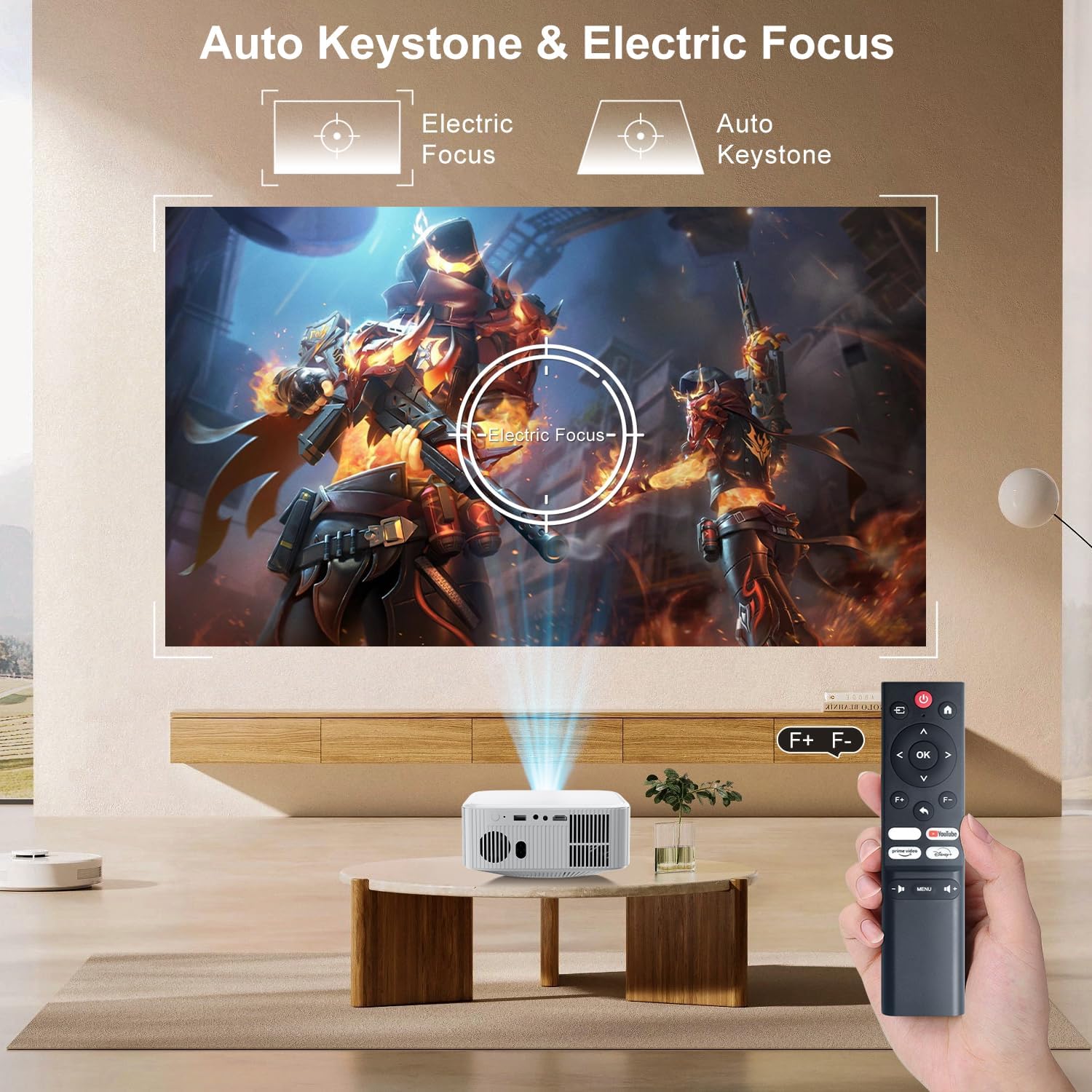
Image: The ZDSSY E2 Mini Projector demonstrating flexible placement options and screen sizes from 40 to 300 inches.
3. Operacija
3.1 Navigacija ir nuotolinio valdymo pultas
Use the provided remote control to navigate the projector's interface. The remote allows you to select apps, adjust settings, and control media playback.
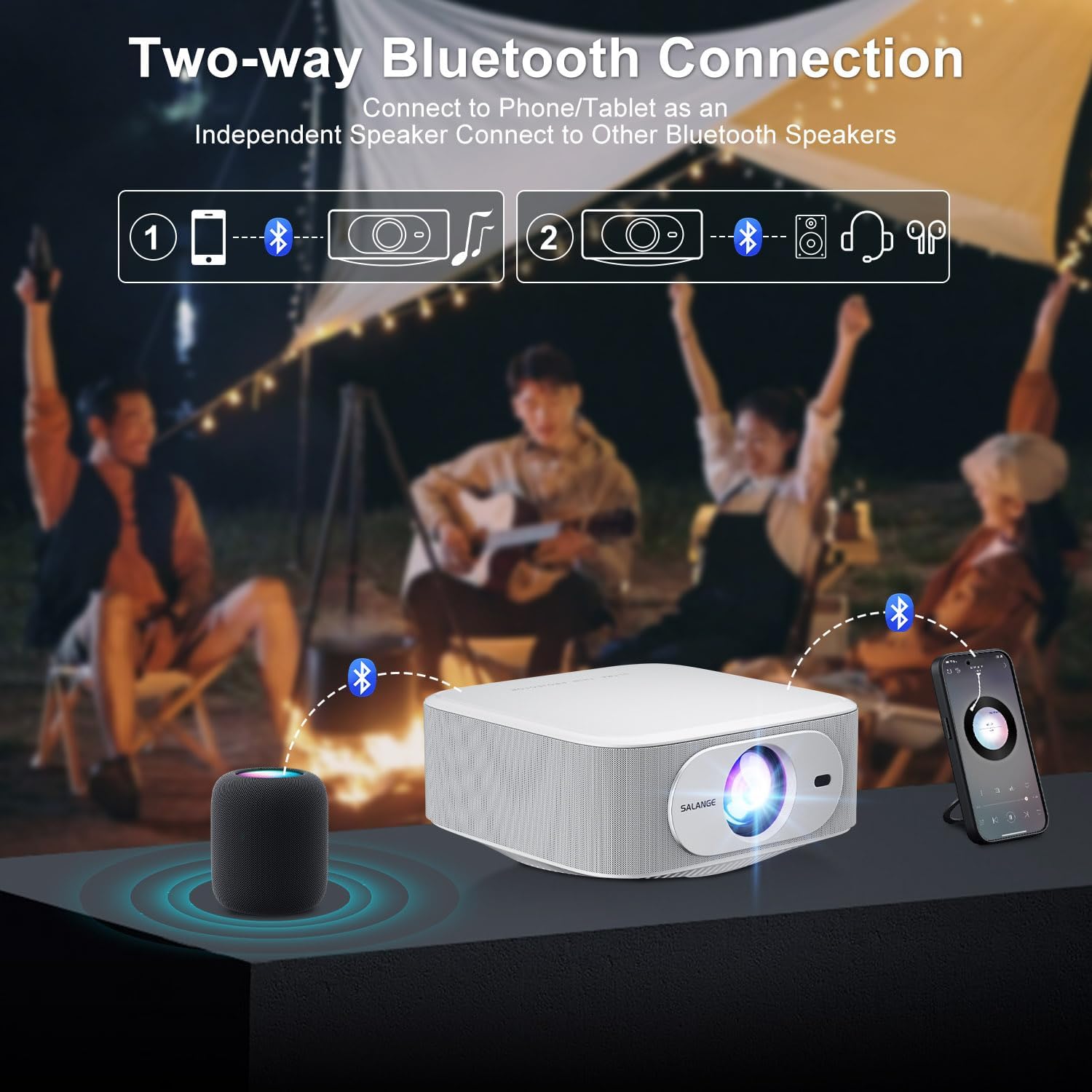
Image: The ZDSSY E2 Mini Projector and its remote control, highlighting the user interface.
3.2 Auto Keystone and Electric Focus
The projector features automatic keystone correction and electric focus for a clear and properly aligned image. These functions adjust the picture automatically upon startup or when the projector is moved.
- Elektrinis fokusavimas: Provides instant, crystal-clear images.
- 4 taškų trapecijos korekcija: Smoothly adjusts the screen across a wide ±45° range from any direction.
- Priartinimo funkcija: Ekrano dydį galite reguliuoti nuo 100 % iki 50 % nejudindami projektoriaus.

Image: Visual representation of the auto keystone and electric focus features of the ZDSSY E2 Mini Projector.
3.3 Prisijungimas prie „Wi-Fi“.
The ZDSSY E2 supports dual-band 5G/2.4G Wi-Fi for fast and stable internet connectivity.
- Projektoriuje eikite į meniu „Nustatymai“.
- Select 'Network' or 'Wi-Fi settings'.
- Iš sąrašo pasirinkite norimą „Wi-Fi“ tinklą.
- Jei būsite paraginti, įveskite slaptažodį ir prisijunkite.
3.4 Bluetooth ryšys
The projector features two-way Bluetooth 5.2, allowing it to function as a standalone speaker or connect to external Bluetooth audio devices.
- As a Bluetooth Speaker: Connect your mobile device to the projector via Bluetooth to use the projector's built-in speakers for audio playback.
- Išorinių garsiakalbių prijungimas: Pair the projector with external Bluetooth speakers, headphones, or soundbars for an enhanced audio experience. (Note: Bluetooth is for audio transmission only and does not support video.)

Image: Illustration of the two-way Bluetooth connectivity of the ZDSSY E2 Mini Projector.
3.5 Integruotų programų naudojimas
The ZDSSY E2 comes with officially licensed apps like Prime Video, YouTube, and more, pre-installed on its Android 13 Whale OS system. Access these apps directly from the home screen for instant entertainment.

Image: The ZDSSY E2 Mini Projector's home screen showing pre-installed streaming applications.
3.6 External Device Connection
The projector is equipped with multiple ports for connecting external devices:
- HDMI prievadas: Connect gaming consoles, laptops, Fire Sticks, or other HDMI-enabled devices.
- USB prievadas: Leiskite mediją tiesiai iš USB atmintinių.
- 3.5 mm ausinių lizdas: Prijunkite laidines ausines arba išorinius garsiakalbius.

Image: Close-up of the ZDSSY E2 Mini Projector's connectivity ports.
4. Priežiūra
4.1 Valymas
- Objektyvas: Naudokite minkštą, nepūkuotą šluostę, specialiai skirtą optiniams lęšiams. Nenaudokite abrazyvinių valiklių ar šluosčių.
- Išorė: Projektoriaus išorę nuvalykite minkšta, sausa šluoste. Įsisenėjusioms dėmėms šiek tiek nuvalykite.amp galima naudoti šluostę, po to nuvalyti sausai.
- Vėdinimas: Įsitikinkite, kad ventiliacijos angos nėra dulkės ir neužsikimšusios, kad išvengtumėte perkaitimo.
4.2 Saugykla
Jei projektorius ilgesnį laiką nenaudojamas, jį laikykite vėsioje, sausoje vietoje, toliau nuo tiesioginių saulės spindulių ir ekstremalių temperatūrų. Naudokite originalią pakuotę arba apsauginį dėklą, kad nesikauptų dulkės ir nesugadintumėte.
5. Problemų sprendimas
| Problema | Galima priežastis | Sprendimas |
|---|---|---|
| Nėra galios | Maitinimo laidas neprijungtas; Maitinimo lizdas sugedęs | Įsitikinkite, kad maitinimo laidas yra tvirtai prijungtas; Pabandykite kitą lizdą. |
| Neryškus vaizdas | Nenustatytas fokusavimas; projektorius per toli/per arti ekrano | Allow auto-focus to complete or manually adjust focus; Adjust projector distance. |
| Nėra garso | Volume too low; External audio device not connected/paired | Increase volume; Check Bluetooth connection or wired audio cable. |
| „Wi-Fi“ ryšio problemos | Incorrect password; Router issues; Signal interference | Patikrinkite „Wi-Fi“ slaptažodį; paleiskite maršrutizatorių iš naujo; perkelkite projektorių arčiau maršrutizatoriaus. |
| Apps Not Working | No internet connection; App requires update | Check Wi-Fi connection; Update the app from the app store. |
6. Specifikacijos
| Funkcija | Detalė |
|---|---|
| Prekės ženklas | ZDSSY |
| Modelio numeris | E2 |
| Ekrano raiška | 1920 x 1080 (natūrali 1080P, 4K palaikymas) |
| Ryškumas | 400 ANSI liumenai |
| Operacinė sistema | Smart Android 13.0 NTV (Whale OS) |
| Atmintis | 1 GB RAM + 8 GB ROM |
| Ryšys | Wi-Fi 5G/2.4G, Two-way Bluetooth 5.2 |
| Ypatingos savybės | Electric Focus, Auto Keystone Correction (4D/4P), Zoom (100%-50%), Built-in Apps (Prime Video, YouTube, etc.) |
| Uostai | 1 HDMI, 1 USB, 1 3.5mm Headphone Jack |
| Gaminio matmenys | 7.67 x 7.67 x 3.54 colio |
| Prekės svoris | 3.3 svaro |
| Rekomenduojamas naudojimas | Viduje/lauke |
7. Garantija ir palaikymas
The ZDSSY E2 Mini Projector comes with a standard manufacturer's warranty. For specific warranty details, including coverage and duration, please refer to the warranty card included in your product packaging or contact ZDSSY customer support.
Pagalba klientams
If you encounter any issues or have questions regarding your projector, please contact ZDSSY customer support through the retailer's platform or the official ZDSSY website. Our support team is available to assist you with troubleshooting, technical inquiries, and service requests.