
1. Įvadas
This manual provides essential information for the safe and efficient operation of your ZDSSY HY320MAX Mini Projector. Please read it thoroughly before using the device and retain it for future reference. The ZDSSY HY320MAX is a 1080P native mini projector featuring Android 13, built-in licensed applications, WiFi 6, Bluetooth 5.4, and automatic keystone correction, designed for versatile indoor and outdoor entertainment.
2. Saugos informacija
- Maitinimas: Naudokite tik pateiktą maitinimo adapterį. Įsitikinkite, kad įtampatage atitinka jūsų vietinį maitinimo šaltinį.
- Vėdinimas: Neužblokuokite ventiliacijos angų. Užtikrinkite pakankamą oro cirkuliaciją aplink projektorių, kad jis neperkaistų.
- Skysčio ekspozicija: Projektorių laikykite atokiau nuo vandens ar kitų skysčių. Nenaudokiteamp aplinkos.
- Šilumos šaltiniai: Avoid placing the projector near heat sources such as radiators, heat registers, stoves, or other heat-producing appliances.
- Akių apsauga: Nežiūrėkite tiesiai į projektoriaus objektyvą, kai lamp įjungtas, nes ryški šviesa gali sukelti akių nuovargį arba pažeidimus.
- Valymas: Prieš valydami atjunkite maitinimą. Išorę valykite minkšta, sausa šluoste. Objektyvui valyti naudokite specialią objektyvo valymo šluostę.
- Aptarnavimas: Nemėginkite patys aptarnauti šio gaminio. Visą techninę priežiūrą patikėkite kvalifikuotam aptarnavimo personalui.
3. Pakuotės turinys
Išpakuodami patikrinkite, ar yra visi daiktai ir ar jie geros būklės:
- ZDSSY HY320MAX Mini Projector
- Maitinimo adapteris
- „Bluetooth“ balso nuotolinio valdymo pultas
- Vartotojo vadovas
- HDMI kabelis (Numanoma)
4. Produktas baigtasview
4.1 Projektoriaus komponentai
The ZDSSY HY320MAX Mini Projector features a compact design with essential components for ease of use.
- Projekcinis objektyvas: Emits the image onto the screen or surface.
- Vėdinimo grotelės: Located on the sides or rear to dissipate heat.
- Maitinimo įvestis: Maitinimo adapterio prijungimui.
- HDMI prievadas: For connecting external devices like gaming consoles or laptops.
- USB prievadas: Skirta USB atminties įrenginiams prijungti.
- IR imtuvas: Skirta signalams priimti iš nuotolinio valdymo pulto.
- Reguliuojamas stovas: Allows for 180° flexible rotation for various projection angles.
4.2 Nuotolinis valdymas
The included Bluetooth voice remote control allows for easy navigation and voice commands.
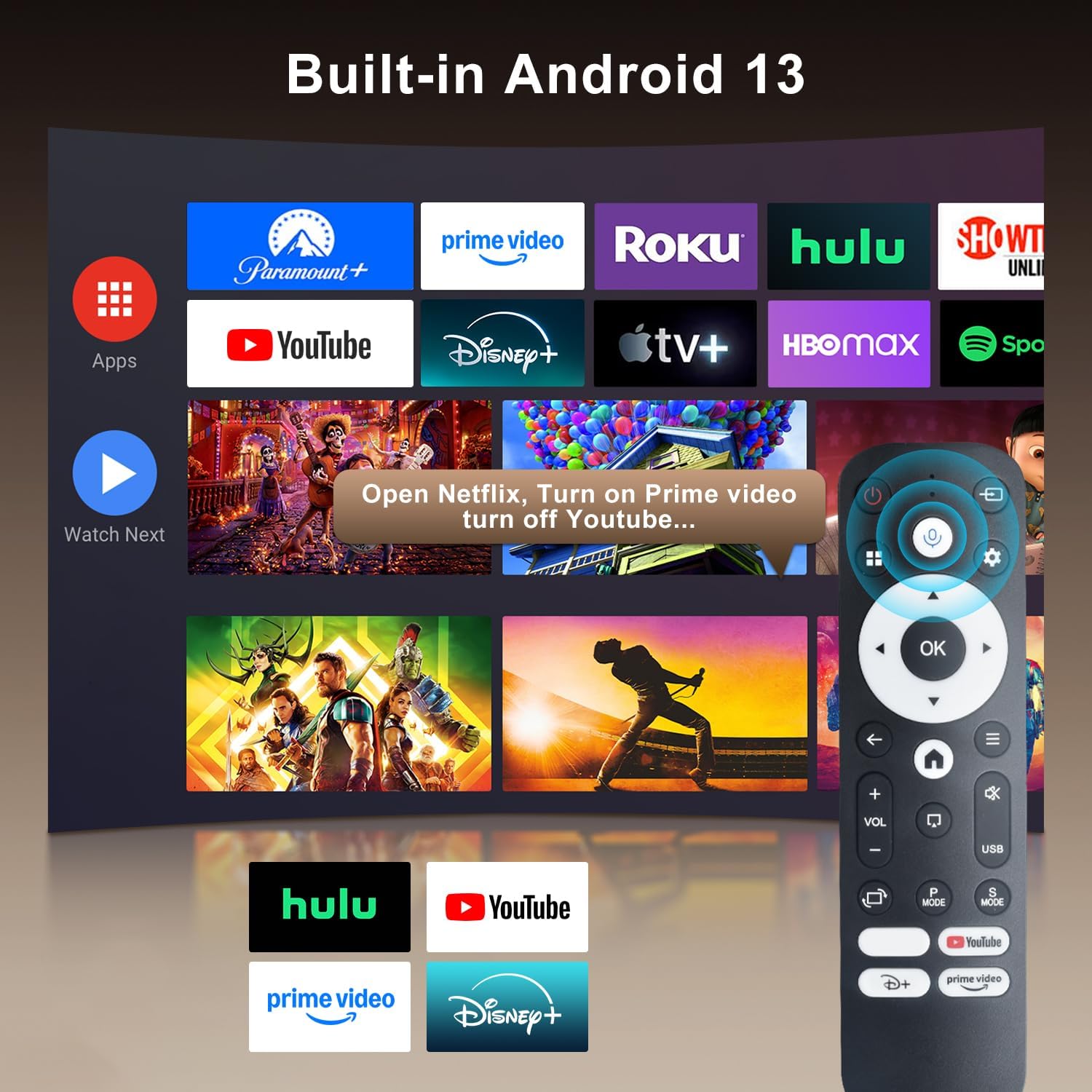
Image: The projector's interface showing built-in Android 13 apps and the Bluetooth voice remote control.
5. Sąranka
5.1 Įdėjimas
Position the projector on a stable, flat surface. The 180° flexible rotation allows projection onto walls, ceilings, or floors. Ensure the projector is within the recommended throw distance of 1 to 6 meters for an optimal image size between 30 and 300 inches.

Image: The ZDSSY HY320MAX Mini Projector set up for an outdoor movie night, demonstrating its portability and flexible placement.
5.2 Maitinimo jungtis
Prijunkite maitinimo adapterį prie projektoriaus maitinimo įvesties prievado, tada įjunkite adapterį į maitinimo lizdą.
5.3 Pradinis įjungimas
Press the power button on the projector or the remote control to turn on the device. The projector will boot up, displaying the Android 13 interface.
5.4 Fokusavimas ir trapecijos korekcija
The projector features AI Auto Keystone correction, which automatically adjusts the image to be rectangular even if the projector is placed at an angle. You can also use the 50%-100% zoom function to resize the screen without moving the projector.

Image: A visual representation of the projector's automatic keystone correction feature, ensuring a perfectly aligned picture.
5.5 Tinklo jungtis
Navigate to the settings menu to connect to a Wi-Fi network. The projector supports ultra-fast WiFi 6 for smooth streaming and lag-free gaming.

Image: The projector displaying content wirelessly, highlighting its WiFi 6 and Bluetooth 5.4 capabilities for smoother performance.
5.6 Bluetooth poravimas
For enhanced audio, pair Bluetooth 5.4 compatible speakers or headphones with the projector through the settings menu.
6. Naudojimo instrukcijos
6.1 Sąsajos naršymas
Use the directional buttons and 'OK' button on the remote control to navigate through the Android 13 interface. The 'Back' button returns to the previous screen, and the 'Home' button returns to the main menu.

Image: The ZDSSY HY320MAX projector's home screen, displaying various pre-installed streaming applications.
6.2 Integruotų programų naudojimas
The projector comes with officially licensed apps such as Netflix, Prime Video, and YouTube pre-installed. Access these directly from the home screen. The built-in APP STORE allows you to download additional applications.
6.3 External Input Sources
Connect external devices via the HDMI or USB ports. Select the appropriate input source from the projector's menu to display content from these devices.
6.4 Ekrano atspindėjimas
The projector supports screen mirroring from compatible smartphones (Android and iOS) over Wi-Fi. Refer to the on-screen instructions for connecting your device.

Image: A user mirroring their smartphone screen to the projector, demonstrating the wireless connectivity feature.
6.5 Valdymas balsu
Utilize the Bluetooth voice remote for hands-free control. Press and hold the microphone button on the remote, then speak your command (e.g., "Open Netflix," "Ieškokite movies").
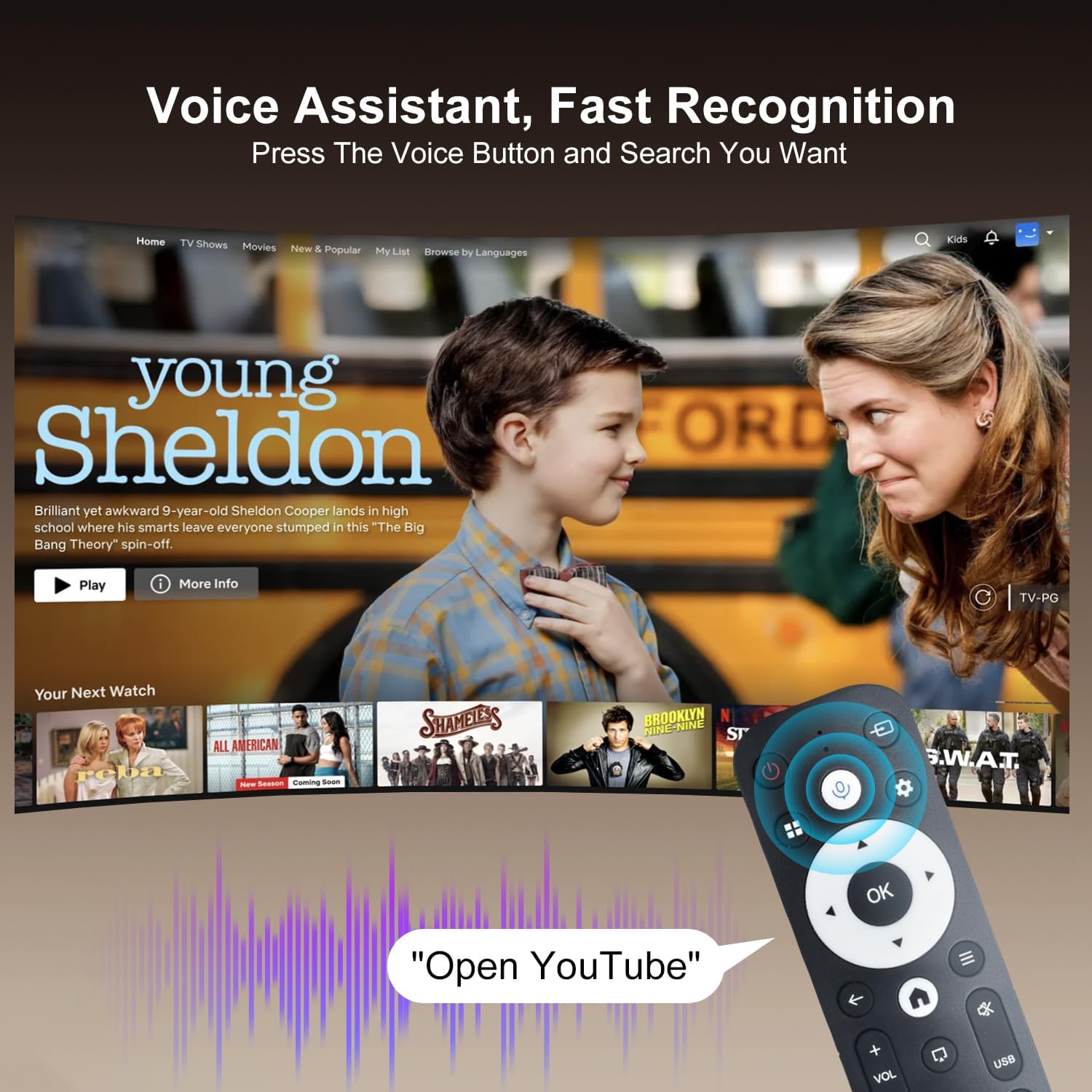
Image: The projector displaying a streaming service interface, with the remote control highlighting the voice assistant button and a voice command example.
7. Priežiūra
- Objektyvo valymas: Gently wipe the projector lens with a soft, lint-free cloth specifically designed for optical lenses. Avoid using abrasive materials or harsh chemicals.
- Išorinis valymas: Use a soft, dry cloth to clean the projector's exterior. Do not use liquid or aerosol cleaners.
- Vėdinimas: Regularly check that the ventilation grilles are free from dust and obstructions to ensure proper heat dissipation.
- Saugykla: Jei projektorius ilgesnį laiką nenaudojamas, jį laikykite vėsioje, sausoje vietoje, apsaugotoje nuo dulkių ir tiesioginių saulės spindulių.
8. Problemų sprendimas
Jei kyla problemų dėl projektoriaus, žr. šias dažniausiai pasitaikančias problemas ir sprendimus:
| Problema | Galima priežastis | Sprendimas |
|---|---|---|
| Nėra galios | Power cable disconnected; Power outlet fault | Įsitikinkite, kad maitinimo laidas yra tvirtai prijungtas; Pabandykite naudoti kitą maitinimo lizdą. |
| Nėra vaizdo | Input source not selected; Device not connected | Select correct input source (HDMI/USB); Ensure external device is connected and powered on. |
| Neryškus vaizdas | Out of focus; Incorrect keystone | Allow Auto Keystone to adjust; Manually adjust focus if available. |
| Nėra garso | Volume too low; External audio device not connected | Increase volume; Check Bluetooth connection for external speakers. |
| Nuotolinio valdymo pultas neatsako | Low battery; Not paired | Replace batteries; Re-pair the Bluetooth remote control. |
| „Wi-Fi“ ryšio problemos | Incorrect password; Router issues | Verify Wi-Fi password; Restart your router and the projector. |
9. Specifikacijos
Detailed technical specifications for the ZDSSY HY320MAX Mini Projector:
- Prekinis ženklas: ZDSSY
- Modelio pavadinimas: HY320MAX
- Modelio numeris: HY320MAX-US
- Ekrano skiriamoji geba: Native 1920 x 1080 Pixels
- Maksimali ekrano skiriamoji geba: 3840 x 2160 Pixels (4K Support)
- Ekrano tipas: LCD
- Ryškumas: 20000 Lumen (400 ANSI Lumens)
- Kontrasto santykis: 10000:1
- Šviesos šaltinio veikimo laikas: 60000 valandų
- Ryšio technologija: USB, HDMI, Built-In Wi-Fi (WiFi 6), Bluetooth 5.4
- Kontrolės metodas: Nuotolinio valdymo pultas, balsas
- Rekomenduojami naudojimo būdai: Viduje/lauke
- Montavimo tipas: Ceiling Mount/Table Mount/Wall Mount
- Minimalus metimo atstumas: 1 metras
- Maksimalus metimo atstumas: 6 metrai
- Minimum Image Size: 30 colių
- Maksimalus vaizdo dydis: 300 colių
- ttage: 110 voltų
- Vattage: 70 vatų
- Prekės matmenys (I x P x A): 4.09 colio ilgio x 3.98 colių pločio x 8.66 colio aukščio

Image: A comparison illustrating the native 1080P resolution and 4K support capabilities of the ZDSSY HY320MAX projector.
10. Garantija ir palaikymas
The ZDSSY HY320MAX Mini Projector comes with a 3 metų garantija. This warranty includes free parts replacement and lifelong technical support. For any warranty claims, technical assistance, or support inquiries, please contact ZDSSY customer service through the retailer where the product was purchased or refer to the contact information provided on the official ZDSSY websvetainę.