
Įvadas
This manual provides essential information for the installation, operation, and maintenance of your ASUS TUF Gaming GeForce RTX 5080 16GB GDDR7 OC Edition Graphics Card. This graphics card is built on the NVIDIA Blackwell architecture, featuring enhanced cooling and power delivery for exceptional durability and performance.
The ASUS TUF Gaming GeForce RTX 5080 is engineered to deliver unparalleled performance, designed to withstand demanding conditions and provide a robust computing experience.
Kas yra dėžutėje
Carefully unpack the contents of your ASUS TUF Gaming GeForce RTX 5080 package. The box should contain the following items:
- ASUS TUF-RTX5080-O16G-GAMING Graphics Card
- Vartotojo vadovas
- TUF Graphics card Holder
- TUF Velcro Hook & Loop straps
- TUF Magnet
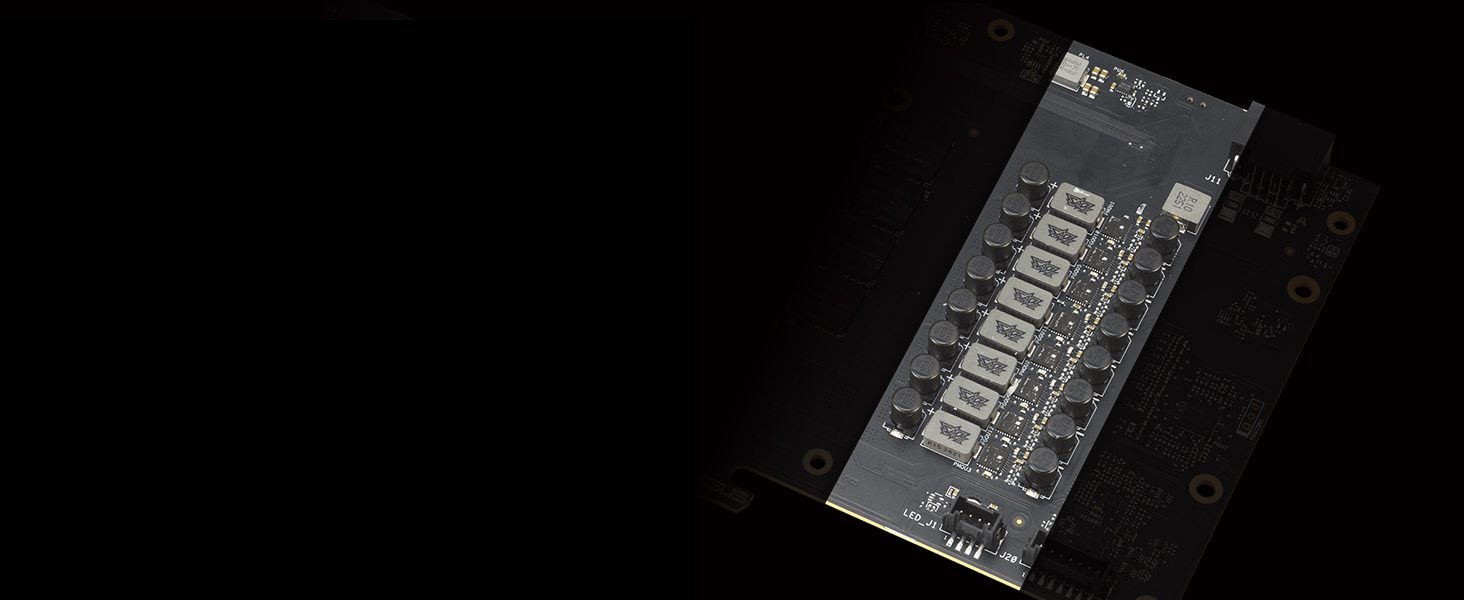
Image: The contents of the product packaging, showing the graphics card, user manual, TUF graphics card holder, Velcro straps, and a TUF magnet.
Pagrindinės savybės
- Maitinama „NVIDIA Blackwell“ architektūra ir DLSS 4.
- Military-grade components ensure robust power delivery and extended lifespan.
- Protective PCB coating safeguards against short circuits from moisture, dust, or debris.
- 3.6-slot design with a large fin array for optimized airflow from three Axial-tech fans.
- Phase-change GPU thermal pad provides optimal thermal performance and longevity, surpassing traditional thermal paste under heavy loads.
Military-Grade Components
The graphics card incorporates certified military-grade TUF chokes and MOSFETs for stable power delivery. TUF 5K black metallic capacitors offer a 52% wider temperature tolerance and 2.5 times longer lifespan compared to standard capacitors, ensuring reliability under various environmental conditions including vibration, high/low temperatures, temperature shock, humidity, and salt fog.

Vaizdas: Išsamus view of the graphics card's internal components, highlighting the military-grade chokes, MOSFETs, and capacitors designed for enhanced durability.
Ultimate Durability
A phase-change GPU thermal pad effectively fills gaps between the GPU and the thermal module, providing superior thermal conductivity. A protective conformal coating on the PCB helps prevent short circuits caused by moisture, dust, or debris. Dual ball fan bearings offer twice the lifespan of traditional sleeve bearings, ensuring long-lasting and quiet cooling.

Image: Visual representation of the phase-change thermal pad's effectiveness, the protective PCB coating, and the durable dual ball fan bearings.
Cooling Mastery
The MaxContact design uses a special manufacturing process to increase the contact surface area between the heat spreader and the GPU by 5%, improving thermal transfer. Axial-tech fans, spinning on dual-ball bearings, propel up to 23% more air than standard fans. A vented exoskeleton, made from high-quality diecast shroud and aluminum backplate, features large vents to further increase heat dissipation.

Paveikslėlis: Diagramos rodoasing the MaxContact heat spreader, Axial-tech fan design, and the vented exoskeleton for improved airflow and heat dissipation.
Montavimas
Before installing your graphics card, ensure your system is powered off and unplugged from the wall outlet. Refer to your motherboard manual for specific PCIe slot locations and power supply requirements.
- Paruoškite savo kompiuterį: Open your PC case and locate an available PCI Express x16 slot.
- Įdėkite vaizdo plokštę: Align the graphics card with the PCIe x16 slot and press down firmly until it is securely seated. Due to its 3.6-slot design, ensure adequate space in your chassis.
- Apsaugokite kortelę: Fasten the graphics card to the PC case using the retention mechanism or screws. Consider using the included TUF Graphics card Holder to support the card's weight and prevent sag.
- Prijunkite maitinimą: Connect the necessary power cables from your power supply unit (PSU) to the graphics card. This model typically requires a high-wattage PSU; an 850W PSU or higher is recommended for optimal performance.
- Close Case and Connect Display: Close your PC case, connect your display cable (DisplayPort or HDMI) to the graphics card, and power on your system.
- Įdiegti tvarkykles: Once your operating system loads, install the latest NVIDIA drivers from the official NVIDIA website or ASUS support page for your specific model.

Image: The ASUS TUF Gaming GeForce RTX 5080 graphics card, showcasing its triple-fan design.

Image: The I/O panel of the graphics card, featuring multiple DisplayPort and HDMI outputs.
Maitinimo šaltinio suderinamumas
For optimal performance and stability, it is recommended to pair your ASUS TUF Gaming GeForce RTX 5080 with a high-quality power supply unit. The TUF Gaming Gold Series PSUs (1200W/1000W) are designed to provide reliable power delivery for RTX 50 series graphics cards.

Image: The graphics card displayed next to a compatible ASUS TUF Gaming power supply, emphasizing system compatibility.
Operacija
Once installed and drivers are updated, your graphics card is ready for use. It supports advanced features like NVIDIA DLSS 4, Full Ray Tracing with Neural Rendering, and NVIDIA Reflex 2 for enhanced gaming and creative applications.
Programinės įrangos įrankiai
To maximize your graphics card's potential, utilize the following software:
- GPU Tweak III: This utility provides comprehensive control over your graphics card, allowing for overclocking, cooling adjustments, and performance monitoring.
- MuseTree: An AI-powered image-generation application designed to spark creativity and manage visual ideas.

Image: The GPU Tweak III interface for performance tuning and the MuseTree application for AI-powered image generation.
NVIDIA technologijos
The ASUS TUF Gaming GeForce RTX 5080 leverages NVIDIA's latest technologies:
- DLSS 4: A revolutionary suite of neural rendering technologies that uses AI to boost FPS, reduce latency, and improve image quality.
- Full Ray Tracing with Neural Rendering: Experience cinematic quality visuals at unprecedented speed.
- NVIDIA Reflex 2: Optimizes the graphics pipeline for ultimate responsiveness, providing faster target acquisition, quicker reaction times, and improved aim precision in competitive games.
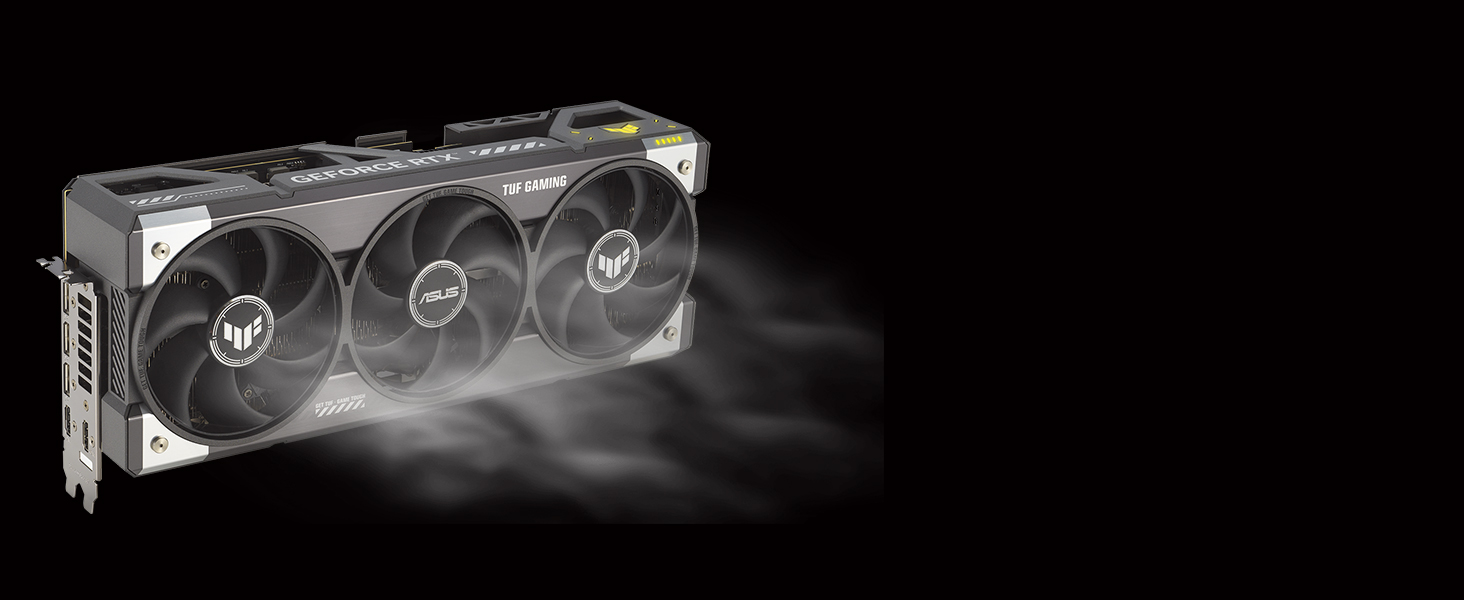
Image: A scene demonstrating the visual improvements and performance benefits of NVIDIA DLSS 4.

Image: A side-by-side comparison illustrating the enhanced realism achieved with full ray tracing.

Image: A gaming scene demonstrating the low-latency benefits of NVIDIA Reflex 2 technology.
Priežiūra
Reguliarus valymas padeda užtikrinti vaizdo plokštės ilgaamžiškumą ir optimalų našumą.
- Dulkių šalinimas: Periodically clean dust from the fans and heatsink using compressed air. Ensure the system is powered off before cleaning.
- Tvarkyklės atnaujinimai: Keep your graphics drivers updated to the latest version available from NVIDIA or ASUS to ensure compatibility and performance improvements.
- Temperatūros stebėjimas: Use software like GPU Tweak III to monitor GPU temperatures during operation. Maintain good airflow within your PC case to prevent overheating.
Trikčių šalinimas
Jei kyla problemų dėl vaizdo plokštės, apsvarstykite šiuos trikčių šalinimo veiksmus:
- Nėra ekrano išvesties: Ensure the graphics card is fully seated in the PCIe slot and all power cables are securely connected. Verify your monitor is connected to the graphics card's output, not the motherboard's integrated graphics.
- Vairuotojo problemos: If you experience crashes or graphical anomalies, perform a clean installation of the latest graphics drivers. Uninstall existing drivers before installing new ones.
- System Not Posting (Older Systems): For some older systems, disabling CSM (Compatibility Support Module) in the BIOS/UEFI settings can resolve issues with the system failing to post after installing a new graphics card. Refer to your motherboard manual for BIOS/UEFI settings.
- Perkaitimas: Check for proper case airflow and ensure fans on the graphics card are spinning. Clean any dust buildup on the heatsink and fans.
Specifikacijos
| Funkcija | Detalė |
|---|---|
| Grafikos koprocesorius | NVIDIA GeForce RTX 5080 |
| Prekės ženklas | ASUS |
| Grafikos RAM dydis | 16 GB |
| GPU laikrodžio greitis | 2730 MHz |
| Vaizdo išvesties sąsaja | Native DisplayPort 2.1a x3, Native HDMI 2.1b x 2 |
| Grafikos RAM tipas | GDDR7 |
| Suderinami įrenginiai | Darbalaukis |
| Grafikos plokštės sąsaja | PCI-Express x16 |
| Atminties laikrodžio greitis | 2730 MHz |
| Ventiliatorių skaičius | 3 |
| GPU serija | NVIDIA RTX 50 Series |
| Display Maximum Resolution | 7680 x 4320 pikselių |
| Prekės matmenys (I x P) | 13.7 colio ilgio x 5.7 colio pločio |
| Modelio pavadinimas | TUF-RTX5080-O16G-GAMING |
| Prekės svoris | 5 svaro |
Garantija ir palaikymas
Your ASUS TUF Gaming GeForce RTX 5080 Graphics Card comes with a 3 metų garantija. For technical support, driver downloads, and further assistance, please visit the official ASUS support website. Ensure you have your product model number (TUF-RTX5080-O16G-GAMING) and serial number ready when contacting support.
Oficialūs produktų vaizdo įrašai
ASUS All RTX50 Cross Series Overview
Vaizdo įrašas: pareigūnas viršview of the ASUS RTX 50 series, highlighting key features and design elements relevant to the TUF Gaming RTX 5080.
ASUS TUF-RTX5080-O16G-GAMING E-tail Video
Video: An official e-tail video showcasing the ASUS TUF-RTX5080-O16G-GAMING graphics card, focusing on its design and features.


