
1. Įvadas
This user manual provides comprehensive instructions for the Headwolf WPad7 Tablet. It covers setup, operation, maintenance, and troubleshooting to ensure optimal performance and user experience. Please read this manual thoroughly before using your device.
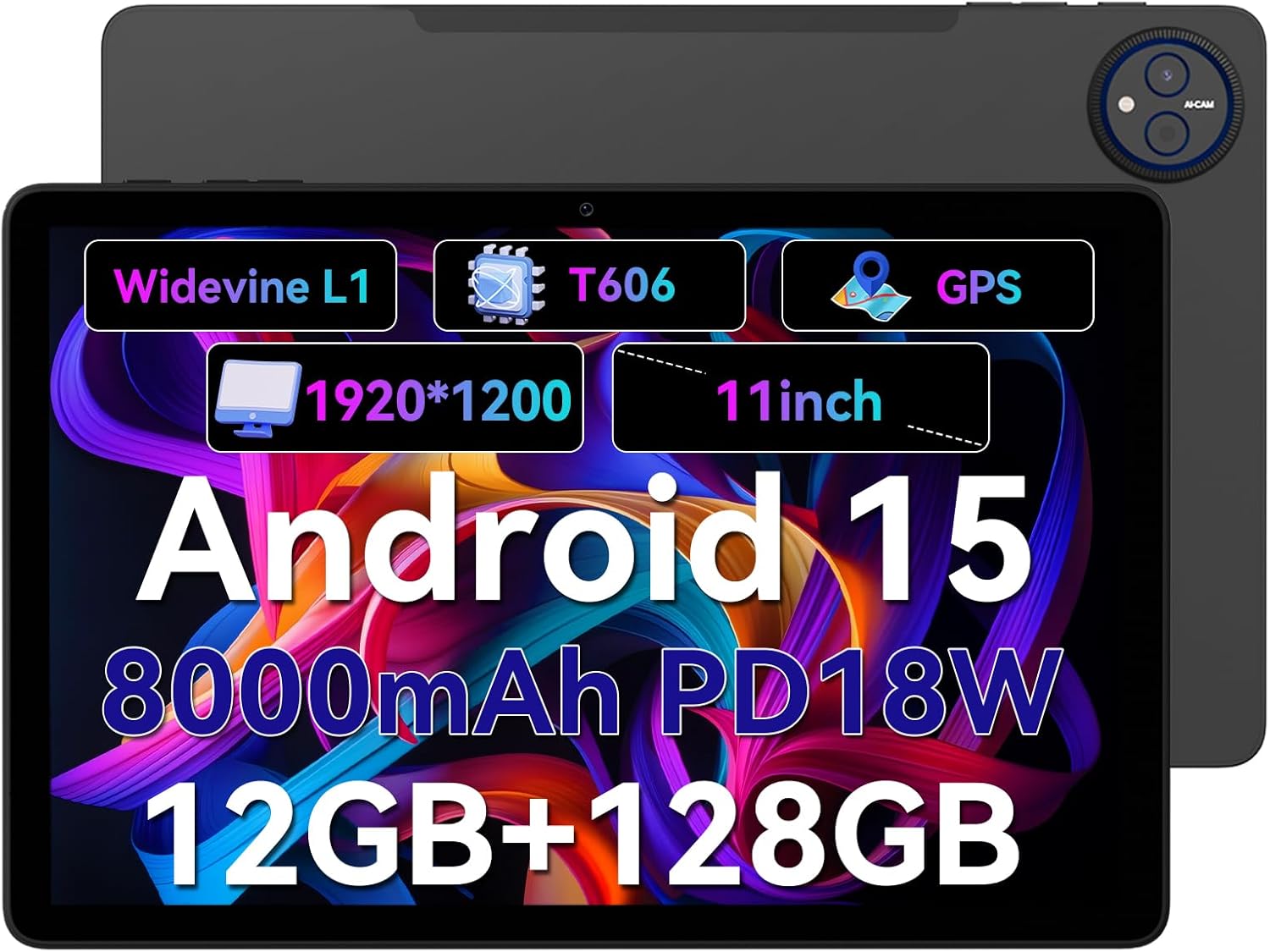
Figure 1.1: Headwolf WPad7 Tablet showcasing its 11-inch display, Android 15, 8000mAh battery, 12GB RAM, 128GB ROM, Widevine L1, T606 processor, and GPS capabilities.
2. Pakuotės turinys
Atidarę pakuotę, patikrinkite, ar yra visi toliau išvardyti daiktai ir ar jie yra geros būklės:
- 1 x Headwolf WPad7 Tablet
- 1x pakrovėjas
- 1 x tipo C laidas
- 1 x Card Pin (for SIM/SD card tray)
- 1 x Vartotojo vadovas
3. Produktas baigtasview
3.1 Fizinės savybės
Familiarize yourself with the physical components of your Headwolf WPad7 Tablet:
- Ekranas: 11-inch IPS In-Cell screen with 1920x1200 resolution.
- Priekinė kamera: 8MP, located on the top bezel when held horizontally.
- Galinė kamera: 13MP, esanti galiniame skydelyje.
- Maitinimo mygtukas: Paprastai šone, naudojamas įrenginiui įjungti / išjungti arba pažadinti / užmigdyti.
- Garsumo klavišai: Įsikūręs šalia maitinimo mygtuko, skirtas garso lygiams reguliuoti.
- C tipo USB prievadas: Įkrovimui ir duomenų perdavimui.
- 3.5 mm ausinių lizdas: Laidinių garso įrenginių prijungimui.
- Kortelės lizdas: For inserting a SIM card (if supported) and a microSD card for expandable storage.
- Anga iš naujo: A small pinhole for force restarting the device if unresponsive.

Figure 3.1: Physical aspects of the Headwolf WPad7 Tablet, showing its 8mm thickness, 495g weight, 13MP rear camera, 8MP front camera, and 3.5mm earphone jack.

Figure 3.2: Key features of the Headwolf WPad7 Tablet, including Android 15 OS, 12GB+128GB memory, T606-8 core processor, 8000mAh battery, GPS navigation, 1920x1200 FHD display, face recognition, dual cameras, 2.4G/5Ghz Wi-Fi, Widevine L1, and 300nit brightness.
4. Sąranka
4.1 Pradinis įkrovimas
Before first use, fully charge the tablet. Connect the provided Type-C cable to the tablet's USB-C port and the charger to a power outlet. The battery indicator on the screen will show charging status. A full charge typically takes several hours.

Figure 4.1: The 8000mAh battery of the Headwolf WPad7 Tablet, highlighting its safety and stability features, and showing typical usage times for processing, video playback, reading, and music playback.
4.2 Maitinimo įjungimas/išjungimas
- Norėdami įjungti: Press and hold the Power button until the Headwolf logo appears on the screen.
- Norėdami išjungti: Press and hold the Power button until a power-off menu appears. Select "Power off".
- Miegui / pabudimui: Trumpai paspauskite maitinimo mygtuką, kad planšetinį kompiuterį užmigdytumėte arba pažadintumėte.
4.3 „MicroSD“ kortelės įdėjimas
The Headwolf WPad7 supports microSD card expansion up to 2TB. To install:
- Raskite kortelės angą planšetinio kompiuterio šone.
- Įkiškite pateiktą kortelės kaištį į mažą skylutę šalia dėklo, kad ją išstumtumėte.
- Įdėkite „microSD“ kortelę į jai skirtą lizdą dėkle, užtikrindami teisingą orientaciją.
- Švelniai stumkite dėklą atgal į planšetinį kompiuterį, kol jis spragtelėdamas užsifiksuos.

Figure 4.2: Details of the Unisoc T606 Octa-core Processor and memory configuration, showing 12GB RAM (6GB physical + 6GB virtual) and 128GB ROM, expandable up to 2TB via SD card.
5. Planšetinio kompiuterio valdymas
5.1 „Android 15“ funkcijos
Your Headwolf WPad7 Tablet runs on Android 15, offering enhanced AI capabilities, improved privacy, optimized performance, and a refined user interface. Explore features like:
- AI Dynamic Adjustment: Adapts to your usage patterns for optimized performance.
- Multilingual Real-time Translation: Facilitates communication across languages.
- AI Automatic Scene Recognition: Enhances camera performance.
- Intelligent Audio Switching: Seamlessly manages audio output.
- AI Battery Saving Optimization: Extends battery life based on usage.
- Ekrano padalijimas: Naudokite dvi programas vienu metu greta.
- Veido atpažinimas: Securely unlock your device with your face.

5.1 pav. Baigtaview of Android 15's intelligent AI features, including dynamic adjustment, real-time translation, automatic scene recognition, portrait mode processing, intelligent audio switching, accurate speech recognition, battery saving, game mode, and document auto summary.
5.2 Ryšys
- „Wi-Fi“: Supports high-speed AC 2.4G/5G Wi-Fi for stable internet connection. Navigate to Settings > Network & internet > Wi-Fi to connect to available networks.
- Bluetooth: Connect to Bluetooth headphones, speakers, and other devices. Go to Settings > Connected devices > Bluetooth.
- GPS: The tablet supports GPS, GLONASS, BDS, and GALILEO satellite systems for precise location services and navigation.

Figure 5.2: The Headwolf WPad7 Tablet's 2.4G/5G Dual Band Wi-Fi and Bluetooth capabilities, demonstrating its versatility for work, presentations, and video calls.

Figure 5.3: The tablet's Four-In-One Satellite Positioning System, supporting GPS, Beidou, Galileo, and Glonass for accurate real-time location tracking and navigation.
5.3 Kameros naudojimas
The tablet features an 8MP front camera and a 13MP rear camera. Open the Camera app to capture photos and videos. Utilize AI scene recognition for optimized shots.
5.4 Ekrano funkcijos
The 11-inch IPS in-cell display provides vivid colors and deep contrasts. It features Widevine L1 certification, enabling secure streaming of high-definition content from platforms like Netflix, Prime Video, and Disney+.

Figure 5.4: The 11-inch Widevine L1-compatible FHD display, showcasing its 1920x1200 resolution, 224 PPI, IPS incell technology, 300 nit brightness, 1500:1 contrast, and 75% NTSC color gamut, ideal for streaming services.
6. Priežiūra
6.1 Valymas
Planšetiniam kompiuteriui valyti naudokite minkštą, nepūkuotą šluostę. Įsisenėjusias dėmes šiek tiek nuvalykite.ampNuvalykite šluostę vandeniu arba ekrano valikliu. Venkite naudoti stiprias chemines medžiagas, abrazyvines medžiagas ir per didelį drėgnumą.
6.2 Akumuliatoriaus priežiūra
- Venkite tabletės laikymo ekstremaliose temperatūrose (karštyje arba šaltyje).
- Neleiskite baterijai dažnai visiškai išsikrauti.
- Use the original charger and cable for optimal charging and battery longevity.
- Jei planšetinį kompiuterį ilgesnį laiką laikysite, prieš išjungdami jį įkraukite iki maždaug 50 %.
7. Problemų sprendimas
7.1 Planšetinis kompiuteris neįsijungia
- Įsitikinkite, kad akumuliatorius įkrautas. Prijunkite įkroviklį ir palaukite kelias minutes prieš bandydami įjungti.
- Paspauskite ir palaikykite maitinimo mygtuką bent 10–15 sekundžių, kad priverstumėte įrenginį paleisti iš naujo.
7.2 „Wi-Fi“ ryšio problemos
- Nustatymuose išjunkite ir įjunkite „Wi-Fi“.
- Paleiskite iš naujo „Wi-Fi“ maršrutizatorių.
- Pamirškite tinklą ir vėl prisijunkite, dar kartą įvesdami slaptažodį.
7.3 Programėlių strigimas arba užstrigimas
- Uždarykite probleminę programėlę ir vėl ją atidarykite.
- Išvalykite programėlės talpyklą (Nustatymai > Programos > [Programėlės pavadinimas] > Atmintis ir talpykla > Išvalyti talpyklą).
- Iš naujo paleiskite planšetinį kompiuterį.
- Ensure the app and Android system are updated to the latest versions.
8. Specifikacijos
| Funkcija | Specifikacija |
|---|---|
| Prekės ženklas | Galvos vilkas |
| Modelio pavadinimas | W7 |
| Operacinė sistema | Android 15 |
| Ekrano dydis | 11 colių |
| Ekrano raiška | 1920x1200 Pixels (FHD In-Cell) |
| Procesorius | „Unisoc T606“ aštuonių branduolių procesorius |
| RAM | 12 GB (6 GB fizinės + 6 GB virtualios) |
| Vidinė saugykla | 128 GB |
| Išplečiama saugykla | Iki 2 TB per „MicroSD“ kortelę |
| Galinė kamera | 13 MP |
| Priekinė kamera | 8 MP |
| Baterijos talpa | 8000 mAh |
| Įkrovimo prievadas | USB Type-C (supports 18W fast charge) |
| Belaidis ryšys | 802.11a/b/g/n/ac/ax (2.4G/5G Wi-Fi), Bluetooth |
| Navigacija | GPS, GLONASS, BDS, GALILEO (with A-GPS) |
| Garso lizdas | 3.5 mm |
| Matmenys (IxPxH) | 11 x 2 x 8 colio |
| Prekės svoris | 1.98 svaro (apie 495 g) |
| Spalva | Pilka |
| Widevine Certification | L1 |
9. Garantija ir palaikymas
Headwolf provides a standard warranty for the WPad7 Tablet. For detailed warranty terms and conditions, please refer to the warranty card included in your package or visit the official Headwolf websvetainę.
For technical support, troubleshooting assistance, or service inquiries, please contact Headwolf customer support through their official channels. Keep your purchase receipt and product serial number handy when contacting support.
Internetiniai ištekliai: