
SelfieShow C15
„SelfieShow C15“ aliuminio asmenukių lazdelės telefono trikojo naudojimo instrukcija
Model: C15 | Brand: SelfieShow
1. Įvadas
This manual provides detailed instructions for the proper setup, operation, and maintenance of your SelfieShow C15 Aluminum Selfie Stick Phone Tripod. Please read this manual thoroughly before using the product to ensure optimal performance and longevity.
Pakuotės turinys
- „Selfie Stick“ telefono trikojis
- Wireless Remote Control (with 1 CR2032 battery included)
- Instrukcijų vadovas

Figure 1: The SelfieShow C15 Aluminum Selfie Stick Phone Tripod shown collapsed, extended as a selfie stick, and set up as a tripod with the remote control.
2. Komponentai baigtiview
Familiarize yourself with the main parts of your SelfieShow C15 device:
- Extendable Aluminum Pole: The main shaft that extends for selfie stick use or tripod height adjustment.
- Trikojo pagrindas: Foldable legs at the bottom for stable freestanding use. Features anti-slip silicone pads.
- Telefono laikiklis: Reguliuojamas clamp to secure your smartphone. Detachable.
- 360° pasukama rutulinė galvutė: Allows for flexible angle adjustments of the phone holder. Includes a 1/4" screw for other accessories and a cold shoe interface.
- Belaidis nuotolinio valdymo pultas: Bluetooth-enabled remote for capturing photos or starting videos from a distance. Stores securely in the handle.
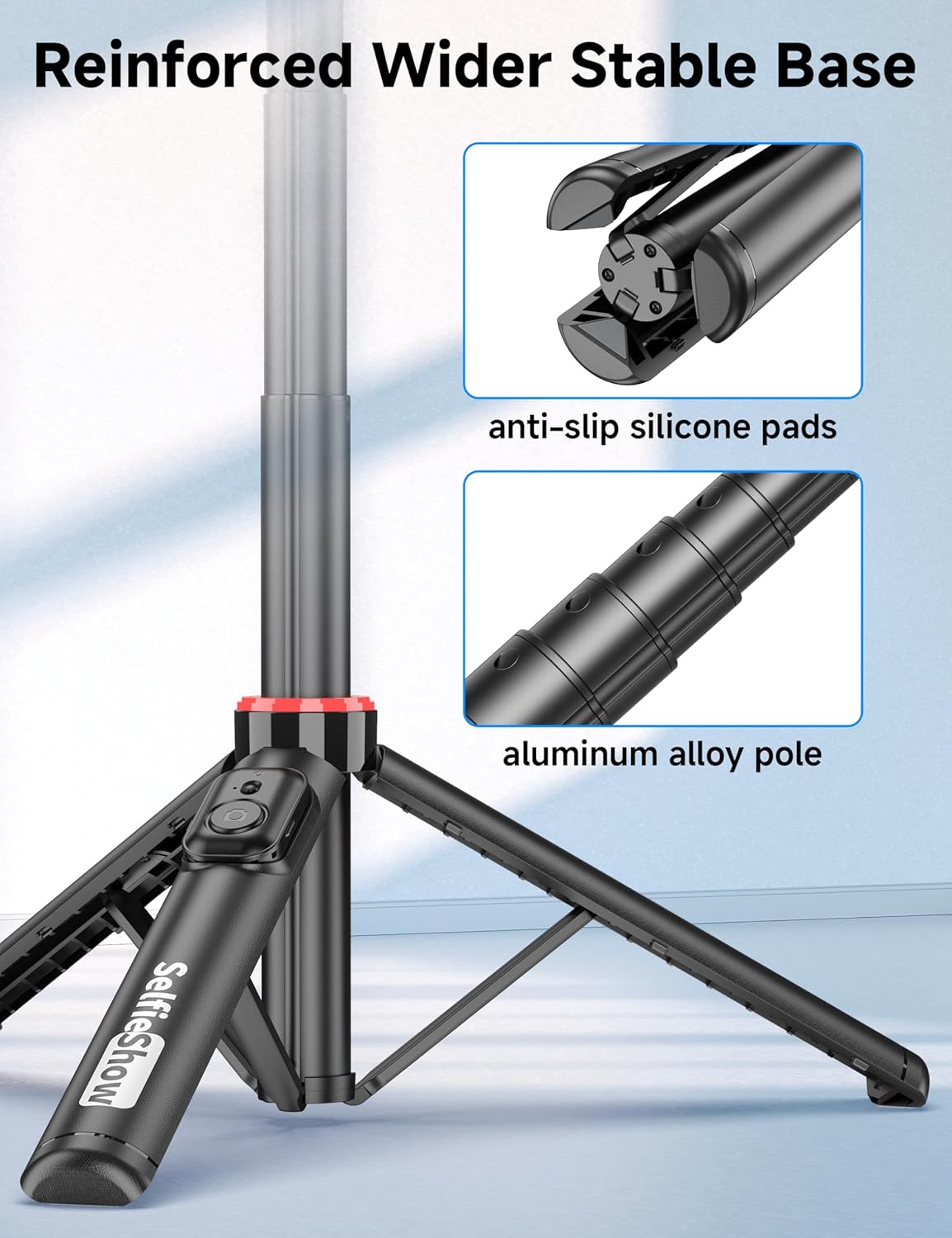
2 pav. Iš arti view of the reinforced tripod base, highlighting the anti-slip silicone pads and the durable aluminum alloy pole construction.
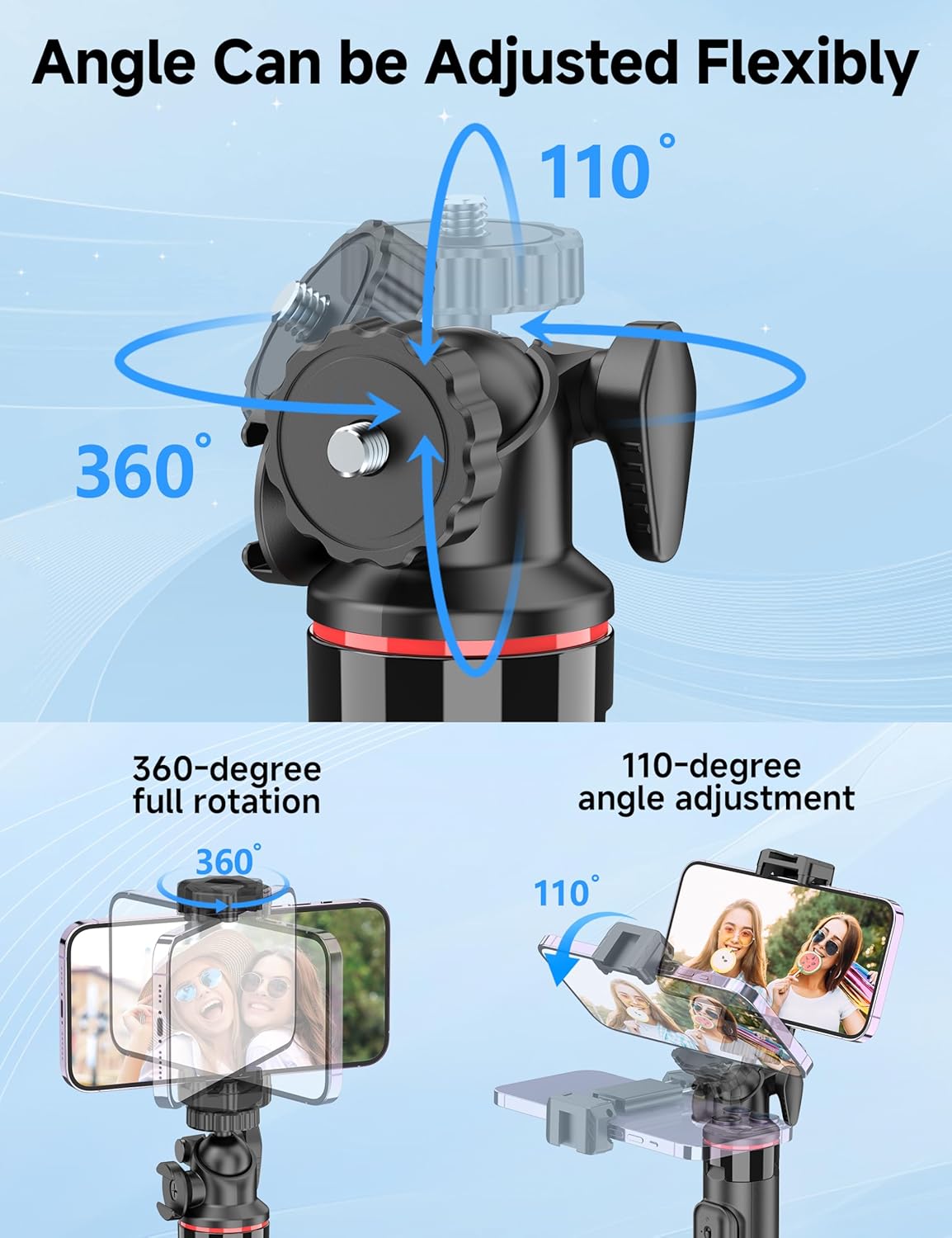
Figure 3: Illustration of the 360-degree full rotation and 110-degree angle adjustment capabilities of the ball head for flexible phone positioning.
3. Sąrankos instrukcijos
3.1 Nuotolinio valdymo pora
- Ensure the remote control has a working CR2032 battery.
- Press and hold the button on the remote control until the indicator light flashes, indicating it is in pairing mode.
- Išmaniajame telefone eikite į „Bluetooth“ nustatymus ir ieškokite galimų įrenginių.
- Select "SelfieShow" from the list to pair. The indicator light on the remote will stop flashing once successfully paired.
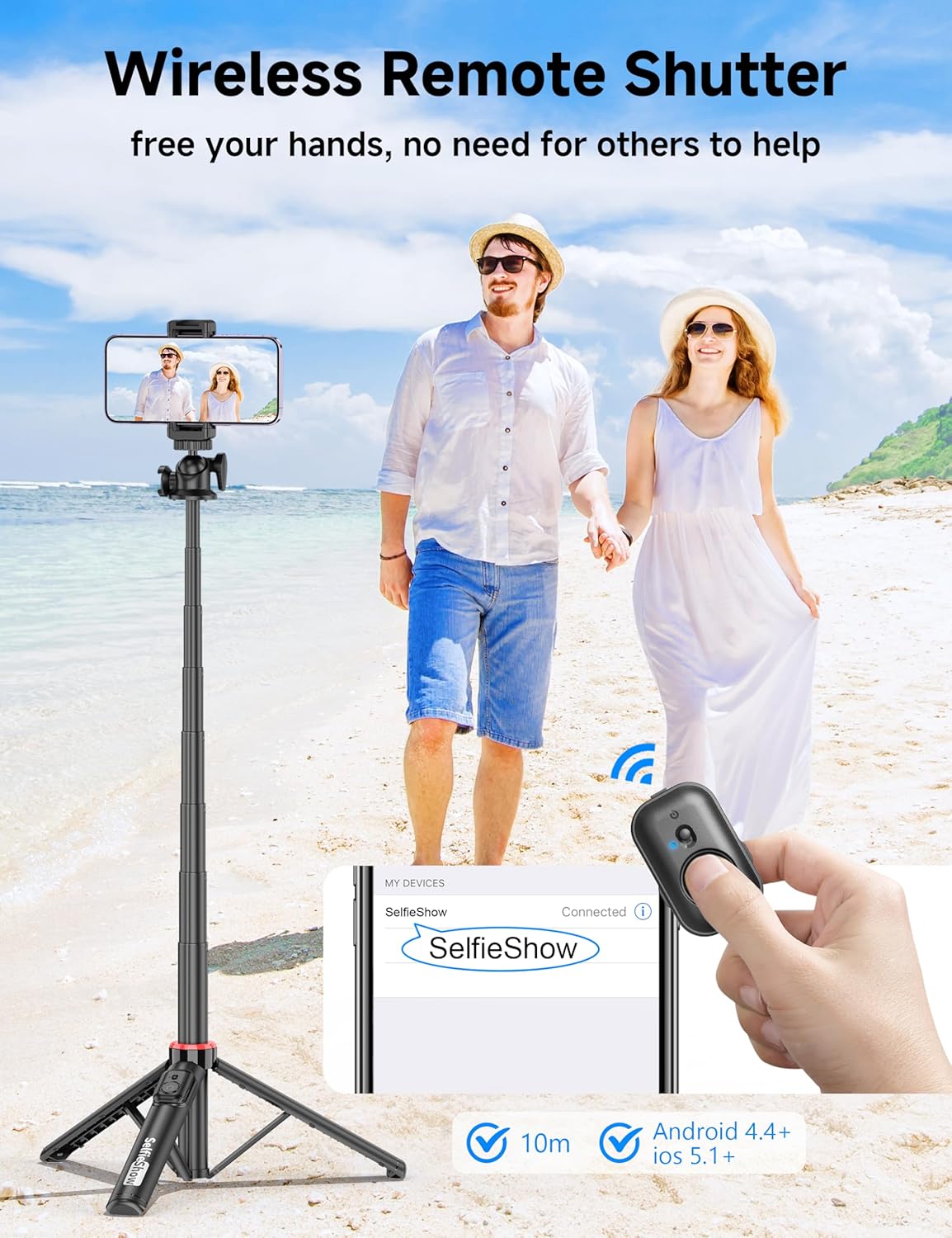
Figure 4: Visual guide for pairing the wireless remote shutter via Bluetooth, showing the remote and a phone screen with 'SelfieShow' connected.
3.2 Išmaniojo telefono prijungimas
- Švelniai išskirkite telefono laikiklį clamps jas išplėsti.
- Įdėkite išmanųjį telefoną į laikiklį, užtikrindami, kad jis būtų tvirtai laikomas abiem pirštaisamps. The holder accommodates phones between 2.5 to 3.7 inches (6.5 to 9.5 cm) in width.
- Ensure your phone's buttons are not obstructed or pressed by the clamps.
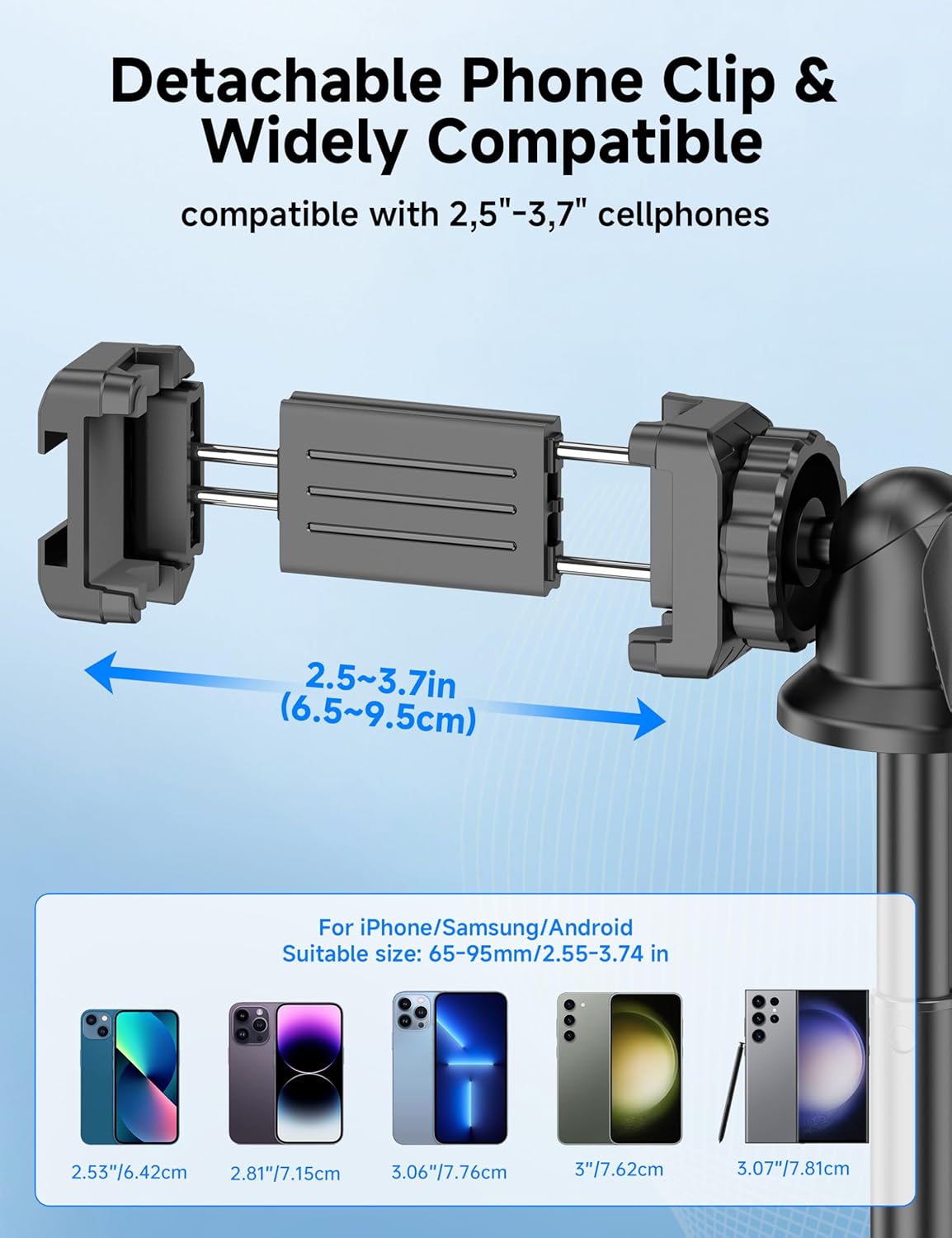
Figure 5: Diagram illustrating the adjustable width of the phone clip (2.5-3.7 inches) and its compatibility with various smartphone models.
4. Naudojimo instrukcijos
4.1 Using as a Selfie Stick
- Tvirtai laikykite už rankenos.
- Extend the aluminum pole to your desired length. The pole can extend from 9.8 inches (25 cm) to 49 inches (126 cm).
- Adjust the phone holder's angle using the ball head to achieve the desired shot.
- Use the paired wireless remote control to capture photos or start/stop video recording.
4.2 Using as a Tripod
- From the collapsed position, gently pull the bottom handle downwards to deploy the tripod legs. Ensure the legs are fully spread for maximum stability.
- Padėkite trikojį ant lygaus, stabilaus paviršiaus.
- Extend the aluminum pole to your desired height.
- Adjust the phone holder's angle using the ball head.
- Use the paired wireless remote control to capture photos or start/stop video recording.
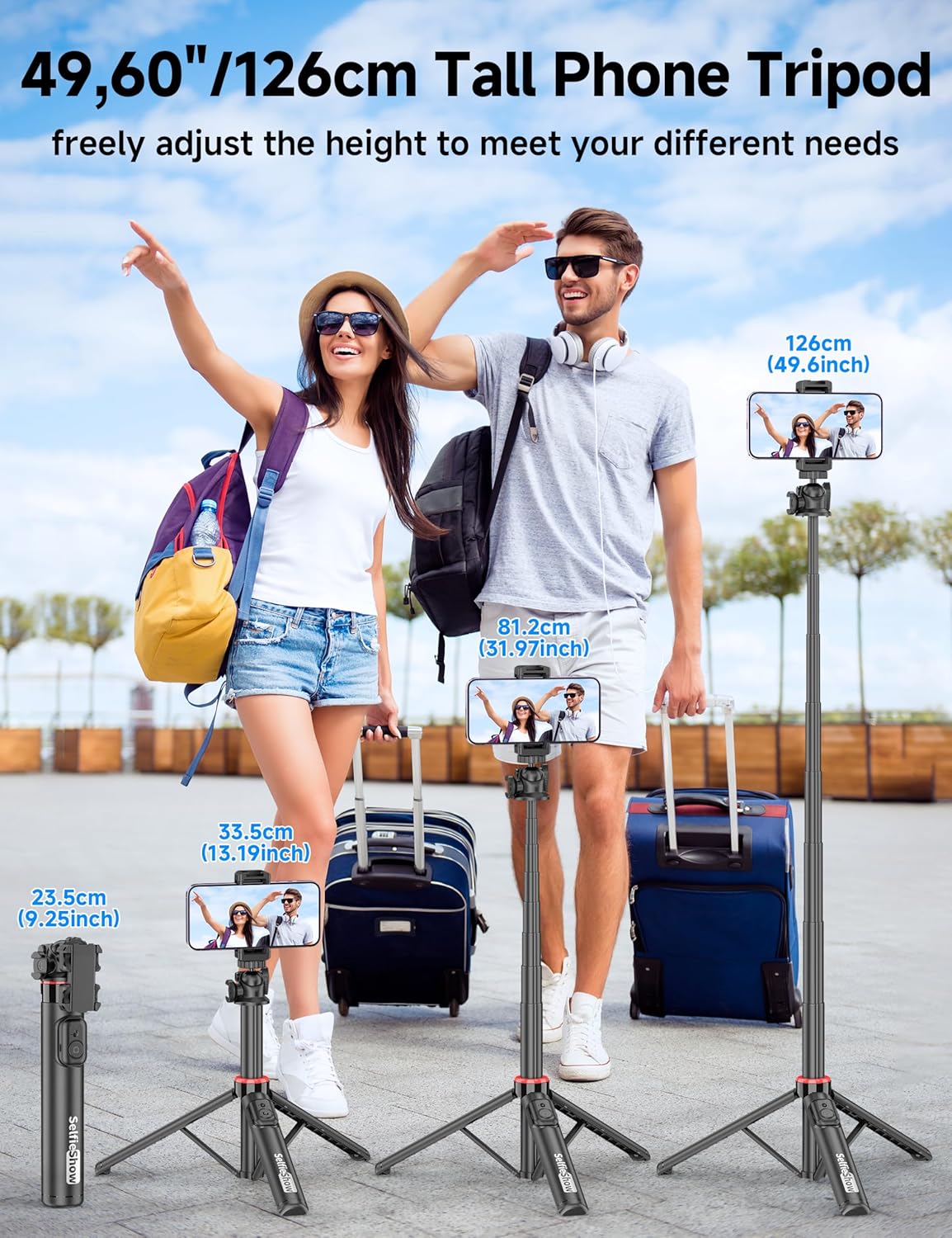
Figure 6: Visual guide demonstrating the adjustable height of the tripod from its folded state to various extended heights, up to 49 inches (126 cm).
4.3 Using the Cold Shoe and 1/4" Screw Mount
The SelfieShow C15 features a cold shoe interface and a standard 1/4" screw mount for expanded functionality:
- Šaltas batas: Located on top of the phone holder, this allows you to attach accessories such as external microphones or LED fill lights.
- 1/4 colio varžtinis tvirtinimas: The ball head features a universal 1/4" screw, allowing direct attachment of compact cameras, action cameras (like GoPro), or other compatible accessories when the phone holder is detached.
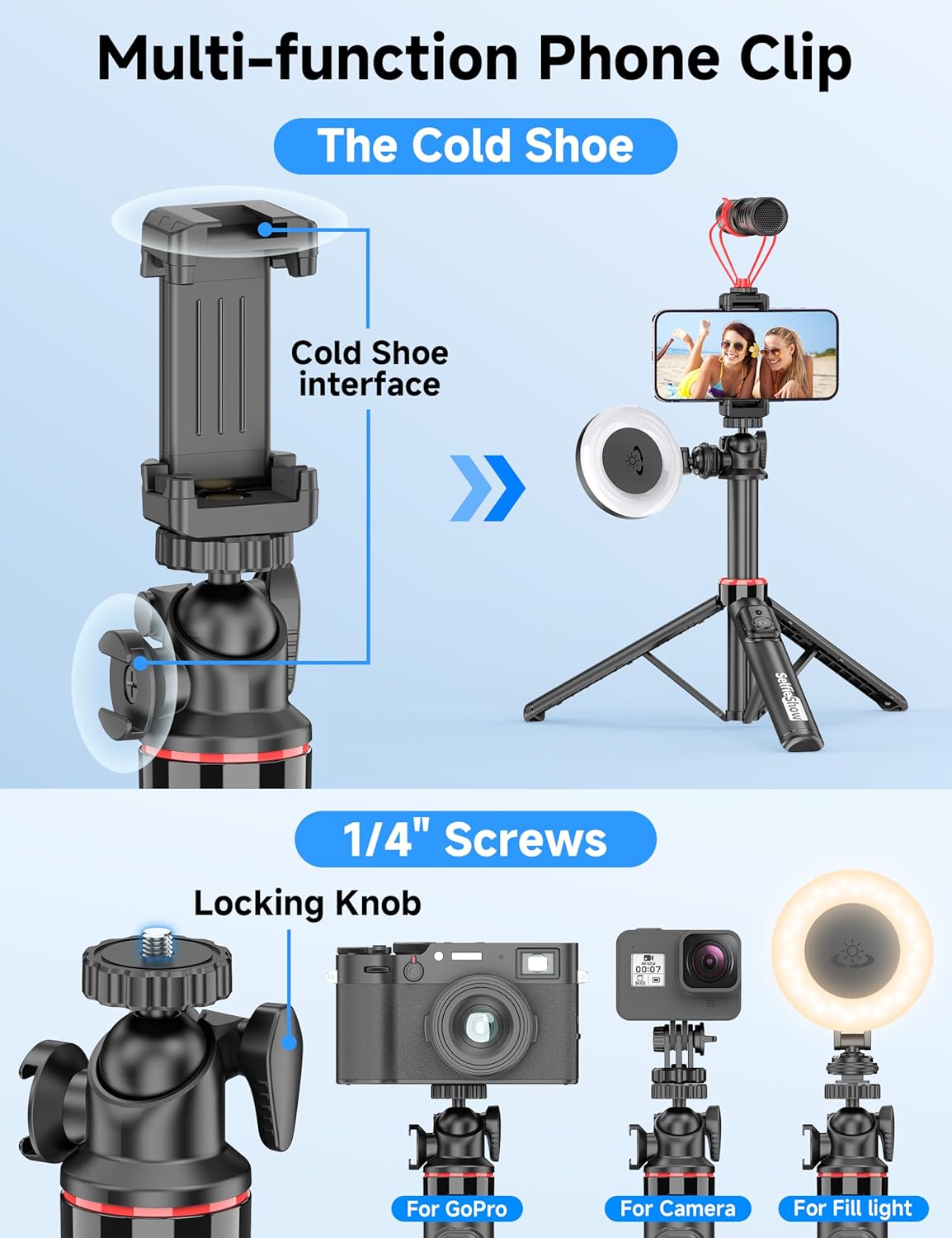
7 pav. Išsamus view of the multi-function phone clip, highlighting the cold shoe interface for attaching external accessories.
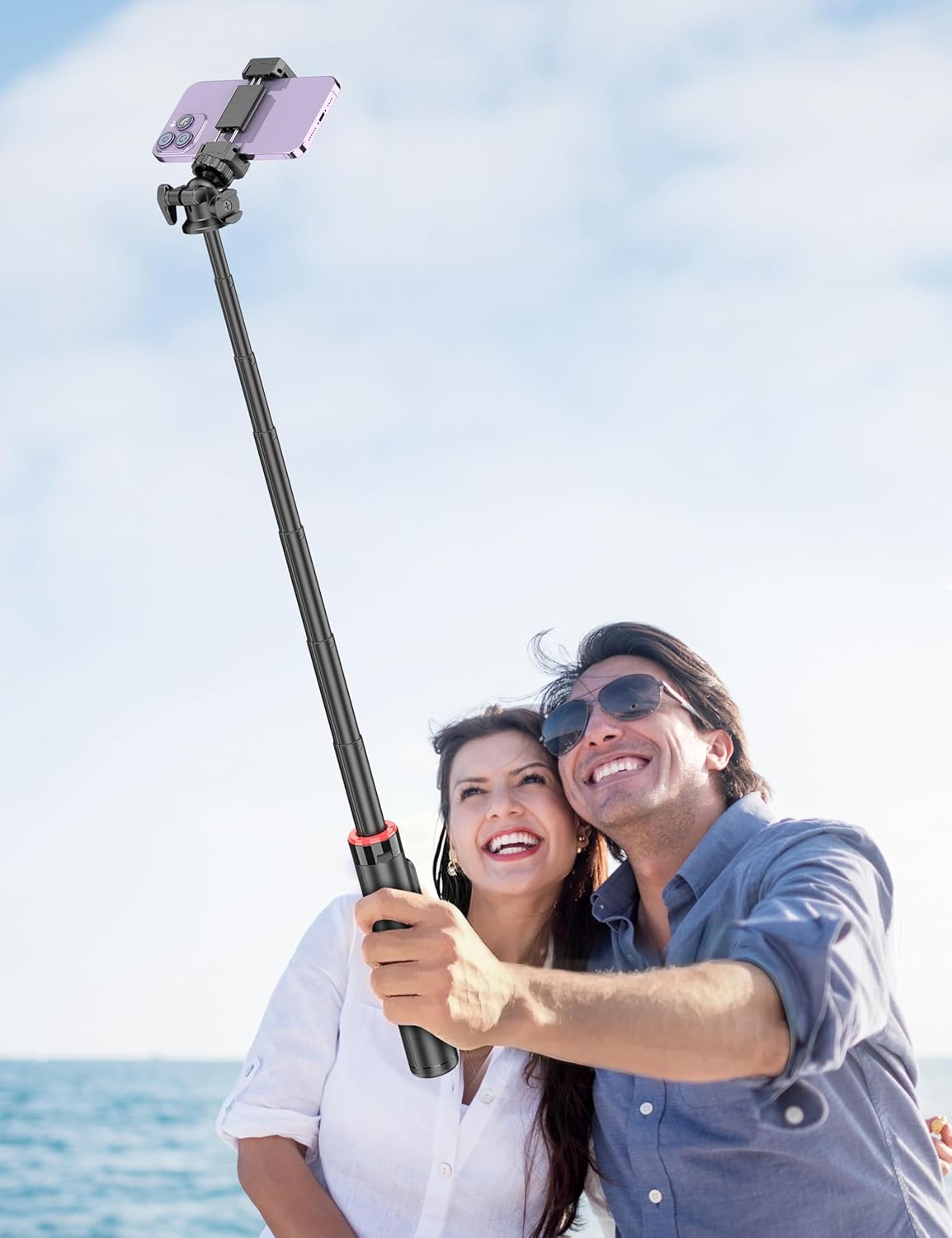
Figure 8: Image demonstrating the 1/4 inch screw mount for connecting cameras, GoPros, or fill lights, showcasing the versatility of the tripod head.
5. Priežiūra
5.1 Valymas
- Nuvalykite prietaisą minkšta, sausa šluoste.
- Nenaudokite stiprių chemikalų ar abrazyvinių valiklių.
- Venkite prietaiso per didelės drėgmės.
5.2 Saugykla
- Kai nenaudojate, laikykite asmenukių lazdelę vėsioje, sausoje vietoje.
- Ensure the remote control is securely placed in its designated slot to prevent loss.
5.3 Nuotolinio valdymo pulto baterijų keitimas
The remote control uses a CR2032 coin cell battery. To replace:
- Nuotolinio valdymo pulte suraskite baterijų skyrių.
- Use a small coin or tool to open the compartment.
- Išimkite seną bateriją ir įdėkite naują CR2032 bateriją teigiama (+) puse į viršų.
- Saugiai uždarykite akumuliatoriaus skyrių.
6. Problemų sprendimas
6.1 Nuotolinio valdymo pultas neprisijungia
- Ensure the remote control battery is not depleted. Replace if necessary.
- Įsitikinkite, kad jūsų išmaniajame telefone įjungtas „Bluetooth“.
- Try unpairing and re-pairing the remote control in your phone's Bluetooth settings.
- Ensure the remote is within the 30 ft (10 m) operating range of your phone.
6.2 Trikojo nestabilumas
- Ensure the tripod legs are fully extended and locked into position on a flat, stable surface.
- Venkite ištiesti lazdos iki maksimalaus aukščio vėjuotomis sąlygomis arba nelygiame reljefe.
- Verify that your smartphone is securely seated in the phone holder and balanced.
6.3 Phone Not Fitting in Holder
- Check that your phone's width is within the compatible range of 2.5 to 3.7 inches (6.5 to 9.5 cm).
- Nuimkite visus didelius telefono dėklus, jei jie trukdo tvirtai pritvirtinti.
7. Specifikacijos
| Funkcija | Detalė |
|---|---|
| Modelio pavadinimas | C15 |
| Prekės ženklas | Asmenukių šou |
| Medžiaga | Aliuminis |
| Prekės svoris | 10.5 uncijos (297.67 gramų) |
| Sulenktas dydis | 9.8 colio (25 cm) |
| Minimalus Aukštis | 9.8 colio (25 cm) |
| Maksimalus aukštis | 49 colio (124.5 cm) |
| Telefono laikiklio plotis | 2.5–3.7 colio (6.5–9.5 cm) |
| Trikojo galvutės tipas | Ball Head (360° rotation) |
| Nuotolinio valdymo pulto diapazonas | Iki 30 pėdų (10 m) |
| Nuotolinio valdymo pulto baterija | 1 x CR2032 (įtraukta) |
| Suderinami įrenginiai | Išmanieji telefonai („iPhone“, „Android“) |
| Papildomos funkcijos | Cold Shoe, 1/4" Screw Mount |
8. Informacija apie garantiją
SelfieShow products are manufactured to high-quality standards. For specific warranty details, please refer to the warranty card included with your purchase or contact customer support. Typically, products are covered against manufacturing defects for a period specified at the time of purchase.
9. Pagalba klientams
If you encounter any issues or have questions regarding your SelfieShow C15 Aluminum Selfie Stick Phone Tripod that are not addressed in this manual, please contact our customer support team. Refer to your product packaging or the SelfieShow official websvetainė kontaktinei informacijai.
Ask a question about this manual
Ask about setup, troubleshooting, compatibility, parts, safety, or missing instructions. Manuals+ will review the question and use this page’s manual context to help answer it.