1. Įvadas
Ačiū, kad pirkoteasing the Portable Mini Projector. This device is designed to provide a versatile and immersive viewing experience, supporting high-definition decoding and various connectivity options for both indoor and outdoor use. Please read this manual thoroughly before operating the projector to ensure proper use and to maximize its performance and lifespan.
2. Saugos informacija
To prevent fire, electric shock, or damage to the projector, please observe the following safety precautions:
- Neužblokuokite ventiliacijos angų. Užtikrinkite pakankamą oro srautą aplink projektorių.
- Saugokite projektorių nuo lietaus ar drėgmės. Laikykite jį atokiau nuo vandens šaltinių.
- Naudokite tik prie projektorijaus pridėtą maitinimo adapterį.
- Venkite žiūrėti tiesiai į projektoriaus objektyvą, kai lamp įjungtas, nes ryški šviesa gali sukelti akių nuovargį arba pažeidimus.
- Nebandykite ardyti ar modifikuoti projektoriaus. Visus techninės priežiūros darbus patikėkite kvalifikuotiems darbuotojams.
- Padėkite projektorių ant stabilaus, lygaus paviršiaus, kad jis nenukristų.
- Projektorių laikykite atokiau nuo tiesioginių saulės spindulių, šilumos šaltinių ir ekstremalių temperatūrų.
3. Pakuotės turinys
Išpakuodami, patikrinkite pakuotės turinį:
- Nešiojamas mini projektorius
- Maitinimo adapteris
- Nuotolinio valdymo pultas (be baterijų)
- HDMI kabelis
- Vartotojo vadovas
4. Produkto savybės ir komponentai
Familiarize yourself with the projector's key features and components:
- Projekcinis objektyvas: Emits the image onto the screen or surface.
- Fokusavimo žiedas: Reguliuojamas projektuojamo vaizdo aiškumas.
- Įvesties prievadai: HDMI, USB, AV, Memory Card slot for various device connections.
- Integruotas garsiakalbis: Suteikia garso išvestį.
- Vėdinimo grotelės: Šilumos išsklaidymui.
- Maitinimo mygtukas: Įjungia/išjungia projektorių.
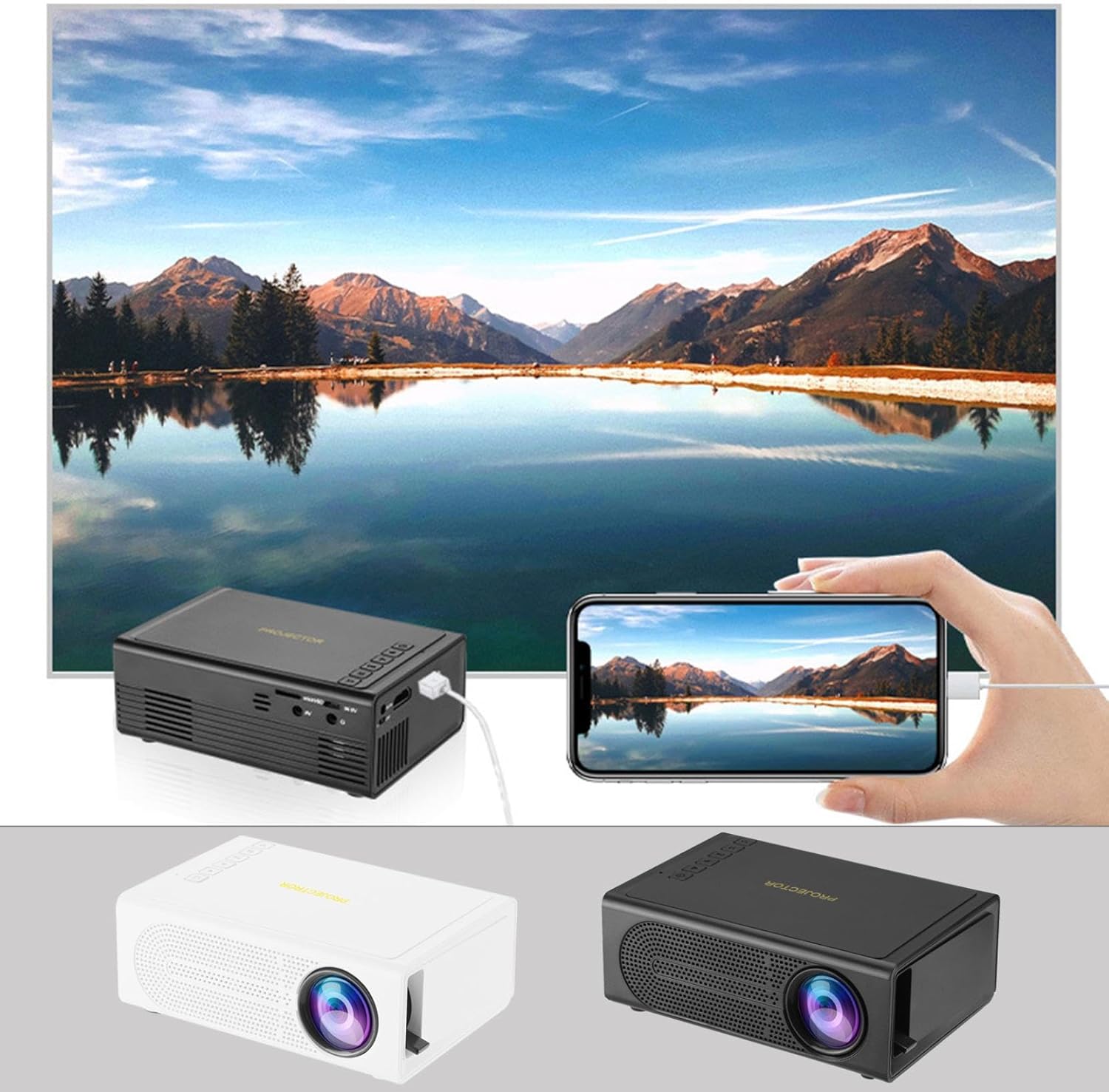
Image: The Portable Mini Projector in use, demonstrating its ability to mirror a smartphone screen onto a large display. Both black and white color options of the projector are shown.

Image: Physical dimensions of the projector, indicating its compact size.
5. Sąranka
- Maitinimo jungtis: Connect the supplied power adapter to the projector's power input port and then plug it into a power outlet.
- Vieta: Padėkite projektorių ant stabilaus, lygaus paviršiaus. Optimaliam veikimui viewprojektorių pastatykite statmenai projekcijos paviršiui (sienai arba ekranui).
- Maitinimas: Norėdami įjungti įrenginį, paspauskite projektoriaus arba nuotolinio valdymo pulto maitinimo mygtuką.
- Fokuso reguliavimas: Once powered on, rotate the focus ring on the projector until the projected image appears clear and sharp.
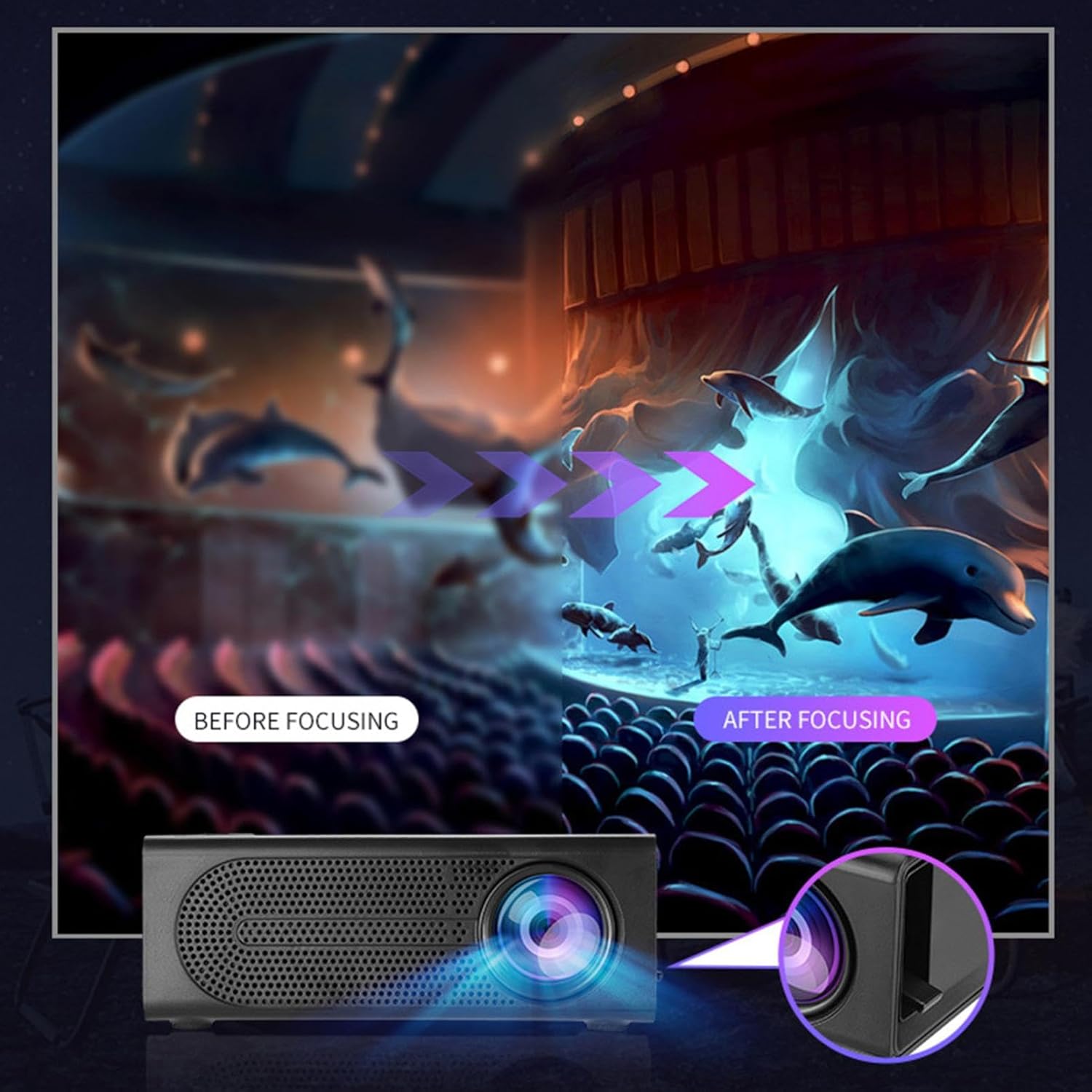
Image: Visual demonstration of focus adjustment, showing the difference between a blurry and a sharp image.
6. Naudojimo instrukcijos
6.1 Įrenginių prijungimas
The projector supports various input sources. Select the appropriate input mode from the projector's menu after connecting your device.
- HDMI: Connect laptops, gaming consoles, DVD players, or other HDMI-enabled devices using an HDMI cable.
- USB: Įdėkite USB atmintinę, kad galėtumėte leisti mediją files tiesiogiai.
- APIE: Use an AV cable to connect older devices like VCRs or some set-top boxes.
- Atminties kortelė: Insert a compatible memory card to view nuotraukas ar vaizdo įrašus.
- Išmanusis telefonas / planšetinis kompiuteris: For wired phone same screen playback, connect your smartphone or tablet via a compatible cable (e.g., USB to Lightning/USB-C for screen mirroring, if supported by your device and the projector).

Image: Connectivity diagram illustrating the wide range of devices compatible with the projector.
6.2 Adjusting Projection Size
The projector can project images ranging from 32 to 100 inches. The projection size is determined by the distance between the projector and the projection surface. Move the projector closer to the surface for a smaller image, and further away for a larger image.
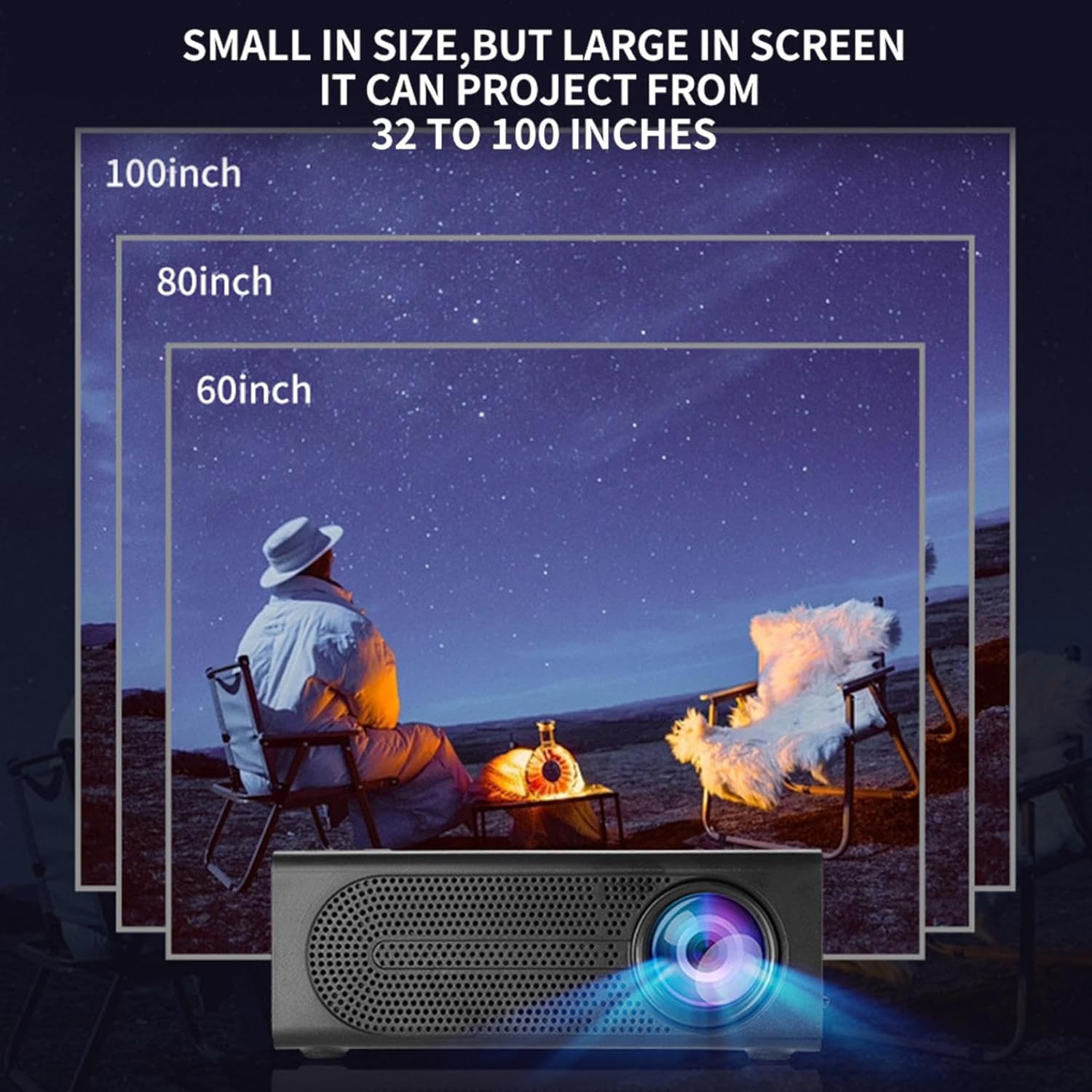
Image: Illustration of various projection sizes achievable with the projector, from 32 to 100 inches.
6.3 Naudojimo scenarijai
This projector is suitable for a variety of environments and uses:
- Parent-child interaction: Enjoy movies or educational content with family.
- Outdoor cinema: Set up a movie night in your backyard.
- Bedroom projection: Watch content comfortably from your bed.
- Living room cinema: Transform your living space into a home theater.

Vaizdas: pvzamples of diverse usage scenarios for the projector, from indoor home theater to outdoor entertainment.

Image: Depiction of family entertainment using the projector, alongside a technical diagram explaining the benefit of diffuse reflection for eye comfort compared to direct-ray light from a TV.
7. Priežiūra
Tinkama priežiūra užtikrina jūsų projektoriaus ilgaamžiškumą ir optimalų veikimą:
- Objektyvo valymas: Projektoriaus objektyvą švelniai nuvalykite minkštu, nepūkuotu audiniu, specialiai skirtu optiniams lęšiams. Nenaudokite abrazyvinių valiklių ar per didelės jėgos.
- Dulkių šalinimas: Regularly clean the ventilation grilles with a soft brush or compressed air to prevent dust buildup, which can affect cooling and performance.
- Saugykla: Jei projektorius ilgesnį laiką nenaudojamas, jį laikykite vėsioje, sausoje vietoje, toliau nuo tiesioginių saulės spindulių ir ekstremalių temperatūrų.
- Tinkamai išjunkite maitinimą: Prieš atjungdami arba perkeldami projektorių, visada išjunkite jį maitinimo mygtuku ir leiskite jam atvėsti.
8. Problemų sprendimas
Jei kyla problemų dėl projektoriaus, žr. šias dažniausiai pasitaikančias problemas ir sprendimus:
| Problema | Galima priežastis | Sprendimas |
|---|---|---|
| Neprojektuojamas vaizdas | Power not connected; Input source not selected; Lens cap on. | Ensure power is connected and unit is on; Select correct input source; Remove lens cap. |
| Vaizdas neryškus | Nenustatytas fokusavimas; projektorius per arti/per toli nuo ekrano. | Adjust the focus ring; Adjust projection distance. |
| Nėra garso | Volume too low; Audio cable not connected; Muted. | Increase volume; Check audio connections; Unmute projector/source device. |
| Nuotolinio valdymo pultas neveikia | Baterijos išsikrovė / neteisingai įdėtos; kliūtis tarp nuotolinio valdymo pulto ir projektoriaus. | Pakeiskite baterijas; užtikrinkite, kad IR imtuvas būtų matomas tiesiogiai. |
Jei problema išlieka ir išbandžius šiuos sprendimus, susisiekite su klientų aptarnavimo tarnyba.
9. Specifikacijos
- Produkto tipas: Nešiojamas mini projektorius
- Prekinis ženklas: Bendras
- Suderinami įrenginiai: Laptop, Gaming Console, Tablet, Camera, Smartphone
- Vaizdo kontrasto santykis: Aukštas
- Projekcijos dydis: Nuo 32 iki 100 colių
- Vaizdo įrašo dekodavimas: H.264, H.265
- Ryšys: HDMI, USB, AV, Memory Card
- Matmenys: Approximately 5in (L) x 3.2in (W) x 1.9in (H) / 12.7cm (L) x 8.15cm (W) x 4.85cm (H)
10. Garantija ir palaikymas
This product comes with a standard manufacturer's warranty. Please refer to the warranty card included in your package for specific terms and conditions. For technical support, troubleshooting assistance, or warranty claims, please contact the retailer or manufacturer's customer service department.
Klientų aptarnavimo kontaktai: Please refer to retailer or manufacturer websvetainė, kurioje rasite kontaktinius duomenis.