
1. Produktas baigtasview
This manual provides instructions for the Hikity Android Car Stereo, Model 4 Core 2+64G, designed for Honda CRV vehicles manufactured between 2002 and 2006. This unit features a 9-inch touchscreen, Android operating system, Wireless Carplay, Android Auto, GPS navigation, Bluetooth, DSP, FM RDS radio, and includes a backup camera.
Pagrindinės funkcijos:
- Operacinė sistema: Latest Android System with 4-core CPU, 2GB RAM + 64GB ROM for smooth performance.
- Ryšys: Wireless/Wired Carplay & Android Auto, WiFi, Bluetooth.
- Navigacija: GPS with support for online and offline maps.
- Garsas: Built-in DSP (Digital Sound Processor) for audio tuning, FM/RDS radio.
- Ekranas: 9-inch Touchscreen with Split Screen Function and customizable UI Themes.
- Sauga: AHD Backup Camera with 170-degree night vision.
2. Pakuotės turinys
Patikrinkite, ar pakuotėje yra visi komponentai:
- 1 x „Android“ automobilio stereofoninis įrenginys
- 1 x AHD galinio vaizdo kamera
- 1 x išorinis mikrofonas
- 1x maitinimo laidas
- 1 x diegimo įrankis
- 1x GPS antena
- 2x USB laidas
- 1 x RCA kabelis
- 1 x galinio kameros įvesties kabelis
- 1 x Vartotojo vadovas
3. Sąranka ir diegimas
This car stereo is specifically designed for Honda CRV models from 2002 to 2006. Ensure your vehicle's dashboard configuration matches the compatible models before proceeding with installation. Refer to the included wiring harness for proper connections.
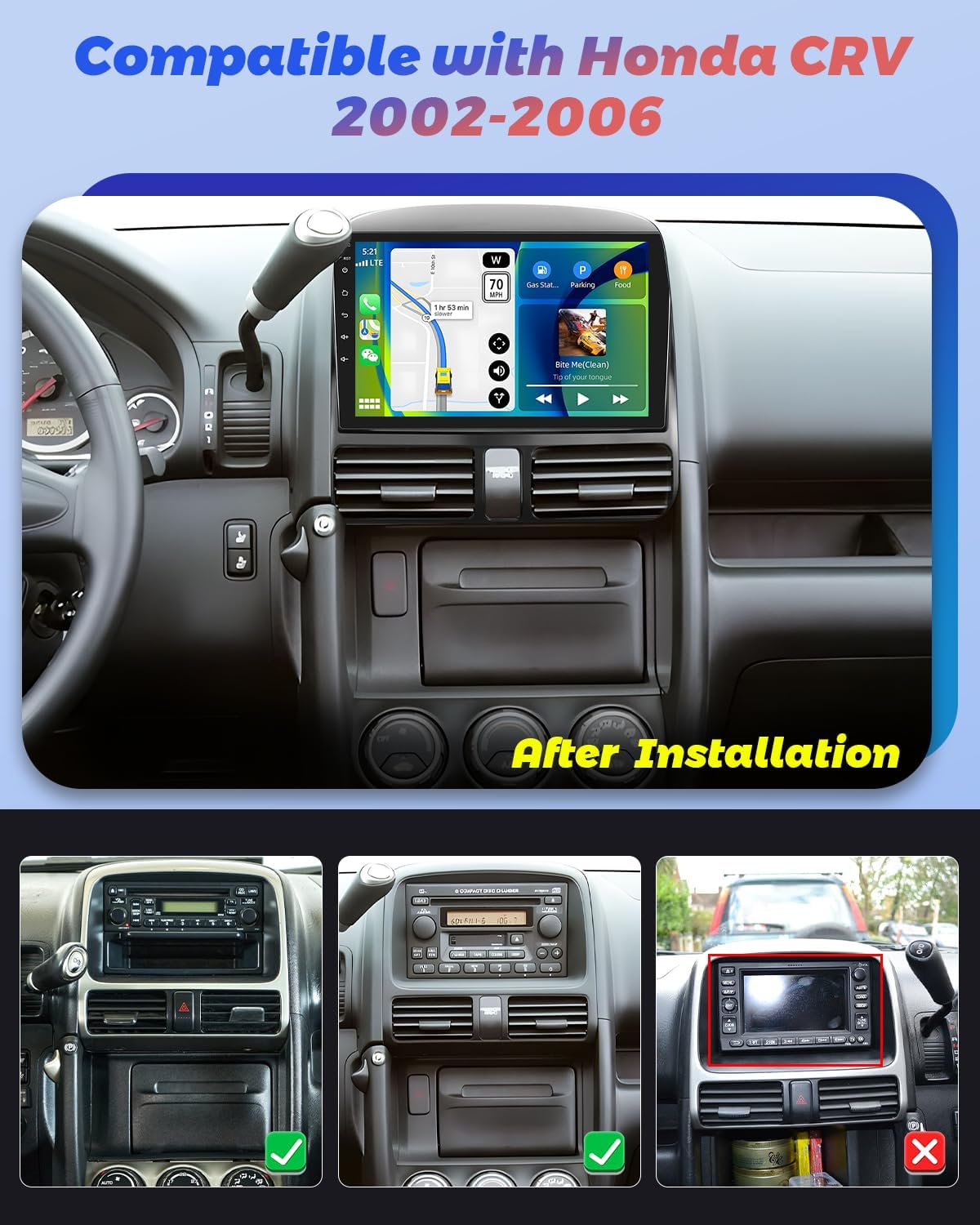
Image: The Hikity Android Car Stereo after installation in a compatible Honda CRV (2002-2006) dashboard. The image also illustrates compatible and incompatible original car stereo setups.
3.1 Sujungimo schema
Consult the detailed wiring diagram provided in the separate installation guide for specific connections. Ensure all cables are securely connected to prevent malfunctions.
3.2 Pradinis įjungimas
After installation, turn on your vehicle's ignition. The stereo should power on automatically. Follow any on-screen prompts for initial setup, such as language selection and time zone.
4. Naudojimo instrukcijos
4.1 „Android“ sistemos navigacija
The unit runs on an Android operating system. Navigate through menus and applications using the 9-inch capacitive touchscreen. Swipe gestures and taps are used for interaction. You can download additional applications from the pre-installed app market.
4.2 Belaidis „Carplay“ ir „Android Auto“
Connect your smartphone wirelessly or via USB to access Carplay or Android Auto. This allows seamless integration of your phone's apps, navigation, music, and voice assistants (Siri or Google Assistant) directly on the car stereo display.

Image: Visual representation of Wireless Carplay, Android Auto, and Mirror Link functionalities, showing connectivity options via Bluetooth, USB, and WiFi.
4.3 GPS navigacija ir „Wi-Fi“ ryšys
The stereo supports both online and offline GPS navigation. Connect to a WiFi hotspot (e.g., from your smartphone) to access online maps, real-time traffic updates, and browse the internet. You can also download offline maps for navigation without an internet connection.
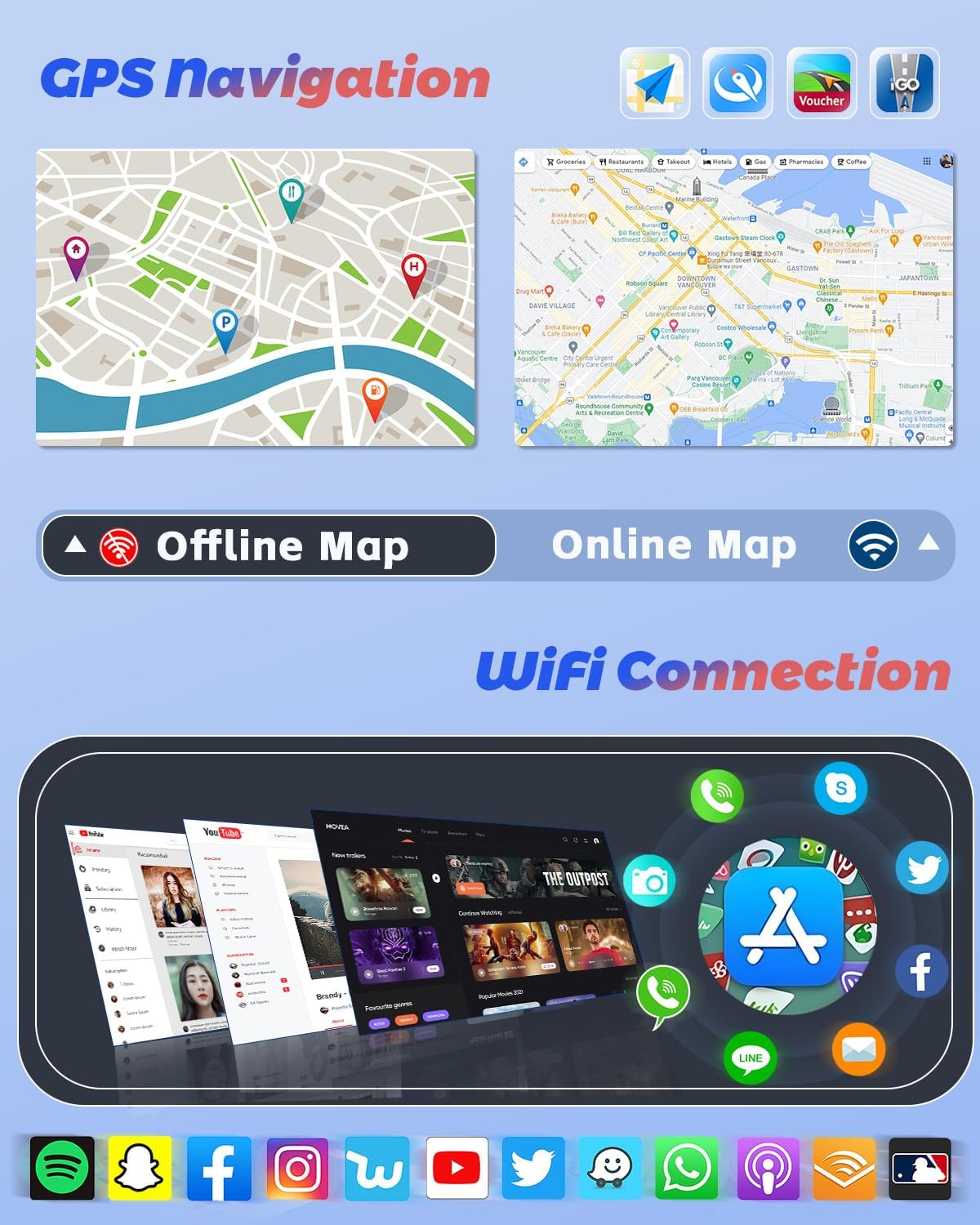
Image: GPS navigation interface displaying online and offline map capabilities, alongside a selection of applications accessible through WiFi connectivity.
4.4 Bluetooth funkcijos
Pair your mobile phone via Bluetooth for hands-free calling, phonebook synchronization, and audio streaming. Access your music library directly from your phone through the stereo.
4.5 DSP, FM & RDS Radio
The built-in Digital Sound Processor (DSP) allows for precise audio tuning. Adjust frequencies and sound effects to customize your listening experience. The FM/RDS radio provides access to local stations, displaying station information, traffic updates, and weather forecasts where available.
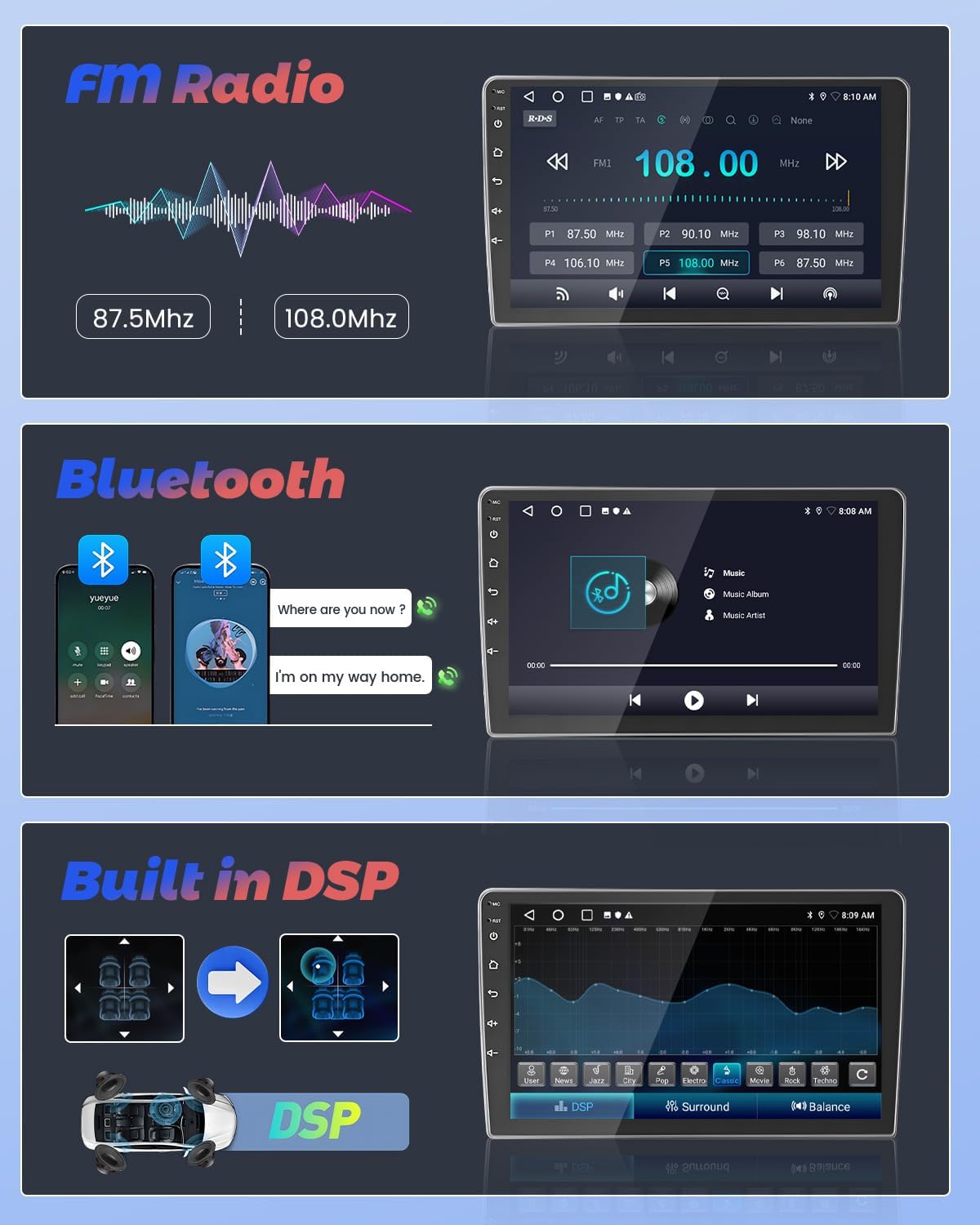
Image: User interfaces for FM Radio tuning, Bluetooth music streaming, and the Digital Sound Processor (DSP) for audio customization.
4.6 Vairo valdymas
The unit supports steering wheel controls, allowing you to manage audio playback, volume, and other functions without taking your hands off the wheel. Configuration may be required in the system settings.
4.7 AHD galinio vaizdo kamera
When reversing your vehicle, the included AHD backup camera automatically displays a 170-degree wide-angle view on the stereo screen. This feature enhances parking safety, even in low-light conditions.
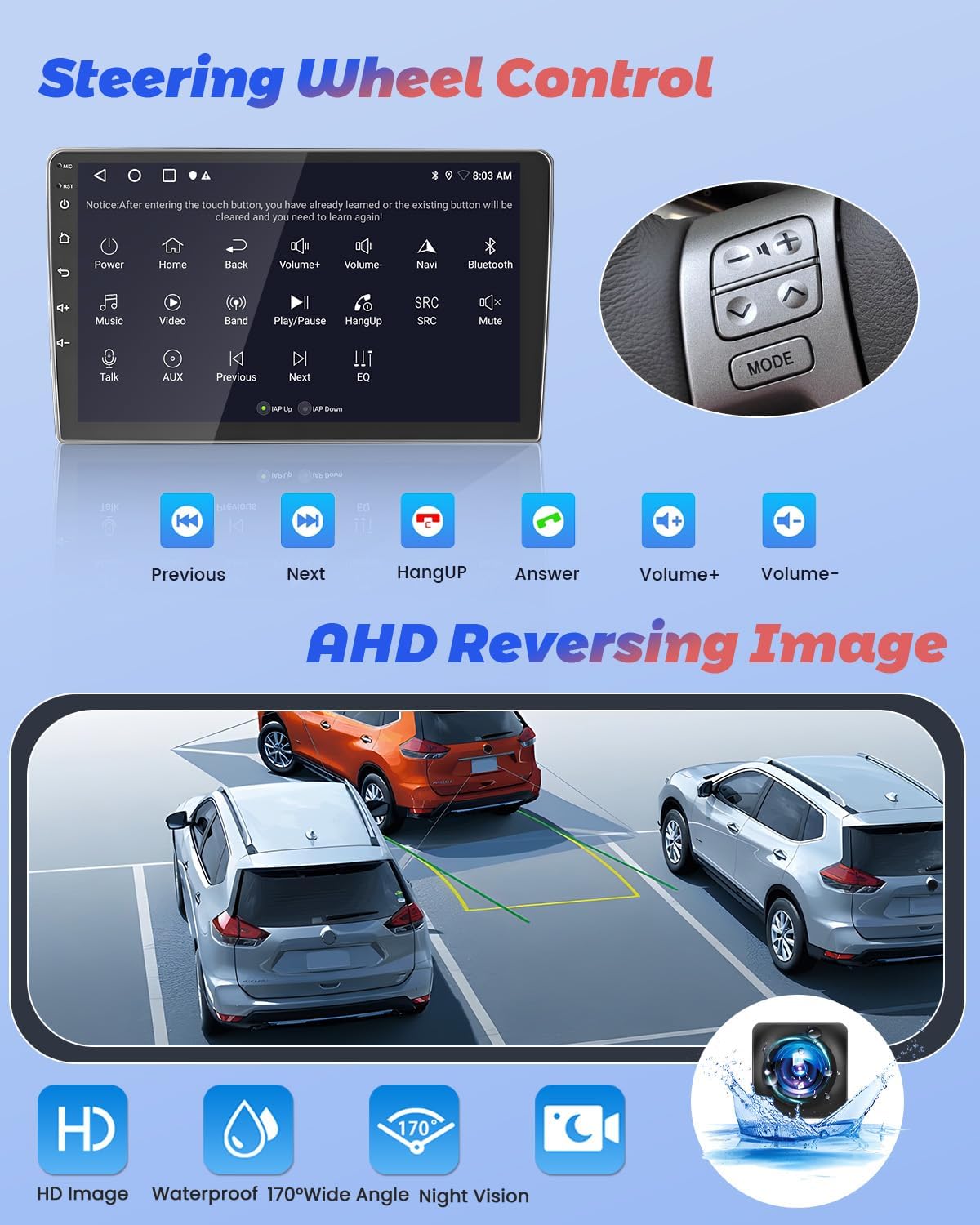
Image: Display of steering wheel control functions on the car stereo and the clear, wide-angle view provided by the AHD reversing camera.
4.8 Split Screen Function & UI Themes
Utilize the split-screen function to run two applications simultaneously, such as navigation and music playback. Customize the stereo's appearance with various pre-installed UI themes to match your preference.
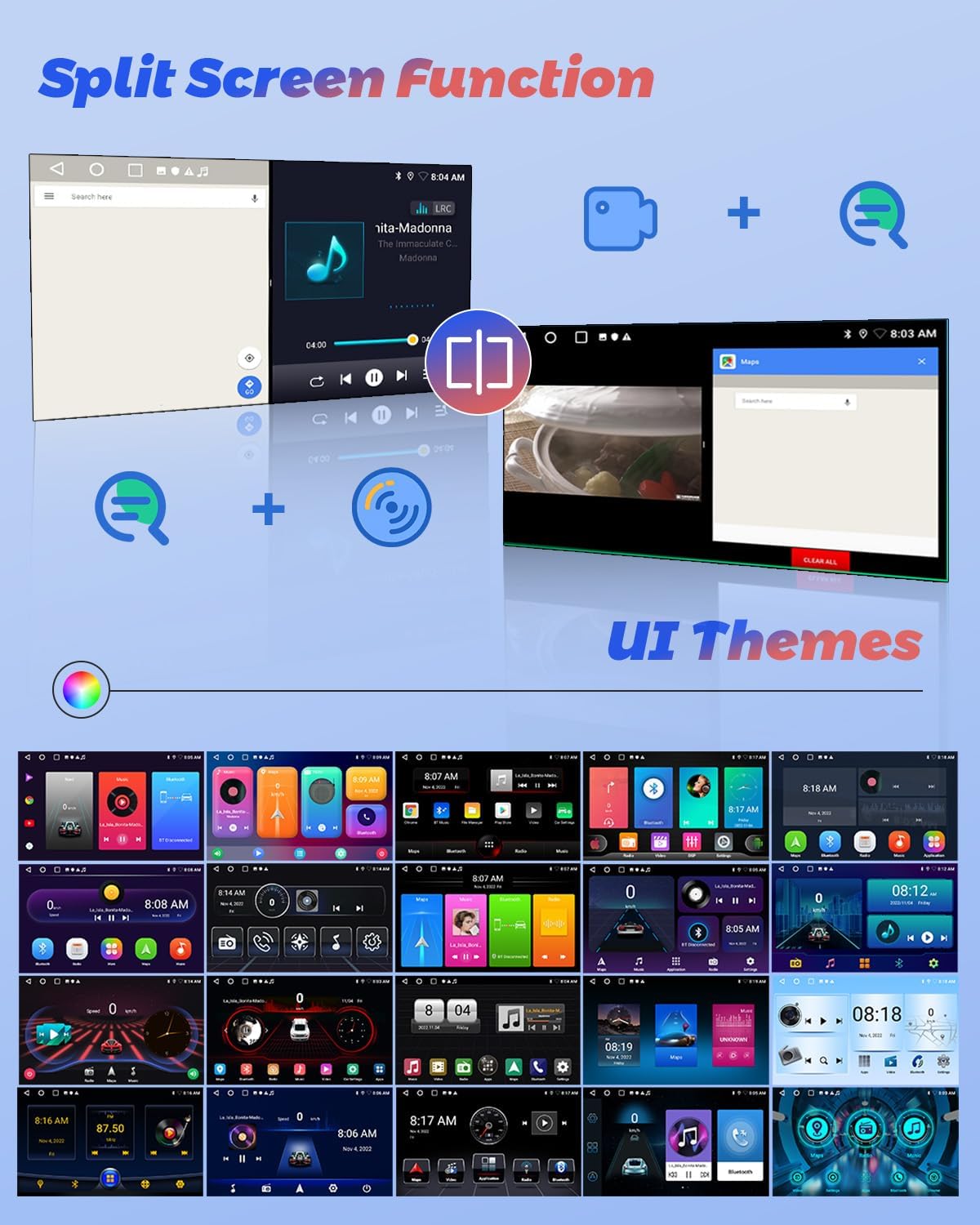
Image: Illustration of the split-screen feature, allowing simultaneous use of two applications, and a selection of customizable user interface themes.
4.9 Produkto vaizdo įrašasview
For a visual guide on the Hikity Android Car Stereo's features and operation, please watch the official product video below.
Vaizdo įrašas: pareigūnas viršview of the Hikity Android Car Stereo, demonstrating its key features including Carplay, Android Auto, and the MT8163 processor.
5. Priežiūra
To ensure the longevity and optimal performance of your Hikity Android Car Stereo, follow these maintenance guidelines:
- Valymas: Jutiklinį ekraną ir išorę valykite minkšta, sausa šluoste. Venkite abrazyvinių valiklių ar tirpiklių.
- Programinės įrangos atnaujinimai: Reguliariai tikrinkite sistemos programinės įrangos atnaujinimus per įrenginio nustatymų meniu, kad įsitikintumėte, jog naudojate naujausias funkcijas ir ištaisytas klaidas.
- Temperatūra: Saugokite įrenginį nuo ekstremalių temperatūrų.
- Galia: Ensure stable power supply to prevent electrical damage.
6. Problemų sprendimas
Jei kyla problemų dėl automobilio garso sistemos, žr. šiuos įprastus trikčių šalinimo veiksmus:
- Nėra galios: Patikrinkite visas maitinimo jungtis ir saugiklius. Įsitikinkite, kad transporto priemonės uždegimas įjungtas.
- Nėra garso: Verify speaker connections, volume levels, and audio settings (EQ, DSP).
- Jutiklinis ekranas nereaguoja: Pabandykite paleisti įrenginį iš naujo. Jei problema išlieka, gali tekti atkurti gamyklinius nustatymus (žr. sistemos nustatymus).
- GPS signalo praradimas: Įsitikinkite, kad GPS antena tinkamai sumontuota ir turi laisvą view dangaus.
- „Bluetooth“ poravimo problemos: Delete previous pairings on both the stereo and your phone, then attempt to pair again.
- Galinio vaizdo kamera nerodoma: Patikrinkite kameros maitinimo ir vaizdo įvesties jungtis.
Jei problemos išlieka, kreipkitės į klientų aptarnavimo tarnybą.
7. Specifikacijos
| Funkcija | Specifikacija |
|---|---|
| Prekės ženklas | Hikity |
| Modelio pavadinimas | 4 Core 2+64G(DSP) |
| Operacinė sistema | Android |
| Ekrano dydis | 9 colių |
| Atminties talpa | 64 GB |
| Ryšio technologija | Bluetooth, USB, FM, AUX, Wireless, WiFi |
| Ypatingos savybės | Touchscreen, Carplay, Android Auto, GPS Navigation, DSP, FM RDS, Mirror Link, Split Screen |
| Palaikoma palydovinė navigacijos sistema | GPS |
| Garso išvesties režimas | Stereo |
| Suderinamas transporto priemonės tipas | Honda CRV 2002-2006 |
| Prekės matmenys P x P x A | 9.3 colio ilgio x 9.1 colių pločio x 4.2 colio aukščio |
8. Garantija ir palaikymas
Hikity offers a 15-day Money-Back guarantee, 12-month Replacement warranty, and life-time Technical Support for this product.
For technical assistance or warranty claims, please contact Hikity electronic directly through their seller page on Amazon or via the contact information provided with your purchase.
Pardavėjas: Hikity electronic