
1. Įvadas
This manual provides detailed instructions for the installation, operation, and maintenance of your TMEZON MZ-IP-V728TW IP 4-Wire Intercom Monitor. Please read this manual thoroughly before using the product to ensure proper function and to prevent damage.
The TMEZON MZ-IP-V728TW is an advanced IP-enabled 4-wire intercom monitor designed for home and office security systems, offering reliable communication and video monitoring capabilities.
2. Saugos informacija
- Įsitikinkite, kad visus elektros prijungimus atlieka kvalifikuotas elektrikas ir kad jie atitinka vietinius elektros kodeksus.
- Do not expose the monitor to water, moisture, or extreme temperatures.
- Avoid placing the monitor near strong magnetic fields or sources of interference.
- Prieš atlikdami bet kokias techninės priežiūros ar montavimo procedūras, atjunkite maitinimą.
- Use only the power adapter and accessories supplied or recommended by TMEZON.
- Prietaisą laikykite vaikams nepasiekiamoje vietoje.
3. Pakuotės turinys
Patikrinkite, ar jūsų pakuotėje yra visi toliau išvardyti daiktai:
- TMEZON MZ-IP-V728TW IP 4-Wire Intercom Monitor
- Mounting Bracket
- Maitinimo adapteris (AC/DC)
- Connection Cables (4-wire, network cable)
- Tvirtinimo varžtai ir sieniniai kaiščiai
- Vartotojo vadovas (šis dokumentas)
4. Produktas baigtasview
4.1. Monitor Components
The TMEZON MZ-IP-V728TW monitor features a high-resolution display, touch-sensitive buttons, and various ports for connectivity.
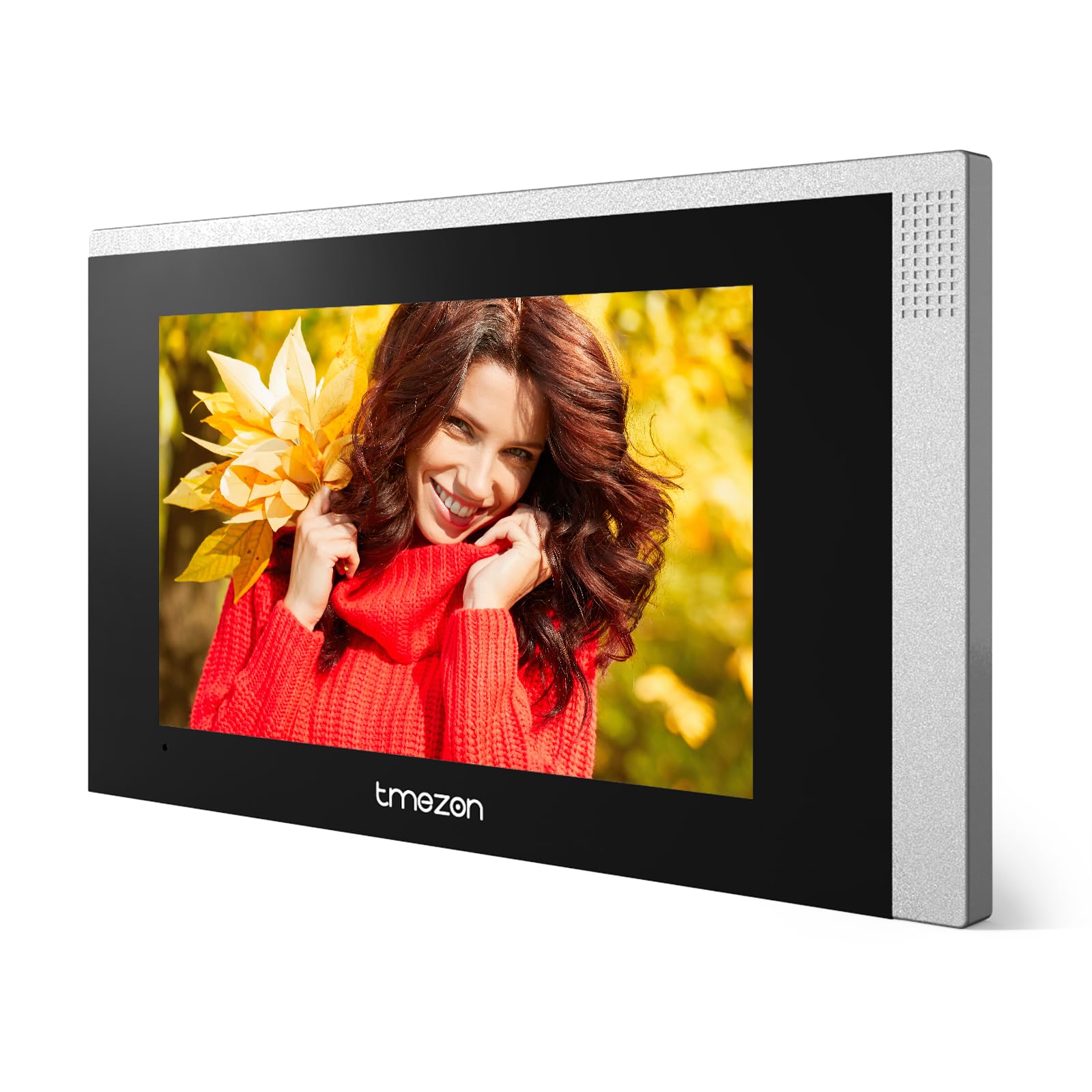
1 vaizdas: priekis view of the TMEZON MZ-IP-V728TW IP 4-Wire Intercom Monitor, showing the display and control buttons.
- Ekranas: Main interface for video and menu navigation.
- Funkciniai mygtukai: (e.g., Answer, Door Release, Monitor, Menu, Talk) - specific functions may vary slightly based on firmware.
- Mikrofonas: Dvipusiam garso ryšiui.
- Pranešėjas: Dėl garso išvesties.
- Galiniai prievadai: Power input, 4-wire terminal, Ethernet port (RJ45), alarm inputs/outputs (if applicable).
4.2. Pagrindinės savybės
- IP-enabled for remote access and integration with smart home systems.
- 4-wire connection for reliable power and data transmission.
- High-resolution color display for clear video.
- Dvipusis garso ryšys.
- Durų atrakinimo funkcija.
- Multiple indoor monitor support.
- Recording and snapshot capabilities (if equipped with storage).
5. Sąranka
5.1. Montavimo vieta
Choose a suitable indoor location for the monitor, typically at eye level, away from direct sunlight, heat sources, and areas with high humidity. Ensure there is sufficient space for wiring and ventilation.
5.2. Monitoriaus montavimas
- Pažymėkite norimą tvirtinimo vietą ant sienos.
- Naudokite tvirtinimo laikiklį kaip šabloną varžtų skylėms pažymėti.
- Pažymėtose vietose išgręžkite skyles ir įstatykite sieninius kaiščius.
- Pritvirtinkite tvirtinimo laikiklį prie sienos naudodami pateiktus varžtus.
- Ensure the bracket is level and securely fastened.
5.3. Laidų jungtys
The MZ-IP-V728TW uses a 4-wire connection system. Proper wiring is crucial for system functionality. Refer to the wiring diagram provided with your outdoor station and other system components.
- Wire 1 (Video): Connects to the video signal output of the outdoor station.
- Wire 2 (Audio): Connects to the audio signal output/input of the outdoor station.
- Wire 3 (Power +): Connects to the positive power supply from the outdoor station or power distributor.
- Wire 4 (Ground -): Connects to the ground/negative power supply.
- Ethernet (RJ45): Connect to your local network router for IP functionality and remote access.
- Maitinimo įvestis: Connect the AC/DC power adapter to the monitor's power input port.
Note: A detailed wiring diagram specific to your complete intercom system (including outdoor station, additional monitors, and power supply) should be consulted. If you are unsure, consult a professional installer.
5.4. Pradinis įjungimas
- After all wiring is complete and secure, plug in the power adapter.
- The monitor will power on and display the TMEZON logo.
- Follow the on-screen prompts for initial setup, including language selection, date/time, and network configuration.
6. Naudojimo instrukcijos
6.1. Atsiliepimas į skambutį
When a visitor presses the call button on the outdoor station, the monitor will ring and display the visitor's video. Press the Atsakymas button to establish two-way audio communication.
6.2. Door Release
Skambučio arba stebėjimo metu paspauskite Durų atleidimas button to unlock the connected electronic lock. Ensure the door is clear before activating the release.
6.3. Stebėjimas
Paspauskite Monitorius mygtuką prie view the live video feed from the outdoor station without an incoming call. Press it again to end monitoring.
6.4. Meniu naršymas
Paspauskite Meniu button to access the monitor's settings. Use the arrow buttons (if physical) or touch screen gestures to navigate through options. Common settings include:
- Sistemos nustatymai: Language, Date/Time, Ringtone, Volume.
- Tinklo nustatymai: Wi-Fi configuration, IP address.
- Įrašymas/atkūrimas: View recorded videos or snapshots (if storage is installed).
- Signalizacijos nustatymai: Configure external alarm sensors (if connected).
7. Priežiūra
- Valymas: Monitoriaus ekraną ir korpusą valykite minkštu, sausu skudurėliu. Nenaudokite abrazyvinių valiklių ar tirpiklių.
- Firmware atnaujinimai: Periodically check the TMEZON official websvetainę, kurioje rasite programinės įrangos atnaujinimus, kad būtų užtikrintas optimalus našumas ir saugumas.
- Maitinimo ciklas: If the monitor becomes unresponsive, disconnect the power adapter for 10 seconds and then reconnect it.
8. Problemų sprendimas
| Problema | Galima priežastis | Sprendimas |
|---|---|---|
| Monitorius neįsijungia. | Nėra maitinimo šaltinio; sugedęs adapteris; atsilaisvinęs kontaktas. | Check power adapter connection; ensure outlet has power; try a different adapter if available. |
| No video from outdoor station. | Incorrect wiring; faulty outdoor station; damaged cable. | Verify 4-wire connections; check outdoor station power; inspect cable for damage. |
| Skambučio metu nėra garso. | Volume too low; incorrect wiring; faulty microphone/speaker. | Adjust monitor volume; check audio wire connection; test with another monitor if possible. |
| Durų atrakinimas neveikia. | Incorrect wiring to electric lock; faulty lock; insufficient power. | Verify door release wiring; check electric lock functionality; ensure adequate power supply to the lock. |
| Cannot connect to network (IP function). | Incorrect network settings; faulty Ethernet cable; router issue. | Check network cable connection; verify IP settings (DHCP/Static IP); restart router. |
9. Specifikacijos
| Funkcija | Specifikacija |
|---|---|
| Modelio numeris | MZ-IP-V728TW |
| Gamintojas | TMEZONAS |
| Galios tipas | AC/DC |
| Ryšys | 4-Wire, IP (Ethernet) |
| Įtraukti komponentai | Monitor (schermo) |
| ASIN | B0DRJJFFP8 |
10. Garantija ir palaikymas
TMEZON products are designed for reliability and performance. This product comes with a standard manufacturer's warranty. Please refer to the warranty card included in your package or visit the official TMEZON websvetainėje, kurioje pateikiamos išsamios garantijos sąlygos.
For technical support, troubleshooting assistance, or warranty claims, please contact TMEZON customer service through their official website or the contact information provided with your purchase. When contacting support, please have your product model number (MZ-IP-V728TW) and purchase details ready.
Norėdami gauti daugiau informacijos, apsilankykite TMEZON Store on Amazon.