
Nisanuki CC30
Nisanuki CC30 WiFi 5G Hidden Camera Alarm Clock User Manual
Modelis: CC30
Įvadas
Thank you for choosing the Nisanuki CC30 WiFi 5G Hidden Camera Alarm Clock. This device combines a security camera, digital clock, alarm clock, calendar, and thermometer into one compact unit. This manual provides detailed instructions for setup, operation, and maintenance to ensure optimal performance and security.

Image: The Nisanuki CC30 device displaying its various functions, including security camera, digital clock, alarm, calendar, and thermometer. The main display shows 15:30 and 17.8 degrees Celsius.
Pakuotės turinys
Išpakuodami patikrinkite pakuotės turinį. Jei trūksta kokių nors daiktų arba jie pažeisti, susisiekite su klientų aptarnavimo tarnyba.
- Nisanuki CC30 Hidden Camera Alarm Clock
- USB įkrovimo laidas
- Vartotojo vadovas
- (Optional: Power Adapter, Micro SD Card - not included)
Svarbi saugos informacija
- Nelaikykite prietaiso ekstremaliose temperatūrose, tiesioginiuose saulės spinduliuose ar drėgmėje.
- Saugokite įrenginį nuo stiprių magnetinių laukų.
- Nebandykite patys ardyti ar taisyti įrenginio. Dėl remonto kreipkitės į kvalifikuotus specialistus.
- Užtikrinkite tinkamą vėdinimą, kad išvengtumėte perkaitimo.
- Use only the provided or recommended power adapter.
- Respect privacy laws and regulations when using the camera function.
Produktas baigtasview
The Nisanuki CC30 integrates multiple functionalities into a discreet alarm clock design. Key features include:
- 1080p HD kamera: High-definition video recording.
- Dual-Band WiFi (2.4GHz & 5GHz): Stable and fast network connection.
- Naktinis matymas: Infrared (IR) LEDs for clear images in low-light conditions.
- Judesio aptikimas: Real-time alerts and adjustable sensitivity.
- Dvigubas žadintuvas: Nustatykite du nepriklausomus signalus.
- Adjustable LED Brightness: 5 levels of display brightness.
- Temperatūros rodymas: Shows ambient temperature.
- Kelios saugojimo parinktys: Supports Micro SD card (up to 256GB, not included) and Cloud Storage (subscription required).
- Tuya APP Compatibility: Remote control and monitoring via smartphone.

Vaizdas: priekis view of the Nisanuki CC30 Hidden Camera Alarm Clock, displaying the time, temperature, and date, along with the control buttons at the bottom.
Sąrankos vadovas
1. Įrenginio įkrovimas
Before initial use, fully charge the device using the provided USB cable and a compatible power adapter. The charging indicator will show the charging status.
2. „Micro SD“ kortelės įdėjimas (neprivaloma)
If you plan to use local storage, insert a Micro SD card (up to 256GB, not included) into the designated slot. Ensure the device is powered off before inserting or removing the card.

Image: An illustration showing the options for cloud storage and Micro SD card storage for the camera, as displayed on a smartphone app interface.
3. Downloading the Tuya App
Download the "Tuya Smart" or "Smart Life" app from your smartphone's app store (App Store for iOS, Google Play Store for Android).
- Ieškokite „Tuya Smart“ arba „Protingas gyvenimas“.
- Install the app and create an account if you don't have one.
4. Prisijungimas prie WiFi
- Power on the Nisanuki CC30.
- Open the Tuya Smart app and tap "Add Device" or the "+" icon.
- Pasirinkite „Apsauga ir vaizdo stebėjimas“ -> „Išmanioji kamera („Wi-Fi“)“.
- Follow the in-app instructions to connect the camera to your 2.4GHz or 5GHz WiFi network. Ensure your phone is connected to the same network during setup.
- The device supports both 2.4GHz and 5GHz WiFi bands for flexible connectivity.

Image: The Nisanuki CC30 alarm clock displaying time and temperature, with an overlay indicating its dual-band WiFi capabilities (2.4GHz and 5GHz) and a smartphone showing the device connection process.
Naudojimo instrukcijos
1. Basic Clock Functions
- Laiko rodymas: The large LED display shows the current time.
- 12/24H formatas: Switch between 12-hour and 24-hour time formats using the dedicated button on the device or via the app.
- Temperatūros rodymas: The device displays the ambient temperature in Celsius or Fahrenheit. Switch units as needed.
- Ryškumo reguliavimas: The LED display brightness can be adjusted through 5 levels (L1-L5) or turned off (OFF) using the device buttons or the app.

Image: Two Nisanuki CC30 alarm clocks demonstrating the 12-hour and 24-hour time display options, showing 06:30 AM and 18:30 respectively.

Image: A visual representation of the 5-level brightness adjustment for the LED display, ranging from OFF to L5, allowing customization for different lighting conditions.
2. Signalų nustatymas
The device supports setting two independent alarms. Refer to the app's alarm settings section for detailed configuration, including time, snooze, and alarm sound.
Image: The Nisanuki CC30 alarm clock showing two different alarm settings, one for 7:00 AM (waking up) and another for 3:00 PM (work schedule), highlighting its dual alarm capability.
3. Camera Operation via Tuya App
- Tiesiogiai View: Open the Tuya app and select your device to view tiesioginis kameros tiekimas.
- Įrašas: Initiate manual recording or set up scheduled recordings via the app.
- Judesio aptikimas:
- Programos nustatymuose įgalinkite judesio aptikimą.
- Adjust sensitivity (Low, Medium, High) to minimize false alerts.
- Receive real-time push notifications on your phone when motion is detected.
- Naktinis matymas: The camera automatically switches to infrared night vision in low-light conditions, providing clear black and white images.
- Atkūrimas: Prieiga įrašyta footage from the Micro SD card or cloud storage through the app's playback feature.
- Dalijimasis: Share camera access with family members or other authorized users via the app.
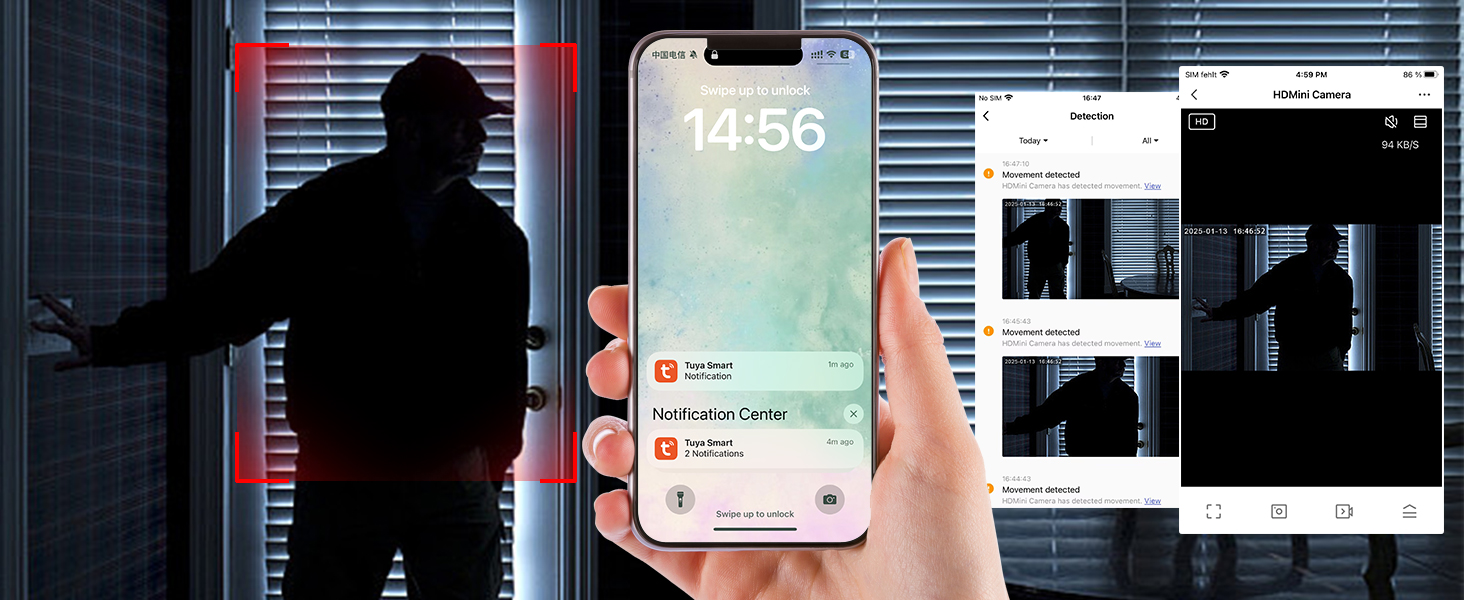
Image: A smartphone displaying the Tuya app interface, showing a live camera feed and options for monitoring, indicating the time 14:56.

Image: The mobile app interface demonstrating the night vision feature of the camera, with control buttons and a monitoring screen showing a clear image in low light.
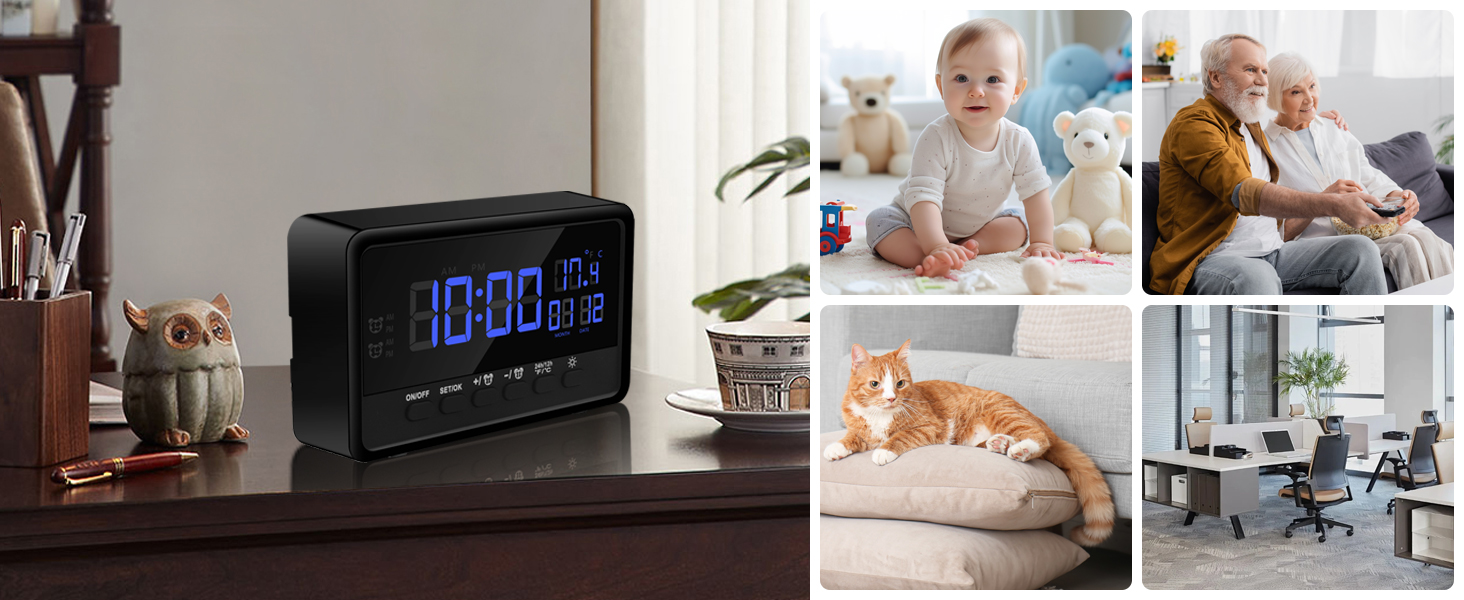
Image: The Nisanuki CC30 alarm clock placed in various home and office settings, demonstrating its versatile use as a discreet surveillance device.
Priežiūra
- Valymas: Įrenginį valykite minkštu, sausu skudurėliu. Nenaudokite skystų valiklių ar abrazyvinių medžiagų.
- Firmware atnaujinimai: Regularly check the Tuya app for available firmware updates to ensure optimal performance and security.
- Akumuliatoriaus priežiūra: If the device has an internal battery, avoid fully discharging it frequently to prolong its lifespan.
- Saugykla: Kai prietaisas ilgesnį laiką nenaudojamas, laikykite jį vėsioje, sausoje vietoje.
Trikčių šalinimas
Įrenginys neįsijungia
- Įsitikinkite, kad įrenginys visiškai įkrautas arba prijungtas prie maitinimo šaltinio.
- Check the power cable and adapter for damage.
Nepavyksta prisijungti prie „Wi-Fi“
- Verify your WiFi network is 2.4GHz or 5GHz and stable.
- Ensure your phone is connected to the same WiFi network during setup.
- Perkelkite įrenginį arčiau „Wi-Fi“ maršrutizatoriaus.
- Reset the device and try the connection process again.
No Motion Detection Alerts
- Check if motion detection is enabled in the Tuya app.
- Sureguliuokite judesio aptikimo jautrumą.
- Ensure the app has notification permissions enabled on your phone.
- Verify the device has a stable internet connection.
Poor Video Quality / Night Vision Issues
- Įsitikinkite, kad kameros objektyvas yra švarus ir be jokių kliūčių.
- Patikrinkite savo interneto ryšio greitį.
- For night vision, ensure there are no strong light sources directly facing the camera that could interfere with the IR sensors.
SD kortelė neįrašo
- Įsitikinkite, kad „Micro SD“ kortelė įdėta teisingai.
- Formatuokite SD kortelę per programėlę (tai ištrins visus duomenis).
- Check if the SD card is full or corrupted. Try a different SD card.
- Verify recording settings in the app are configured correctly for SD card storage.
Specifikacijos
| Modelio pavadinimas | CC30 |
| Prekės ženklas | Nisanuki |
| Ryšio technologija | Wireless (Wi-Fi 2.4GHz & 5GHz) |
| Vaizdo įrašymo raiška | 1080p |
| Viewing kampas | 120 laipsnių |
| Naktinio matymo diapazonas | 2 metrai |
| Saugojimo parinktys | Micro SD Card (up to 256GB), Cloud Storage (subscription) |
| Suderinami įrenginiai | Smartphone, Tablet, iPad, iPhone |
| Naudojimas viduje / lauke | Vidinis |
| Matmenys | 12 x 3 x 7 cm |
| Spalva | Juoda |
| Reikalingos baterijos | Taip |
| Sudedamosios dalys | Spy camera (device itself) |
Garantija ir palaikymas
For warranty information and technical support, please refer to the documentation included with your purchase or contact Nisanuki customer service directly. You can often find support contact details on the manufacturer's official website or within the Tuya Smart app's help section.
Grąžinimo politika: The product has a 14-day return policy for refund/replacement.
Ask a question about this manual
Ask about setup, troubleshooting, compatibility, parts, safety, or missing instructions. Manuals+ will review the question and use this page’s manual context to help answer it.