
Įvadas
Thank you for choosing the Grandder 47x24 Inch Electric Standing Desk with Keyboard Tray. This manual provides detailed instructions for assembly, operation, maintenance, and troubleshooting to ensure safe and efficient use of your new desk. This electric height-adjustable desk is designed to promote a healthier work environment by allowing seamless transitions between sitting and standing positions.
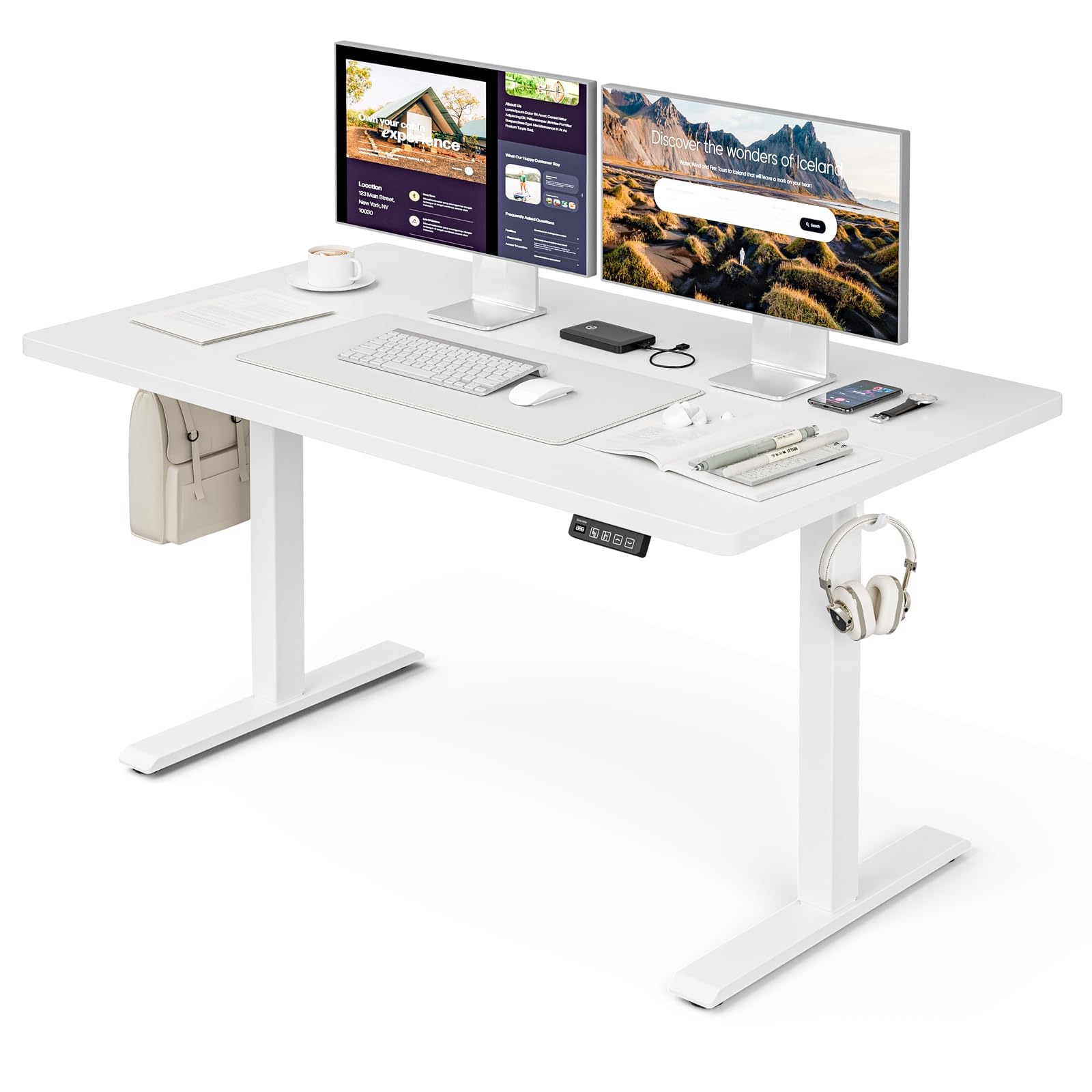
The Grandder 47x24 Inch Electric Standing Desk with Keyboard Tray, featuring a white desktop and frame, integrated keyboard tray, and a control panel for height adjustment.
Saugos informacija
Bendrosios saugos priemonės
- Neviršykite maksimalaus svorio limito 176 svarai (80 kg) on the desktop. Overloading can cause damage or injury.
- Always use the motorized lift with caution. Ensure no obstructions are present during height adjustments to prevent injury or damage to property.
- Darbo metu laikykite vaikus ir naminius gyvūnus atokiau nuo stalo.
- Ensure all cables are properly managed and secured to prevent tripping hazards or entanglement with moving parts.
- Nesėdėkite ir nestovėkite ant stalo.
- Prieš valydami ar atlikdami bet kokią techninę priežiūrą, atjunkite maitinimą.
Pakuotės turinys
Prieš pradėdami surinkimą, patikrinkite, ar yra visi komponentai. Jei trūksta kokių nors dalių arba jos pažeistos, susisiekite su klientų aptarnavimo tarnyba.
- Desktop (Splice Board)
- Stalo kojos (2)
- Pėdų pagalvėlės (4)
- Variklis ir valdymo dėžutė
- Valdymo skydelis
- Klaviatūros dėklas ir bėgeliai
- Earphone Hooks (2)
- Kabelių raiščiai (3)
- Maitinimo adapteris ir laidas
- Surinkimo detalės (varžtai, veržlės ir kt.)
- L-shaped Allen Wrench
- Instrukcijų vadovas
Sąranka ir surinkimas
Assembly typically takes approximately 30 minutes. All parts are labeled, and an L-shaped Allen wrench is included for convenience. Follow the step-by-step instructions provided in the separate assembly guide for detailed visual instructions.
Pre-Assembly Considerations
- Choose a clear, spacious area for assembly.
- Lay out all components and hardware, matching them against the package contents list.
- Ensure the power outlet is easily accessible once the desk is in its final position.

Desk dimensions: 47 inches wide, 24 inches deep, with a height range of 28 to 45.6 inches.
Pagrindiniai surinkimo žingsniai
- Attach the desk legs to the desktop using the provided hardware.
- Install the motor and control box according to the assembly guide.
- Mount the control panel to the underside of the desktop in an accessible location.
- Assemble and attach the keyboard tray rails and the keyboard tray itself.
- Install the adjustable foot pads on the bottom of the desk legs to ensure stability on uneven floors.
- Attach the earphone hooks to the side of the desk for convenient storage.
- Use the included cable ties to manage and secure power and peripheral cables, maintaining a tidy workspace.

Included accessories: two earphone hooks for organization, four adjustable foot pads for stability, and three cable ties for cable management.
Naudojimo instrukcijos
Powering On and Initial Use
- Connect the power adapter to the control box and plug it into a wall outlet.
- The LED display on the control panel will illuminate, indicating the current desk height.
Aukščio reguliavimas
The desk can be adjusted electrically from a minimum height of 28.3 inches to a maximum height of 47.2 inches. The motorized lift operates smoothly and quietly (less than 45dB).
- Paspauskite Up arrow (↑) mygtukas stalui pakelti.
- Paspauskite Down arrow (↓) mygtukas stalui nuleisti.
- Release the button at your desired height. The LED display shows the real-time height.

The control panel features an LED display for real-time height tracking, memory buttons for preset heights, and up/down adjustment buttons.

The desk operates with a smooth and quiet motor, maintaining noise levels below 45dB during height adjustments.
Atminties išankstiniai nustatymai
The control panel includes memory buttons to save and quickly recall your preferred sitting and standing heights.
- Sureguliuokite stalą pagal norimą aukštį.
- Paspauskite M button (or similar memory set button, indicated by a person sitting/standing icon) until the display flashes.
- Press one of the numbered preset buttons (e.g., 1 or 2), kad išsaugotumėte dabartinį aukštį tame iš anksto nustatytame parametre.
- To recall a saved height, simply press the corresponding preset button. The desk will automatically move to the saved position.
Klaviatūros dėklo naudojimas
The integrated keyboard tray provides additional space and ergonomic benefits. It has a maximum load capacity of 10 kg (22 svaro).

The sturdy keyboard tray is designed to save working space and enhance typing comfort, supporting a maximum load of 10 kg.
Apsaugos nuo susidūrimo sistema
The desk is equipped with an anti-collision system that automatically stops and slightly reverses the desk's movement if it encounters an obstruction during height adjustment. This feature protects against damage and injury.
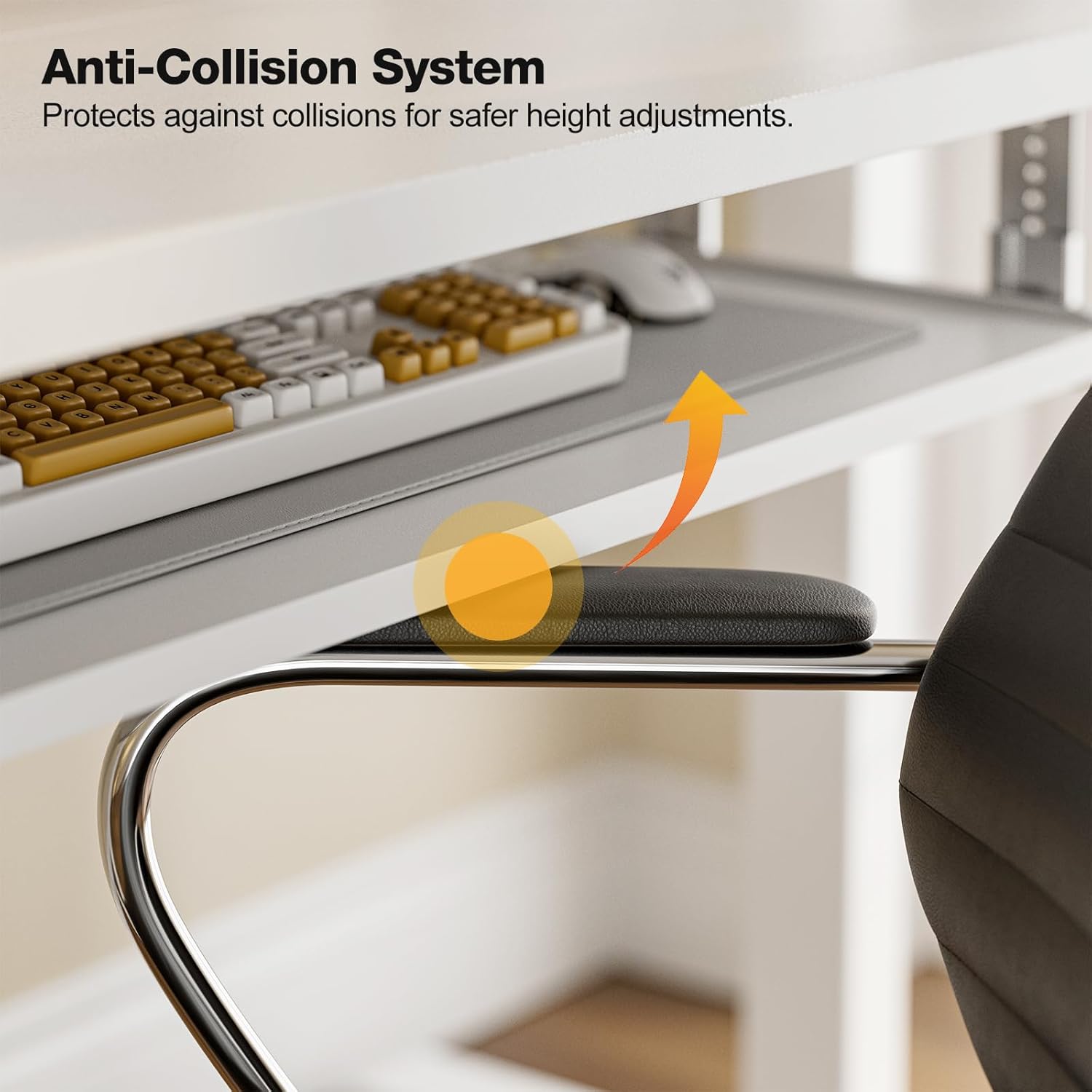
The anti-collision system protects against impacts by stopping and reversing desk movement when an obstruction is detected.
Priežiūra
Valymas
- Nuvalykite darbastalį ir rėmą minkšta, d šluosteamp skudurėliu. Venkite abrazyvinių valiklių ar stiprių cheminių medžiagų.
- Ensure the desk is unplugged before cleaning.
Reguliarūs patikrinimai
- Periodiškai patikrinkite visus varžtus ir veržles, ar jie gerai priveržti. Jei reikia, priveržkite.
- Inspect the power cable for any signs of damage. If damaged, discontinue use and contact support.
Trikčių šalinimas
If you encounter any issues with your Grandder standing desk, please refer to the following common troubleshooting steps:
| Problema | Galima priežastis | Sprendimas |
|---|---|---|
| Stalas nejuda / Nėra elektros | Power cable disconnected; Power outlet malfunction; Control box issue. | Check if the power cable is securely plugged into both the desk and the wall outlet. Try a different outlet. Ensure all connections to the control box are secure. |
| Stalas juda netolygiai arba skleidžia neįprastą triukšmą | Uneven load; Loose connections; Obstruction. | Ensure weight is evenly distributed on the desktop. Check all assembly screws and bolts for tightness. Inspect for any obstructions in the lifting mechanism. |
| Apsaugos nuo susidūrimo sistema įsijungia dažnai | Kliūtis kelyje; jautrumo nustatymas. | Clear any objects from the desk's path. Refer to the full assembly guide for instructions on adjusting anti-collision sensitivity, if available. |
| Atminties iš anksto nustatyti parametrai neveikia | Išankstiniai nustatymai neišsaugoti teisingai. | Re-save your desired heights by following the memory preset instructions in the Operating Instructions section. |
If the problem persists after attempting these solutions, please contact Grandder customer support for further assistance.
Specifikacijos
| Funkcija | Detalė |
|---|---|
| Prekės ženklas | Grandder |
| Modelis | 47x24 colių elektrinis stovimas stalas |
| Stalo dizainas | Nuolatinis stalas |
| Forma | Stačiakampis |
| Gaminio matmenys (D x P x A) | 60D x 120W x 74H Centimetres (approx. 23.6D x 47.2W x 29.1H Inches) |
| Minimalus Aukštis | 28.3 colių |
| Maksimalus aukštis | 47.2 colių |
| Spalva | Baltas |
| Aukščiausias medžiagos tipas | Melaminas |
| Bazinė medžiaga | Metalas |
| Didžiausio svorio rekomendacija | 176 svarų (80 kg) |
| Motorized Lift Speed | 25 mm/s |
| Triukšmo lygis | Mažiau nei 45 dB |
| Ypatingos savybės | Ergonomic, Electric Height Adjustable, Keyboard Tray Included, Anti-Collision System |
| Reikalingas surinkimas | Taip (įrankiai pridedami) |
Garantija ir palaikymas
Informacija apie garantiją
Grandder products are manufactured with quality and durability in mind. For specific warranty details regarding your electric standing desk, please refer to the warranty card included in your package or visit the official Grandder website. Typically, warranty covers manufacturing defects and motor malfunctions under normal use.
Pagalba klientams
Should you require assistance with assembly, operation, or troubleshooting that is not covered in this manual, please contact Grandder customer support. Have your product model number and purchase date ready when contacting support.
- Palaikymas internetu: Visit the Grandder official webDUK ir kontaktinių formų svetainė.
- Pagalba el. paštu: Klientų aptarnavimo el. pašto adresą rasite ant savo gaminio pakuotės arba garantijos kortelės.