
Įvadas
This manual provides detailed instructions for the installation, operation, and maintenance of your Mio MiVue 935W 4K UHD Dashcam. Please read this manual thoroughly before using the device to ensure proper functionality and safety.
Pagrindinės savybės
- 4K 2160P Ultra High Definition Recording: Captures video with four times the resolution of Full HD for exceptional detail.
- Sony STARVIS CMOS Sensor: Ensures clear, high-contrast videos with rich colors, even in low-light conditions.
- Didelis dinaminis diapazonas (HDR): Automatically combines multiple exposures to produce clearer, sharper images with reduced noise, especially in challenging lighting.
- Integrated High-Speed Wi-Fi: Enables fast video transfers and easy connection to the MiVue Pro app via QR code.
- Integruotas GPS: Provides location data, speed camera alerts (where permitted), and lane departure warnings.
- G jutiklis: Detects sudden movements or impacts and automatically protects the current recording.
- Kompaktiškas dizainas: Discreetly fits into your vehicle's interior.
Pakuotės turinys
Patikrinkite, ar pakuotėje yra visi toliau išvardyti daiktai:
- Mio MiVue 935W Dashcam
- Automobilinis įkroviklis
- 3M lipnus kalnas
- Static Window Sticker
- Vartotojo vadovas (šis dokumentas)
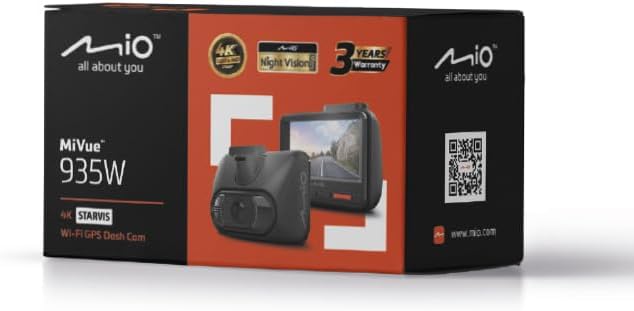
Image: Retail packaging of the Mio MiVue 935W Dashcam, showing the box contents and key features.
Produktas baigtasview
Familiarize yourself with the components of your MiVue 935W dashcam.
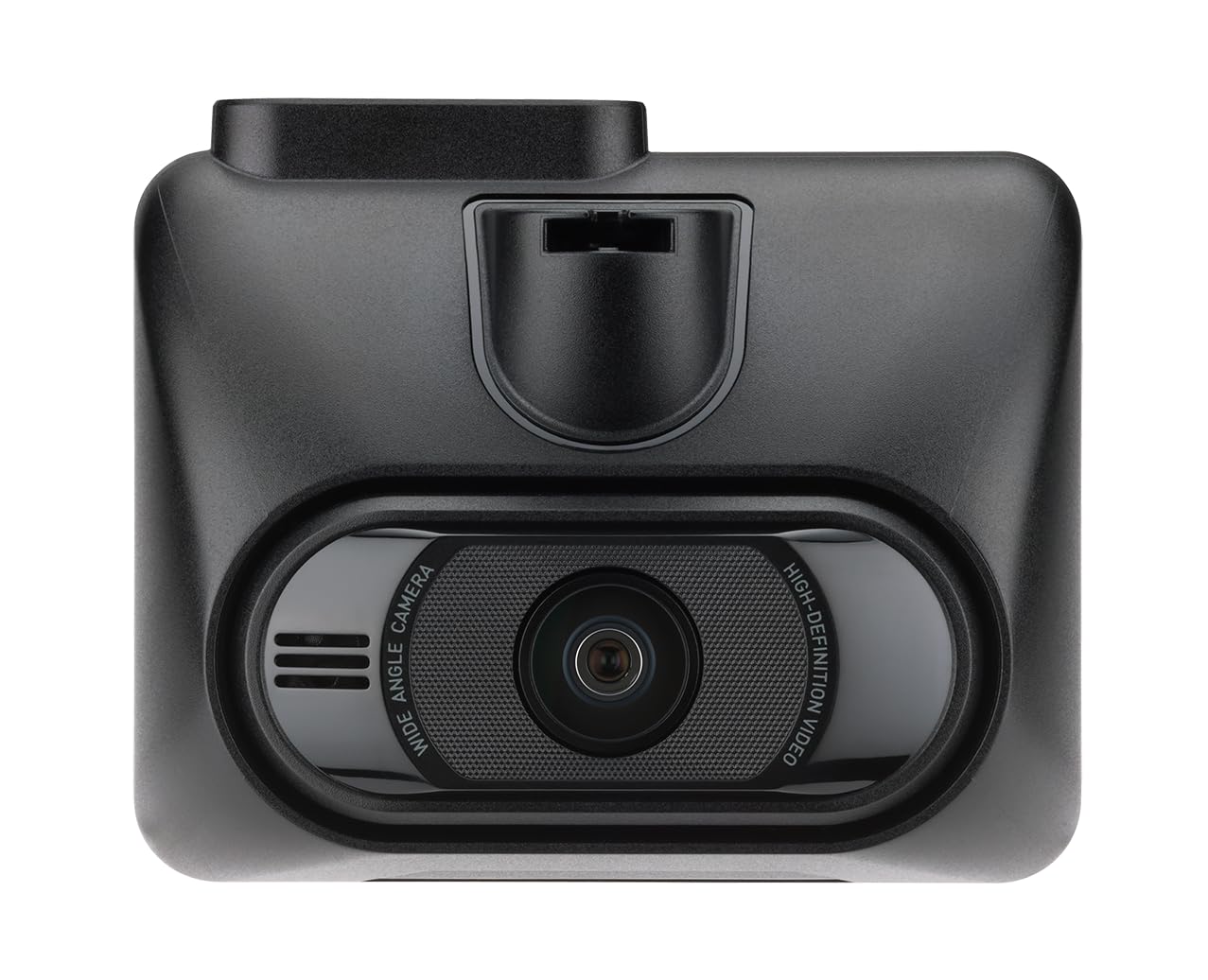
Vaizdas: priekis view of the MiVue 935W dashcam, displaying the screen and control buttons below it.

Vaizdas: Viršus view of the MiVue 935W dashcam, highlighting the power input and rear camera connection ports.

Image: The 3M adhesive mount for securing the dashcam to the windshield.
Sąranka
1. Installing the Dashcam
- Clean the area on your windshield where you intend to mount the dashcam. Ensure it does not obstruct your view.
- Apply the static window sticker to the chosen area on the windshield. This helps protect your windshield and allows for easier repositioning.
- Attach the 3M adhesive mount to the static sticker. Press firmly for secure adhesion.
- Slide the MiVue 935W dashcam onto the mount until it clicks into place.
- Sureguliuokite kameros kampą, kad ji aiškiai užfiksuotų kelią priešais jus.
2. „MicroSD“ kortelės įdėjimas
A MicroSD card (not included) is required for recording. The device supports cards up to 256GB. Ensure the card is formatted before first use.
- With the dashcam powered off, locate the MicroSD card slot.
- Insert the MicroSD card with the contacts facing the screen until it clicks into place.
- Norėdami išimti, švelniai stumkite kortelę, kol ji iššoks.
3. Maitinimo prijungimas
- Connect the car charger to the dashcam's power input port (usually located on top).
- Kitą automobilinio įkroviklio galą prijunkite prie automobilio 12 V maitinimo lizdo (cigarečių degiklio lizdo).
- The dashcam will automatically power on and begin recording when your vehicle starts.
Naudojimo instrukcijos
Pagrindinė operacija
- Maitinimo įjungimas/išjungimas: The dashcam powers on automatically with vehicle ignition and powers off shortly after the engine is turned off. You can also manually power it on/off using the power button.
- Įrašas: The dashcam automatically starts continuous loop recording when powered on.
- Avarinės situacijos įrašymas: The built-in G-sensor detects sudden impacts or harsh braking and automatically saves the current recording to a protected folder, preventing it from being overwritten.
Wi-Fi ryšys
The integrated high-speed Wi-Fi allows for quick video transfers and easy management via the MiVue Pro app.
- Atsisiųskite MiVue Pro programėlę iš savo išmaniojo telefono programėlių parduotuvės.
- On the MiVue 935W, navigate to the Wi-Fi settings and enable it. A QR code will be displayed on the dashcam screen.
- Open the MiVue Pro app on your smartphone and use the app to scan the QR code displayed on the dashcam.
- Prisijungę galite view gyvas kvailystage, transfer recordings, and adjust settings directly from your smartphone.
GPS funkcijos
The integrated GPS module provides accurate location and speed data, enhancing your driving records.
- Greičio matavimo kamerų įspėjimai: The MiVue 935W provides alerts for speed cameras, displaying the distance, time, speed limit, and your average speed. Note: Speed camera alerts are not active in France, Germany, Switzerland, and Turkey due to local regulations.
- Įspėjimas apie nukrypimą nuo eismo juostos: This feature helps monitor your lane position and provides alerts if you unintentionally drift from your lane.
HDR (didelis dinaminis diapazonas)
The HDR function improves video clarity in challenging lighting conditions.
- The dashcam automatically captures multiple images at different exposure levels and combines them into a single, optimized image.
- The 2.5K 1440P/Auto HDR mode automatically switches the image sensor between day and night settings for optimal video quality.
Parkavimo stebėjimo režimas
When properly configured and with a continuous power supply (e.g., via a hardwire kit, sold separately), the dashcam can monitor your vehicle while parked.
- The dashcam will automatically record if it detects motion or an impact while your vehicle is stationary.
Priežiūra
Prietaiso valymas
- Vaizdo registratoriaus išorę valykite minkšta, sausa šluoste.
- Objektyvui valyti naudokite specialią šluostę, kad išvengtumėte įbrėžimų.
- Nenaudokite cheminių valiklių ar tirpiklių, nes jie gali pažeisti prietaisą.
„MicroSD“ kortelės priežiūra
- Regularly format your MicroSD card (at least once a month) to maintain optimal recording performance and prevent data corruption.
- Replace the MicroSD card periodically, especially if you notice recording errors or reduced performance, as memory cards have a limited lifespan.
Programinės aparatinės įrangos naujiniai
Check the official Mio websvetainė (www.mio.com) for available firmware updates. Keeping your dashcam's firmware up-to-date ensures optimal performance and access to new features.
Trikčių šalinimas
| Problema | Galima priežastis | Sprendimas |
|---|---|---|
| Vaizdo registratorius neįsijungia. | Nėra maitinimo šaltinio arba netinkamas prijungimas. | Check car charger connection to both the dashcam and the vehicle's 12V outlet. Ensure the vehicle's ignition is on. |
| Įrašymas netikėtai nutrūksta. | MicroSD card error or full. | Format the MicroSD card. Replace the card if the issue persists. Ensure the card is Class 10 or higher. |
| Prasta vaizdo kokybė. | Dirty lens or incorrect settings. | Clean the camera lens. Check video resolution settings in the menu. Ensure HDR is enabled for challenging light. |
| „Wi-Fi“ ryšio problemos. | Neteisingas slaptažodis arba programėlės problema. | Ensure Wi-Fi is enabled on the dashcam and you are scanning the correct QR code. Restart both the dashcam and your smartphone. |
| GPS neveikia. | Poor satellite signal. | Įsitikinkite, kad vaizdo registratorius turi aiškų vaizdą view of the sky. Avoid mounting near metallic objects that might block the signal. |
Specifikacijos
| Funkcija | Detalė |
|---|---|
| Modelio pavadinimas | Mio MiVue 935W |
| Ekrano dydis | 2.7 colio IPS |
| Įrašymo raiška | 4K (2160P) / 30fps |
| Vaizdo jutiklis | „Sony STARVIS CMOS“ jutiklis |
| Diafragma | F1.8 |
| Įrašymo formatas | SuperMP4 (H.265) |
| Plataus kampo objektyvas | 140 laipsnių |
| Ryšys | Integrated Wi-Fi, GPS |
| Ypatingos savybės | Compact Design, G-Sensor, Speed Camera Alerts, Lane Departure Warning, HDR |
| Maitinimo šaltinis | 1 ličio polimerų baterija (pridedama) |
| Matmenys (P x A x G) | 63 x 76.5 x 41.2 mm |
| Svoris | 99.94 g |
| Suderinamas transporto priemonės tipas | Automobilis, sunkvežimis, motociklas |
| Montavimo tipas | Lipnus laikiklis |
| Spalva | Juoda |
Garantija ir palaikymas
Informacija apie garantiją
The Mio MiVue 935W Dashcam comes with a 3 metų garantijaPrašome išsaugoti pirkimo įrodymą garantiniams reikalavimams.
Pagalba klientams
For technical assistance, firmware updates, or further information, please visit the official Mio websvetainė:
Mio products are tested in a TAF-accredited laboratory by MITAC, ensuring high quality and reliability.