
VTech VTVM3258
„VTech VM3258“ skaitmeninio vaizdo kūdikių monitoriaus naudotojo vadovas
Model: VTVM3258
Baigėsiview
The VTech VM3258 Digital Video Baby Monitor allows you to keep a close eye on your baby with its high-resolution 2.8-inch color LCD screen. This monitor features a multi-color night-light, soothing lullabies and sounds, two-way audio communication, and a temperature sensor to ensure your baby's comfort. Designed for ease of use, it offers long battery life for extended monitoring.

Image: The VTech VM3258 monitor system, featuring the parent unit with a 2.8-inch LCD screen displaying a baby, and the baby unit with a night-light feature. Both units are white with VTech branding.
Pakuotės turinys
Įsitikinkite, kad pakuotėje yra visi daiktai:
- Tėvų vienetas
- Kūdikių vienetas
- 2 kintamosios srovės adapteriai
- 4 Screws (for wall mounting, if applicable)
- Vartotojo vadovas (šis dokumentas)
- Greitas pradmenų gidas
Produkto savybės
- High-resolution 2.8-inch Color LCD Screen: Provides clear video of your baby.
- Night-light on Baby Unit: Soothing multi-color light with an auto-on feature based on noise detection.
- Raminantys garsai ir lopšinės: Includes 2 melodies and 2 ambient sounds (trickling stream, white noise) to help baby sleep.
- Two-way, Talk-back Intercom: Allows you to speak to your baby from the parent unit.
- Ilgas baterijos veikimo laikas: Up to 19 hours of video streaming or 29 hours of audio-only monitoring on a single charge.
- Temperatūros jutiklis: Monitors the nursery temperature, displayed on the parent unit.
- Automatinis infraraudonųjų spindulių naktinis matymas: Provides clear video in low-light conditions.
- Sound Activation Screen Mode: Screen turns on when noise is detected.
- 2x skaitmeninis priartinimas: Allows for closer viewjūsų kūdikio priežiūra.
- Up to 1,000 feet of Range: Ensures monitoring across larger homes.
Sąranka
1. Tėvų įrenginio įkrovimas
Before first use, charge the parent unit for at least 12 hours. Connect one of the AC adapters to the parent unit and a power outlet. The battery indicator will show charging status.
2. Powering the Baby Unit
Connect the second AC adapter to the baby unit and a power outlet. The baby unit will power on automatically.
3. Įrenginių išdėstymas
Place the baby unit in your baby's room, at least 3 feet (1 meter) away from the baby. Position it on a flat surface or mount it to a wall using the provided screws. Ensure the camera has a clear view of the baby's crib. Keep the parent unit within range of the baby unit for optimal signal.

Image: An overhead diagram of a multi-story house illustrating the VTech baby monitor's long range capability, showing the baby unit in a nursery and the parent unit being used in various rooms up to 1000 feet away.
4. Saugus ryšys
The VTech VM3258 uses a secure, non-Wi-Fi connection, ensuring your privacy. No internet connection or app is required for operation.
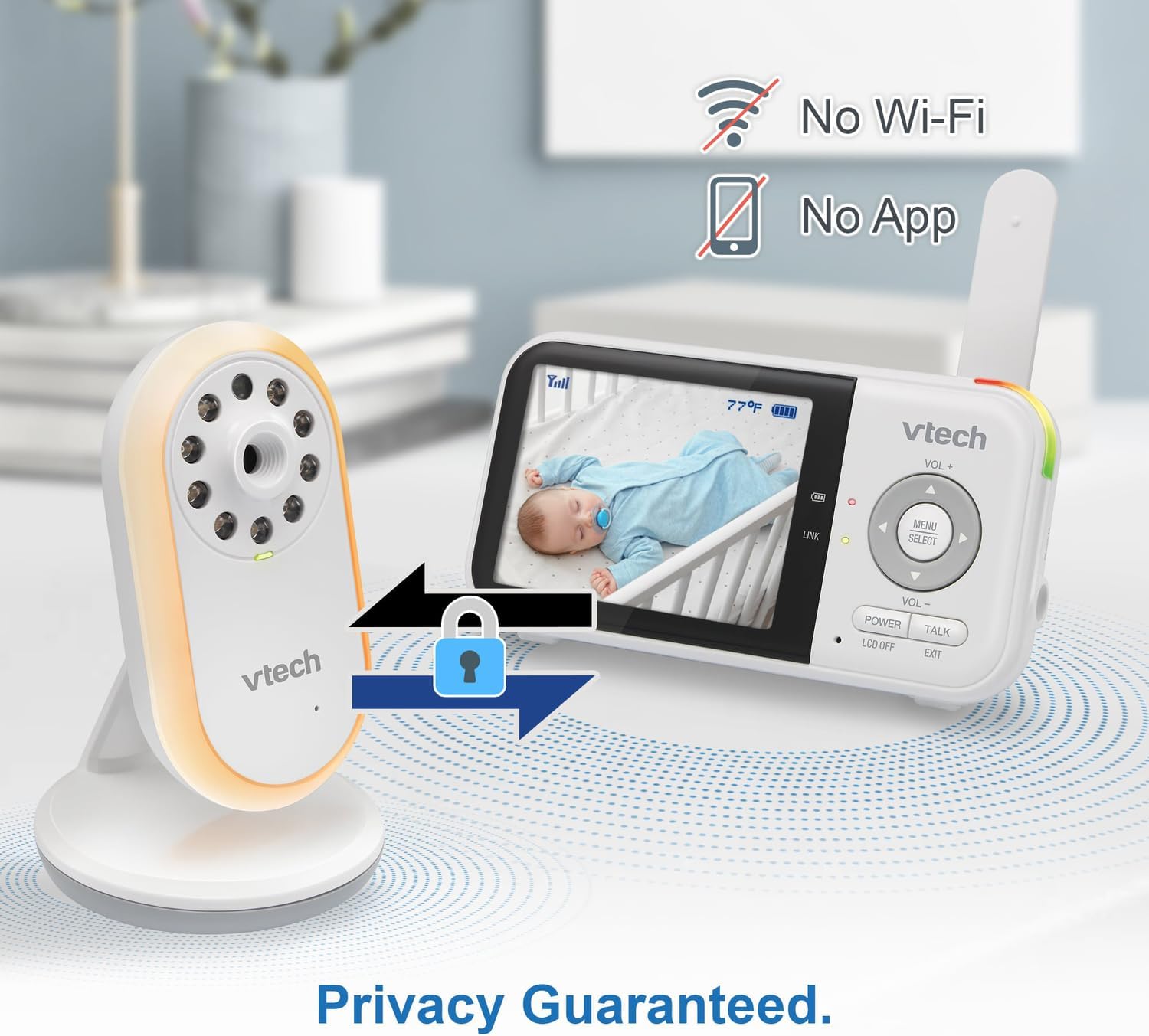
Image: The VTech baby monitor setup, showing the parent unit and baby unit with icons indicating "No Wi-Fi" and "No App," highlighting the secure, private connection.
Naudojimo instrukcijos
1. Įjungimas/Išjungimas
- Tėvų vienetas: Paspauskite ir palaikykite GALIA mygtuką, kol ekranas įsijungs / išsijungs.
- Kūdikių skyrius: Kūdikio įrenginys įsijungia automatiškai, kai prijungiamas prie maitinimo šaltinio.
2. Garso reguliavimas
Naudokite VOL+ ir VOL- mygtukais tėvų įrenginyje, kad sureguliuotumėte klausymo garsumą.
3. Dvipusis pokalbių domofonas
Paspauskite ir palaikykite KALBĖKITE button on the parent unit to speak to your baby through the baby unit's speaker. Release the button to hear your baby.

Image: A split image depicting a parent holding the VTech parent unit and a baby playing, illustrating the two-way talk-back intercom functionality.
4. Night-Light and Lullabies
Access the menu on the parent unit to control the baby unit's night-light (choose from 3 colors) and to play soothing lullabies or ambient sounds. You can also enable the auto-on night-light feature, which activates when noise is detected.

Image: The VTech baby unit with its night light softly glowing, surrounded by musical notes, symbolizing its ability to play lullabies and soothing sounds.
5. Temperatūros stebėjimas
The current nursery temperature is displayed on the parent unit's LCD screen, allowing you to ensure a comfortable environment for your baby.
6. Naktinis matymas
The baby unit automatically activates infrared night vision in low-light conditions, providing a clear black and white image on the parent unit.

Image: A side-by-side comparison showing a baby in a crib, with one side labeled "Standard night vision" (darker, less clear) and the other "Our night vision" (brighter, clearer, without glare).
7. Baterijos veikimo laiko valdymas
The parent unit offers extended battery life. To conserve battery, you can use the audio-only mode or enable the sound activation screen mode, which turns the screen off until sound is detected.

Image: A circular diagram showing a battery icon in the center, with two halves representing "19 hours in screen-on mode" (depicting a person exercising) and "29 hours in audio-only mode" (depicting a person watching TV at night), illustrating the monitor's long battery life.
Priežiūra
Įrenginių valymas
Wipe the surfaces of the parent unit and baby unit with a soft, damp šluoste. Nenaudokite valymo purškiklių ar skystų valiklių. Prieš vėl prijungdami įrenginius prie elektros tinklo, įsitikinkite, kad jie yra sausi.
Akumuliatoriaus priežiūra
To prolong battery life, avoid fully discharging the parent unit battery frequently. If storing the unit for an extended period, charge it fully before storage and recharge every few months.
Trikčių šalinimas
| Problema | Galimas sprendimas |
|---|---|
| Tėvų įrenginyje nėra vaizdo / garso. |
|
| Paveikslėlis yra juodai baltas. | This is normal when the baby unit's infrared night vision is active due to low light conditions. |
| Statinė energija arba trukdžiai. |
|
| Tėvų įrenginio baterija greitai išsikrauna. |
|
Specifikacijos
- Modelio numeris: VTVM3258
- Gaminio matmenys: 4.72 x 2.5 x 1.32 inches (Parent Unit)
- Prekės svoris: 1.25 pounds (Total)
- Baterijos: 1 A battery required (included) for Parent Unit
- Dažnių diapazonas: 400-470 MHz
- Maksimalus pokalbio diapazonas: Iki 1,000 pėdų (matymo linija)
- Kanalų skaičius: 32
- Spalva: Baltas
- Gamintojas: VTech Communications
- Pirmą kartą pasiekiama data: 9 m. sausio 2025 d