
1. Įvadas
Ačiū, kad pirkoteasing the AGPTEK A02XT MP3 Player. This device is designed to provide a high-quality audio experience with its HIFI lossless sound and Bluetooth 5.3 connectivity. It features a compact design, button operation, and various functions including FM radio, voice recording, and a pedometer. This manual will guide you through the setup, operation, and maintenance of your new MP3 player.

Figure 1.1: AGPTEK A02XT MP3 Player with accessories.
2. Produktas baigtasview
2.1 Pakuotės turinys
- AGPTEK A02XT MP3 Player (1)
- USB-C įkrovimo laidas (1)
- Vartotojo vadovas (1)
- Earphones (1 pair) - May vary by region/package

Figure 2.1: Contents of the AGPTEK A02XT package.
2.2 Įrenginio išdėstymas ir valdikliai
Familiarize yourself with the buttons and ports on your A02XT MP3 player.

2.2 pav.: priekis view of the A02XT MP3 Player.
- Ekranas: Displays menus, music information, and settings.
- M mygtukas: Menu/Back button. Long press to lock/unlock the screen.
- Atkūrimo / pristabdymo mygtukas: Pradeda arba pristabdo atkūrimą.
- Ankstesni/Kiti mygtukai: Navigates through tracks or menu options.
- VOL mygtukas: Garsumo valdymas.
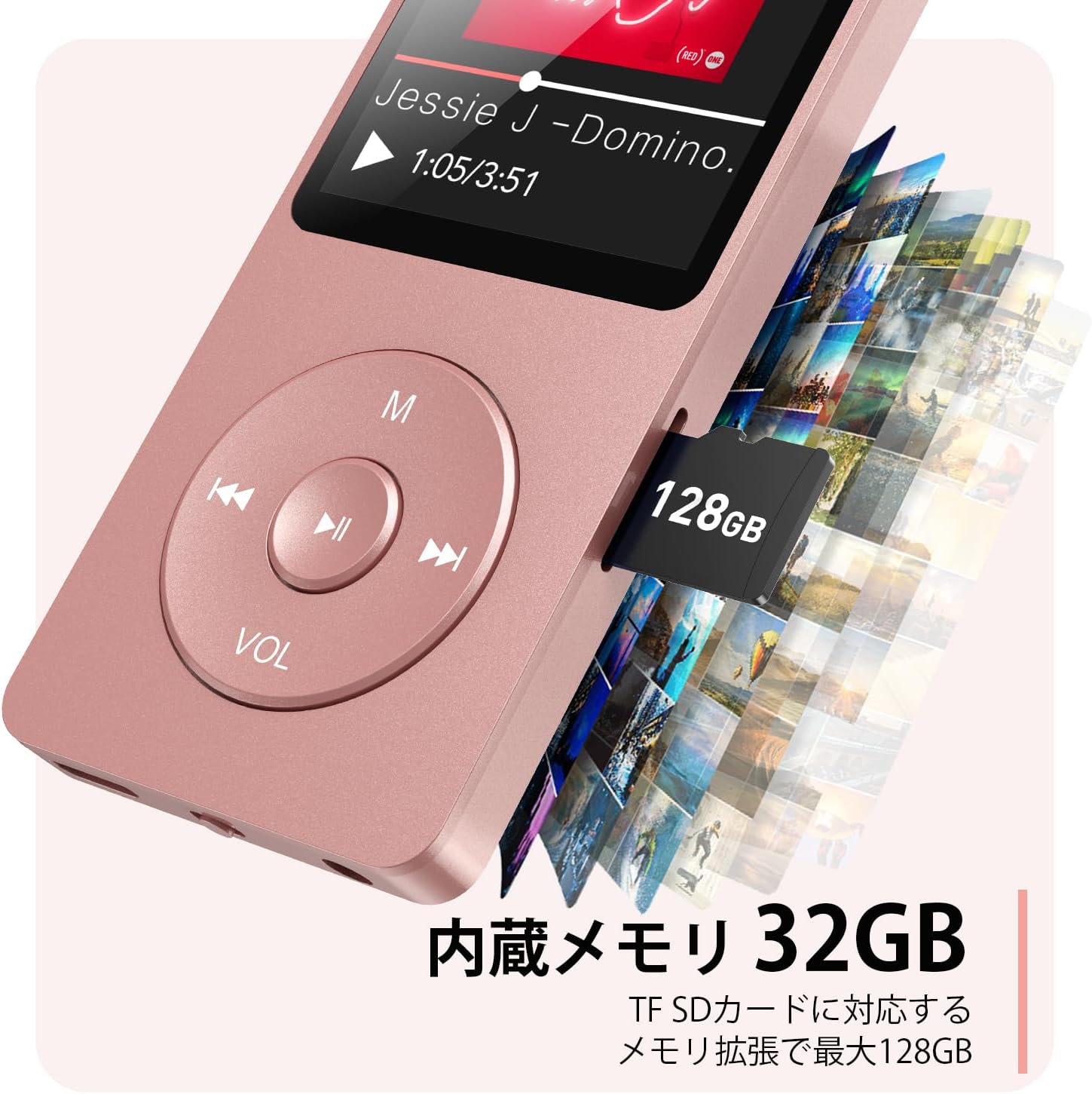
2.3 pav.: šonas view with microSD card slot.
- USB-C prievadas: Įkrovimui ir duomenų perdavimui.
- 3.5 mm ausinių lizdas: Laidinei garso išvesčiai.
- MicroSD kortelės lizdas: Išplečiamai saugyklai iki 64 GB.
3. Sąranka
3.1 Įrenginio įkrovimas
Before first use, fully charge the MP3 player. Connect the provided USB-C cable to the player's USB-C port and the other end to a USB power adapter (not included) or a computer's USB port. The screen will indicate charging status. A full charge takes approximately 2 hours and provides up to 40 hours of music playback.

Figure 3.1: MP3 Player charging indication.
3.2 „MicroSD“ kortelės įdėjimas
The player has 32GB of internal storage. To expand storage, insert a microSD card (up to 64GB, not included) into the microSD card slot until it clicks into place. Ensure the card is inserted correctly to avoid damage.
3.3 Muzikos perkėlimas Files
- Connect the MP3 player to your computer using the USB-C cable.
- The player will appear as a removable disk on your computer.
- Vilkite ir numeskite muziką files (MP3, WMA, OGG, WAV, APE, FLAC, AAC, ACELP) into the 'Music' folder on the player or microSD card.
- Prieš atjungdami laidą, saugiai atjunkite įrenginį nuo kompiuterio.
4. Naudojimo instrukcijos
4.1 Maitinimo įjungimas/išjungimas
- Maitinimas: Long press the Power button (usually on the side or top edge) until the screen lights up.
- Išjungti: Long press the Power button until the 'Power Off' option appears, then select it.
4.2 Pagrindinė navigacija
Use the navigation buttons (Previous, Next, Play/Pause, M) to move through menus and select options. The Play/Pause button often acts as a 'Confirm' button in menus.

Figure 4.1: Main menu interface with various functions.
4.3 Muzikos atkūrimas
- Pagrindiniame meniu pasirinkite „Muzika“.
- Browse by Artist, Album, Songs, Playlists, etc.
- Select a song to begin playback.
- Use the Previous/Next buttons to skip tracks, and Play/Pause to control playback.
- Adjust volume using the VOL button.
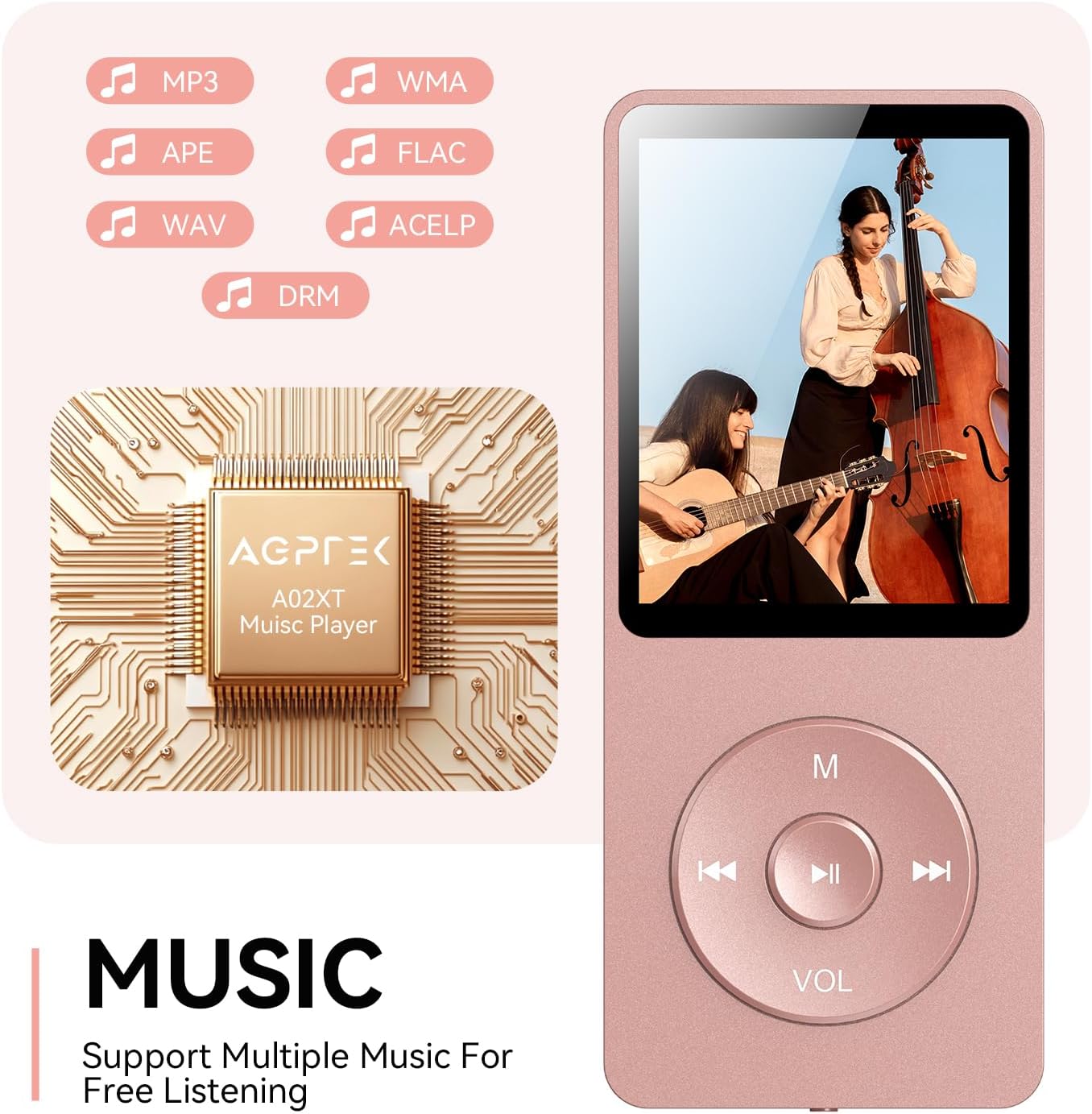
Figure 4.2: Music playback screen and supported formats.
4.4 Bluetooth ryšys
The A02XT supports Bluetooth 5.3 for wireless audio output to headphones or speakers.
- Pagrindiniame meniu pasirinkite „Bluetooth“.
- Turn on Bluetooth on the player.
- Ensure your Bluetooth headphones/speaker are in pairing mode.
- The player will search for nearby devices. Select your device from the list to pair.
4.5 FM radijas
- Connect wired earphones to the 3.5mm jack; they act as the antenna.
- Pagrindiniame meniu pasirinkite „FM radijas“.
- Norėdami ieškoti stočių arba rankiniu būdu jas derinti, naudokite naršymo mygtukus.
4.6 Balso įrašymas
- From the main menu, select 'Record'.
- Choose 'Start Voice Recording' to begin.
- Press Play/Pause to stop and save the recording.
4.7 Ekrano užraktas
To prevent accidental button presses, long press the 'M' button to lock the screen. Repeat the action to unlock.
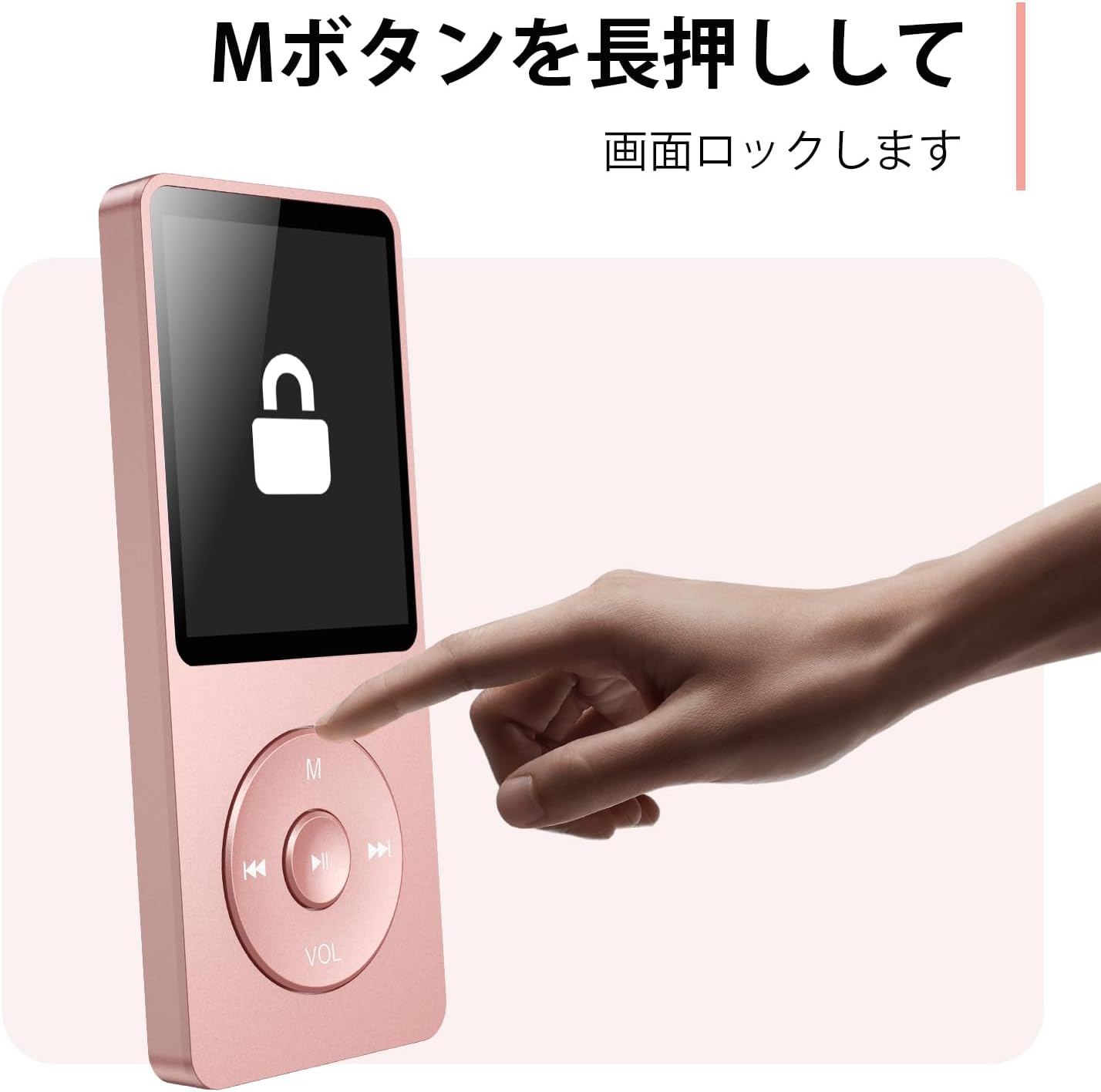
Figure 4.3: Screen lock function using the M button.
5. Priežiūra
5.1 Valymas
- Nuvalykite prietaisą minkšta, sausa šluoste.
- Nenaudokite skystų valiklių ar tirpiklių.
5.2 Saugykla
- Grotuvą laikykite vėsioje, sausoje vietoje, toliau nuo tiesioginių saulės spindulių ir ekstremalių temperatūrų.
- Stenkitės, kad prietaisas nenumestų ar nepatirtų stipraus smūgio.
5.3 Akumuliatoriaus priežiūra
- Reguliariai įkraukite akumuliatorių, net jei jo nenaudojate, kad palaikytumėte jo būklę.
- Venkite dažnai visiškai iškrauti akumuliatorių.
6. Problemų sprendimas
6.1 Įrenginys neįsijungia
- Įsitikinkite, kad akumuliatorius įkrautas. Prijunkite prie maitinimo šaltinio ir bandykite dar kartą.
- Perform a hard reset by pressing and holding the power button for 10-15 seconds.
6.2 Negalima perkelti Files
- Check the USB-C cable connection. Try a different cable or USB port.
- Ensure the device is properly recognized by your computer.
- Patikrinkite, ar file format is supported by the player.
6.3 „Bluetooth“ susiejimo problemos
- Ensure both the player and the Bluetooth device are in pairing mode and within range.
- Išjunkite ir įjunkite „Bluetooth“ abiejuose įrenginiuose.
- Ištrinkite ankstesnius suporavimus ir bandykite suporuoti dar kartą.
6.4 Nėra garso
- Patikrinkite garsumo lygį.
- Ensure headphones are properly connected or Bluetooth device is paired.
- Test with different headphones or Bluetooth device.
7. Specifikacijos
| Prekės ženklas | AGPTEK |
| Modelio pavadinimas | A02XT |
| Atminties talpa | 32 GB (expandable up to 64 GB via microSD card) |
| Spalva | Rožinė |
| Ekrano dydis | 8.9 centimetro (apie 3.5 colio) |
| Medijos tipas | „microSD“ kortelė |
| Ekrano technologija | LCD |
| Palaikomi garso formatai | MP3, WMA, OGG, WAV, APE, FLAC, AAC, ACELP |
| Baterijos veikimo laikas | Iki 40 valandų |
| Prekės svoris | 130 gramų |
8. Garantija ir palaikymas
8.1 Informacija apie garantiją
This AGPTEK A02XT MP3 Player comes with a 1 metų garantija nuo įsigijimo datos. Ši garantija taikoma gamybos defektams ir gedimams, atsiradusiems įprasto naudojimo metu. Ji netaikoma žalai, atsiradusiai dėl netinkamo naudojimo, nelaimingų atsitikimų, neleistinų modifikacijų ar įprasto nusidėvėjimo.
8.2 Pagalba klientams
If you encounter any issues or have questions regarding your AGPTEK A02XT MP3 Player, please refer to the troubleshooting section of this manual first. If the problem persists, contact AGPTEK customer support through the official website or your retailer's support channels. Please have your purchase receipt and product model number (A02XT) ready when contacting support.