
1. Įvadas
This manual provides comprehensive instructions for the safe and effective use of your Flashpoint Zoom Li-on X PRO R2 TTL On-Camera Round Flash Speedlight for Sony and the Glow PS-B24K ParaSnap Octagonal Softbox. Please read this manual thoroughly before operating the equipment and retain it for future reference. Proper understanding of these instructions will ensure optimal performance and longevity of your product.
2. Saugos informacija
- Do not disassemble or modify the product. Unauthorized repairs can cause damage and void the warranty.
- Laikykite gaminį sausą. Nelieskite šlapiomis rankomis ir nemerkite į vandenį.
- Venkite tiesioginio blykstės šviesos poveikio akims.
- Laikyti vaikams nepasiekiamoje vietoje.
- Naudokite tik nurodytą bateriją ir įkroviklį.
- Darbo metu užtikrinkite tinkamą vėdinimą, kad išvengtumėte perkaitimo.
3. Pakuotės turinys
Patikrinkite, ar pakuotėje yra visi reikalingi daiktai:
- Flashpoint Zoom Li-on X PRO R2 TTL On-Camera Round Flash Speedlight
- Ličio jonų baterija
- Akumuliatoriaus įkroviklis
- USB įkrovimo laidas
- Mini stendas
- Apsauginis dėklas
- Glow PS-B24K ParaSnap Octagonal Softbox (24")
- Flashpoint C-adapter for Round Head Flashes
- Softbox Carrying Bag
4. Produktas baigtasview
The Flashpoint Zoom Li-on X PRO R2 TTL Flash is a versatile on-camera speedlight designed for Sony cameras, offering a round flash head for natural light distribution. It integrates with the R2 wireless system for advanced control. The Glow PS-B24K ParaSnap Octagonal Softbox is a portable light modifier that attaches to the flash via the C-adapter, providing soft, even illumination.
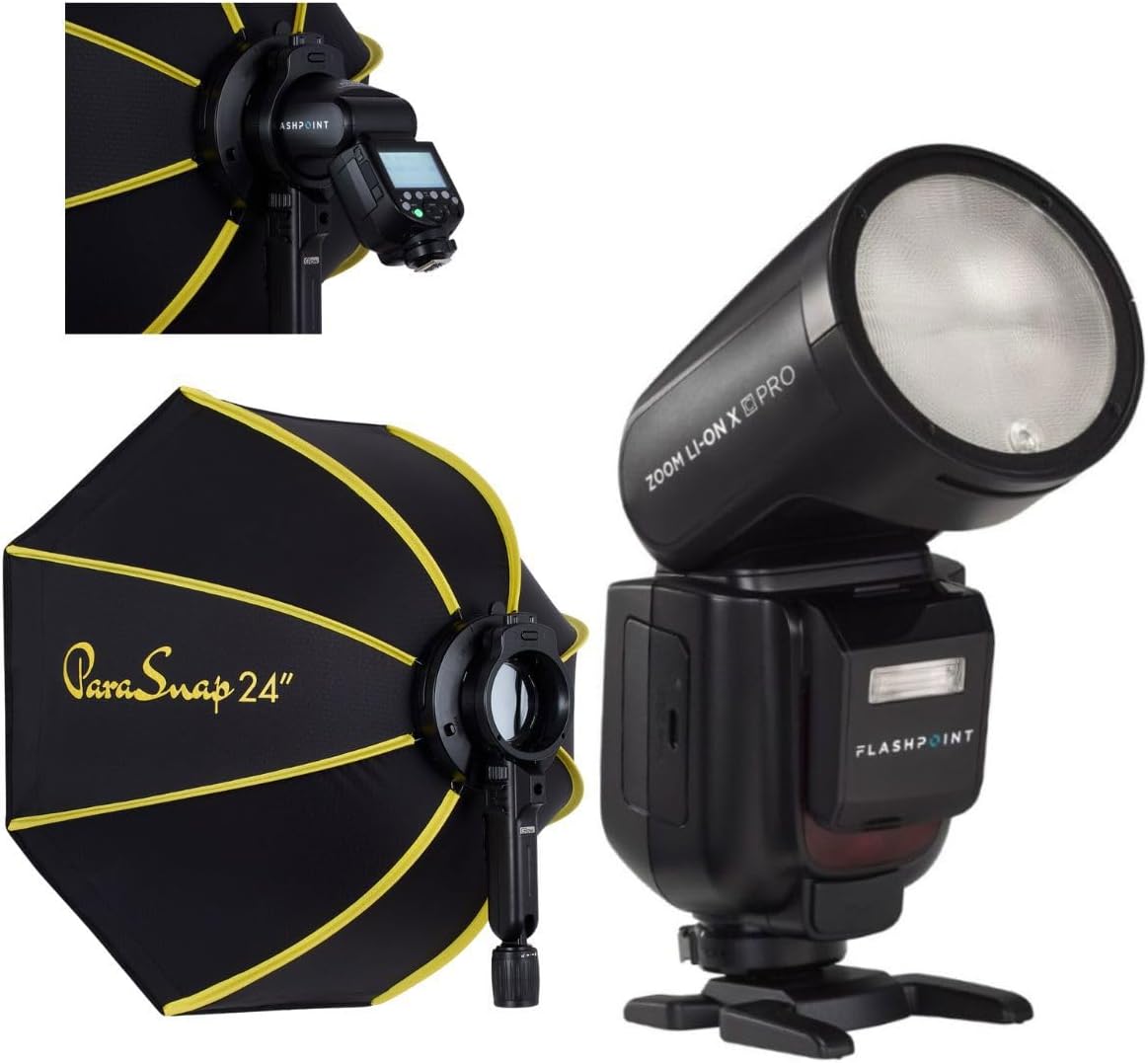
Image 1: The Flashpoint Zoom Li-on X PRO R2 TTL Flash shown alongside the Glow PS-B24K ParaSnap Octagonal Softbox, illustrating the complete kit.
4.1 Flash Unit (Zoom Li-on X PRO R2 TTL)
This unit features a round flash head, an LCD display for settings, control buttons, a hot shoe mount, and a battery compartment.

2 pav.: Stambus planas view of the Flashpoint Zoom Li-on X PRO R2 TTL Flash unit, highlighting its round head and control panel.
4.2 Glow PS-B24K ParaSnap OctagOnal Softbox
The softbox is designed for quick setup and breakdown, featuring an octagonal shape for pleasing catchlights and soft light. It includes a mounting bracket for the C-adapter.

Image 3: The Glow PS-B24K ParaSnap Octagonal Softbox in its open configuration, ready for use.
4.3 Flashpoint C-adapter
This adapter facilitates the connection of the round head flash to the softbox, ensuring a secure and stable mount.

4 paveikslėlis: A view of the Flashpoint C-adapter, which connects the round flash head to light modifiers.
5. Sąranka
5.1 Baterijos įdėjimas ir įkrovimas
- Open the battery compartment on the flash unit.
- Insert the Lithium-Ion battery, ensuring correct polarity.
- Saugiai uždarykite akumuliatoriaus skyrių.
- To charge, connect the battery to the charger, then plug the charger into a power source. The indicator light will show charging status.
5.2 Blykstės pritvirtinimas prie fotoaparato
- Įstumkite blykstės karštosios jungties jungtį į fotoaparato karštosios jungties jungtį.
- Tighten the locking ring or lever on the flash to secure it to the camera.
5.3 Assembling and Attaching the Softbox
- Unfold the Glow PS-B24K ParaSnap Octagonal Softbox. The internal rods will snap into place.
- Attach the Flashpoint C-adapter to the mounting bracket on the softbox.
- Insert the round head of the Flashpoint Zoom Li-on X PRO R2 TTL Flash into the C-adapter, ensuring it is securely seated.
- Optionally, attach the inner and outer diffusers to the softbox for softer light.

Image 5: The Flashpoint Zoom Li-on X PRO R2 TTL Flash integrated with the Glow PS-B24K ParaSnap Octagonal Softbox, demonstrating the assembled unit.

6 paveikslėlis: Viršutinis taškasview of the Glow PS-B24K ParaSnap Octagonal Softbox components, including the softbox, C-adapter, and carrying bag.

7 pav.: Šoninis profesionalasfile of the Flashpoint C-adapter, showing its design for connecting the flash to the softbox.
6. Naudojimo instrukcijos
6.1 Įjungimas / išjungimas
Press and hold the power button on the flash unit for approximately 2 seconds to turn it on or off.
6.2 blykstės režimai
- TTL režimas: Blykstė automatiškai reguliuoja savo galią pagal fotoaparato matavimo sistemą, kad būtų užtikrinta subalansuota ekspozicija.
- Rankinis (M) režimas: Allows you to manually set the flash power from 1/1 (full power) down to 1/256 in precise steps.
- Daugiafunkcis (stroboskopinis) režimas: Vienos ekspozicijos metu suveikia keletas greitų blyksnių, kad užfiksuotų kelis judančio objekto vaizdus.
Use the mode button to cycle through available flash modes and the dial/buttons to adjust settings within each mode.
6.3 R2 Wireless System Operation
The Flashpoint Zoom Li-on X PRO R2 TTL Flash can operate as a master or slave unit within the Flashpoint R2 wireless system. Refer to the flash unit's display and controls to set the wireless mode, channel, and group. This allows for remote control of multiple R2-compatible flashes.
6.4 Šviesdėžės naudojimas
The Glow PS-B24K ParaSnap Octagonal Softbox diffuses the flash light, creating a softer, more even illumination with reduced harsh shadows. Position the softbox and flash unit to achieve the desired lighting effect on your subject.
7. Priežiūra
- Clean the flash head and body with a soft, dry cloth. Do not use solvents or abrasive cleaners.
- Įsitikinkite, kad akumuliatoriaus kontaktai yra švarūs.
- When not in use for extended periods, remove the battery and store the flash and softbox in their protective cases in a cool, dry place.
8. Problemų sprendimas
| Problema | Galima priežastis | Sprendimas |
|---|---|---|
| Blykstė nesuveikia. | Išsikrovusi baterija; neteisingi fotoaparato / blykstės nustatymai; blykstė netinkamai pritvirtinta. | Charge battery; check flash and camera settings (e.g., flash enabled, correct mode); re-mount flash securely. |
| Blykstės galia nepastovi. | Battery low; environmental factors; incorrect TTL compensation. | Ensure battery is fully charged; adjust flash exposure compensation; check for obstructions. |
| Softbox does not open/close smoothly. | Mechanism obstruction; bent rods. | Check for any fabric or debris obstructing the mechanism; gently straighten any bent rods if possible. |
9. Specifikacijos
| Funkcija | Detalė |
|---|---|
| Gaminio matmenys | 24.5 x 8.2 x 2.78 colio |
| Prekės svoris | 4.52 svaro |
| ASIN | B0DT4TGDN7 |
| Pasiekiama pirmoji data | 15 m. sausio 2025 d |
| Gamintojas | Pliūpsnio taškas |
| Prekės ženklas | Pliūpsnio taškas |
| UPC | 192223270701 |
| Maitinimo išvestis | 1/1 to 1/256 in 81 steps |
| Perdirbimo laikas | Maždaug 1.5 sekundės (visa galia) |
| Blykstės trukmė | 1/300 - 1/20000 sekundžių |
| Baterija | 7.2V/2980mAh Lithium-Ion |
| Belaidė sistema | Flashpoint R2 (2.4GHz) |
10. Garantija ir palaikymas
Flashpoint products are designed for reliability and performance. For warranty information, technical support, or service inquiries, please refer to the official Flashpoint websvetainėje arba susisiekite su įgaliotuoju pardavėju. Išsaugokite pirkimo kvitą kaip pirkimo įrodymą.
Aplankykite Flashpoint Store dėl papildomų produktų ir palaikymo išteklių.