
Mares 414152-AQ
Mares Quad 2 Smart Wrist Underwater Scuba Dive Computer
Vartotojo vadovas
Įvadas
This manual provides essential information for the proper use, setup, operation, and maintenance of your Mares Quad 2 Smart Wrist Underwater Scuba Dive Computer. Please read this manual thoroughly before using the device to ensure safe and optimal performance.
The Mares Quad 2 is a sophisticated wrist-mounted dive computer designed for recreational and technical divers. It offers advanced features for precise dive planning and real-time data display during your underwater adventures.
Produktas baigtasview

1 paveikslas: Kampuotas view of the Mares Quad 2 Dive Computer, showcasing its large, clear display and ergonomic design. The aqua-colored casing and black strap are visible.
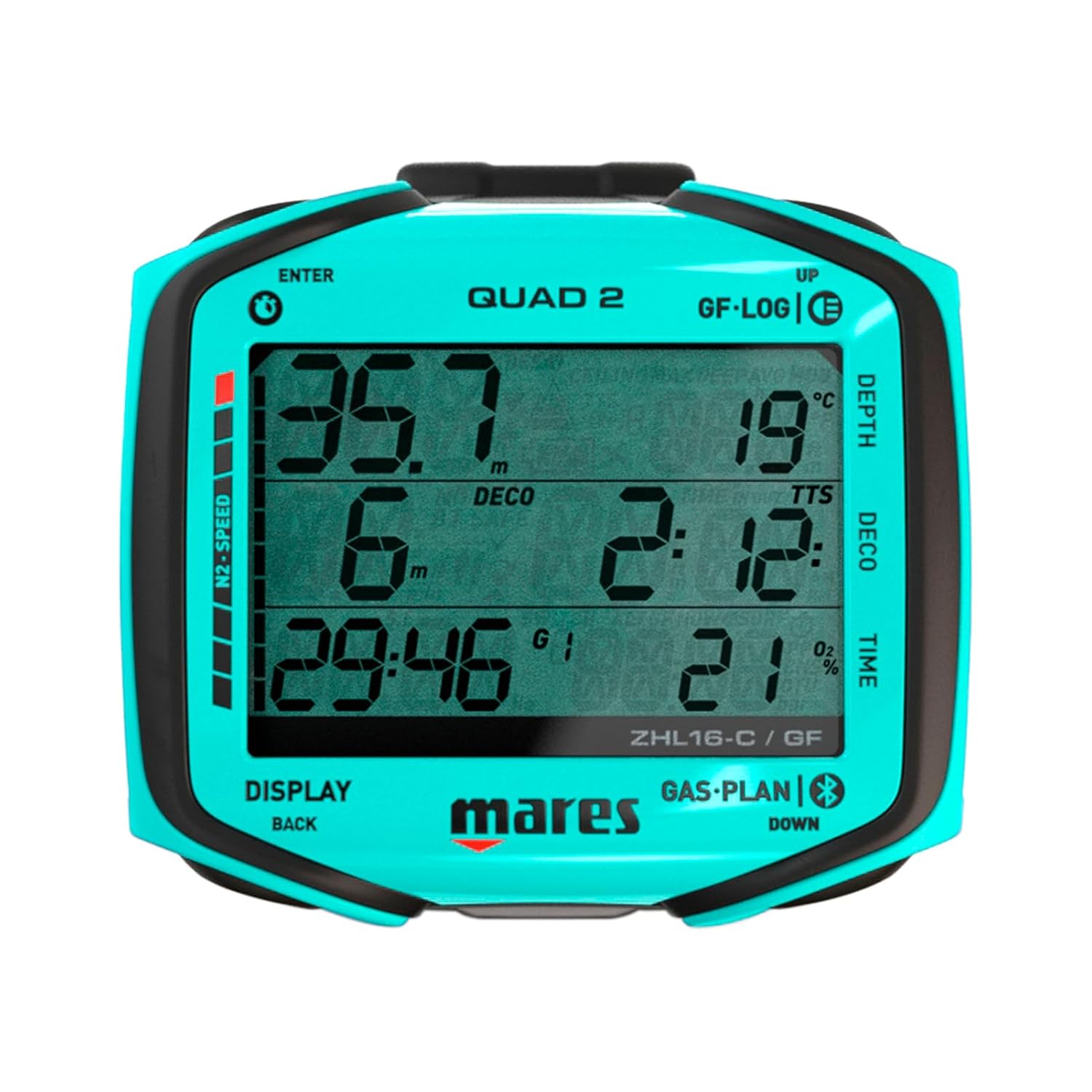
2 paveikslas: Priekyje view of the Mares Quad 2 Dive Computer display, showing depth, decompression limits, and time. The segmented display ensures high readability underwater.
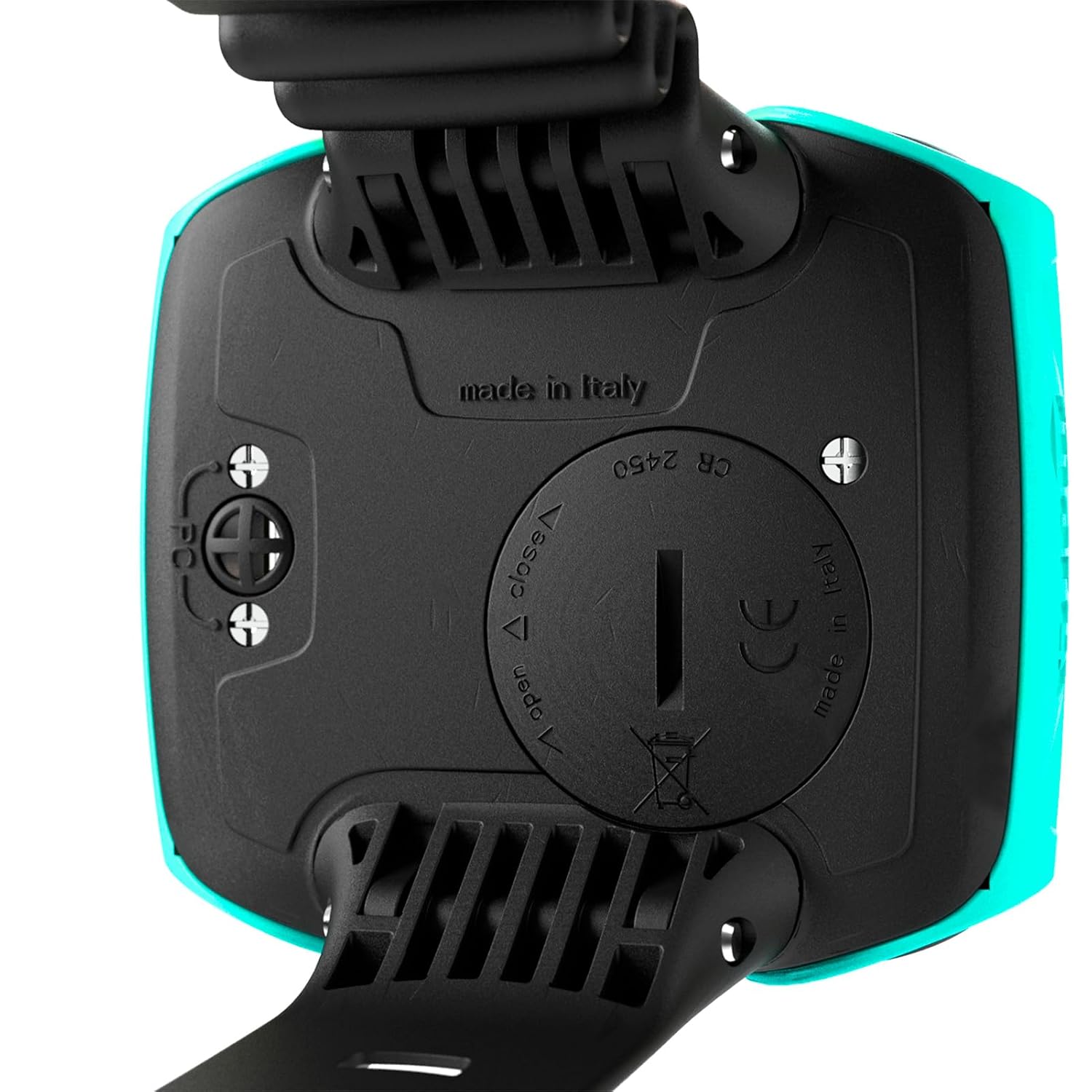
3 paveikslas: Galinis view of the Mares Quad 2 Dive Computer, highlighting the battery compartment and "made in italy" inscription. The battery cover is designed for secure sealing.
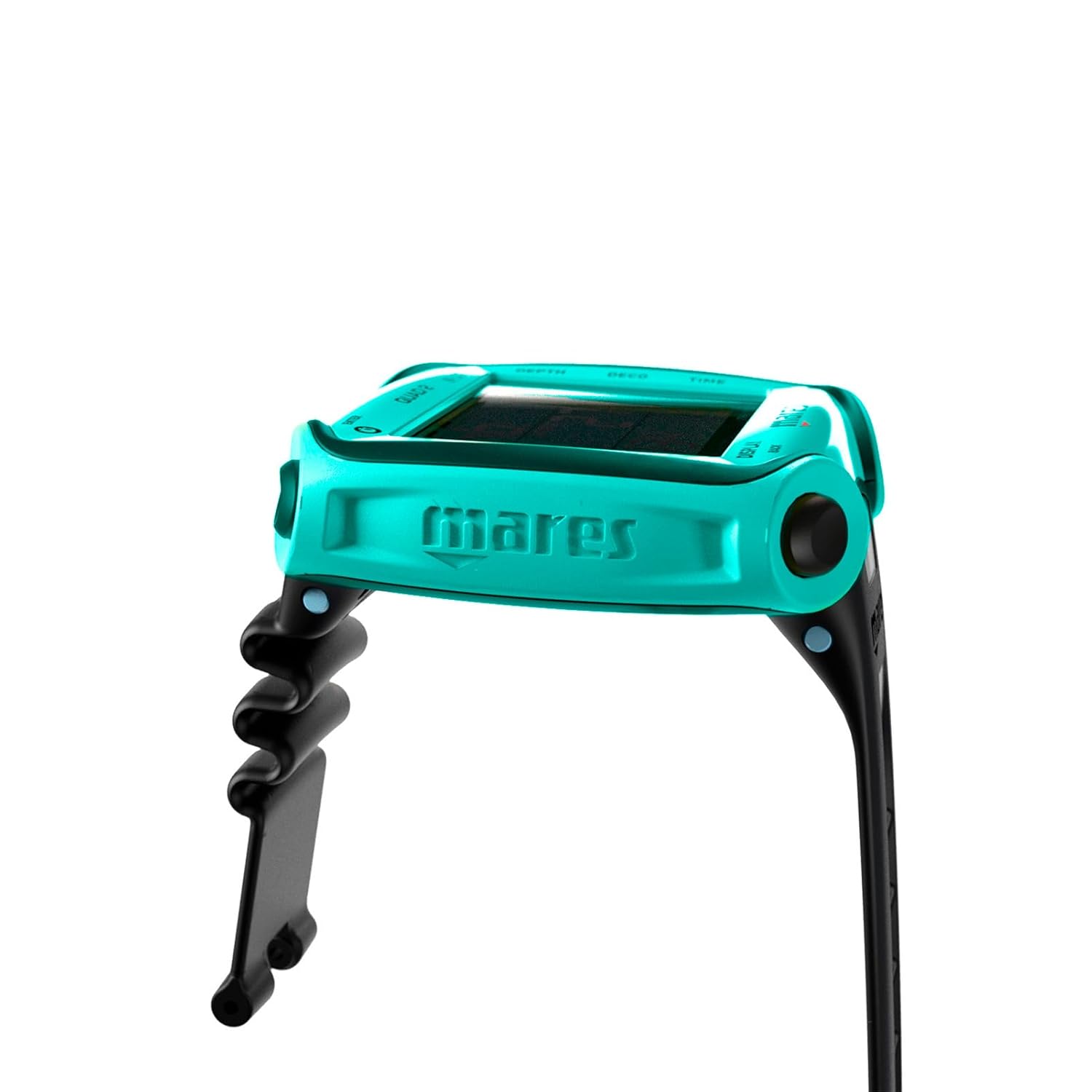
4 paveikslas: Šoninė view of the Mares Quad 2 Dive Computer, showing the robust wrist strap attachment points and the overall slim profile įrenginio.
Sąranka
Akumuliatoriaus montavimas
The Mares Quad 2 requires one CR2430 battery. Ensure the battery is installed correctly, observing polarity, and that the battery compartment is securely sealed to maintain water integrity.
- Locate the battery compartment on the back of the dive computer (refer to Figure 3).
- Using a suitable tool, carefully open the battery cover by rotating it counter-clockwise to the "open" position.
- Įdėkite CR2430 bateriją teigiama (+) puse į viršų.
- Align the battery cover and rotate it clockwise to the "close" position, ensuring a tight seal. Verify the O-ring is clean and properly seated before closing.
Pradinė konfigūracija
Upon first power-on or after a battery change, the device will prompt you to set initial parameters.
- Vienetai: Select between metric (meters, Celsius) or imperial (feet, Fahrenheit) units.
- Laikas ir data: Nustatykite dabartinį laiką ir datą.
- Gas Settings: Configure your primary gas (e.g., Air, Nitrox percentagir).
- Asmeniniai nustatymai: Adjust conservatism levels and gradient factors according to your diving experience and training.
Refer to the "Display & Interface" section for details on navigating the menu using the four-button interface.
Naudojimo instrukcijos
Ekranas ir sąsaja
The Mares Quad 2 features a clear segmented display utilizing chip-on-glass technology for optimal readability. Navigation is performed using the four-button interface.
- Top Left Button (ENTER): Patvirtina pasirinkimus ir įeina į meniu.
- Bottom Left Button (DISPLAY/BACK): Cycles through display screens or returns to the previous menu.
- Top Right Button (UP/GF-LOG): Scrolls up through options or accesses Gradient Factor log.
- Bottom Right Button (DOWN/GAS-PLAN): Scrolls down through options or accesses Gas Plan.
An Underwater Menu allows for certain setting modifications during a dive, enhancing operational flexibility.
Nardymo režimai
The Mares Quad 2 supports various dive modes to accommodate different diving profiles:
- Oro režimas: Standartinis nardymas ore.
- Nitrokso režimas: For diving with enriched air nitrox. Allows setting of O2 percentage.
- Trimikso režimas: Pažangiam techniniam nardymui su helio pagrindo dujų mišiniais.
- Bottom Timer Mode: Functions as a digital depth gauge and timer with a resettable average depth and stopwatch. Ideal for divers who prefer to manage decompression manually.
Dive Planning and Data Management
The computer integrates advanced planning features and data logging capabilities:
- Bühlmann ZH-L16C Algorithm: Customizable with personalized gradient factors and ceil-con decompression for enhanced safety.
- Time To Reserve (TTR): Tracks remaining time at current depth before reaching tank reserve.
- Decompression Dive Planner: Includes user-adjustable surface intervals for repetitive dives.
- Žurnalas: Stores up to 100 hours of dive profiles, accessible for review post-dive.
Ryšys
Integrated Bluetooth allows direct connectivity to smart devices for data transfer and analysis. Firmware updates can also be applied via the Mares app.
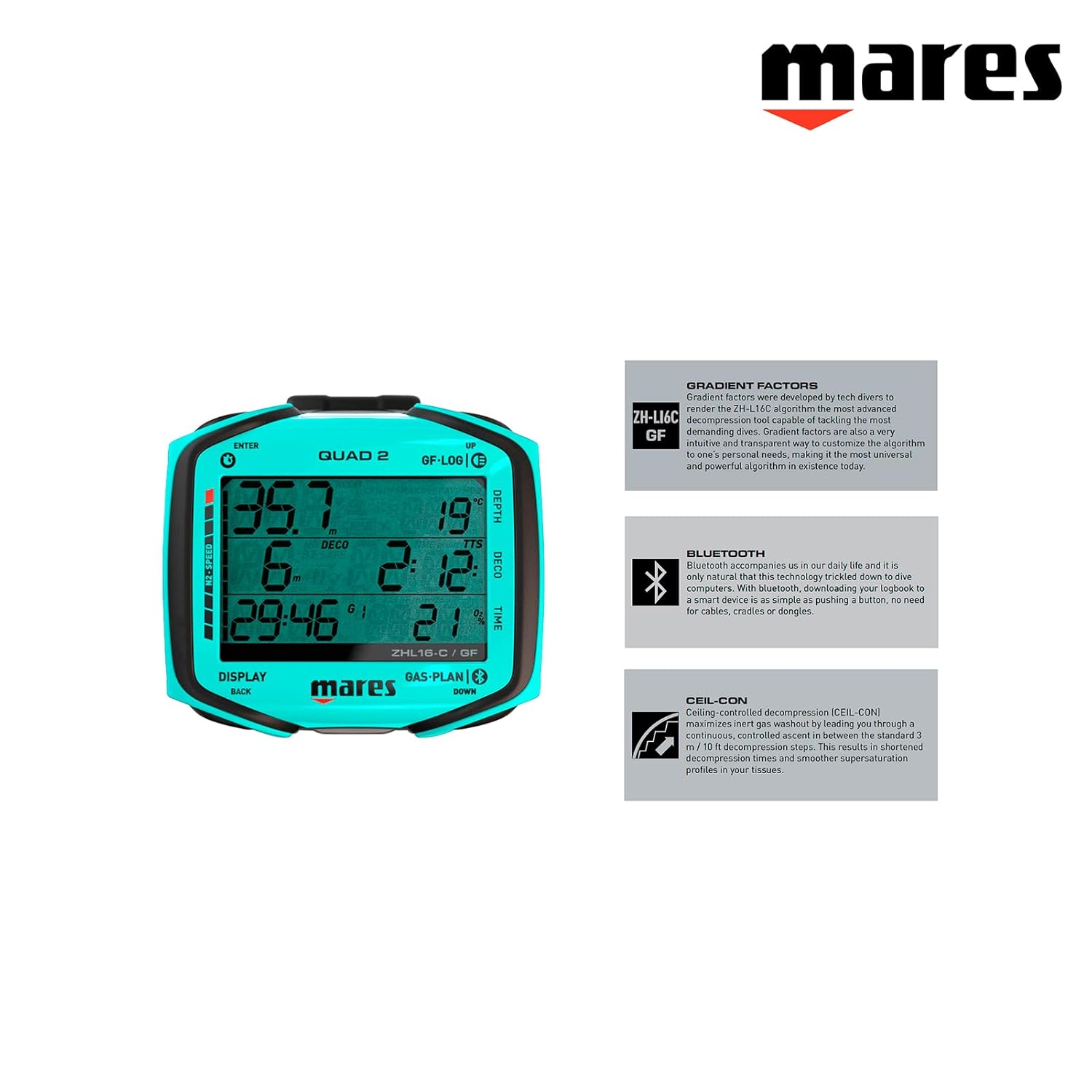
5 paveikslas: Mares Quad 2 highlighting key features: Gradient Factors for customizable decompression, Bluetooth for smart device connectivity, and Ceil-Con for controlled decompression.
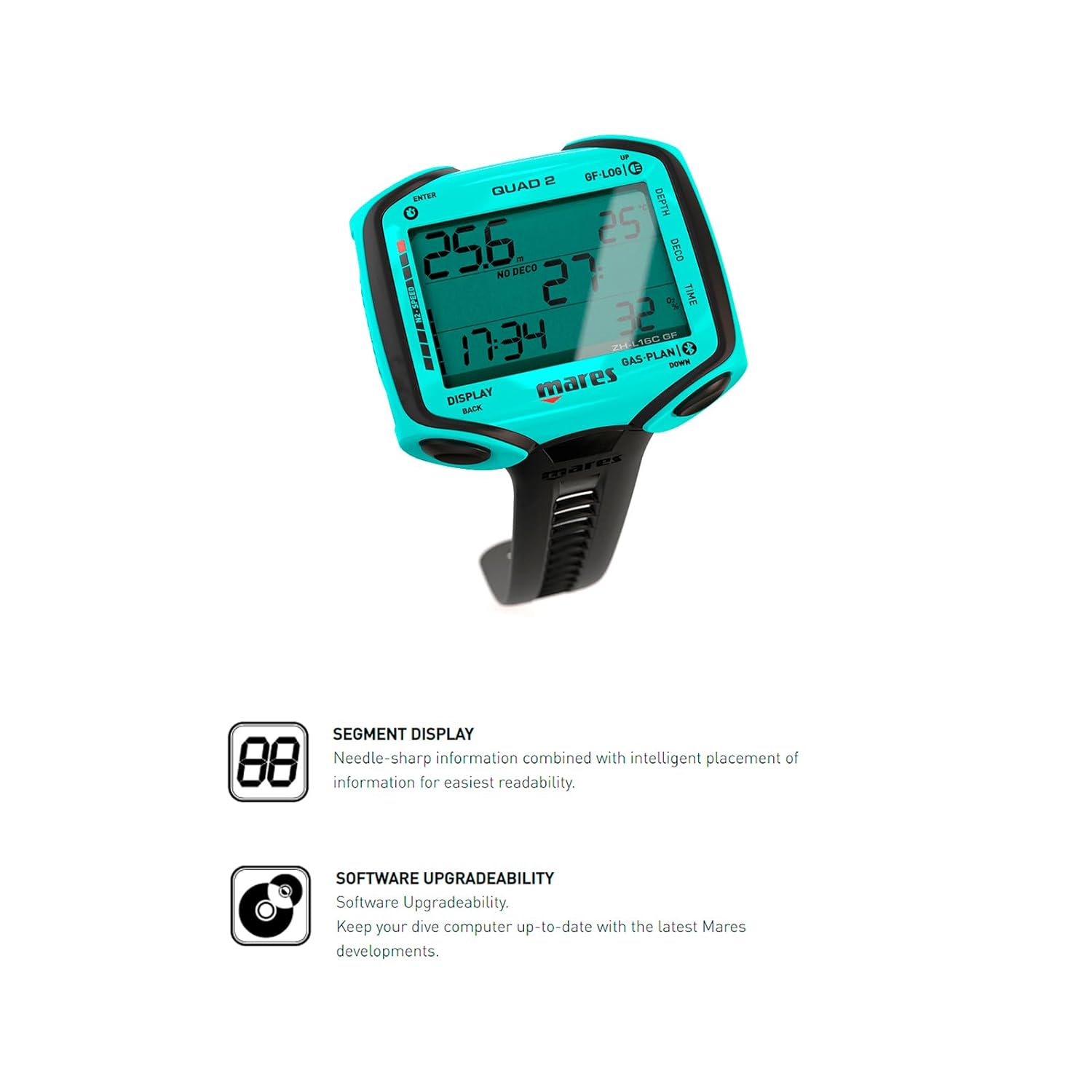
6 paveikslas: Mares Quad 2 highlighting its Segment Display for clear information and Software Upgradeability, allowing for future updates via the Mares app.
Priežiūra
Post-Dive Care
- Rinse the dive computer thoroughly with fresh water after each dive.
- Allow the device to air dry completely before storage.
- Avoid exposing the computer to direct sunlight or extreme temperatures for prolonged periods.
Baterijos keitimas
Replace the CR2430 battery when the low battery indicator appears on the display. Always use a new, high-quality battery and ensure the O-ring is clean and lubricated before sealing the compartment. If you are unsure, consult a certified Mares service center.
Sandėliavimas
Store the Mares Quad 2 in a cool, dry place away from direct sunlight and chemicals. If storing for an extended period, consider removing the battery to prevent leakage.
Trikčių šalinimas
| Problema | Galima priežastis | Sprendimas |
|---|---|---|
| Ekranas tuščias arba blankus. | Low battery or battery incorrectly installed. | Replace battery (CR2430) and ensure correct polarity and secure closure. |
| Mygtukai nereaguoja. | Buttons may be stuck or unit requires reset. | Ensure no debris is lodged around buttons. Try a soft reset (refer to full manual for specific procedure if available). If issue persists, contact service. |
| Inaccurate depth or time readings. | Sensor malfunction or unit calibration issue. | Do not use for diving. Contact a certified Mares service center for inspection and calibration. |
| Bluetooth ryšio problemos. | Device not discoverable, app issues, or interference. | Ensure Bluetooth is enabled on both devices. Restart the Mares app and the dive computer. Check for app updates. |
For issues not listed here or if solutions do not resolve the problem, please contact Mares customer support or an authorized service center.
Specifikacijos
| Funkcija | Detalė |
|---|---|
| Modelio numeris | 414152-AQ |
| Ekrano tipas | Segmented Display with Chip-on-Glass Technology |
| Palaikomos dujos | Air, Nitrox, Trimix |
| Veikimo režimai | Dive (Air, Nitrox, Trimix), Bottom Timer |
| Algoritmas | Bühlmann ZH-L16C (customizable Gradient Factors) |
| Logbook Memory | Up to 100 hours of dive profiles |
| Ryšys | Integruotas Bluetooth |
| Baterijos tipas | CR2430 (keičiamas vartotojas) |
| Matmenys (I x P x A) | 5.25 x 5.25 x 6.75 colio |
| Svoris | 1 svaras |
| UPC | 194151130409 |
Garantija ir palaikymas
Information regarding the specific warranty terms for the Mares Quad 2 Smart Wrist Underwater Scuba Dive Computer was not available in the provided product data. Please refer to the official Mares website or contact Mares customer service for detailed warranty information and support options.
For technical assistance, service, or to purchase accessories, please visit the official Mares website or contact an authorized Mares dealer.
Note: Always ensure that any service or repairs are performed by authorized Mares technicians to maintain product integrity and warranty validity.
Susiję dokumentai - 414152-AQ
 |
„Mares Nemo“ plataus nardymo kompiuterio naudotojo vadovas Išsamus „Mares Nemo“ plataus diapazono nardymo kompiuterio naudotojo vadovas, kuriame išsamiai aprašomos jo funkcijos, nustatymai, nardymo režimai (oras, EAN, dugno laikas), saugos procedūros, atsakinga nardymo praktika, priežiūra, techninės specifikacijos ir trikčių šalinimo DUK. |
 |
Mares Puck Pro Dive Computer Instruction Manual Comprehensive instruction manual for the Mares Puck Pro dive computer, covering setup, operating modes, settings, maintenance, and safety guidelines. |
 |
„Mares QUAD 2“ nardymo kompiuterio naudojimo instrukcija Išsami „Mares QUAD 2“ nardymo kompiuterio naudojimo instrukcija, kurioje aprašomos jo funkcijos, veikimas, nustatymai ir saugos gairės nardant. |
 |
„Mares Puck 4“ nardymo kompiuterio naudojimo instrukcija Šioje išsamioje naudojimo instrukcijoje naudotojai sužinos apie „Mares Puck 4“ nardymo kompiuterio funkcijas, naudojimą ir priežiūrą. Joje aptariami nardymo režimai, nustatymai, signalai, kelių dujų funkcijos, dugno laikmačio režimas, techninės specifikacijos, priežiūros instrukcijos, garantija ir utilizavimas. |
 |
Mares Smart View 80 Naudojimo instrukcija Comprehensive instruction manual for the Mares Smart View 80 underwater phone housing. Learn about operating modes, dive computer settings, maintenance, and safety guidelines for your underwater photography and diving needs. |
 |
„Mares Quad Ci Color“ nardymo kompiuterio naudojimo instrukcija Official instruction manual for the Mares Quad Ci color dive computer, covering setup, operation, safety, and maintenance. |
Ask a question about this manual
Ask about setup, troubleshooting, compatibility, parts, safety, or missing instructions. Manuals+ will review the question and use this page’s manual context to help answer it.