
Įvadas
Thank you for choosing the SWOFY D26 MP3 Player. This device combines advanced audio and video playback capabilities with the versatility of the Android 13 operating system, offering a comprehensive portable entertainment experience. This manual provides essential information for setting up, operating, and maintaining your device.
Produktas baigtasview
Pagrindinės savybės
- Android 13 OS: Powered by an MTK 8-core chip for fast and smooth operation.
- Iš anksto įdiegtos programos: Includes Spotify, Deezer, Amazon Music, and access to the Play Store.
- Aukšta garso kokybė: Powerful audio decoding chip for original sound quality, supporting MP3, WAV, FLAC, APE, OGG, M4A, AAC, WMA, and more.
- 4.7 colių HD jutiklinis ekranas: Full touch display with HiFi sound module for clear visuals, supporting RM, RMVB, FLV, MP4, DAT, MKV, MPG, MOV, TS video formats without conversion.
- Bluetooth 5.0 & Wi-Fi: Stable and fast two-way Bluetooth connection for headphones/speakers, and Wi-Fi for online streaming and app downloads.
- Didelė saugykla: 160GB (32GB ROM + 128GB TF card) internal storage, expandable up to 1TB via external storage.
- Ilgas baterijos veikimo laikas: 2500 mAh battery providing up to 50 hours of music playback or 8 hours of video playback.
Pakuotės turinys
The SWOFY D26 MP3 Player package typically includes the following items:
- SWOFY D26 MP3 Player (160GB)
- USB įkrovimo laidas
- Laidinės ausinės
- Apsauginis dėklas
- Ekrano apsauga
- Vartotojo vadovas (šis dokumentas)

Image: Contents of the SWOFY D26 MP3 Player package.
Sąranka
1. Įrenginio įkrovimas
Before first use, fully charge your SWOFY D26 MP3 Player. Connect the provided USB cable to the device's charging port and the other end to a USB power adapter (not included) or a computer's USB port. The battery indicator on the screen will show charging status. A full charge provides approximately 50 hours of music playback or 8 hours of video playback.
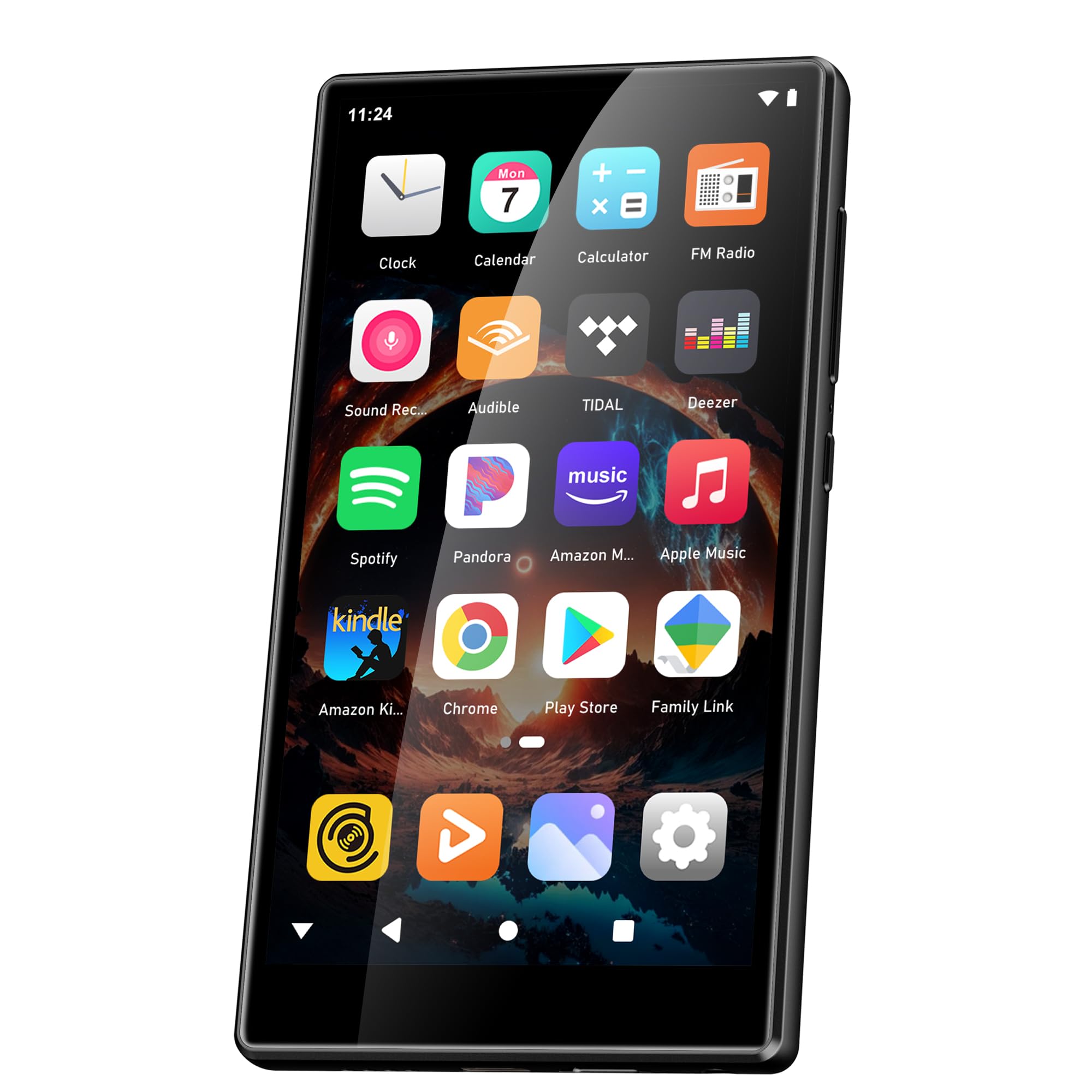
Image: Battery capacity and estimated usage times.
2. Maitinimo įjungimas/išjungimas
- Norėdami įjungti: Paspauskite ir palaikykite maitinimo mygtuką (paprastai šone), kol ekranas užsidegs.
- Norėdami išjungti: Press and hold the Power button, then select "Power Off" from the options that appear on the screen.
- Norėdami paleisti iš naujo: Paspauskite ir palaikykite maitinimo mygtuką, tada iš parinkčių pasirinkite „Paleisti iš naujo“.
3. Pradinė konfigūracija
Upon first power-on, follow the on-screen prompts to set up your device:
- Kalbos pasirinkimas: Pasirinkite pageidaujamą kalbą.
- „Wi-Fi“ ryšys: Connect to a Wi-Fi network to enable internet access for app downloads and streaming.
- Google paskyra: Sign in with your Google account to access the Google Play Store and synchronize data.
4. Atminties išplėtimas
The device comes with 160GB of storage (32GB ROM + 128GB TF card). You can expand the storage further by inserting a microSD card (up to 1TB) into the designated slot.

Image: Device screen showing app icons and storage capacity details.
Naudojimo instrukcijos
1. Jutiklinio ekrano naršymas
The SWOFY D26 features a responsive 4.7-inch HD touchscreen.
- Bakstelėkite: To open an app, select an item, or confirm an action.
- Perbraukimas: To scroll through lists, switch between home screens, or navigate within apps.
- Žiupsnelis: Norėdami priartinti arba atitolinti vaizdus arba web puslapių.

Image: The 4.7-inch HD touchscreen in operation.
2. Muzikos atkūrimas
The device supports various music formats including MP3, WAV, FLAC, APE, OGG, M4A, AAC, WMA.
- Vietinė muzika: Perkelti muziką files to the device's internal storage or microSD card via USB. Use the pre-installed music player app to browse and play your library.
- Srautinio perdavimo paslaugos: Open pre-installed apps like Spotify, Deezer, or Amazon Music. Log in to your accounts to stream music.
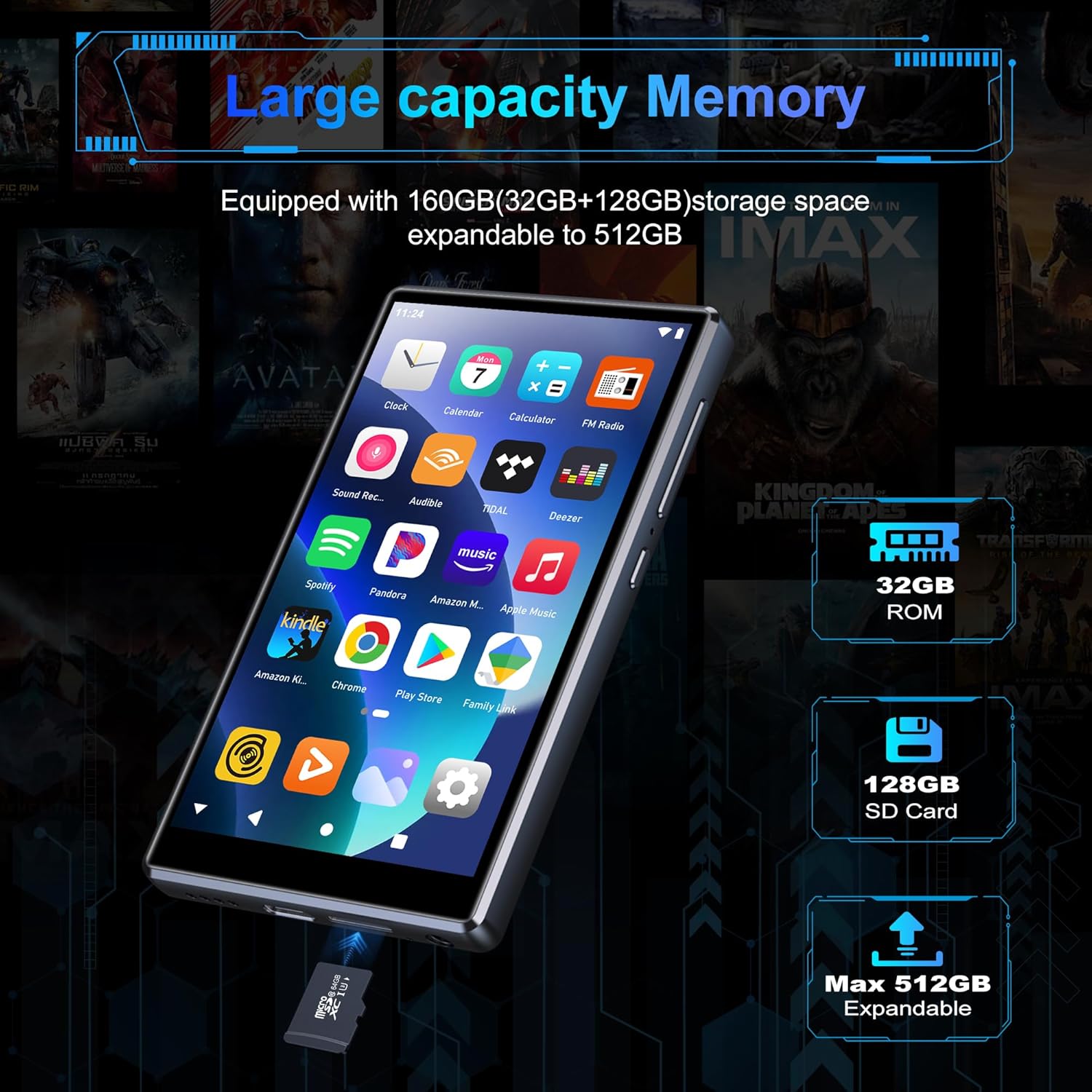
Image: Pre-installed popular applications on the device.
3. Vaizdo įrašų atkūrimas
The SWOFY D26 supports video formats such as RM, RMVB, FLV, MP4, DAT, MKV, MPG, MOV, TS directly, without requiring conversion. Use the default video player app to watch your videos.
4. „Bluetooth“ ryšys
Connect your device to Bluetooth headphones, speakers, or other compatible devices using Bluetooth 5.0.
- Eikite į Nustatymai > Prijungti įrenginiai > Bluetooth.
- Perjungti Bluetooth On.
- Įsitikinkite, kad jūsų „Bluetooth“ priedas veikia susiejimo režimu.
- Iš galimų susieti įrenginių sąrašo pasirinkite savo priedą.
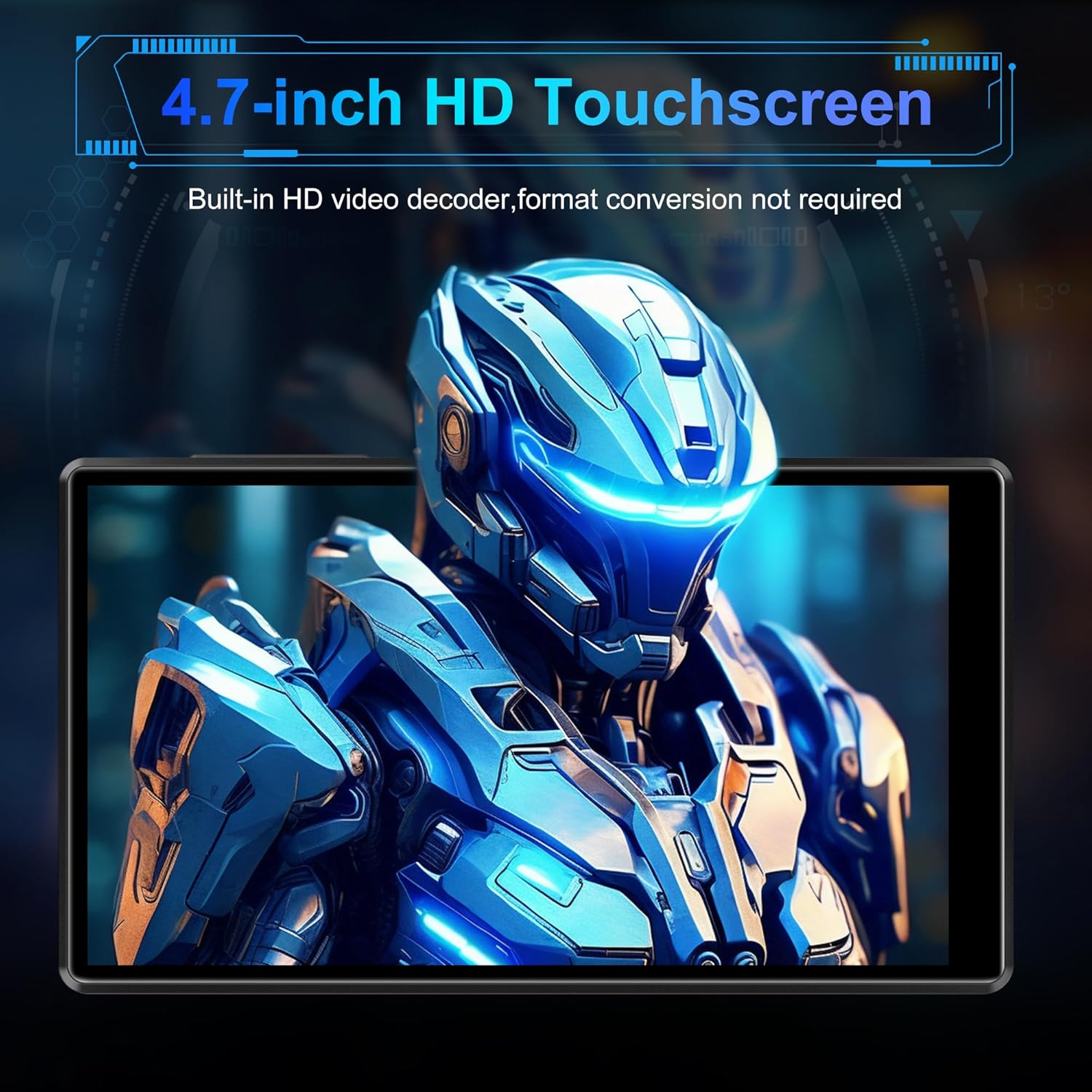
Image: Bluetooth connectivity with wireless earbuds.
5. „Wi-Fi“ ryšys
Connect to a Wi-Fi network to access the internet for streaming, app downloads, and web naršymas.
- Eikite į Nustatymai > Tinklas ir internetas > Wi-Fi.
- Perjungti „Wi-Fi“ On.
- Iš sąrašo pasirinkite norimą „Wi-Fi“ tinklą ir, jei būsite paraginti, įveskite slaptažodį.
6. Programos diegimas
Utilize the Google Play Store to download and install additional applications.
- Ensure you are connected to Wi-Fi and logged into your Google account.
- Atidarykite Play parduotuvė programėlė.
- Ieškokite the desired app and follow the on-screen instructions to install it.
7. File Perdavimas
Connect the SWOFY D26 to a computer using the provided USB cable to transfer music, videos, and other files.
- Prijunkite įrenginį prie kompiuterio.
- On the device, swipe down from the top of the screen to open the notification panel.
- Tap the "USB charging this device" notification, then select "File transfer" or "MTP".
- Your device will appear as a removable drive on your computer, allowing you to drag and drop files.
Priežiūra
Valymas
Įrenginio ekraną ir korpusą valykite minkštu, nepūkuotu audiniu. Venkite naudoti stiprias chemines medžiagas ar abrazyvines medžiagas.
Programinės įrangos atnaujinimai
Periodically check for software updates to ensure optimal performance and access to the latest features.
- Įsitikinkite, kad įrenginys prijungtas prie „Wi-Fi“.
- Eikite į Nustatymai > Sistema > Sistemos atnaujinimas.
- Vykdykite ekrane pateikiamus nurodymus, kad atsisiųstumėte ir įdiegtumėte visus galimus naujinimus.
Akumuliatoriaus priežiūra
Norėdami pailginti baterijos veikimo laiką:
- Venkite ekstremalių temperatūrų.
- Neleiskite baterijai dažnai visiškai išsikrauti.
- Unplug the charger once the device is fully charged.
Trikčių šalinimas
Įrenginys neįsijungia
- Įsitikinkite, kad akumuliatorius įkrautas. Prijunkite įrenginį prie įkroviklio bent 30 minučių.
- Paspauskite ir palaikykite maitinimo mygtuką 10–15 sekundžių, kad priverstumėte paleisti iš naujo.
Cannot Connect to Wi-Fi/Bluetooth
- Ensure Wi-Fi/Bluetooth is enabled in Settings.
- Iš naujo paleiskite įrenginį ir bandykite prisijungti dar kartą.
- For Wi-Fi, verify the password and ensure the router is working correctly.
- For Bluetooth, ensure the accessory is in pairing mode and within range.
Programėlės stringa arba užstringa
- Uždarykite ir vėl atidarykite programą.
- Išvalykite programėlės talpyklą: eikite į Nustatymai > Programėlės > [Programėlės pavadinimas] > Saugykla ir talpykla > Išvalyti talpyklą.
- Iš naujo paleiskite įrenginį.
- Jei problema išlieka, apsvarstykite galimybę pašalinti ir iš naujo įdiegti programą.
Prasta garso kokybė
- Check the volume settings on the device and any connected audio accessories.
- Užtikrinkite garsą files nėra sugadinti.
- Try different headphones or speakers.
Specifikacijos
| Modelio pavadinimas | D26 |
| Operacinė sistema | Android 13 |
| Procesorius | MTK 8 branduolių |
| Ekranas | 4.7-inch HD Touchscreen (LCD) |
| Vidinė saugykla | 160GB (32GB ROM + 128GB TF Card) |
| Išplečiama saugykla | Iki 1 TB (Micro SD) |
| RAM | 4 GB |
| Baterijos talpa | 2500 mAh |
| Muzikos atkūrimo laikas | Iki 50 valandų |
| Vaizdo įrašo atkūrimo laikas | Iki 8 valandų |
| Ryšys | „Bluetooth 5.0“, „Wi-Fi“, USB |
| Palaikomi garso formatai | MP3, WAV, FLAC, APE, OGG, M4A, AAC, WMA |
| Palaikomi vaizdo formatai | RM, RMVB, FLV, MP4, DAT, MKV, MPG, MOV, TS |
| Ypatingos savybės | Built-in speaker, Equalizer, FM Radio, Voice Recorder |
| Suderinami įrenginiai | Bluetooth headphones, Personal computer, Bluetooth speakers |
Informacija apie garantiją
Specific warranty details for the SWOFY D26 MP3 Player may vary by region and retailer. Please refer to the warranty card included with your purchase or visit the official SWOFY website for comprehensive warranty terms and conditions. Information regarding spare parts availability and software update guarantees is not provided in the product specifications.
Palaikymas
For further assistance, technical support, or inquiries regarding your SWOFY D26 MP3 Player, please visit the official SWOFY websvetainėje arba susisiekite su klientų aptarnavimo skyriumi.
Gamintojas: SWOFY