
Įvadas
This manual provides detailed instructions for the setup, operation, and maintenance of your Garmin Tactix 8, 51mm Solar, Elite Tactical GPS Smartwatch. Designed for adventurers and tactical professionals, this premium smartwatch offers robust features for navigation, fitness tracking, and tactical operations. This bundle also includes a Wearable4U PowerBank for extended power on the go.
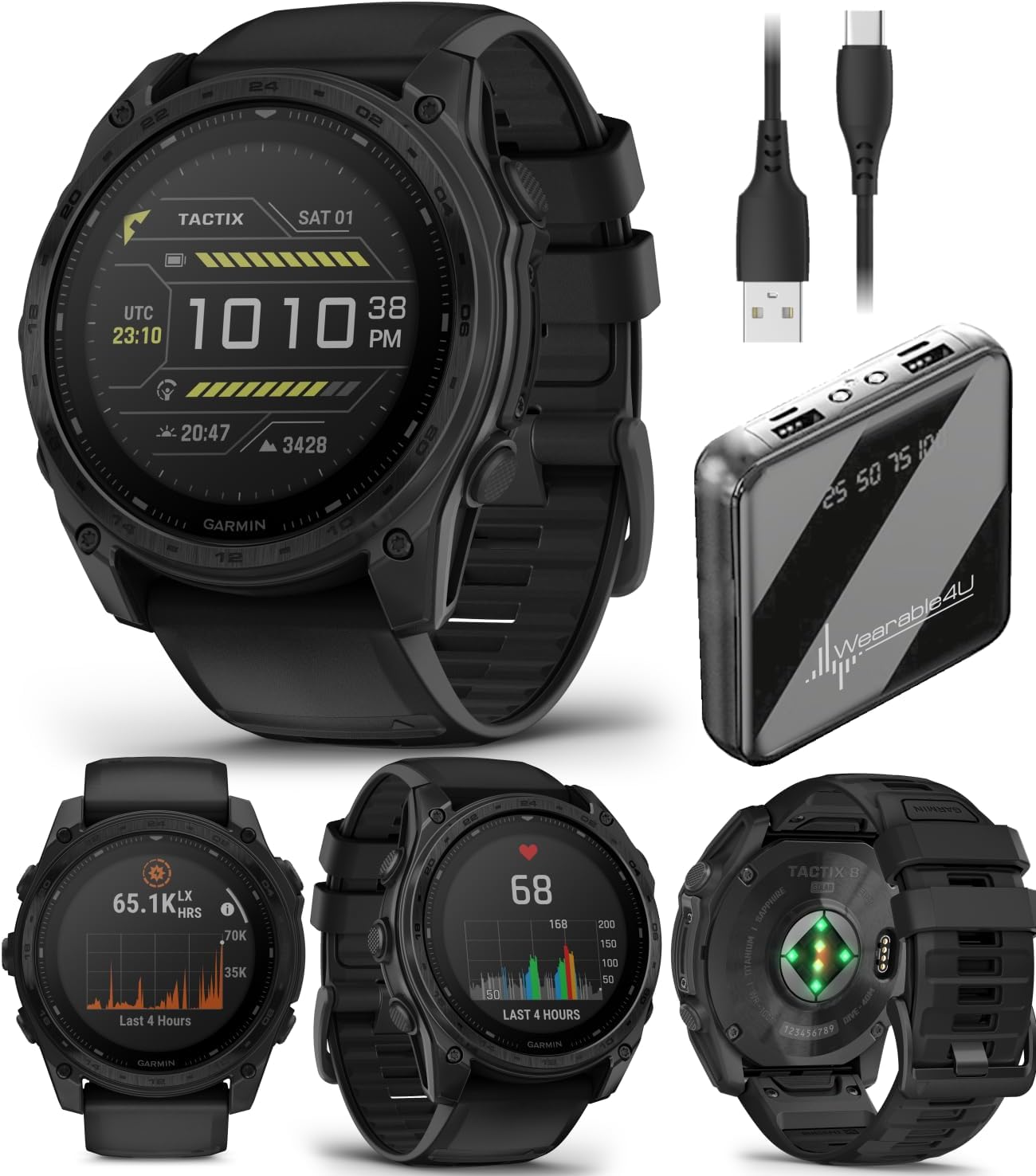
Image: The Garmin Tactix 8 Smartwatch shown alongside the Wearable4U PowerBank and charging cables, illustrating the complete bundle contents.
Sąranka
1. Pradinis įkrovimas
Before first use, ensure your Tactix 8 smartwatch is fully charged. Connect the included charging/data cable to the watch and a USB power source. The watch features a solar-charged display, which can extend battery life when exposed to sunlight. The Wearable4U PowerBank can be used to charge your watch or other devices while away from a wall outlet.
2. Pairing with Garmin Connect App
- Atsisiųskite Garmin Connect mobile app on your compatible smartphone.
- Atidarykite programą ir vadovaukitės ekrane pateikiamomis instrukcijomis, kad sukurtumėte paskyrą arba prisijunkite.
- Select 'Add Device' and choose your Tactix 8 from the list.
- Norėdami užmegzti ryšį, vykdykite susiejimo nurodymus laikrodyje ir išmaniajame telefone.
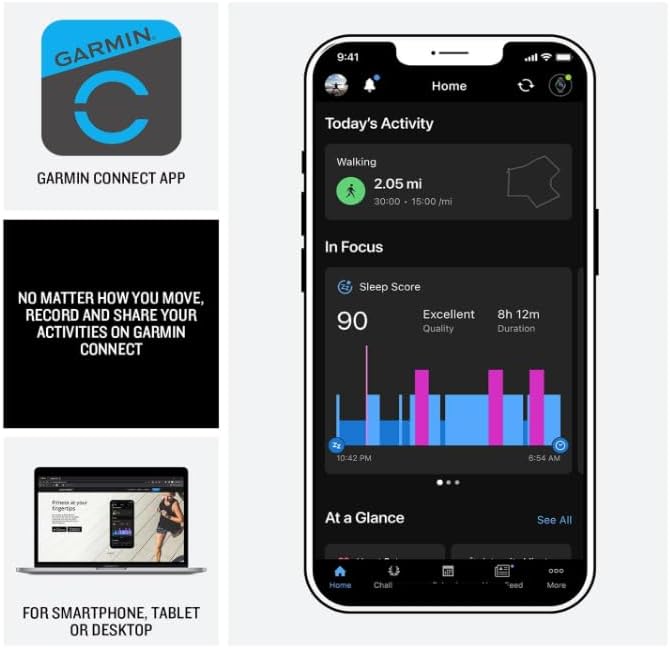
Image: A smartphone screen displaying the Garmin Connect app interface, showing activity tracking and sleep score data. The app is essential for managing watch settings and reviewing performance metrics.
Operating Your Tactix 8 Smartwatch
Navigation and GPS
The Tactix 8 provides superior positioning accuracy with multi-band GPS and SatIQ technology. It includes built-in sensors for a 3-axis compass, gyroscope, and barometric altimeter for comprehensive outdoor navigation.
- Iš anksto įkelti žemėlapiai: Explore with preloaded TopoActive maps featuring relief shading. Access free additional downloadable maps globally.
- Golf & Ski Maps: Built-in maps for thousands of golf courses and ski resorts worldwide.
- Garmin Share: Share saved locations, courses, and workouts with compatible Garmin devices.

Image: A man in outdoor gear navigating through a forest, checking his Garmin Tactix 8 smartwatch. This illustrates the watch's utility for outdoor navigation with its advanced GPS and sensor capabilities.
Tactical Features
Dedicated tactical functionalities enhance operational readiness:
- Jumpmaster Activity: Specialized mode for airborne operations.
- Waypoint Projection: Project waypoints for navigation.
- Dual-Position GPS Format: Display two sets of coordinate systems on one screen.
- Slaptas režimas: Disables GPS and wireless connectivity, and stops saving and sharing your GPS position.
- Nužudymo jungiklis: Wipes all user data from the device.
- Night Vision Compatibility: Allows for operation with night vision goggles.
- Rucking Activity: Specialus profesionalasfile to input and track your pack weight during rucks.
- Applied Ballistics Elite Solver: An advanced, unlocked solver for aiming solutions in long-range shooting. Download the AB Quantum mobile app for profile and target management.

Image: Four different views of the Garmin Tactix 8 watch face, showcasing its tactical features including Applied Ballistics, Stealth Mode, a side profile, and a dive mode display. These illustrate the specialized functions available.
Sveikatos ir fizinio pasirengimo stebėjimas
The Tactix 8 offers comprehensive health and wellness tracking:
- Širdies ritmas pagal riešą: Constantly samples your heart rate to gauge workout intensity.
- Išplėstinis miego stebėjimas: Stebi miegątages and provides insights for improved sleep quality. Includes a sleep coach.
- Respiration Tracking & Pulse Ox: Monitors breathing and blood oxygen saturation (Pulse Ox not available in all countries).
- EKG programėlė: Records heart rhythm and checks for signs of atrial fibrillation (not available in all regions; for people 22 years or older).
- Ryto reportažas: Pritaikoma perview of sleep, training outlook, HRV status, and weather upon waking.
- Sport-Specific Workouts: Targeted strength training plans, real-time stamina tracking, and a full range of built-in sports apps.
- Ištvermės balas: Uses VO2 max, training loads, and other factors to gauge ability to sustain prolonged effort.

Image: Four different views of the Garmin Tactix 8 watch face, displaying health and fitness metrics such as endurance score, smart notifications, a side profile, and a workout tracking screen. These highlight the watch's comprehensive monitoring capabilities.
Papildomos funkcijos
- 40-Meter Dive Rating: Supports scuba and apnea dive activities.
- Integruotas LED žibintuvėlis: Multicolor LED flashlight for low-light conditions (green or white light). Features NVG mode for dimmable green light.
- Aviation Navigation System: Includes worldwide dynamic moving map, GPS navigation, NEXRAD, weather display, and airport information.
- Išmanieji pranešimai: Receive emails, texts, and alerts when paired with your smartphone.
- Integruotas garsiakalbis ir mikrofonas: Make and take phone calls from your watch when paired to your smartphone. Control watch functions with off-grid voice commands.
- Garmin Pay: Contactless payment solution.

Image: A man in low-light conditions using the built-in LED flashlight on his Garmin Tactix 8 smartwatch, which emits a green light. This demonstrates the practical utility of the integrated flashlight feature.
Priežiūra
Įrenginio valymas
Regularly clean your Tactix 8 smartwatch to ensure optimal performance and hygiene. Use a soft, lint-free cloth to wipe the display and watch body. For stubborn dirt, a slightly damp Galima naudoti šluostę. Venkite stiprių cheminių medžiagų ar abrazyvinių medžiagų.
Akumuliatoriaus priežiūra
The Tactix 8 features a solar charging lens. For maximum battery life, expose the watch to direct sunlight for at least 3 hours per day. When not in use for extended periods, store the watch in a cool, dry place. Recharge the Wearable4U PowerBank as needed using its designated charging cable.
Atsparumas vandeniui
The Tactix 8 has a 40-meter dive rating. Rinse the watch with fresh water after exposure to salt water or chlorinated water to prevent corrosion.
Trikčių šalinimas
Bendros problemos ir sprendimai
- Laikrodis neįsijungia: Įsitikinkite, kad laikrodis yra visiškai įkrautas. Prijunkite jį prie įkrovimo laido ir maitinimo šaltinio.
- GPS negauna signalo: Pereikite į atvirą vietą su švaria view of the sky. Ensure GPS is enabled in settings.
- „Bluetooth“ susiejimo problemos: Ensure Bluetooth is enabled on both the watch and your smartphone. Try restarting both devices and re-attempting the pairing process through the Garmin Connect app.
- Netikslūs širdies ritmo rodmenys: Ensure the watch is worn snugly on your wrist, above the wrist bone. Clean the optical sensor on the back of the watch.
- Trumpas baterijos veikimo laikas: Reduce backlight brightness, disable unnecessary features (e.g., Wi-Fi, continuous Pulse Ox), and ensure regular solar charging.
Specifikacijos
| Funkcija | Detalė |
|---|---|
| Modelis | Garmin Tactix 8, 51mm Solar, Elite |
| Ekrano dydis | 1.4 colių |
| Ekrano tipas | Solar charged |
| Objektyvo medžiaga | Safyras |
| Rėmo medžiaga | Titanas |
| Prekės svoris | 3.35 uncijos (95 gramų) |
| Atminties talpa | 32 GB |
| Įdiegtos RAM atminties dydis | 16 GB |
| Operacinė sistema | „Garmin“ operacinė sistema |
| Baterijos tipas | Ličio jonų (į komplektą įeina) |
| Vandens įvertinimas | 40 metrų |
| Ryšys | Bluetooth |
| Ypatingos savybės | Solar charged display, titanium bezel, power sapphire lens, GPS navigation, Bluetooth, Smart connectivity, built-in LED flashlight, advanced tactical features, fitness & health tracking, multisport, Applied Ballistics Ultralight Elite solver |
Garantija ir palaikymas
For detailed warranty information and support, please refer to the official Garmin documentation included with your product or visit the Garmin support website. For specific inquiries regarding the Wearable4U PowerBank bundle, please contact Wearable4U customer service.
Oficialų naudotojo vadovą PDF formatu galima atsisiųsti: Garmin Tactix 8 User Manual (PDF)