
1. Įvadas
This manual provides essential instructions for the safe operation, setup, maintenance, and troubleshooting of your ARRIS WPL C24-1 RC Rock Crawler. Please read this manual thoroughly before using the product to ensure proper function and longevity.

Image: The ARRIS WPL C24-1 RC Rock Crawler, showcasing its detailed design and robust tires.
2. Saugos informacija
Always operate the RC vehicle in a safe and responsible manner. Failure to follow these safety guidelines may result in injury or damage to the product or property.
- Rankas, plaukus ir laisvus drabužius laikykite toliau nuo judančių dalių.
- Nedirbkite šalia žmonių, naminių gyvūnėlių ar kliūčių.
- Avoid operating in wet conditions or near water unless the product is specifically designed for it.
- Ensure batteries are charged correctly and handled with care.
- Rekomenduojama, kad jaunesni nei 15 metų vartotojai būtų prižiūrimi suaugusiųjų.
3. Pakuotės turinys
Patikrinkite, ar pakuotėje yra visi toliau išvardyti daiktai:
- ARRIS WPL C24-1 RC Rock Crawler (1 unit)
- Remote Control Transmitter (1 unit)
- Rechargeable Battery (1 unit, 7.4V 500mAh)
- Įkrovimo laidas (1 vnt.)
- Instrukcijų vadovas (šis dokumentas)
4. Sąrankos vadovas
4.1. Transporto priemonės akumuliatoriaus įkrovimas
The vehicle battery (7.4V 500mAh) requires charging before first use. A full charge takes approximately 2 hours and provides about 30 minutes of operation.
- Locate the battery compartment on the underside of the RC crawler.
- Connect the rechargeable battery to the provided charging cable.
- Plug the charging cable into a suitable USB power source (e.g., computer USB port, USB wall adapter).
- The indicator light on the charging cable will show the charging status (refer to charger instructions for specific light patterns).
- Once fully charged, disconnect the battery from the charger and install it into the vehicle's battery compartment.
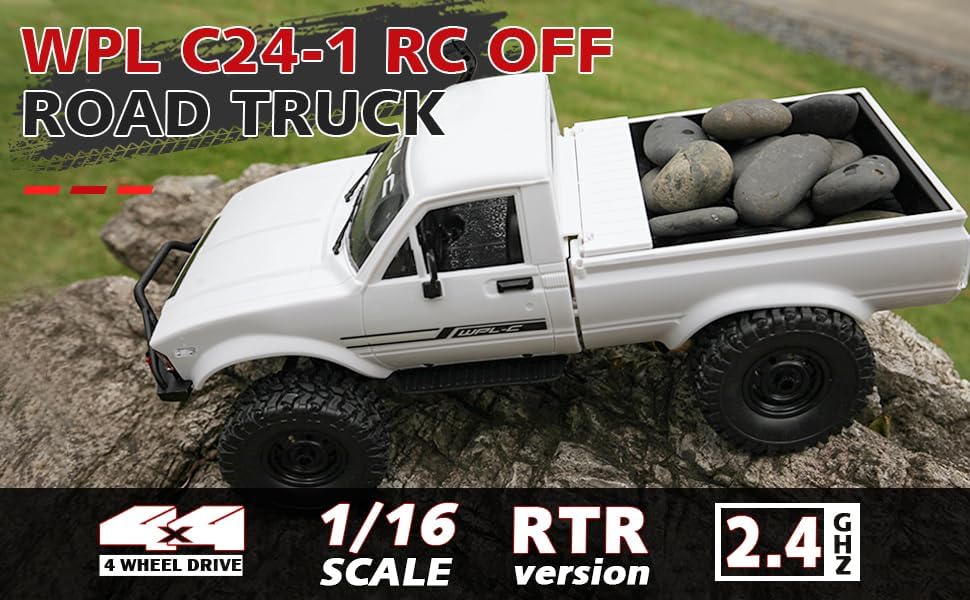
Image: Underside of the RC crawler, highlighting the battery and chassis components.
4.2. Nuotolinio valdymo pulto baterijų įdėjimas
The remote control requires 1 C battery (included). Ensure correct polarity when installing.
- Atidarykite baterijų dangtelį nuotolinio valdymo pulto gale.
- Insert the C battery according to the polarity markings (+/-).
- Saugiai uždarykite akumuliatoriaus dangtelį.
4.3. Nuotolinio valdymo pulto suporavimas
The RC crawler and remote control are typically pre-paired. If re-pairing is necessary:
- Turn on the RC crawler using the switch located on the chassis.
- Įjunkite nuotolinio valdymo pultą.
- The indicator light on the remote control should stop flashing and remain solid, indicating a successful connection.
- If the connection fails, turn both devices off and repeat the process.
5. Naudojimo instrukcijos
5.1. Pagrindiniai valdikliai
- Droselio gaidukas: Traukite, norėdami judėti į priekį, stumkite, norėdami stabdyti / važiuoti atbuline eiga.
- Vairas: Pasukite į kairę, kad pasuktumėte į kairę, pasukite į dešinę, kad pasuktumėte į dešinę.
- Apdailos reguliavimas: Use the trim dials on the remote to fine-tune steering and throttle if the vehicle pulls to one side or moves without input.
5.2. Vairavimo patarimai
The ARRIS WPL C24-1 is designed for off-road crawling. Its 4WD system and independent suspension allow it to navigate various terrains.
- For optimal crawling, use slow and controlled throttle inputs.
- Experiment with steering angles to overcome obstacles.
- The vehicle features highlight LED lights for improved visibility in low-light conditions.

Image: The RC crawler navigating a challenging rocky path, demonstrating its off-road capabilities.

Image: The RC crawler traversing sandy terrain, showcasing its 4WD design.
6. Priežiūra
6.1. Valymas
After each use, especially in dusty or dirty conditions:
- Use a soft brush or compressed air to remove dirt and debris from the chassis, wheels, and suspension.
- Nuvalykite kūną skelbimuamp audinys. Nenaudokite stiprių cheminių medžiagų.
- Ensure no moisture enters electronic components.
6.2. Baterijos priežiūra ir laikymas
- Visada atjunkite akumuliatorių nuo transporto priemonės, kai jos nenaudojate.
- Baterijas laikykite vėsioje, sausoje vietoje, toliau nuo tiesioginių saulės spindulių ir ekstremalių temperatūrų.
- Neperkraukite ir per daug neiškraukite baterijų.
6.3. Komponentų apžiūra
Reguliariai tikrinkite šiuos komponentus, ar nėra susidėvėjimo ar pažeidimų:
- Wheels and tires for damage or excessive wear.
- Suspension components (shocks, springs, linkages).
- Steering mechanism for smooth operation.
- All screws and fasteners for tightness.
7. Problemų sprendimas
| Problema | Galima priežastis | Sprendimas |
|---|---|---|
| Transporto priemonė nereaguoja. | Low vehicle battery; Low remote control battery; Not paired. | Charge vehicle battery; Replace remote control battery; Re-pair remote control. |
| Transporto priemonė juda lėtai arba netolygiai. | Low vehicle battery; Obstruction in drivetrain; Motor issue. | Charge vehicle battery; Clear obstructions; Contact support if motor issue persists. |
| Vairavimas nepastovus arba nereaguoja. | Steering trim incorrect; Damaged servo; Obstruction. | Adjust steering trim; Inspect servo for damage; Clear obstructions. |
| Trumpas veikimo diapazonas. | Interference; Low remote control battery. | Move to an area with less interference; Replace remote control battery. |
8. Gaminio specifikacijos
| Funkcija | Detalė |
|---|---|
| Modelio numeris | WPL C24-1 |
| Prekės ženklas | ARRIS |
| Skalė | 1:16 |
| Gaminio matmenys | 12.2 x 5.78 x 4.44 colio |
| Prekės svoris | 2.4 svaro |
| Medžiaga | ABS + metalas |
| Variklis | 180 šlifuotas variklis |
| Akumuliatorius (transporto priemonė) | 7.4V 500mAh (included) |
| Įkrovimo laikas | apytiksliai 2 valandas |
| Veikimo laikas | apytiksliai 30 minučių |
| Nuotolinio valdymo dažnis | 2.4 GHz |
| Kontrolinis atstumas | Virš 35 metrų |
| Maksimalus greitis | 20 km/val |
| Rekomenduojamas amžius | 15 metai ir daugiau |
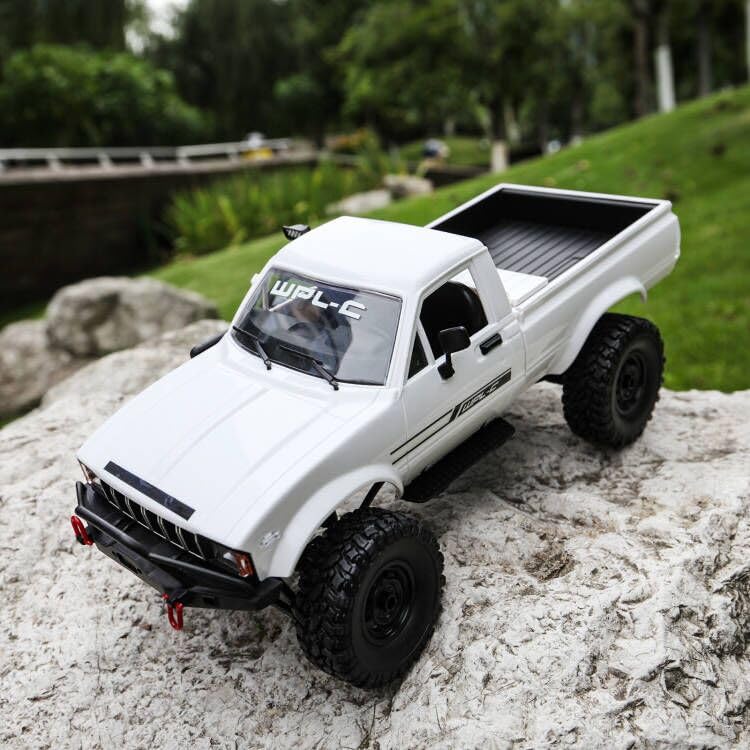
Vaizdas: Šoninė view of the RC crawler with key dimensions indicated.

Vaizdas: Išsamus view of the RC crawler's chassis, showing components like the motor, suspension, and drive shafts.
9. Garantija ir palaikymas
ARRIS products are manufactured to high-quality standards. For warranty information or technical support, please refer to the official ARRIS website or contact customer service through your purchase platform.
Išsaugokite pirkimo kvitą kaip pirkimo įrodymą bet kokiems garantiniams prašymams.
Dėl papildomos pagalbos apsilankykite ARRIS Store on Amazon.