
1. Įvadas
This manual provides essential information for setting up, operating, maintaining, and troubleshooting your new CyberPowerPC Gamer Xtreme GXiVR8060A47 Gaming PC. This system is designed for high-performance gaming and demanding multimedia tasks, featuring an Intel Core i5-14400F processor and NVIDIA GeForce RTX 5060 graphics.
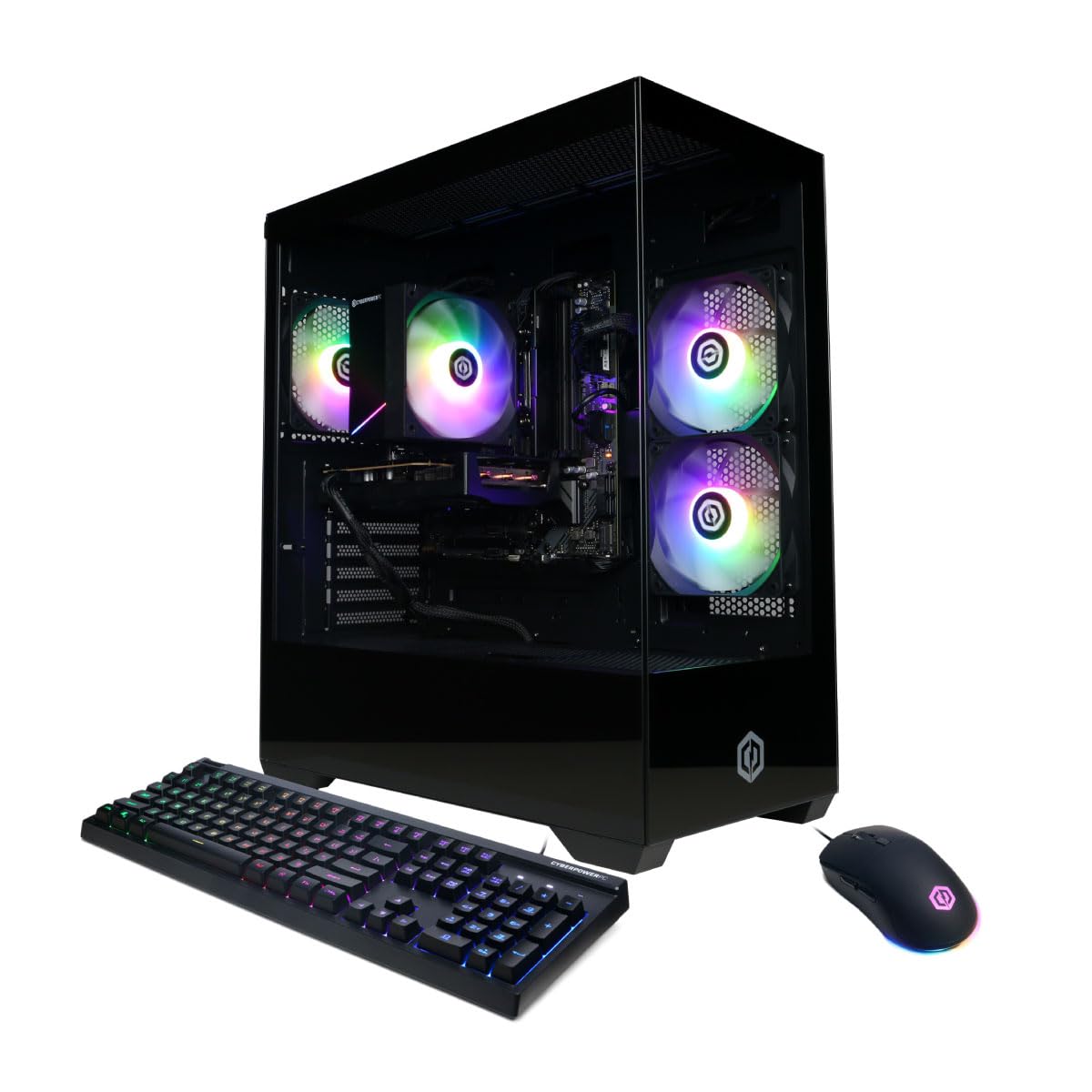
Vaizdas: priekis view of the CyberPowerPC Gamer Xtreme GXiVR8060A47 Gaming PC with RGB lighting.
2. Pakuotės turinys
Patikrinkite, ar pakuotėje yra visi reikalingi daiktai:
- CyberPowerPC Gamer Xtreme GXiVR8060A47 Gaming PC
- Maitinimo laidas
- Žaidimų klaviatūra
- Žaidimų pelė
- Dokumentacija (įskaitant šį vadovą)

Image: The CyberPowerPC gaming desktop tower, keyboard, and mouse.
3. Sąrankos vadovas
3.1 Išpakavimas ir įdėjimas
- Carefully remove the PC and all accessories from the packaging. Retain packaging for future transport or warranty claims.
- Pastatykite kompiuterį ant stabilaus, lygaus paviršiaus, kuriame būtų tinkama ventiliacija. Įsitikinkite, kad aplink oro įsiurbimo ir išleidimo angas yra laisvos vietos.
- Remove any internal packing foam or protective films from the PC components.
3.2 Išorinių įrenginių prijungimas
Connect your monitor, keyboard, mouse, and other peripherals to the appropriate ports on the back of the PC.
- Monitorius: Connect your monitor to the graphics card (NVIDIA GeForce RTX 5060) ports (HDMI or DisplayPort). Do not connect to the motherboard's video outputs if a dedicated graphics card is installed.
- Klaviatūra ir pelė: Connect to any available USB ports.
- Galia: Connect the power cord to the PC's power supply unit (PSU) and then to a grounded electrical outlet.
- Tinklas: For wired internet, connect an Ethernet cable to the LAN port. For wireless internet, the system is WiFi 6 ready.

Vaizdas: Galinis view of the PC showing various connectivity ports for peripherals.
3.3 Pradinis paleidimas
- Press the power button located on the front or top of the PC.
- The system will boot into Windows 11 Home. Follow the on-screen instructions to complete the initial Windows setup, including language, region, and user account creation.
- It is recommended to check that the graphics card is securely seated in its slot after shipping. Gently press down on the graphics card near the PCIe slot to ensure it is fully engaged.
4. Naudojimo instrukcijos
4.1 Maitinimo įjungimas/išjungimas
- Maitinimas: Vieną kartą paspauskite maitinimo mygtuką.
- Išjungti: Click the Start button in Windows, then select Power > Shut down. Avoid directly holding the power button to turn off the PC, as this can lead to data loss or system corruption.
- Paleisti iš naujo: „Windows“ sistemoje spustelėkite mygtuką „Pradėti“, tada pasirinkite „Maitinimas“ > „Paleisti iš naujo“.
4.2 „Windows 11 Home“
Your PC comes pre-installed with Windows 11 Home. Familiarize yourself with its interface and features. Regular updates are crucial for security and performance.
4.3 Žaidimai ir našumas
The CyberPowerPC Gamer Xtreme GXiVR8060A47 is optimized for gaming. For optimal performance:
- Ensure graphics drivers are up to date. Visit the NVIDIA webSvetainė, kurioje rasite naujausias tvarkykles.
- Close unnecessary background applications when gaming.
- Adjust in-game graphics settings to balance visual quality and frame rate according to your preference.
4.4 RGB apšvietimo valdymas
Your PC features custom RGB lighting. Control options may include:
- Dėklo mygtukas: A dedicated button on the PC case allows cycling through various lighting modes and colors.
- Programinės įrangos valdymas: For advanced customization, connect the RGB fan cables to the motherboard's RGB headers and use compatible motherboard software (if available) to synchronize and control lighting effects. Refer to your motherboard manual for specific instructions.

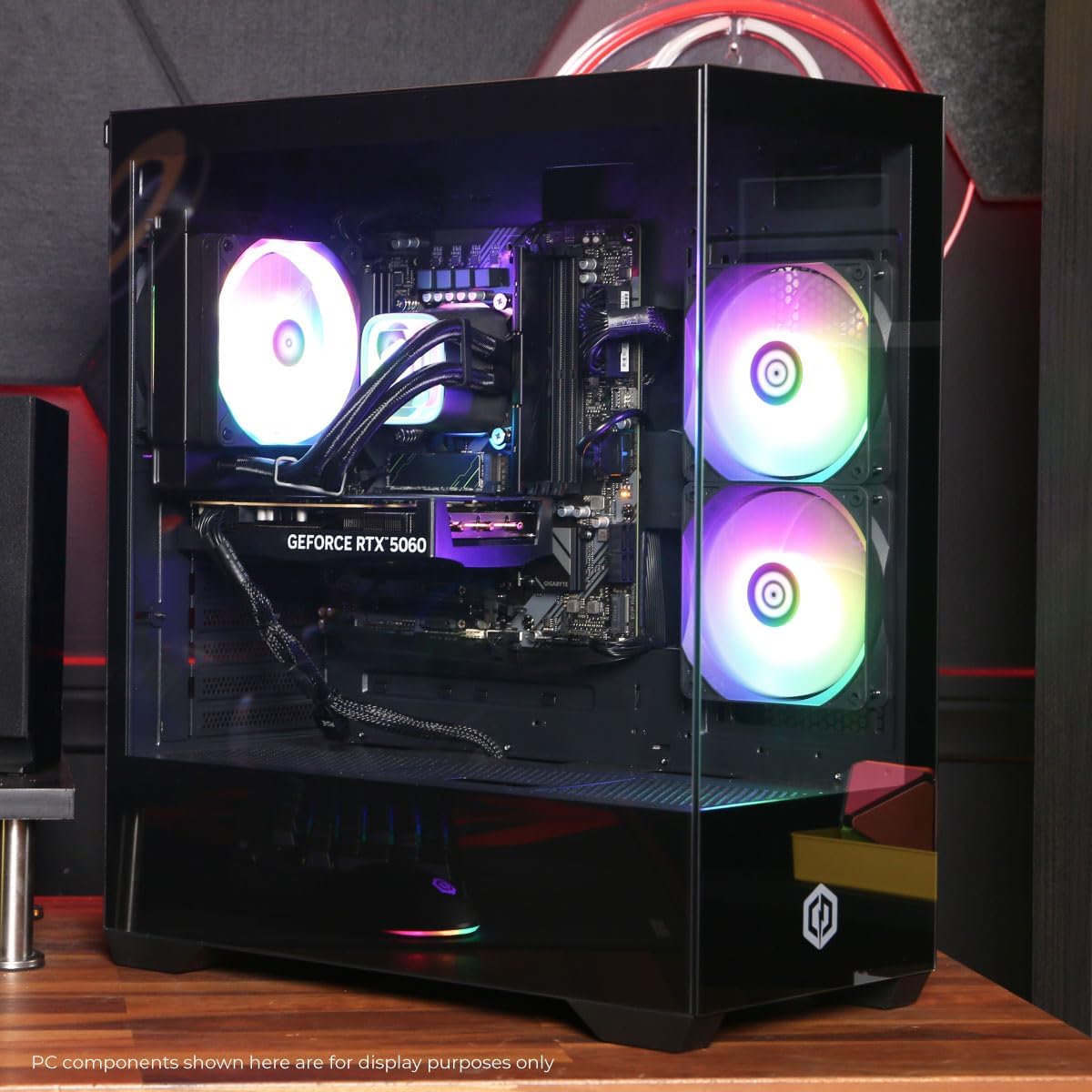
Vaizdas: vidinis view of the PC showcasing the RGB fans and components.
5. Priežiūra
5.1 Cleaning Your PC
- Išorė: Naudokite minkštą, damp cloth to wipe down the exterior of the case. Avoid harsh chemicals.
- Interjeras: Periodically clean dust from inside the PC using compressed air. Focus on fans (CPU cooler, case fans, GPU fans) and heatsinks. Ensure the PC is powered off and unplugged before opening the case.
- Dulkių filtrai: If your case has removable dust filters, clean them regularly to maintain optimal airflow.
5.2 Programinės įrangos naujiniai
Regularly update your operating system, drivers (especially graphics drivers), and antivirus software to ensure system stability, security, and performance.
5.3 Oro srautas ir aušinimas
Proper airflow is critical for component longevity. Ensure the PC is placed in an open area, not confined in a cabinet, to allow for unrestricted air circulation.
Vaizdas: Viršus view of the PC, highlighting the mesh panel for ventilation.
6. Problemų sprendimas
Jei kyla problemų, vadovaukitės toliau pateiktais įprastais trikčių šalinimo veiksmais.
- Nėra ekrano: Ensure your monitor is connected to the graphics card's output, not the motherboard's. Check all cable connections (power, video). Try a different video cable or monitor if possible.
- Kompiuteris neįsijungia: Verify the power cord is securely connected to both the PC and the wall outlet. Check the power switch on the PSU (if present) is in the 'On' position. Try a different power outlet.
- Per didelis ventiliatoriaus triukšmas: This can indicate dust buildup or a fan issue. Clean the interior of the PC as described in the Maintenance section. If the noise persists, contact support.
- System Instability/Blue Screen Errors (BSOD): Ensure all drivers are updated. Check for Windows updates. Run a memory diagnostic tool (Windows Memory Diagnostic) to check RAM integrity. Ensure components are properly seated.
- Periferiniai įrenginiai neveikia: Try connecting the keyboard or mouse to different USB ports. Ensure drivers are installed for specialized peripherals.
Jei problemų kyla nuolat, kontaktinę informaciją rasite skyriuje „Garantija ir palaikymas“.
7. Specifikacijos
| Komponentas | Detalė |
|---|---|
| Modelio pavadinimas | Gamer Xtreme GXiVR8060A47 |
| Procesorius | „Intel Core i5-14400F“ 2.5 GHz (10 branduolių) |
| Lustų rinkinys | Intel B760 |
| Vaizdo plokštė | NVIDIA GeForce RTX 5060 8GB GDDR7 |
| RAM | 16 GB DDR5 (4800 MT/s) |
| Sandėliavimas | 1 TB PCIe 4.0 NVMe SSD diskas |
| Operacinė sistema | Windows 11 Home |
| Ryšys | WiFi 6, Bluetooth 5.3, 1x LAN |
| USB prievadai | 2 x USB-A 3.2, 6 x USB-A 2.0 (Total 8) |
| Vaizdo išvestis | 1x HDMI, 2x DisplayPort |
| Garsas | 7.1 kanalo garsas |
| Matmenys (I x P x A) | apytiksliai 19.09 x 8.27 x 18.90 colių (54.5 x 52.5 x 29.5 cm) |
| Svoris | apytiksliai 13.96 kg |

Paveikslėlis: Išsamus vidinis view of the PC showing the CPU cooler, RAM, and graphics card.
8. Garantija ir palaikymas
8.1 Informacija apie garantiją
Your CyberPowerPC Gamer Xtreme GXiVR8060A47 Gaming PC comes with a 1 metų ribota garantija apimanti dalis ir darbą. Prašome išsaugoti pirkimo įrodymą garantiniams reikalavimams.
8.2 Techninė pagalba
CyberPowerPC offers Nemokama visą gyvenimą trunkanti techninė pagalba for your product. For assistance with setup, troubleshooting, or any other technical inquiries, please contact CyberPowerPC customer service.
Contact information can typically be found on the CyberPowerPC official website or in the documentation included with your PC.