
Taiahiro BK6301
Taiahiro Mechanical Gaming Keyboard and Mouse Combo User Manual
Model: BK6301 | Brand: Taiahiro
1. Įvadas
This manual provides detailed instructions for the setup, operation, and maintenance of your Taiahiro Mechanical Gaming Keyboard and Mouse Combo (Model BK6301). Please read this manual thoroughly before using the product to ensure optimal performance and longevity.
2. Pakuotės turinys
- Taiahiro Mechanical Gaming Keyboard (Model BK6301)
- Taiahiro RGB žaidimų pelė
- Pelės kilimėlis
- Vartotojo vadovas
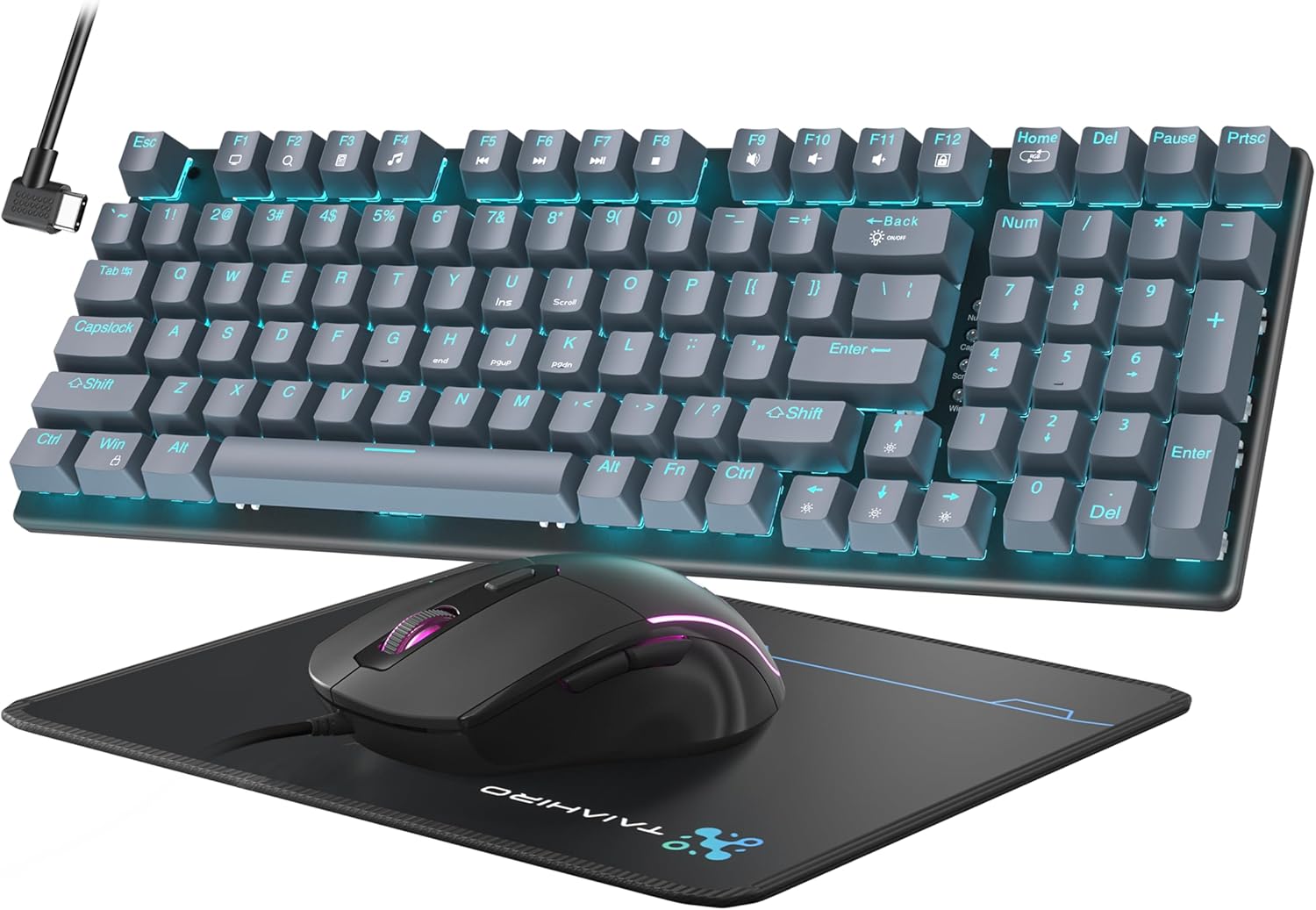
Figure 2.1: Taiahiro Mechanical Gaming Keyboard and Mouse Combo.
3. Sąranka
The Taiahiro Mechanical Gaming Keyboard and Mouse Combo is a plug-and-play device, requiring no additional drivers or software for basic functionality. Both the keyboard and mouse connect via USB-A.
3.1 Klaviatūros ir pelės prijungimas
- Raskite laisvą USB-A prievadą savo kompiuteryje (PC arba Mac).
- Plug the USB connector of the keyboard into the USB-A port.
- Plug the USB connector of the mouse into another available USB-A port.
- The devices should be automatically recognized by your operating system.
Video 3.1: Introduction to the Taiahiro Mechanical Keyboard and Mouse, demonstrating basic setup and features.
Video 3.2: Unboxing and initial setup of the Taiahiro Typewriter Mechanical Keyboard and Mouse.
4. Naudojimo instrukcijos
4.1 Klaviatūros funkcijos
The keyboard features a 98-key full-size layout, including a numeric keypad, designed for both gaming and professional use. It utilizes durable mechanical switches for tactile and audible feedback.
- Mechaniniai jungikliai: Provides responsive and smooth keystrokes with tactile feedback. The keyboard features blue mechanical switches.
- Klaviatūros dangteliai: Double-shot-molded ABS keycaps are wear-resistant, non-fading, and removable for easy cleaning.
- Anti-ghosting: Full anti-ghosting ensures all key presses are registered accurately during intense gaming sessions.
- Ergonomiškas dizainas: The keyboard has an ergonomic, sloped design with adjustable feet for comfortable typing.

4.1 pav. Baigtaview of keyboard and mouse features including LED backlight, mouse/pad combo, floated layout, double shot keycaps, ergonomic design, 98 keys full size, N-keys rollover, and tactile mechanical switch.

4.2 pav. Išsamus view of the blue mechanical switches, highlighting key force, stroke travel, and key life.
4.2 Klaviatūros foninis apšvietimas
The keyboard features 18 modes of blue LED backlighting. Brightness and breathing speed can be adjusted.
- Perjungimo režimai: Paspauskite Fn + Pagrindinis to cycle through 18 different lighting modes.
- Ryškumo reguliavimas: Paspauskite Fn + ↑ (Rodyklė aukštyn) arba Fn + ↓ (Down Arrow) to adjust the backlight brightness (5 levels).
- Greičio reguliavimas: Paspauskite Fn + ← (Rodyklė kairėn) arba Fn + → (Right Arrow) to adjust the breathing speed (5 levels).
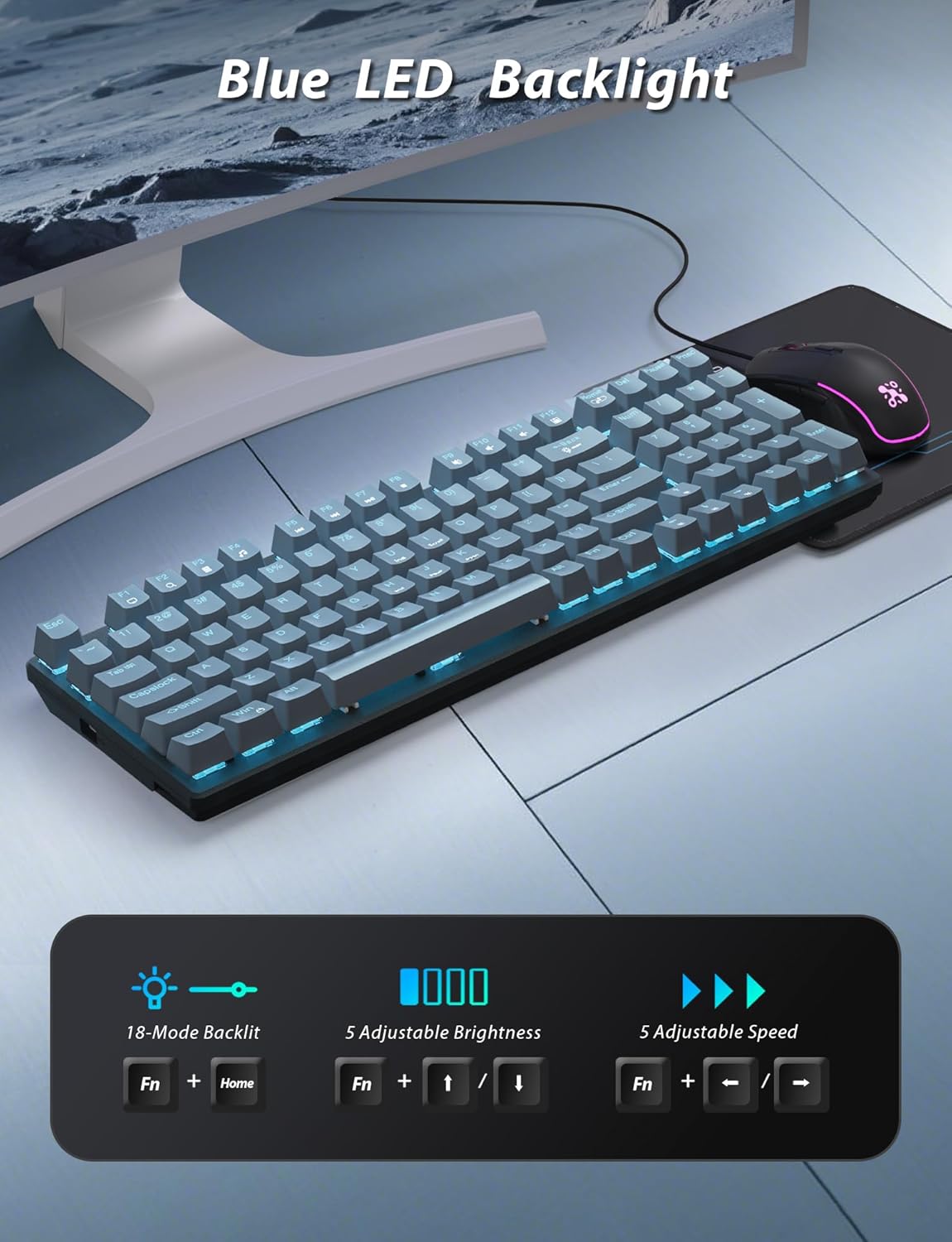
Figure 4.3: Visual guide for adjusting LED backlight modes, brightness, and speed using Fn key combinations.
Video 4.1: Demonstration of the Taiahiro Mechanical Gaming Keyboard and Mouse & Pad Combo, including keyboard backlighting and typing experience.
4.3 Pelės funkcijos
The wired gaming mouse is equipped with a high-precision optical sensor and features customizable RGB backlighting.
- Reguliuojamas DPI: Cycle through 4 DPI levels (800/1600/2400/3200) to match your preference for precision and speed.
- RGB foninis apšvietimas: Features 7-color lighting with a constantly breathing and cycling effect.
- Ergonomiškas dizainas: Contoured shape fits comfortably in the hand with a textured grip for secure hold, reducing hand fatigue.
- Programuojami mygtukai: Side buttons can be programmed for gaming purposes.
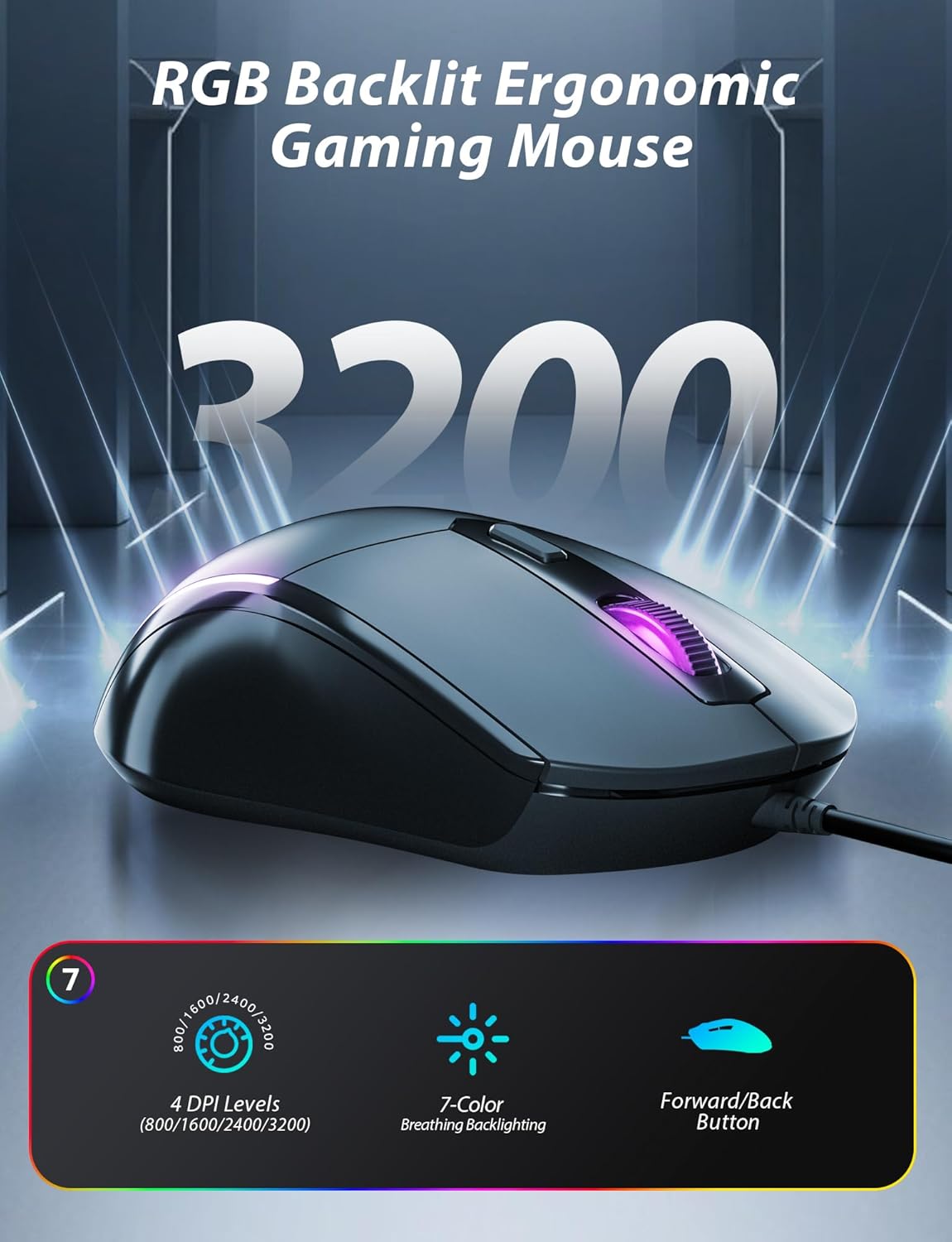
Figure 4.4: Features of the RGB backlit ergonomic gaming mouse, including 4 DPI levels, 7-color breathing backlighting, and forward/back buttons.

Figure 4.5: Illustration of the ergonomic design for both the keyboard (adjustable stand) and mouse (responsive, fits the hand).
5. Priežiūra
5.1 Klaviatūros valymas
To maintain the keyboard's appearance and functionality, regular cleaning is recommended.
- Prieš valydami atjunkite klaviatūrą nuo kompiuterio.
- The keycaps are removable for easy cleaning. Gently pull them off to clean underneath.
- Naudokite minkštą, damp cloth to wipe down the surface of the keyboard and mouse.
- For stubborn dirt, a mild cleaning solution can be applied to the cloth (not directly to the device).
- Ensure all components are completely dry before reconnecting.
6. Problemų sprendimas
If you encounter any issues with your Taiahiro Mechanical Gaming Keyboard and Mouse Combo, please refer to the following common solutions:
- Įrenginys nereaguoja: Ensure both the keyboard and mouse USB cables are securely plugged into your computer's USB-A ports. Try a different USB port or restart your computer.
- Foninio apšvietimo problemos: If the backlighting is not working or not displaying correctly, ensure the keyboard is properly connected. Use the Fn + Home key combination to cycle through lighting modes, and Fn + Arrow keys to adjust brightness and speed.
- Pelės DPI reguliavimas: If the mouse sensitivity is not as expected, press the DPI button on the mouse to cycle through the available DPI settings (800/1600/2400/3200).
- Pagrindinės funkcijos: If a specific key is not responding, ensure no debris is lodged under the keycap. If removable, carefully remove the keycap and clean the switch.
7. Specifikacijos
| Funkcija | Specifikacija |
|---|---|
| Prekės ženklas | Taiahiro |
| Modelio numeris | BK6301 |
| Klaviatūros tipas | Mechaninė žaidimų klaviatūra |
| Raktų išdėstymas | 98-Key Full-Size with Numeric Keypad |
| Klaviatūros dangtelio tipas | Double-shot-molded ABS, Floating Keycap |
| Jungiklio tipas | Mechaniniai (mėlyni jungikliai) |
| Foninis apšvietimas | 18 Modes Blue LED Backlighting |
| Anti-Ghosting | Full Anti-Ghost |
| Pelės tipas | Laidinė RGB žaidimų pelė |
| Pelės DPI lygiai | 800/1600/2400/3200 |
| Mouse Backlighting | 7-Color Breathing RGB |
| Ryšys | USB (laidinis) |
| Suderinami įrenginiai | Personal Computer (macOS, Windows) |
| Matmenys (klaviatūra) | 38.4 x 13.8 x 7.7 cm |
| Svoris (klaviatūra) | 1.24 kg |
8. Garantija ir palaikymas
For warranty information and customer support, please refer to the product packaging or contact Taiahiro customer service directly. Keep your purchase receipt for warranty claims.
Ask a question about this manual
Ask about setup, troubleshooting, compatibility, parts, safety, or missing instructions. Manuals+ will review the question and use this page’s manual context to help answer it.