
1. Produktas baigtasview
The LOLARAN N71 Mixed Denomination Money Counter is designed for efficient, secure, and accurate cash handling. It supports counting mixed denominations of a single currency, as well as offering batch and accumulation modes for versatile currency processing.
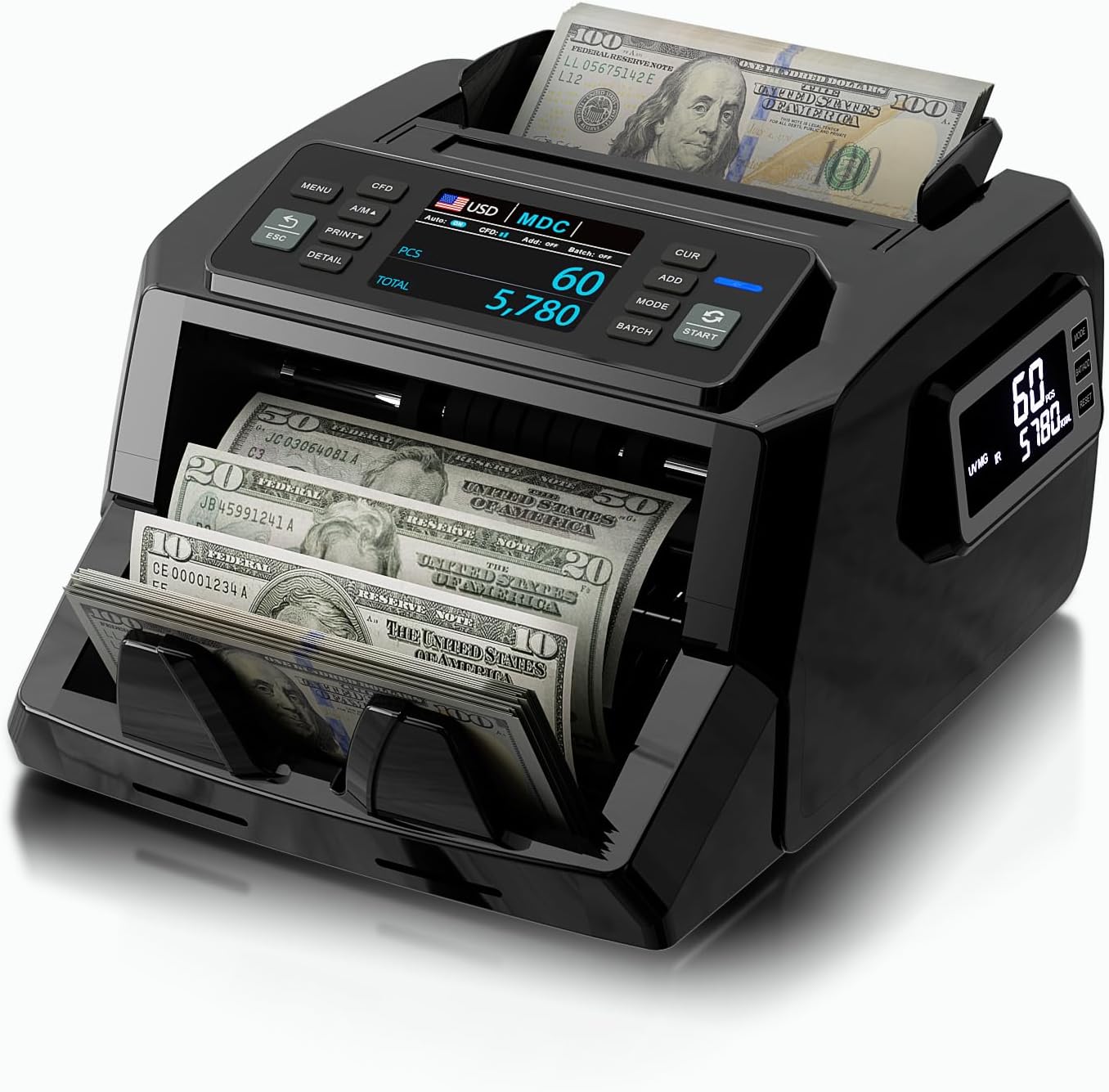
Image 1.1: The LOLARAN N71 Mixed Denomination Money Counter, showcasing its compact design and bill feeding mechanism.
Pagrindinės funkcijos:
- Išplėstinis padirbtų prekių aptikimas: Features IR, UV, MG, and DD detection technologies for accurate identification of counterfeit bills.
- Dviejų ekranų ekranas: Equipped with a 3.5" TFT main display and a side screen for clear visibility of counting data from multiple angles.
- Flexible Counting Modes: Supports mixed denomination, single denomination, total count, batch, and accumulation modes for various cash handling needs.
- Didelės spartos našumas: Counts up to 1,200 bills per minute with precision and low noise levels.
- Kelių valiutų palaikymas: Compatible with USD, CAD, MXN, EUR, and GBP.
2. Pakuotės turinys
Before setup, verify that all items listed below are present in the package:
- 1 x LOLARAN N71 Bill Counter
- 1 x External Display
- 1 x maitinimo laidas
- 1 x IR Calibration Paper
- 1 x nailono šepečiai
- 1 x Valymo šluostė
- 1 x atsarginis saugiklis
- 1 x Naudotojo vadovas (šis dokumentas)
- 8 x Currency Straps

2.1 paveikslėlis: sprogęs view of the LOLARAN N71 Money Counter and its included accessories, such as the external display, power cord, cleaning tools, and currency straps.
3. Sąranka
3.1 Išpakavimas
- Atsargiai išimkite pinigų skaitiklį ir visus priedus iš pakuotės.
- Place the machine on a stable, flat surface, ensuring adequate space for bill feeding and stacking.
3.2 Maitinimo jungtis
- Connect the provided power cord to the power input port on the back of the money counter.
- Kitą maitinimo laido galą prijunkite prie standartinio elektros lizdo.
- Turn on the power switch, usually located on the back or side of the machine. The display should illuminate.
3.3 External Display Connection (Optional)
- Locate the external display port on the money counter.
- Connect the external display cable to this port.
- Position the external display for optimal viewing.
4. Naudojimo instrukcijos
4.1 Valdymo skydas baigtasview

4.1 pav.: Stambus planas view of the LOLARAN N71 Money Counter's control panel, highlighting the physical buttons for MENU, CFD, A/M, PRINT, ESC, DETAIL, MODE, ADD, BATCH, and START.
The control panel features intuitive physical buttons for various functions:
- MENIU: Pasiekia sistemos nustatymus ir išplėstines parinktis.
- CFD: Toggles counterfeit detection features.
- ESU: Switches between automatic and manual feeding modes.
- SPAUSDINTI: Initiates printing of counting results (if connected to a compatible printer).
- ESC: Exits current menu or clears error messages.
- IŠSAMI: Displays detailed counting information.
- MODE: Cycles through different counting modes (Mixed, Single, Count).
- PRIDĖTI: Activates accumulation mode.
- PARTIJA: Sets a specific batch quantity for counting.
- PRADŽIA: Begins the counting process.
4.2 Pagrindinis skaičiavimas
- Įsitikinkite, kad įrenginys įjungtas.
- Place a stack of bills neatly into the hopper. Ensure bills are aligned and not folded or crumpled.
- The machine will automatically start counting if in auto-feed mode, or press the PRADĖTI button if in manual mode.
- The main display and external display (if connected) will show the count results.
4.3 Mixed Denomination Counting
The N71 can count mixed denominations of a single currency, providing a total value.

Image 4.2: The LOLARAN N71 Money Counter demonstrating its mixed denomination counting capability, with various bill values being processed simultaneously.
- Paspauskite REŽIMAS button until 'MDC' (Mixed Denomination Count) is selected on the display.
- Place the mixed bills into the hopper.
- The machine will count and display the total value and quantity of each denomination.
4.4. Padirbtų prekių aptikimas
The N71 employs multiple detection methods to identify suspicious bills.
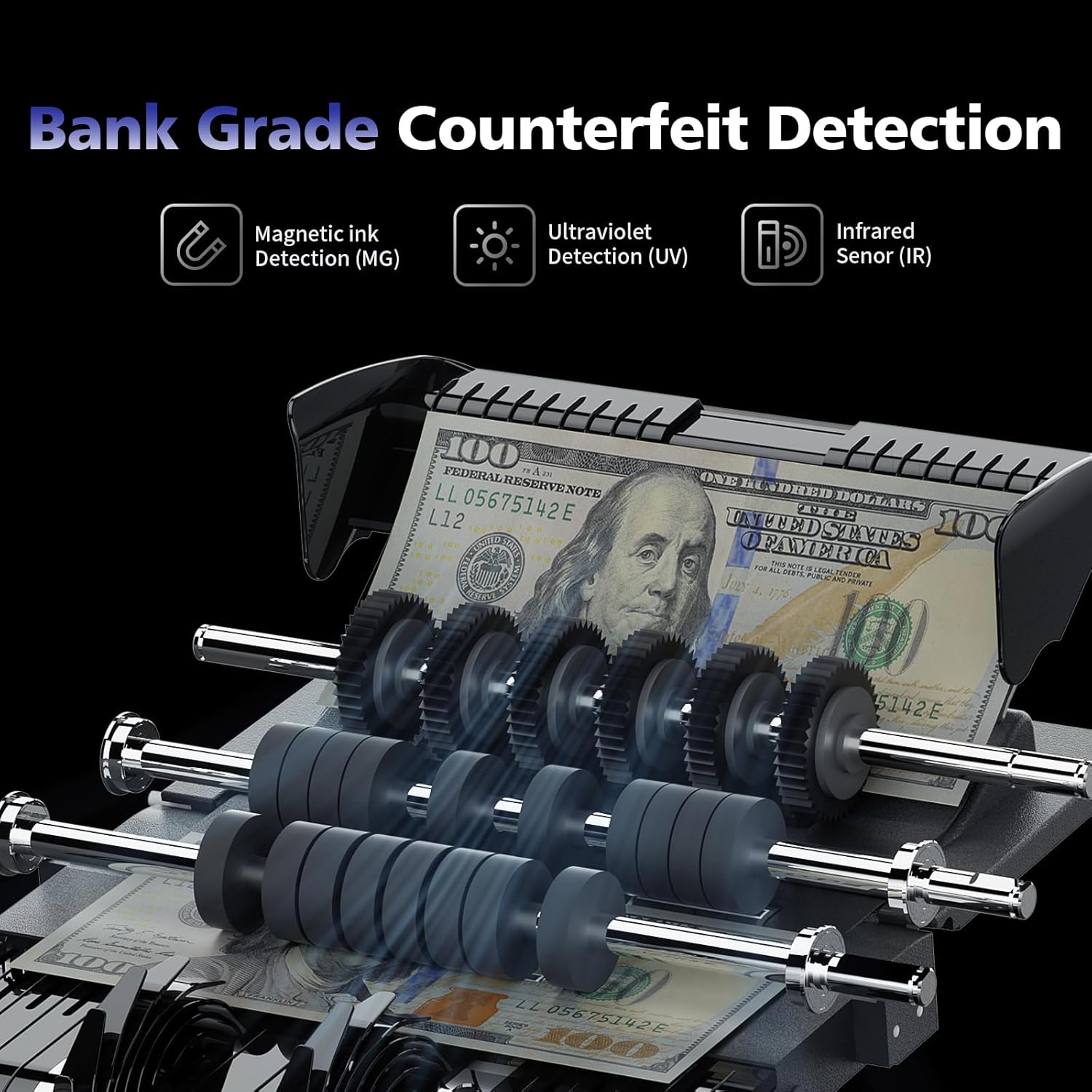
4.3 pav.: Vidinis view of the LOLARAN N71 Money Counter highlighting the mechanisms for Magnetic Ink (MG), Ultraviolet (UV), and Infrared (IR) detection, crucial for bank-grade counterfeit identification.
- IR (infraraudonųjų spindulių) aptikimas: Checks for specific infrared ink patterns.
- UV (ultravioletinių) spindulių aptikimas: Verifies UV features present in genuine currency.
- MG (magnetinis) aptikimas: Scans for magnetic ink properties.
- DD (Dimension Detection): Measures bill dimensions to detect anomalies.
If a suspicious bill is detected, the machine will stop, and an error message will appear. Remove the suspicious bill and press PRADĖTI norėdami tęsti skaičiavimą.
4.5 Counting Modes
- Skaičiavimo režimas: Simple bill counting, providing the total number of bills.
- Mixed Denomination Mode (MDC): Counts mixed bills and calculates the total value.
- Single Denomination Mode (SDC): Counts bills of a single denomination.
- Paketinis režimas: Allows you to set a specific number of bills (e.g., 100) for the machine to count before stopping. Press PARTIJA and use the number keys or arrow buttons to set the desired quantity.
- Pridėti režimą: Accumulates the total count from multiple counting operations. Press PRIDĖTI norint įjungti / išjungti.
4.6 Multi-Currency Support
The N71 supports counting and detection for multiple currencies.

Image 4.4: The LOLARAN N71 Money Counter displayed with flags representing the five supported currencies: USD, CAD, MXN, EUR, and GBP, indicating its international compatibility.
To select a currency, navigate through the menu options using the MENIU button and select the desired currency (USD, CAD, MXN, EUR, GBP).
4.7 Dual-Screen Display
The machine features a main TFT display and a unique side screen for enhanced visibility.

Image 4.5: The LOLARAN N71 Money Counter showcasing its dual-screen display, with the main screen providing detailed counting information and a secondary side screen offering a clear summary.
Both screens simultaneously display counting data, improving convenience for the operator and allowing customers to view the count.
5. Priežiūra
5.1 Valymas
Regular cleaning ensures optimal performance and longevity of your money counter.
- Prieš valydami mašiną išjunkite ir atjunkite.
- Use the provided nylon brush to gently remove dust and debris from the bill pathways, sensors, and rollers.
- Use the cleaning cloth to wipe down the exterior surfaces and displays. Do not use abrasive cleaners or solvents.
- For stubborn dirt on sensors, use the IR Calibration Paper as directed in the troubleshooting section or contact support.
5.2 Saugykla
When not in use, store the money counter in a clean, dry environment away from direct sunlight and extreme temperatures.
6. Problemų sprendimas
Šiame skyriuje aptariamos dažniausiai pasitaikančios problemos, su kuriomis galite susidurti. Dėl problemų, kurios čia nepaminėtos, susisiekite su klientų aptarnavimo tarnyba.
- Įrenginys neįsijungia: Ensure the power cord is securely connected to both the machine and a working electrical outlet. Check the power switch position.
- Bills are jamming: Ensure bills are neatly stacked, not folded or crumpled. Clean the bill pathway and rollers using the provided brush. Reduce the stack size if bills are too thick.
- Rodomas klaidos pranešimas: Note the error code or message. Often, this indicates a counterfeit bill, a jam, or a sensor issue. Remove any suspicious bills or clear jams, then press ESC or PRADĖTI tęsti.
- Inaccurate counting: Clean the sensors and rollers. Ensure bills are properly aligned in the hopper. If the issue persists, recalibration may be required (refer to advanced settings or contact support).
- Counterfeit detection not working: Ensure the CFD function is enabled. Clean the UV, MG, and IR sensors.
7. Specifikacijos
| Funkcija | Detalė |
|---|---|
| Modelio numeris | N71 |
| Prekės ženklas | LOLARAN |
| Prekės svoris | 12.25 svaro |
| Gaminio matmenys | 10.24 x 7.28 x 12.6 colio |
| Skaičiavimo greitis | Iki 1,200 sąskaitų per minutę |
| Padirbtų prekių aptikimas | IR, UV, MG, DD |
| Ekrano tipas | 3.5" TFT Main Display, Side Screen |
| Palaikomos valiutos | USD, EUR, MXN, GBP, CAD |
8. Klientų aptarnavimas ir garantija
8.1 Pagalba klientams
For any questions, technical assistance, or service requests, please contact LOLARAN customer support. Contact information can typically be found on the product packaging or the official LOLARAN websvetainę.
8.2 Software Upgrades
Enjoy continuous product support and free software upgrades to ensure your money counting machine performs at its best and stays updated with new currency features or security enhancements.
8.3 Informacija apie garantiją
Specific warranty terms and conditions are provided with your purchase documentation. Please refer to these documents for details regarding coverage, duration, and claims procedures. Keep your proof of purchase for warranty purposes.