
Įvadas
This manual provides essential instructions for the safe and effective use of your ORGBRO Power Adapter, specifically designed for the Z1 Thermal Shipping Label Printer. Please read this manual thoroughly before using the product and retain it for future reference.
Saugos informacija
- Ensure the power adapter is used with the specified ORGBRO Z1 Thermal Shipping Label Printer only.
- Saugokite adapterį nuo vandens, drėgmės ar ekstremalių temperatūrų.
- Saugokite adapterį nuo kritimo ir stipraus smūgio.
- Nebandykite atidaryti, modifikuoti ar taisyti adapterio. Visus techninės priežiūros darbus patikėkite kvalifikuotiems darbuotojams.
- Prieš valydami arba jei ilgesnį laiką nenaudosite, visada atjunkite adapterį nuo maitinimo lizdo.
- Laikyti vaikams nepasiekiamoje vietoje.
Pakuotės turinys
Please check the package contents upon receipt. The package should contain:
- 1 x ORGBRO Power Adapter (for Z1 Thermal Shipping Label Printer)
Sąranka
- Adapterio identifikavimas: Locate the ORGBRO Power Adapter. It features a standard AC plug on one end and a DC connector on the other.
- Prijunkite prie spausdintuvo: Insert the DC connector end of the power adapter firmly into the power input port on your ORGBRO Z1 Thermal Shipping Label Printer. Ensure a secure connection.
- Prijunkite prie maitinimo lizdo: Plug the AC end of the power adapter into a standard electrical wall outlet (100-240V~50/60Hz).
- Patikrinkite ryšį: Once connected, the printer should receive power, indicated by its power indicator light (refer to your Z1 printer manual for specific light behavior).
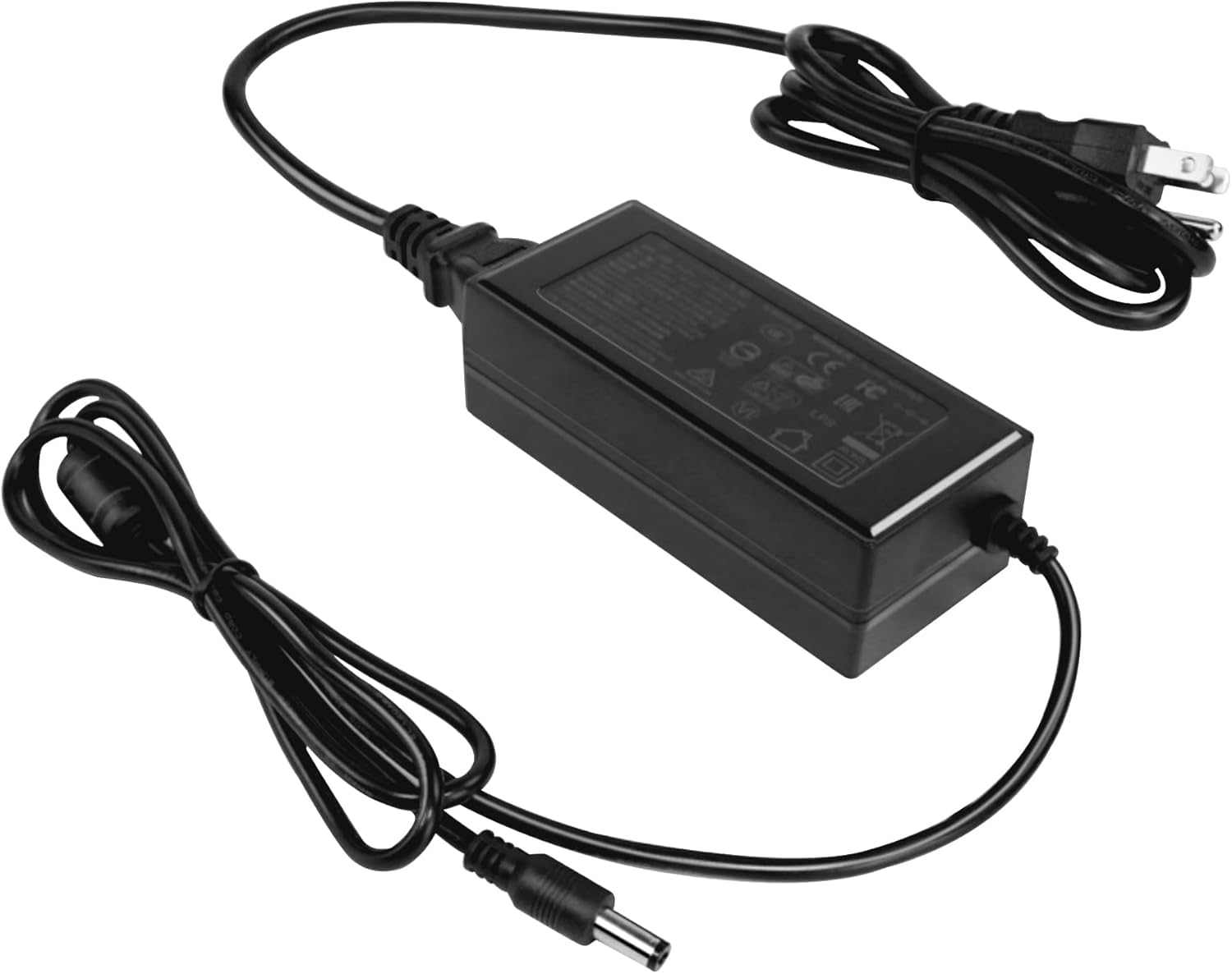
Image: The ORGBRO Power Adapter with its DC connector ready to be plugged into the Z1 Thermal Shipping Label Printer.
Naudojimo instrukcijos
The ORGBRO Power Adapter is designed for continuous operation with your Z1 Thermal Shipping Label Printer. Once properly connected as described in the Setup section, the adapter will supply the necessary power to the printer.
- Ensure the printer's power switch is in the 'ON' position to begin operation.
- Visada naudokite adapterį gerai vėdinamoje vietoje, kad jis neperkaistų.
- To power off the printer, first turn off the printer's power switch, then unplug the adapter from the wall outlet.
Priežiūra
- Valymas: Disconnect the adapter from both the printer and the power outlet. Use a soft, dry cloth to wipe the exterior of the adapter. Do not use liquid cleaners or sprays.
- Saugykla: Kai nenaudojate, laikykite adapterį vėsioje, sausoje vietoje, toliau nuo tiesioginių saulės spindulių ir drėgmės. Venkite sandariai suvynioti laidą, kad nepažeistumėte.
- Patikra: Periodically inspect the power cord and adapter housing for any signs of damage, such as cuts, fraying, or cracks. If damage is found, discontinue use immediately and replace the adapter.
Trikčių šalinimas
No Power to Printer
- Patikrinkite jungtis: Ensure the power adapter is securely plugged into both the Z1 printer and a working wall outlet.
- Bandymo išvestis: Plug another device into the wall outlet to confirm it is supplying power.
- Patikrinkite adapterį: Check the adapter cable and housing for any visible damage. If damaged, do not use.
- Printer Power Switch: Verify that the Z1 printer's power switch is in the 'ON' position.
If the issue persists after performing these checks, contact ORGBRO customer support for assistance.
Specifikacijos
| Funkcija | Specifikacija |
|---|---|
| Įvesties tomastage | 100-240V~50/60Hz 1.5A |
| Išėjimas ttage/srovė | 24.0V-2.5A |
| Išėjimo galia | 60.0W |
| Spalva | Juoda |
| Prekės svoris | 7.1 uncijos |
| Pakuotės matmenys | 4.72 x 3.15 x 1.97 colio |
Garantija ir palaikymas
ORGBRO products are manufactured to high-quality standards. For information regarding warranty coverage, please refer to the warranty card included with your product or visit the official ORGBRO website. If you encounter any issues or have questions about your ORGBRO Power Adapter, please contact ORGBRO customer support for assistance.
You can typically find contact information for support on the ORGBRO brand store page or through the retailer where the product was purchased.