
Produktas baigtasview

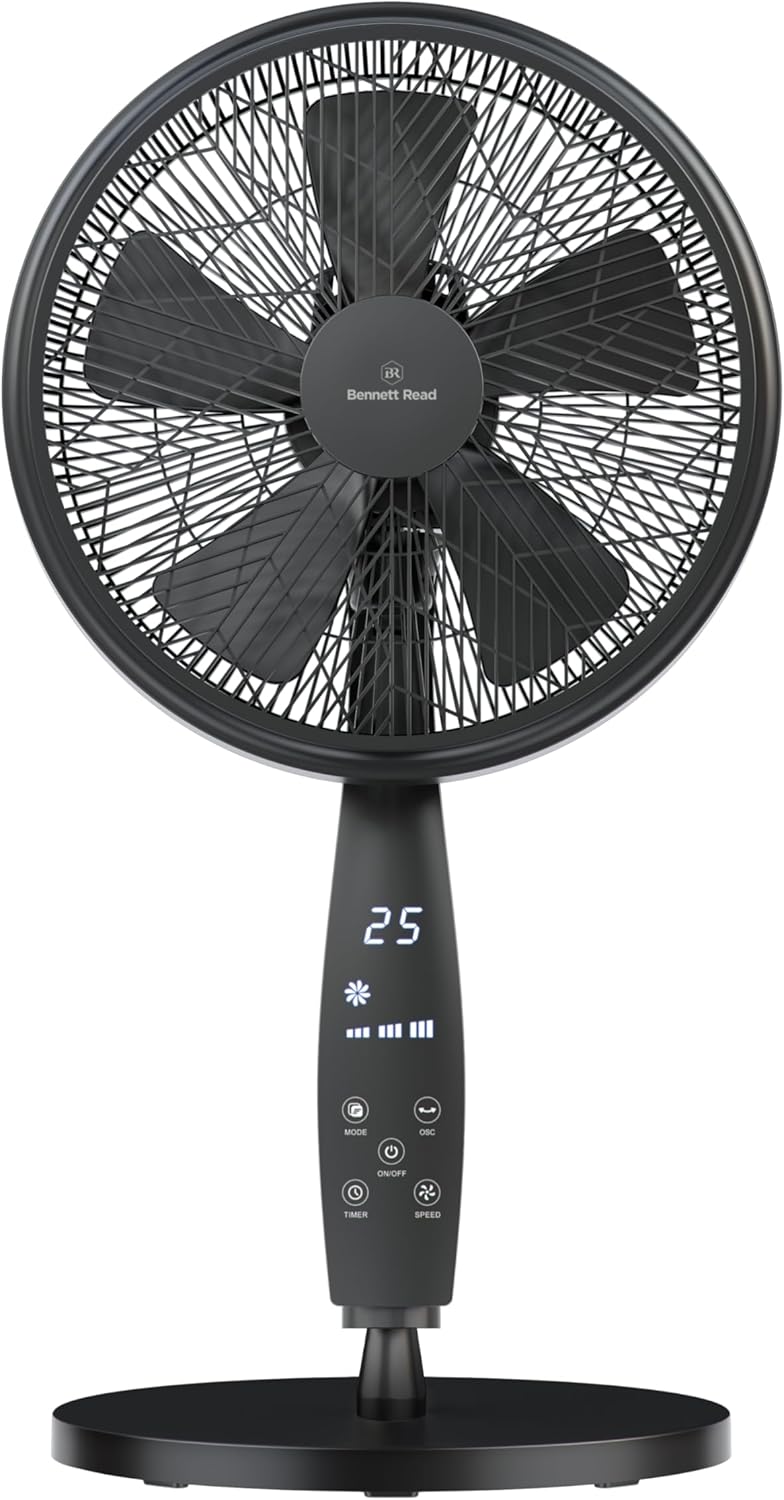
Image: The Bennett Read Digital Pedestal Fan, showcasing its sleek design and integrated digital control panel.
This manual provides instructions for the safe operation, assembly, and maintenance of your Bennett Read Digital Pedestal Fan (Model HFN135). This fan is designed to deliver efficient cooling with features such as adjustable height, oscillation, multiple speed settings, and a convenient remote control. Please read this manual thoroughly before initial use and retain it for future reference.
Svarbios saugos instrukcijos
Kad sumažintumėte gaisro, elektros smūgio ar sužalojimo riziką, visada laikykitės šių pagrindinių saugos priemonių:
- Prieš naudodami šį prietaisą perskaitykite visas instrukcijas.
- Nenaudokite ventiliatoriaus, kurio laidas ar kištukas pažeistas. Išmeskite ventiliatorių arba grąžinkite jį į įgaliotą techninės priežiūros įstaigą patikrinti ir (arba) taisyti.
- Netieskite maitinimo laido po kilimu. Neuždenkite laido kilimėliais, takeliais ar panašiais užtiesalais. Padėkite laidą atokiau nuo eismo zonų ir ten, kur už jo niekas neužkliūtų.
- Always unplug the fan from the power outlet before moving, cleaning, or performing any maintenance.
- Nekiškite pirštų ar jokių daiktų pro groteles, kai veikia ventiliatorius.
- Įsitikinkite, kad ventiliatorius pastatytas ant lygaus, stabilaus paviršiaus, kad jis neapvirstų.
- Šis prietaisas skirtas tik buitiniam naudojimui. Nenaudoti lauke.
- Ventiliatoriui veikiant, laikykite vaikus ir naminius gyvūnus atokiau nuo jo.
- Do not use this fan near water, such as in a bathroom, laundry area, or swimming pool.
- Neužblokuokite oro angų.
- Nenaudokite ventiliatoriaus patalpose, kuriose laikomi degūs skysčiai ar dujos.
Pakuotės turinys
Įsitikinkite, kad pakuotėje yra visi komponentai:
- Ventiliatoriaus variklio blokas su valdymo skydeliu
- Front and Rear Grills
- Ventiliatorių mentės
- Reguliuojamas pjedestalo stulpas
- Bazė
- Nuotolinio valdymo pultas
- Fasteners for Assembly
- Instrukcijų vadovas
Sąranka ir surinkimas
Norėdami surinkti stovo ventiliatorių, atlikite šiuos veiksmus:
- Surinkite pagrindą: Attach the pedestal pole to the base using the provided fasteners. Ensure all connections are securely tightened.
- Attach the Rear Grill: Place the rear grill onto the motor unit, aligning the notches. Secure it firmly with the provided locking nut.
- Ventiliatoriaus mentes montavimas: Carefully slide the fan blades onto the motor shaft. Ensure they are correctly oriented and secured with the blade cap.
- Attach the Front Grill: Position the front grill over the rear grill, aligning the clips. Secure the two grills together using the clips or screws provided around the rim.
- Reguliuoti aukštį: Loosen the height adjustment knob on the pedestal pole, extend or retract the pole to your desired height (up to 1.33 meters), and then tighten the knob securely.
Refer to the diagram below for visual guidance during assembly, particularly for height adjustment.

Image: The Bennett Read Digital Pedestal Fan demonstrating its adjustable height feature, showing both extended and compact configurations.
Naudojimo instrukcijos
Your Bennett Read Digital Pedestal Fan can be operated using the digital control panel on the fan unit or the included remote control.
Valdymo skydas baigtasview
Vaizdas: Išsamus view of the fan's digital control panel, highlighting the various function buttons and the LED display.
| Mygtukas/indikatorius | Funkcija |
|---|---|
| ĮJUNGTA/IŠJUNGTA | Įjungia arba išjungia ventiliatorių. |
| GREITIS | Adjusts fan speed (Low, Medium, High). Press repeatedly to cycle through speeds. |
| REŽIMAS | Selects operating mode (e.g., Normal, Natural, Sleep). |
| OSC (svyravimas) | Activates or deactivates the automatic side-to-side oscillation feature. |
| LAIKMATIS | Sets the automatic shut-off timer (e.g., 1-12 hours). Press repeatedly to set desired duration. |
| Skaitmeninis ekranas | Shows current settings such as speed, mode, timer, and room temperature. |
Nuotolinio valdymo pultas
The remote control provides convenient access to all fan functions from a distance. Ensure batteries are correctly installed (not included).

Image: The fan with an illustration of its remote control, indicating ease of use for remote operation.
Pakreipimo reguliavimas
To adjust the vertical angle of the fan head, gently push the fan head up or down to the desired position. The fan head can be tilted to direct airflow precisely.
Priežiūra ir valymas
Regular cleaning helps maintain the fan's performance and extends its lifespan. Always ensure the fan is unplugged before cleaning.
- Visada atjunkite ventiliatorių nuo elektros tinklo prieš valydami atjunkite nuo elektros lizdo.
- Išorinis valymas: Nuvalykite ventiliatoriaus išorinius paviršius minkšta,amp šluoste. Nenaudokite abrazyvinių valiklių, tirpiklių ar stiprių cheminių medžiagų.
- Grill and Blades Cleaning: The front grill can be carefully removed for cleaning the blades. Use a soft cloth or a vacuum cleaner with a brush attachment to remove accumulated dust from the blades and grills. Ensure all parts are completely dry before reassembling and operating the fan.
- Do not immerse the fan motor unit in water or any other liquid.
- Ilgesnį laiką nenaudojamą ventiliatorių laikykite vėsioje, sausoje vietoje.
Trikčių šalinimas
If you encounter any issues with your fan, refer to the table below for common problems and their solutions.
| Problema | Galima priežastis | Sprendimas |
|---|---|---|
| Ventiliatorius neįsijungia. | Nėra maitinimo. Nepaspaustas maitinimo mygtukas. | Įsitikinkite, kad ventiliatorius įjungtas į veikiantį elektros lizdą. Press the ON/OFF button on the control panel or remote. |
| Silpnas oro srautas. | Ventiliatoriaus greitis nustatytas per mažas. Grotelės arba peiliai nešvarūs. | Padidinkite ventiliatoriaus greitį naudodami mygtuką SPEED. Clean the fan blades and grills as per the Maintenance section. |
| Ventiliatorius triukšmingas. | Laisvos dalys. Ventiliatorius ne ant lygaus paviršiaus. | Check that all assembly screws and nuts are tightened. Padėkite ventiliatorių ant stabilaus, lygaus paviršiaus. |
| Nuotolinio valdymo pultas neveikia. | Baterijos išsikrovė arba įdėtos neteisingai. Kliūtis tarp nuotolinio valdymo pulto ir ventiliatoriaus. | Pakeiskite baterijas naujomis, užtikrindami teisingą poliškumą. Pašalinkite visus signalo kelią blokuojančius objektus. |
Specifikacijos
Detailed technical specifications for the Bennett Read Digital Pedestal Fan (Model HFN135):
| Funkcija | Detalė |
|---|---|
| Prekės ženklas | Benetas perskaitė |
| Modelio numeris | HFN135 |
| Spalva | Juoda |
| Ašmenų skersmuo | 36 cm |
| Variklio galia | 50W |
| Maitinimo šaltinis | Su laidu elektra |
| Ventiliatoriaus greičiai | 3 (žemas, vidutinis, aukštas) |
| Maksimalus aukščio reguliavimas | Iki 1.33 metrų |
| Ypatingos savybės | Digital Control Panel, Remote Control, Oscillation, Tilt Control, Timer, Air-Boost Grill Design, 5-Blade System, Weighted Base |
| Prekės svoris | 6.2 kg |
| Gaminio matmenys | 50D x 16W x 59H centimetres (Note: This refers to the base/motor unit dimensions, not overall adjustable height) |
Garantija ir palaikymas
For warranty information, technical support, or inquiries regarding spare parts, please contact Bennett Read customer service. Refer to the product packaging or the official Bennett Read websvetainėje rasite naujausią kontaktinę informaciją ir garantijos sąlygas.