
Įvadas
The CTIFree FC-991ES PLUS Scientific Calculator is a versatile tool designed for students, professionals, and home users. It offers 417 functions, making it suitable for advanced mathematical calculations including trigonometry, statistical analysis, calculus, algebra, and fractions. This manual provides comprehensive instructions to help you maximize the calculator's capabilities.
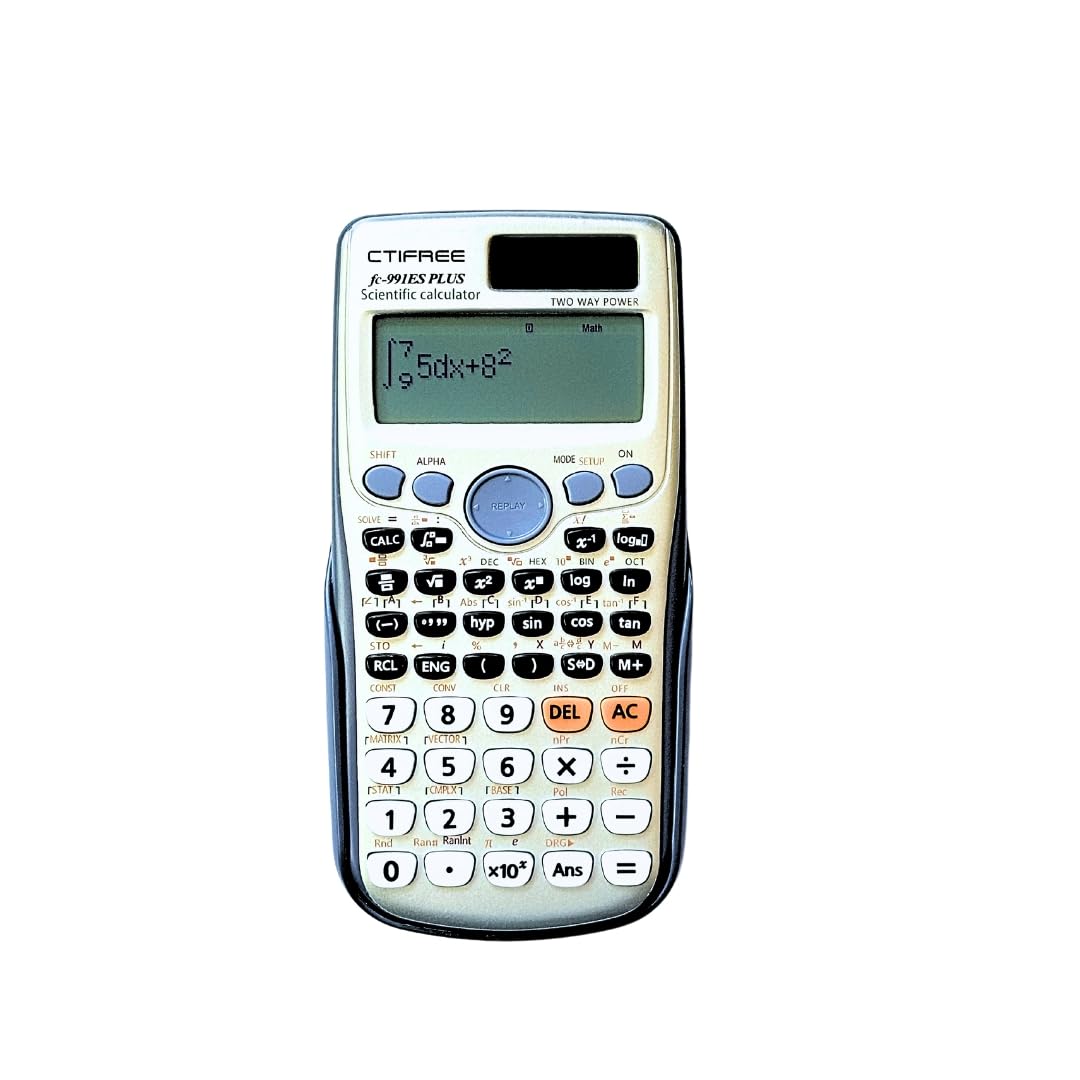
Image: The CTIFree FC-991ES PLUS Scientific Calculator, showcasing its display and keypad, positioned on a wooden surface alongside a small potted plant, a blank notebook, and a pen.
Pagrindinės savybės
- Premium Performance for Advanced Calculations: Equipped with a 10+2 digit display and advanced mathematical functions, this calculator excels at solving complex problems in mathematics, engineering, and science.
- Compact, Durable, and Built to Last: Crafted from robust ABS plastic, the FC-991ES Plus combines durability with portability. Its sleek, compact dimensions (155x80mm) ensure reliability wherever your work or studies take you.
- Compliant with International Standards: This scientific calculator adheres to CE, ROHS, and FCC standards, providing a safe and reliable product experience.
- User-Centered Design for Seamless Use: Features a large, high-contrast screen and an intuitive button layout for faster and easier calculations, supporting multi-line input for clarity and precision.

Image: The CTIFree FC-991ES PLUS Scientific Calculator displayed within its white and grey retail packaging, showing the calculator's front face.
Sąranka
Akumuliatoriaus montavimas
The FC-991ES PLUS requires one nonstandard battery, which is included. To install or replace the battery, carefully slide off the back cover of the calculator. Insert the battery according to the polarity indicators (+/-) located within the battery compartment. Replace the cover securely until it clicks into place.

Image: A split image showing the front of the CTIFree FC-991ES PLUS Scientific Calculator on the right and its dark grey protective back cover on the left.
Pradinis įjungimas
Įdėjus bateriją, paspauskite [ĮJUNGTA] button located on the top right of the keypad to power on the calculator. The display should light up. If the display remains blank, please recheck the battery installation and ensure correct polarity.

Image: The CTIFree FC-991ES PLUS Scientific Calculator with its dark grey protective slide cover partially attached, showing the calculator's front.
Naudojimo instrukcijos
Pagrindinės operacijos
Perform standard arithmetic operations (addition, subtraction, multiplication, division) using the numeric keypad and operator buttons. Input numbers and operators in sequence, then press [=] už rezultatą.
Režimo pasirinkimas
Paspauskite [MODE SETUP] button to access different calculation modes. Use the arrow keys to navigate through options such as:
- COMP (Compute): For basic arithmetic and function calculations.
- STAT (Statistics): Statistiniams skaičiavimams.
- LENTELĖ: For generating function tables.
- EQN (Equation): For solving various types of equations.
Paspauskite [=] norėdami pasirinkti norimą režimą.
Advanced Functions (417 Functions)
The FC-991ES PLUS offers a wide array of advanced functions. Many of these are accessed by pressing the [SHIFT] or [ALFA] button followed by the corresponding function key.
- Skaičiavimas: Utilize the integral (∫) and differential (d/dx) functions. These are typically accessed via [SHIFT] + [∫] or [SHIFT] + [d/dx].
- Algebra: Perform complex number calculations, solve equations, and work with variables.
- Trupmenos: Input and calculate with fractions using the dedicated fraction button (a b/c).
- Trigonometrija: Use sin, cos, tan, and their inverse functions (sin⁻¹, cos⁻¹, tan⁻¹) for trigonometric calculations. Ensure the correct angle unit (DEG, RAD, GRA) is selected via [SHIFT] + [MODE SETUP] (Sąranka).
- Statistical Analysis: Enter data in STAT mode to perform various statistical calculations such as mean, standard deviation, and regression analysis.
- Kitos funkcijos: Explore functions for matrices, vectors, base-N calculations, unit conversions, and scientific constants. Refer to the button labels and on-screen menus for a complete overview of all 417 functions.
Priežiūra
Valymas
Wipe the calculator's surface with a soft, dry cloth. Do not use abrasive cleaners, solvents, or wet cloths, as these can damage the device's casing arba vidiniai komponentai.
Sandėliavimas
Store the calculator in a cool, dry place, away from direct sunlight and extreme temperatures. Always use the protective slide cover when the calculator is not in use to prevent scratches and dust accumulation on the display and keypad.
Trikčių šalinimas
| problema | Galima priežastis | Sprendimas |
|---|---|---|
| Ekranas tuščias | Senka arba išsikrovusi baterija | Pakeiskite bateriją. |
| Display shows "ERROR" | Invalid operation or syntax error | Paspauskite [Kintamoji srovė] kad išvalytumėte klaidą.view your input and calculation steps. |
| Neteisingi rezultatai | Pasirinktas netinkamas režimas | Paspauskite [MODE SETUP] and select the appropriate mode for your calculation. |
| Mygtukai nereaguoja | Calculator frozen | Paspauskite [ATSTATYTI] button (usually a small hole on the back, requiring a thin object like a paperclip) to restart the calculator. Note: This will clear all memory. |
Specifikacijos

Image: The CTIFree FC-991ES PLUS Scientific Calculator with overlaid measurements indicating its length (16.2 cm) and width (8.4 cm).
| Funkcija | Detalė |
|---|---|
| Prekės ženklas | Bendras |
| Modelio pavadinimas | FC-991ES Plus |
| Skaičiuoklės tipas | Mokslinis |
| Maitinimo šaltinis | Maitinamas baterijomis (pridedama 1 nestandartinė baterija) |
| Ekrano tipas | LCD |
| Funkcijų skaičius | 417 |
| Medžiaga | ABS plastikas |
| Gaminio matmenys (ilgis x plotis) | 15.5L x 8W centimetrų |
| Atitiktis | CE, ROHS, FCC |
| Gamintojas | Guangdžou |
| Kilmės šalis | Kinija |
Informacija apie garantiją
The CTIFree FC-991ES PLUS Scientific Calculator comes with a 6 mėnesių ribota garantija from the date of purchase. This warranty covers manufacturing defects under normal use. Please retain your proof of purchase (receipt or invoice) as it will be required for any warranty claims. For more detailed information regarding warranty terms and conditions, please contact customer support.
Palaikymas
For further assistance, technical support, or warranty inquiries, please refer to the contact information provided by your retailer or visit the manufacturer's website (if available). When contacting support, please ensure you have your model number (FC-991ES Plus) and proof of purchase ready to facilitate a quicker resolution.
You may also find additional resources and FAQs online by searching for "CTIFree FC-991ES PLUS support" or similar terms.


