
Įvadas
This manual provides essential information for the proper setup, operation, and maintenance of your RAPIQUE R306C USB C Wireless Mouse. Please read these instructions carefully before using the product to ensure optimal performance and longevity.
Pakuotės turinys
- RAPIQUE R306C Wireless Mouse x 1
- USB-C imtuvas x 1
- Vartotojo vadovas x 1
Produktas baigtasview
The RAPIQUE R306C is an ultra-slim, portable 2.4GHz wireless mouse designed for modern USB-C devices. It features silent clicks, a smooth scroll wheel, and adjustable DPI settings for precise control.

Image: The RAPIQUE R306C USB C Wireless Mouse, showcasing its sleek, minimalist design in white, alongside its compact USB-C receiver.
Pagrindinės funkcijos:
- Elegantiškas ir minimalistinis dizainas: Streamlined shape with a premium finish, high-gloss top buttons, and a matte metallic base.
- Silent Click & Smooth Scroll: Enjoy low-noise clicks and a soft, silent scroll wheel for focused work environments. Note: The mouse wheel scrolls vertically only.
- Ultra-Slim and Portable: Compact and lightweight, ideal for travel and mobile use.
- Reguliuojamas DPI: Easily switch between 800 / 1200 / 1600 DPI for precise tracking.
- Ilgas baterijos veikimo laikas: Powered by one AA battery (not included), offering up to 480 hours of use with smart auto-sleep mode.
- Visuotinis suderinamumas: Works seamlessly with USB-C devices including MacBook Air/Pro, Mac, iPad Pro/Air, Android tablets, and other modern computers.
Sąrankos vadovas
1. Įdėkite akumuliatorių
- Gently slide off the top cover of the mouse to reveal the battery compartment.
- Įdėkite vieną AA bateriją (nepridedama) į skyrių, užtikrindami teisingą poliškumą (+/-).
- Uždėkite viršutinį dangtelį, užtikrindami, kad jis tvirtai užsifiksuotų.
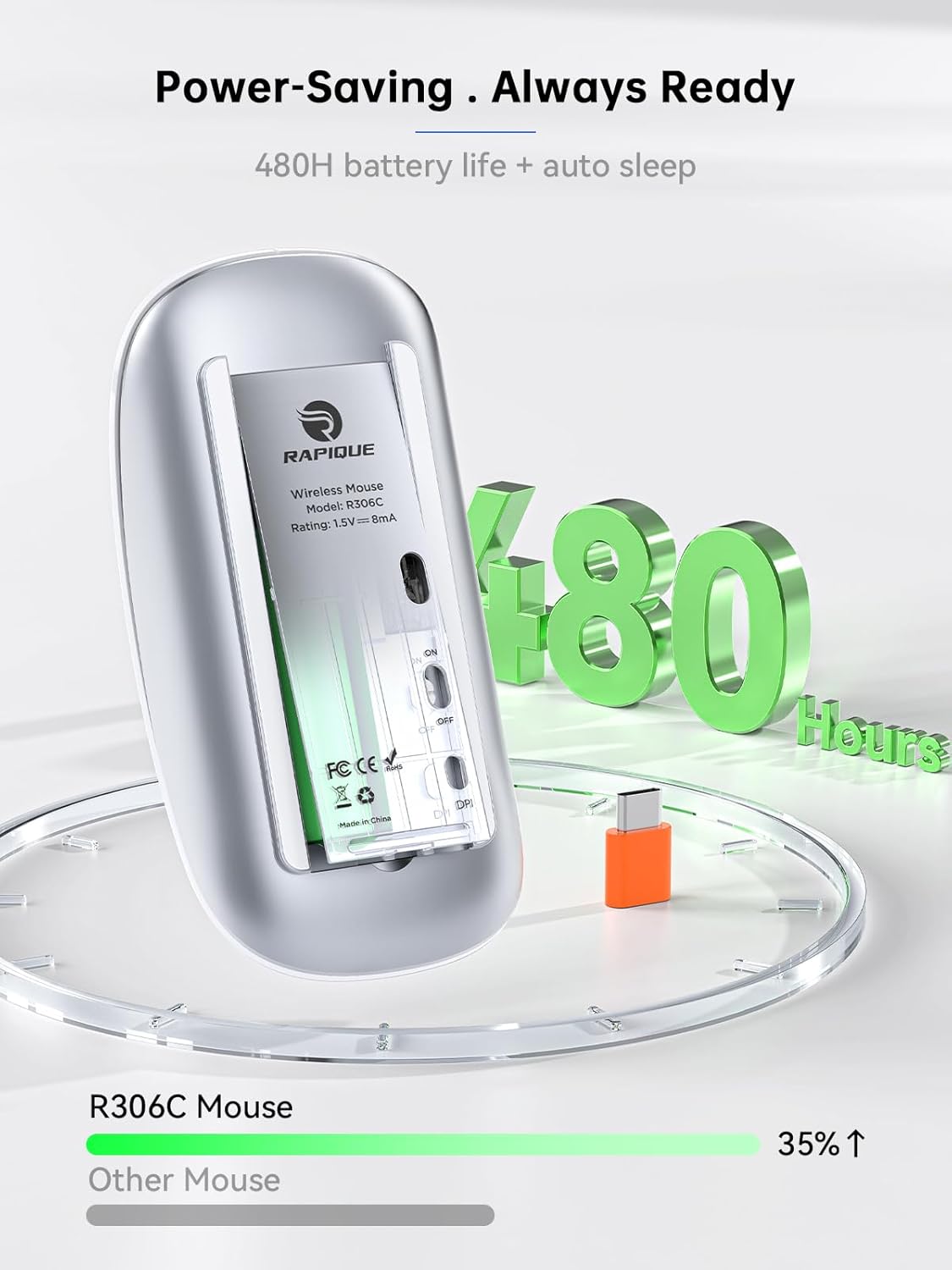
Image: The underside of the RAPIQUE R306C mouse with the battery cover removed, showing the AA battery slot and the USB-C receiver storage.
2. Connect USB-C Receiver
- Locate the USB-C receiver, typically stored within the mouse's battery compartment or packaged separately.
- Plug the USB-C receiver directly into an available USB-C port on your laptop, MacBook, iPad, or other compatible device.

Image: The RAPIQUE R306C mouse positioned next to a laptop, with its orange USB-C receiver visibly plugged into the laptop's USB-C port, illustrating a plug-and-play connection.
3. Įjunkite maitinimą
- Flip the ON/OFF switch located on the underside of the mouse to the "ON" position.
- The mouse should automatically connect to your device. No additional drivers are typically required for most operating systems.
Naudojimo instrukcijos
Pagrindinės funkcijos
- Kairysis spustelėjimas: Paspauskite kairįjį mygtuką.
- Dešiniuoju pelės mygtuku spustelėkite: Paspauskite dešinįjį mygtuką.
- Slinkite: Roll the scroll wheel up or down to navigate vertically.
DPI reguliavimas
The mouse features a DPI button on its underside, allowing you to adjust tracking sensitivity.
- Paspauskite DPI mygtukas once to cycle through the available DPI settings (800 / 1200 / 1600 DPI).
- Select the DPI setting that best suits your task for optimal cursor speed and precision.
Automatinio miego režimas
To conserve battery life, the mouse will automatically enter a sleep mode after a period of inactivity. To wake the mouse, simply move it or click any button.
Priežiūra
Baterijos keitimas
When the mouse performance degrades or stops responding, it may be time to replace the AA battery. Follow the battery installation steps in the Setup Guide.
Valymas
To clean your mouse, use a soft, dry cloth. Avoid using harsh chemicals or abrasive materials, as these may damage the surface.
Trikčių šalinimas
- Pelė nereaguoja:
- Ensure the mouse is powered ON.
- Check if the USB-C receiver is securely plugged into your device.
- Pakeiskite AA bateriją, jei ji išsikrovusi arba jos beveik išsikrovusios.
- Try plugging the USB-C receiver into a different port on your device.
- Pertraukiamas ryšys:
- Įsitikinkite, kad pelė yra ne toliau kaip 10 metrų atstumu nuo imtuvo.
- Avoid obstructions between the mouse and the receiver.
- Sumažinkite trukdžius iš kitų 2.4 GHz belaidžių įrenginių.
- Žymeklio judėjimas yra netolygus arba lėtas:
- Adjust the DPI setting using the DPI button on the underside of the mouse.
- Ensure the mouse is used on a clean, non-reflective surface.
Specifikacijos
| Funkcija | Detalė |
|---|---|
| Modelio numeris | R306C |
| Ryšio technologija | 2.4GHz Wireless (USB-C Receiver) |
| Judesio aptikimas | Optinis |
| DPI nustatymai | 800-1200-1600 |
| Baterijos tipas | 1 x AA baterijos (į komplektą neįeina) |
| Baterijos veikimo laikas | Up to 480 hours (may vary with usage) |
| Veikimo diapazonas | Iki 10 metrų |
| Matmenys | 4.5 x 2.3 x 0.98 colio (apytiksliai) |
| Svoris | 2.29 uncijos |
Garantija ir palaikymas
For warranty information and customer support, please refer to the documentation included with your purchase or visit the official RAPIQUE websvetainėje. Išsaugokite pirkimo įrodymą, jei prireiktų pateikti garantinį ieškinį.