
ONERugged T1 Max
ONERugged T1 Max Rugged Tablet User Manual
Modelis: T1 Max
Brand: ONERugged
1. Įvadas ir pabaigaview
This manual provides essential information for the proper use, setup, and maintenance of your ONERugged T1 Max Rugged Tablet. Designed for durability, the T1 Max features IP68 water and dust resistance and MIL-STD-810H military-grade certification, making it suitable for challenging environments. Please read this manual thoroughly before operating your device.

Vaizdas: Priekyje ir gale view of the ONERugged T1 Max Rugged Tablet, highlighting its robust design.
2. Kas yra dėžutėje
Patikrinkite, ar jūsų gaminio pakuotėje yra visi toliau išvardyti daiktai:
- 1 x ONERugged T1 Max Rugged Tablet
- 1 x 33 W greito įkrovimo adapteris
- 1 x Type-C Charging/Data Cable
- 1 x Rankinis dirželis
- 1 x Stylus Pen

Image: A visual representation of the ONERugged T1 Max package contents, showing the tablet, charger, USB-C cable, hand strap, and stylus.
3. Sąranka
3.1 Pradinis įkrovimas
Before first use, fully charge the tablet using the provided 33W fast charge adapter and Type-C cable. Connect the Type-C cable to the tablet's charging port and the adapter to a power outlet. The charging port is protected by a sealed flap to maintain water and dust resistance; ensure it is properly closed after charging.
3.2 SIM ir TF kortelių įdėjimas
Locate the SIM/TF card slot on the side of the tablet. Carefully open the protective flap. Insert your Nano-SIM card and/or TF (microSD) card into the designated trays. Ensure the cards are correctly oriented as indicated on the tray. Close the protective flap securely to maintain the device's IP68 rating.
3.3 Įjungimas / išjungimas
To power on, press and hold the power button located on the side of the tablet until the screen illuminates. To power off, press and hold the power button, then select 'Power off' from the on-screen options.
3.4 Pradinė „Android 14“ sąranka
Upon first power-on, follow the on-screen prompts to complete the initial setup of the Android 14 operating system. This includes selecting your language, connecting to a Wi-Fi network, and signing in with your Google account.
3.5 Hand Strap Installation
The included hand strap can be attached to the back of the tablet for secure handling, especially in outdoor or active environments. Refer to the diagram for proper attachment points.

Image: Illustration demonstrating the attachment of the hand strap to the rear of the tablet for enhanced grip.
4. Naudojimo instrukcijos
4.1 Ekrano funkcijos
The T1 Max features a 10.95 colio FHD ekranas with a resolution of 1920x1200 pixels and 320 Nits brightness. It supports wet hand and glove operation, making it functional in various outdoor and industrial settings.

Image: The tablet's display showcasing its clarity and suitability for outdoor viewing, even in bright conditions.
4.2 Našumas ir saugykla
The tablet is powered by an MTK Helio G99 Octa-Core processor, ensuring smooth multitasking and application performance. It comes with 8GB RAM and 128GB internal storage, expandable up to 512GB via a TF card.

Image: A close-up of the MediaTek Helio G99 chipset, highlighting its octa-core architecture and 2.2GHz frequency.
4.3 laipsnių fotoaparato funkcionalumas
Įrengtas a 48MP galinė kamera ir a 32MP priekinė kamera, the T1 Max allows for capturing clear photos and videos. Access the camera application from the home screen or app drawer.

Vaizdas: pvzamples of photos taken with the tablet's cameras, demonstrating image quality and camera locations.
4.4 Baterija ir įkrovimas
The tablet features a large 10000 mAh baterija, providing extended usage times. It supports 33W greitas įkrovimas ir OTG reverse charging, allowing you to charge other devices from your tablet.

Image: Visual representation of the tablet's battery life under different usage scenarios.
4.5 Ryšys
The T1 Max offers versatile connectivity options including 4G LTE, dual-band Wi-Fi (2.4G+5.8G), Bluetooth 5.1, ir GPS. It also includes NFC and various sensors for enhanced functionality.
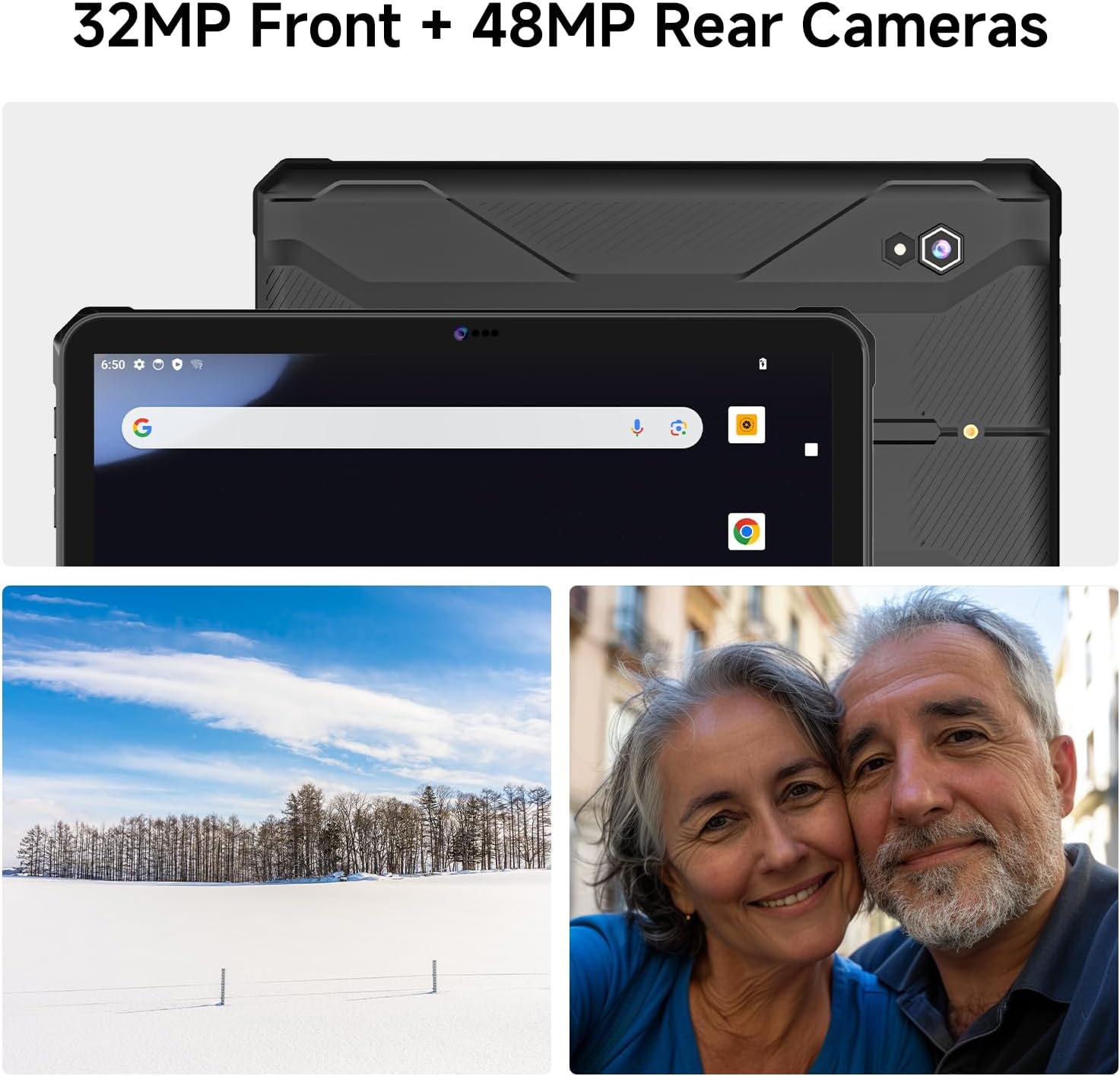
Image: Visual display of the tablet's comprehensive connectivity features.
4.6 garsas
The tablet is equipped with quad speakers, providing clear and powerful audio output, suitable for outdoor environments.

Image: An illustration highlighting the quad speaker system for enhanced audio.
5. Priežiūra
5.1 Valymas
To clean the tablet, use a soft, damp cloth. Avoid harsh chemicals or abrasive materials. For the screen, use a microfiber cloth specifically designed for electronics. Ensure all port flaps are securely closed before cleaning with any moisture.
5.2 Uosto apsauga
The tablet's IP68 rating relies on the integrity of its protective port flaps. Always ensure these flaps are firmly closed when not in use to prevent water and dust ingress. Regularly inspect them for wear or damage.

Vaizdas: Stambus planas views of the tablet's rugged features, including the sealed charging and card slots.
5.3 Programinės įrangos naujiniai
Periodically check for system updates in the tablet's settings menu. Keeping your software up-to-date ensures optimal performance, security, and access to new features.
6. Problemų sprendimas
- Tablet does not power on: Įsitikinkite, kad akumuliatorius įkrautas. Prijunkite planšetinį kompiuterį prie įkroviklio ir palaukite kelias minutes, prieš bandydami vėl įjungti.
- Įkrovimo problemos: Verify that the charging cable and adapter are securely connected and undamaged. Try a different power outlet. Ensure the charging port is clean and free of debris.
- Connectivity problems (Wi-Fi/4G): Check that Wi-Fi or mobile data is enabled in settings. Restart the tablet and your router (for Wi-Fi). Ensure your SIM card is correctly inserted and activated (for 4G).
- Ekranas nereaguoja: If the screen is frozen, press and hold the power button for approximately 10-15 seconds to force a restart.
- General performance issues: Close unused applications. Clear cache from apps in settings. If problems persist, consider a factory reset (Įspėjimas: This will erase all data on the tablet. Back up important data before proceeding).
7. Specifikacijos
| Funkcija | Specifikacija |
|---|---|
| Prekės ženklas | ONERugged |
| Modelio pavadinimas | T1 maks |
| Operacinė sistema | Android 14 |
| Ekrano dydis | 10.95 colių |
| Ekrano raiška | 1200 x 1920 pikselių (Full HD) |
| Procesorius | „MediaTek Helio G99“ aštuonių branduolių (2.2 GHz) |
| Grafikos koprocesorius | Mali-G57 MC2 |
| RAM | 8 GB |
| Vidinė saugykla | 128 GB |
| Išplečiama saugykla | Iki 512 GB (TF kortelė) |
| Galinė kamera | 48 MP |
| Priekinė kamera | 32 MP |
| Baterijos talpa | 10000 mAh |
| Vidutinis baterijos veikimo laikas | 10 valandų |
| Greitas įkrovimas | 33W |
| Belaidis tipas | 802.11a/b/g/n/ac (Dual-band Wi-Fi) |
| Bluetooth | Bluetooth 5.1 |
| Ryšys | 4G LTE, GPS, NFC, Sensors (Geomagnetic, Gyroscope, 3D Accelerometer, Light, Gravity) |
| Atsparumas vandeniui / dulkėms | IP68 |
| Karinis standartas | MIL-STD-810H |
| Prekės svoris | 2.2 svaro (apie 1 kg) |
| Gaminio matmenys | 10.35 x 6.98 x 5.61 colio |
8. Garantija ir palaikymas
ONERugged provides a 12 mėnesių garantija for the T1 Max Rugged Tablet. This warranty covers manufacturing defects and ensures long-term technical support. For any product-related issues, technical assistance, or warranty claims, please contact ONERugged customer service. They offer 24-hour online customer service to assist you.
For support, please refer to the contact information provided with your purchase or visit the official ONERugged websvetainę.
Ask a question about this manual
Ask about setup, troubleshooting, compatibility, parts, safety, or missing instructions. Manuals+ will review the question and use this page’s manual context to help answer it.