
1. Įvadas
The MEETION DirectorD-KB is a wireless ergonomic keyboard designed for comfortable and natural typing. It features a scientific wave key design and a built-in firm wrist rest to support your hands during extended use. This keyboard offers broad compatibility with Windows and macOS devices through a 2.4GHz wireless connection.

Image: The MEETION DirectorD-KB Wireless Ergonomic Keyboard positioned on a wooden desk, showcasing its wave-curved design and integrated wrist rest.
2. Pakuotės turinys
Įsitikinkite, kad pakuotėje yra visi daiktai:
- 1 x MEETION DirectorD-KB Wireless Ergonomic Keyboard
- 1 x Vartotojo vadovas
- 1 x USB-A 2.4GHz Wireless Receiver
- 1 x USB-C adapteris
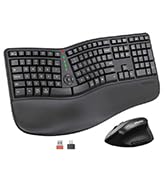
Image: Contents of the MEETION DirectorD-KB package, including the keyboard, user manual, USB-A receiver, and USB-C adapter.
3. Sąrankos instrukcijos
3.1. Akumuliatoriaus įdėjimas
- Raskite baterijų skyrių klaviatūros apačioje.
- Atidarykite akumuliatoriaus skyriaus dangtelį.
- Įdėkite dvi AAA baterijas (nepridedamos) į skyrelį, užtikrindami teisingą poliškumą.
- Saugiai uždarykite akumuliatoriaus skyriaus dangtelį.

Image: The underside of the keyboard showing the battery compartment for two AAA batteries and details on power saving features.
3.2. Imtuvo prijungimas
- Locate the USB-A 2.4GHz wireless receiver, typically found in the slot inside the keyboard's battery compartment or in the accessory pouch.
- For devices with a USB-A port: Plug the USB-A receiver directly into an available USB-A port on your computer.
- For devices with a USB-C port: Attach the provided USB-C adapter to the USB-A receiver, then plug the combined unit into an available USB-C port on your computer.
- Klaviatūra yra „plug-and-play“ tipo ir turėtų prisijungti automatiškai.
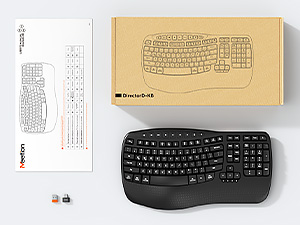
Image: Step-by-step guide on connecting the USB-A receiver with the USB-C adapter to a computer's USB-C port.
3.3. Įjungimas
After installing batteries and connecting the receiver, slide the power switch on the keyboard to the 'ON' position. The keyboard is now ready for use.
4. Naudojimo instrukcijos
4.1. Ergonomic Design and Wrist Rest
The keyboard features a wave-shaped key layout and a firm, integrated wrist rest. This design guides your hands and wrists into a natural, relaxed typing position, reducing strain during long typing sessions.

Image: A user's hands resting comfortably on the integrated wrist rest while typing on the ergonomic keyboard.
4.2. Reguliuojamas pakreipimas
Utilize the adjustable tilt legs on the underside of the keyboard to find your preferred typing angle. Different angles can further enhance comfort and reduce wrist fatigue.

Paveikslėlis: Šoninis profesionalasfiles of the keyboard demonstrating three different adjustable tilt angles for personalized comfort.
4.3. Dual System Layout (Windows/macOS)
The keyboard supports both Windows and macOS layouts. To switch between operating systems:
- Paspauskite FN + Q „Windows“ išdėstymui.
- Paspauskite FN + W for macOS layout.
4.4. Multimedijos klavišai
The keyboard includes dedicated and combined multimedia keys for quick access to functions like volume control, media playback, and more.
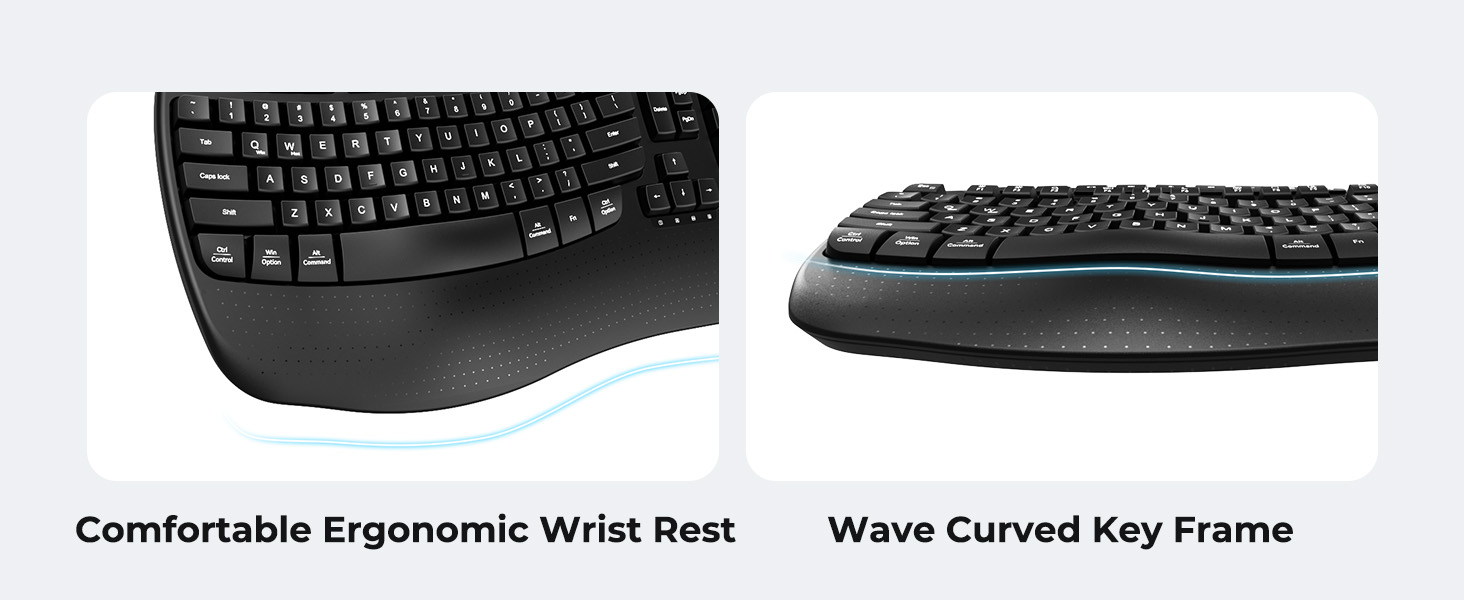
Image: A visual representation of the independent and combined multimedia keys available on the keyboard.
4.5. Intelligent Power Saving
The keyboard features an auto-sleep mode to conserve battery life. After 20 minutes of inactivity, it will enter hibernation. To wake it up, simply press any key.

Image: Close-up of the keyboard's indicator lights, showing status for Num Lock, Caps Lock, FN Lock, and low battery warning.
5. Priežiūra
Norėdami užtikrinti klaviatūros ilgaamžiškumą ir optimalų veikimą, laikykitės šių priežiūros nurodymų:
- Valymas: Klaviatūros paviršiui valyti naudokite minkštą, sausą šluostę. Gilesniam valymui naudokite šiek tiek drėgnąamp cloth with mild soap can be used, ensuring no liquid enters the keycaps or internal components.
- Venkite skysčių: Do not expose the keyboard to excessive moisture or spill liquids on it.
- Saugykla: Klaviatūrą laikykite vėsioje, sausoje vietoje, apsaugotoje nuo tiesioginių saulės spindulių ir ekstremalių temperatūrų.
- Baterijos keitimas: Kad išlaikytumėte pastovų veikimą, nedelsdami pakeiskite baterijas, kai pasirodys išsikrovusių baterijų indikatorius.
6. Problemų sprendimas
If you encounter issues with your MEETION DirectorD-KB keyboard, refer to the following common solutions:
- Klaviatūra nereaguoja:
- Patikrinkite, ar klaviatūra įjungta.
- Ensure the batteries are correctly installed and not depleted. Replace if necessary.
- Verify that the USB receiver is securely plugged into your computer's USB port (or via the USB-C adapter).
- Pabandykite prijungti imtuvą prie kito USB prievado.
- Iš naujo paleiskite kompiuterį.
- Ryšio uždelsimas arba nutrūkstamas ryšys:
- Ensure the keyboard is within the effective range of the receiver (typically up to 10 meters).
- Minimize interference from other wireless devices by moving them further away.
- Venkite imtuvo dėti šalia didelių metalinių objektų.
- Klavišai neveikia tinkamai:
- Patikrinkite, ar po klavišų dangteliais nėra jokių fizinių kliūčių.
- Ensure the correct operating system layout (Windows/macOS) is selected using FN+Q or FN+W.
7. Specifikacijos
| Funkcija | Detalė |
|---|---|
| Prekės ženklas | SUSITIKIMAS |
| Modelio numeris | DirectorD-KB |
| Ryšio technologija | 2.4G Wireless (USB-A, USB-C Adapter) |
| Suderinami įrenginiai | Laptop, PC (Windows XP/7/8/10/11 & macOS X 10.6 or later) |
| Klaviatūros išdėstymas | QWERTY |
| Raktų skaičius | 113 |
| Ypatingos savybės | Ergonomic, Hotkeys and Media Keys, Integrated Stand, Wave Keys, Wrist Rest |
| Gaminio matmenys (I x P x A) | 17.39" x 9.43" x 1.81" |
| Medžiaga | Plastikiniai |
| Maitinimo šaltinis | Maitinamas baterijomis (2 x AAA, nepridedamos) |
8. Oficialus produkto vaizdo įrašas
Vaizdo įrašas: oficialus produkto vaizdo įrašasasing the features and ergonomic design of the MEETION DirectorD-KB Wave Ergonomic Wireless Keyboard. (Duration: 0:39)
9. Garantija ir palaikymas
This MEETION DirectorD-KB Wireless Ergonomic Keyboard comes with a 1-year manufacturer's warranty.
For further assistance, troubleshooting, or warranty claims, please visit the official MEETION store or contact customer support.
Official MEETION Store: MEETION Store on Amazon