
GNCC P5
GNCC Indoor Security Camera User Manual
Modelis: P5
Prekės ženklas: GNCC
Produktas baigtasview
The GNCC P5 Indoor Security Camera provides comprehensive home monitoring with advanced features. It offers 2K FHD video quality, night vision, two-way audio, and smart motion detection, ensuring you can keep an eye on your home, pets, or baby from anywhere. The camera supports pan and tilt functionality for a wide coverage area and integrates with popular smart home platforms.

Image: GNCC P5 Indoor Security Camera shown alongside a smartphone displaying its live feed, highlighting its remote monitoring capability.
1. Sąrankos vadovas
1.1 Kas yra dėžutėje
- GNCC P5 vidaus apsaugos kamera
- Maitinimo adapteris
- Type-C Power Cable (2 meters)
- Screw Package (for optional wall mounting)
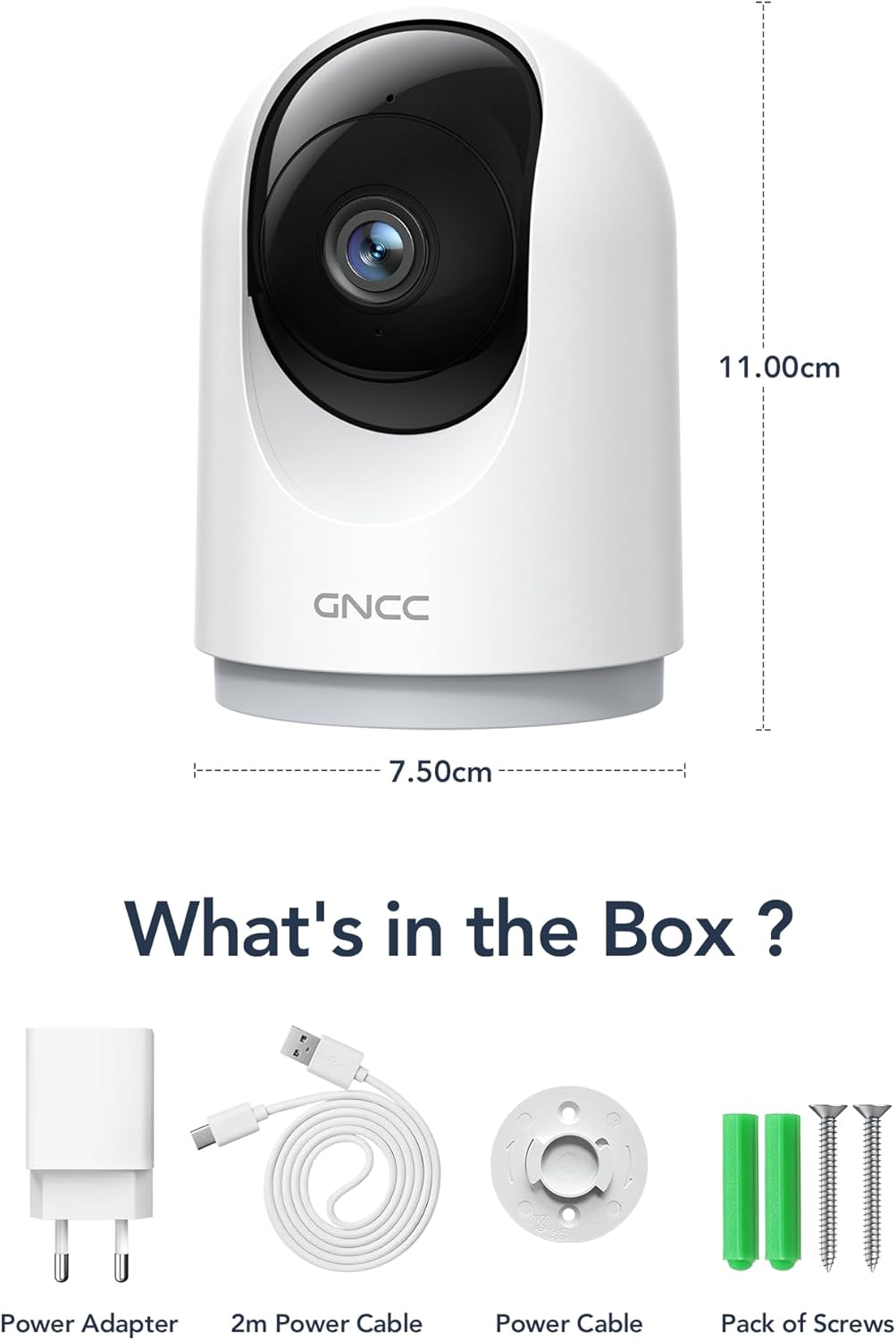
Image: Illustration of the GNCC P5 camera and its included accessories: power adapter, USB-C cable, and mounting hardware.
1.2 Fizinė konfigūracija
- Pasirinkite vietą: Place the camera on a flat surface or mount it to a wall using the provided screw package. Ensure the location provides a clear view ploto, kurį norite stebėti.
- Maitinimo jungtis: Connect the Type-C power cable to the camera and the power adapter. Plug the adapter into a standard electrical outlet. The camera will power on automatically.
- Wi-Fi Proximity: Ensure the camera is within 3 feet of your 2.4Ghz Wi-Fi router during the initial setup process for optimal connection. Note: This camera only supports 2.4Ghz Wi-Fi, not 5Ghz.

Image: The GNCC P5 camera positioned on a shelf, illustrating its compact design and highlighting its key features through surrounding icons.
1.3 Programėlės diegimas ir prijungimas
The GNCC P5 camera operates via the OSAIO app. Follow these steps to connect your camera:
- Download the OSAIO App: Ieškokite "OSAIO" in your smartphone's app store (App Store for iOS or Google Play Store for Android) and download it.
- Sukurti paskyrą: Open the OSAIO app and follow the on-screen instructions to create a new user account or log in if you already have one.
- Pridėti įrenginį: Tap the "+" icon or "Add Device" option within the app. Select the GNCC P5 camera model from the list.
- Vykdykite instrukcijas programėlėje: The app will guide you through the Wi-Fi connection process, which typically involves scanning a QR code displayed on your phone with the camera's lens.
- Pavadinkite savo kamerą: Once connected, you can assign a name to your camera (e.g., "Living Room Camera," "Baby's Room").
2. Naudojimo instrukcijos
2.1 Tiesiogiai View ir panoraminio/pakreipimo valdymas
Access the live video feed of your camera through the OSAIO app. The camera features 355° horizontal and 90° vertical rotation, providing a 360° panoramic view savo erdvės.
- Prieiga tiesiogiai View: From the app's main screen, tap on your camera's name to open the live feed.
- Pakreipimo / pasukimo valdymas: Use the directional controls (usually a joystick or arrow buttons) within the live view interface to remotely adjust the camera's viewing kampas.

Image: The GNCC P5 camera demonstrating its 360° panoramic view, with a phone screen showing the extensive coverage of a living space.
Vaizdo įrašas: Viršijimasview of the GNCC 2K Security Camera, showcasing its features including 360° panoramic view, 2K HD resolution, motion detection, sound detection, 2-way audio, and night vision capabilities.
2.2 Dvipusis garsas
The camera features a built-in microphone and speaker, enabling real-time two-way communication.
- Initiate Talk: Gyvai view, palieskite mikrofono piktogramą, kad kalbėtumėte per kameros garsiakalbį.
- Klausyk: Kameros mikrofonas užfiksuos aplinkos garsą, kurį galėsite girdėti per telefoną.

Image: A user interacting with the camera via the app, demonstrating the two-way audio function to communicate with someone on the other end.
2.3 Judesio aptikimas ir įspėjimai
The camera is equipped with smart motion detection and tracking. When motion is detected, you will receive instant notifications on your phone.
- Įgalinti įspėjimus: Configure motion detection sensitivity and notification preferences in the OSAIO app settings for your camera.
- Judesių sekimas: The camera can automatically track detected movement within its field of view.

Image: The camera actively tracking movement in a room, with corresponding motion detection alerts shown on a smartphone.
2.4 Naktinis matymas
The GNCC P5 camera provides clear night vision, allowing you to monitor your space even in low-light or no-light conditions.
- Automatinis aktyvinimas: Naktinio matymo funkcija paprastai įsijungia automatiškai esant prastam apšvietimui.
- Rankinis valdymas: Some settings within the app may allow for manual control of night vision mode.

Image: The camera providing clear night vision of a baby's room, as seen on a smartphone screen, ensuring monitoring in darkness.
2.5 Saugojimo parinktys (SD kortelė / debesis)
The camera offers flexible storage solutions for your recorded video footage.
- SD kortelės saugykla: Insert a Micro SD card (up to 128GB, not included) into the camera's designated slot for continuous 24/7 recording.
- Saugykla debesyje: A 30-day trial of cloud storage is available. You can subscribe to a cloud plan through the OSAIO app for secure, off-site storage of alert videos.
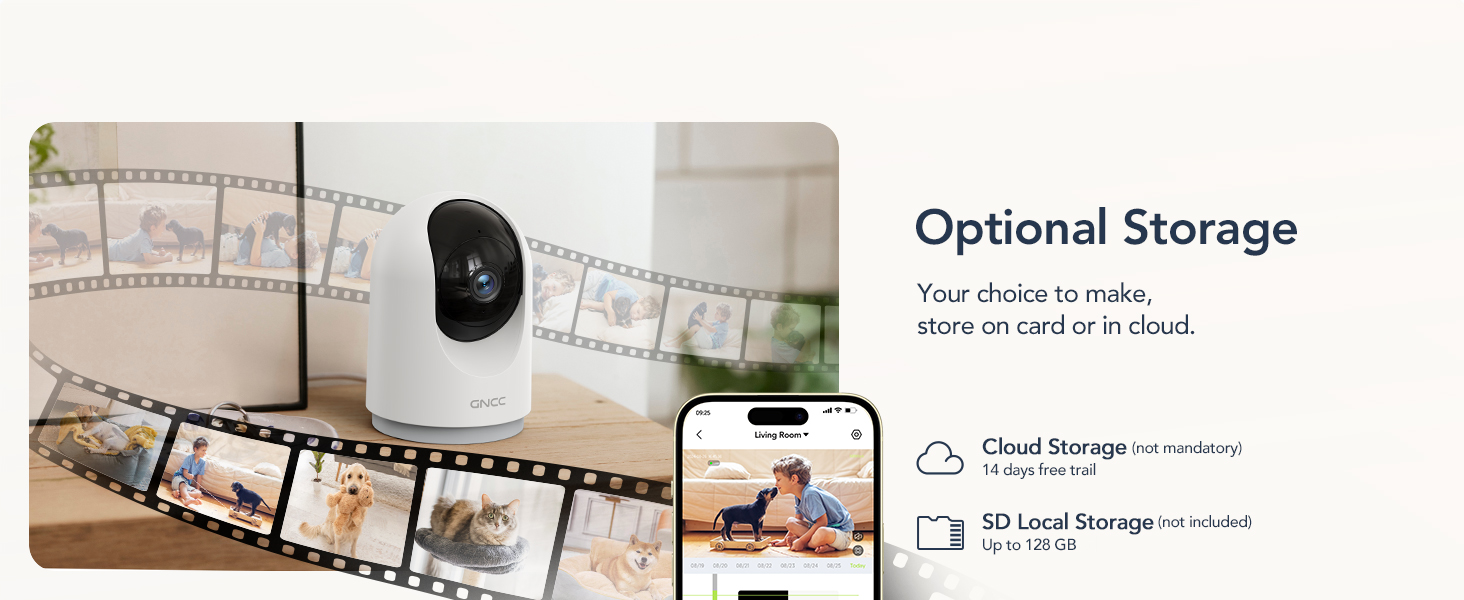
Image: Visual representation of the camera's optional storage methods: cloud storage and local SD card storage, with a smartphone showing recorded footage.
2.6 Išmaniųjų namų integracija
The GNCC P5 camera is compatible with Amazon Alexa and Google Assistant, allowing for voice-controlled viewing of your live camera feed.
- Poravimas: Follow the instructions in the Alexa or Google Home app to link your OSAIO account and discover your GNCC camera.
- Balso komandos: Use simple voice commands such as "Alexa, show me the baby's room" or "Hey Google, show me the living room camera" to view tiesioginį srautą suderinamuose išmaniuosiuose ekranuose.

Image: A user commanding Alexa to display the camera feed on a smart display, illustrating the camera's integration with smart home systems.
3. Priežiūra
- Valymas: Kameros objektyvą ir korpusą valykite minkštu, sausu audiniu. Venkite naudoti skystus valiklius ar abrazyvines medžiagas.
- Firmware atnaujinimai: Periodically check the OSAIO app for available firmware updates. Keeping your camera's firmware updated ensures optimal performance and security. Follow the in-app instructions for any updates.
4. Problemų sprendimas
| Problema | Sprendimas |
|---|---|
| Kamera neprisijungia prie „Wi-Fi“. |
|
| Prasta vaizdo kokybė. |
|
| Nėra judesio aptikimo įspėjimų. |
|
| Dvipusis garsas neveikia. |
|
5. Specifikacijos
| Funkcija | Detalė |
|---|---|
| Modelio pavadinimas | P5 |
| Naudojimas viduje / lauke | Vidinis |
| Vaizdo įrašymo raiška | 2K FHD |
| Viewing kampas | 355° horizontaliai, 90° vertikaliai |
| Naktinio matymo diapazonas | 33 pėdų |
| Ryšio protokolas | „Wi-Fi“ (tik 2.4 GHz) |
| Maitinimo šaltinis | Corded Electric (Type-C) |
| Suderinami įrenginiai | OSIAO App, Amazon Alexa, Google Assistant |
| Saugojimo parinktys | „Micro SD“ kortelė (iki 128 GB), debesies saugykla |
| Dvipusis garsas | Taip |
| Judesio aptikimas | Yes, with Motion Tracking |
| Įspėjimo tipas | Garsas ir judesys |
| Matmenys (I x P x A) | 2.95 x 2.95 x 4.33 colio |
| Prekės svoris | 6 uncijos (0.17 kilogramo) |
| ttage | 5 voltų |
| Vattage | 3 vatų |
| Kadrų dažnis | 10 kadrų per sekundę |
| Optinis priartinimas | 4x |
6. Garantija ir palaikymas
For warranty information and technical support, please refer to the official GNCC websvetainėje arba susisiekite tiesiogiai su jų klientų aptarnavimo tarnyba. Išsaugokite pirkimo kvitą kaip pirkimo įrodymą garantijos pretenzijoms.
Internetiniai ištekliai:
- Aplankykite GNCC Store on Amazon for product updates and related information.
Ask a question about this manual
Ask about setup, troubleshooting, compatibility, parts, safety, or missing instructions. Manuals+ will review the question and use this page’s manual context to help answer it.