
Įvadas
Thank you for choosing the Spigen Active Noise Cancelling Headphones SA-HP P10. These headphones are designed to provide an immersive audio experience with advanced noise cancellation, powerful sound, and convenient features for various uses including commuting, gaming, and music listening. Please read this manual carefully to ensure proper use and optimal performance of your new headphones.
Pakuotės turinys
Įsitikinkite, kad pakuotėje yra visi daiktai:
- Spigen Active Noise Cancelling Headphones SA-HP P10
- USB-C įkrovimo laidas (50 cm)
- AUX Audio Cable (1.2m)
- Nešiojimo maišelis
- Vartotojo vadovas (šis dokumentas)

Image: The Spigen SA-HP P10 headphones, a 50cm USB-C charging cable, and a 1.2m AUX audio cable, representing the complete package contents.
Produktas baigtasview
Susipažinkite su ausinių komponentais ir valdikliais.
Valdikliai ir prievadai:
- Maitinimo mygtukas: Press and hold to power on/off. Short press for play/pause or answer/end calls.
- Garsumo mygtukai (+/-): Short press to adjust volume. Long press to skip tracks.
- ANC / skaidrumo režimo jungiklis: Toggle to activate Active Noise Cancellation (ANC) or Transparency Mode.
- USB-C prievadas: Ausinėms įkrauti.
- 3.5 mm garso lizdas: Laidiniam prijungimui naudojant AUX laidą.
- Mikrofonai: Integrated 5-MIC system for clear calls and ANC.
Sąranka
1. Ausinių įkrovimas:
- Connect the USB-C charging cable to the headphone's USB-C port and a power source.
- LED indikatorius rodys įkrovimo būseną. Pilnas įkrovimas trunka maždaug 2 valandas.
- Prieš naudodami pirmą kartą įsitikinkite, kad ausinės yra visiškai įkrautos.
2. Maitinimo įjungimas/išjungimas:
- To power on, press and hold the Power Button until the LED indicator lights up.
- To power off, press and hold the Power Button until the LED indicator turns off.
3. Bluetooth poravimas:
- With the headphones powered off, press and hold the Power Button for 5 seconds until the LED indicator flashes blue and red, indicating pairing mode.
- On your device (smartphone, tablet, computer), enable Bluetooth and search for "Spigen SA-HP P10".
- Select the headphones to connect. The LED indicator will turn solid blue once successfully paired.
- The headphones support Bluetooth 5.4 for seamless pairing and multi-device connectivity.
4. Spigen Audio App:
- Download the "Spigen Audio" app from your device's app store.
- Connect your headphones to the app for customizable sound profiles, EQ settings, and firmware updates.
Image: The Spigen Audio App interface, displaying options for sound profiles (Default, Pop, Bass, Rock) and noise control modes (Multi-Mode ANC, Transparency, Normal, Indoor, Commuting, Noisy).
Naudojimo instrukcijos
1. Active Noise Cancellation (ANC) & Transparency Mode:
- Use the dedicated ANC/Transparency Mode switch on the headphones to toggle between modes.
- ANC režimas: Reduces external noise by up to 43dB, ideal for focused listening.
- Skaidrumo režimas: Praleidžia aplinkos garsus, todėl jaučiate aplinką.
- Customize ANC levels and modes (Indoor, Commuting, Noisy) via the Spigen Audio App.
Image: The Spigen SA-HP P10 headphones with visual cues indicating 43dB Active Noise Cancelling, 5-Mode Hybrid Adaptive ANC, Transparency Mode, and Clear Calls with 5 MICs.
2. Žaidimo režimas:
- Activate Gaming Mode via the Spigen Audio App for crystal-clear, low-latency audio transmission.
- This mode is optimized for an uninterrupted gaming experience.
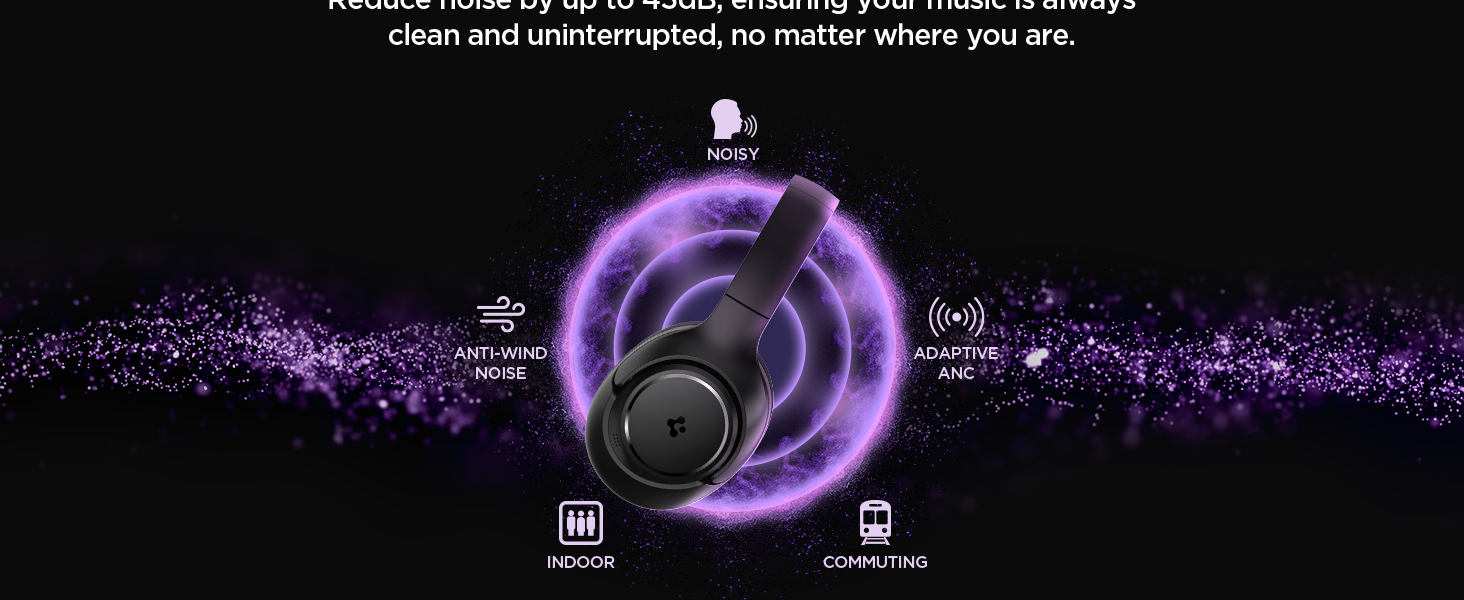
Image: Spigen SA-HP P10 headphones positioned next to a smartphone and a game controller, emphasizing the low-latency feature for an enhanced gaming experience.
3. Skambinimas:
- Atsiliepti / Baigti skambutį: Trumpai paspauskite maitinimo mygtuką.
- Atmesti skambutį: Ilgai paspauskite maitinimo mygtuką.
- The 5-MIC system ensures clear voice pickup and ambient noise reduction during calls.
Priežiūra
Cleaning EarPads:
- The ear pads are detachable for easy cleaning.
- Gently remove the ear pads from the headphones.
- Nuvalykite minkšta, damp šluoste ir švelniu muilu. Prieš pritvirtindami, leiskite visiškai išdžiūti.
- Nenaudokite stiprių cheminių medžiagų ar abrazyvinių medžiagų.

Image: Hands gently cleaning a detachable earpad of the Spigen SA-HP P10 headphones with a white cloth, demonstrating the ease of maintenance.
Trikčių šalinimas
- Nėra galios: Įsitikinkite, kad ausinės yra visiškai įkrautos.
- Nepavyksta sujungti: Make sure headphones are in pairing mode (flashing blue/red LED). Turn off and on your device's Bluetooth.
- Garso problemos: Check volume levels on both headphones and your device. Ensure headphones are within Bluetooth range. Try re-pairing.
- ANC neveikia: Ensure ANC mode is activated via the switch or app.
Specifikacijos
| Modelio pavadinimas | SA-HP P10 |
| Bluetooth versija | 5.4 |
| Baterijos veikimo laikas | Iki 60 valandų |
| Aktyvus triukšmo slopinimas | Iki 43dB |
| Vairuotojo dydis | 40 mm dinaminės tvarkyklės |
| Mikrofonai | 5-MIC System |
| Kontrolės metodas | App / On-device Buttons |
| Prekės svoris | 273 gramų (9.6 uncijos) |
| Gaminio matmenys | 3.22 x 6.31 x 7.75 colio |
Garantija ir palaikymas
For warranty information or technical support, please visit the official Spigen website or contact Spigen customer service directly. Keep your purchase receipt for warranty claims.