
1. Įvadas
This manual provides detailed instructions for the setup, operation, and maintenance of your Phomemo M834 Bluetooth Thermal Printer. The M834 is a portable, inkless thermal printer designed for high-clarity document printing, offering 300 dpi resolution and versatile paper compatibility. It supports both Bluetooth and USB connections for various devices.

Image 1.1: The Phomemo M834 thermal printer in use, connected to a smartphone, printing documents.
2. Pakuotės turinys
Prašome patikrinti, ar pakuotėje yra visi reikalingi daiktai:
- Phomemo M834 Thermal Printer
- USB įkrovimo laidas
- 200 Sheets of Folded Thermal Printer Paper (8.5" x 11")
- Vartotojo vadovas (šis dokumentas)
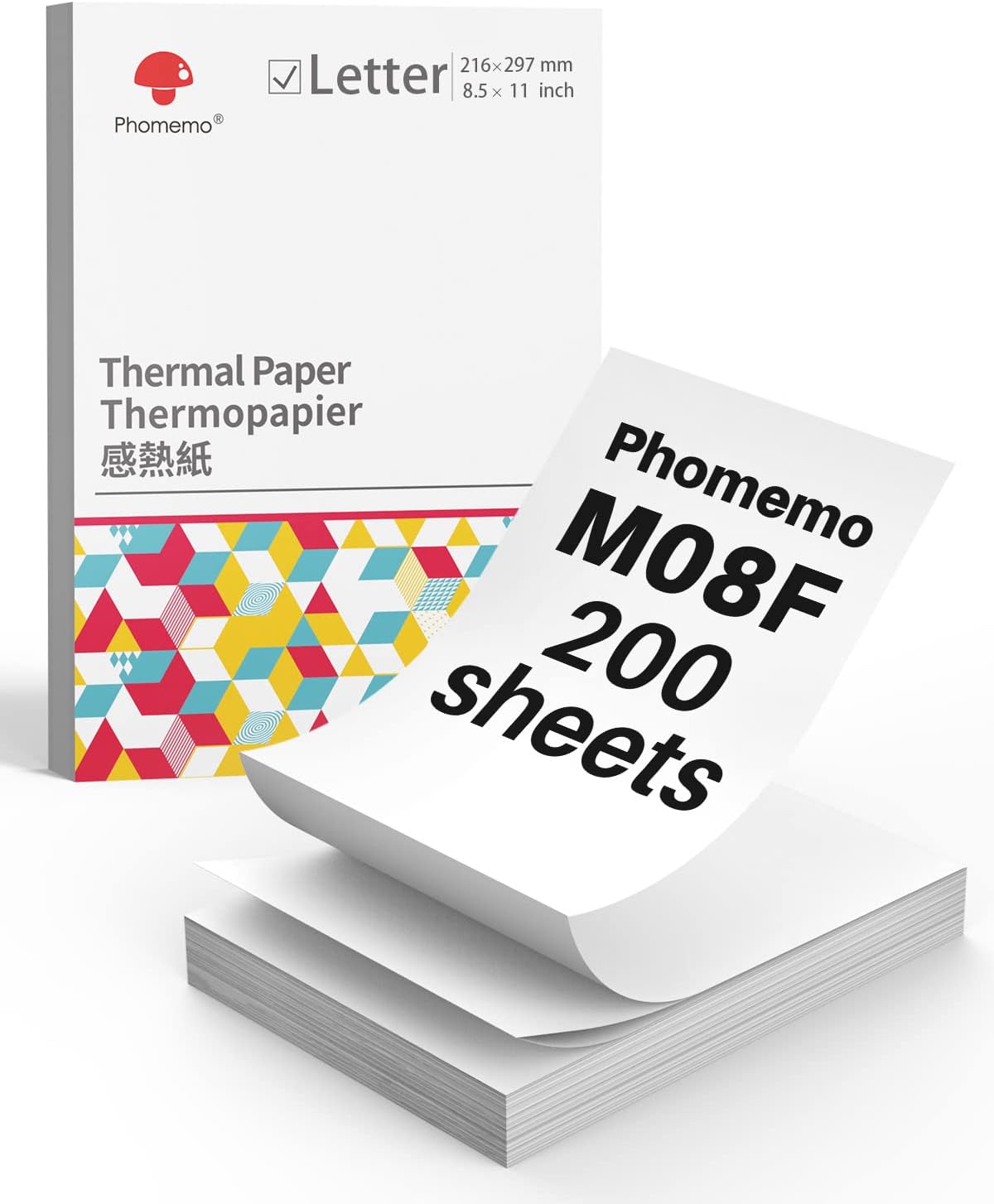
Image 2.1: A box containing 200 sheets of Phomemo M08F Letter-sized thermal paper.
3. Pradinė sąranka
3.1 Spausdintuvo įkrovimas
Before first use, fully charge the printer. Connect the provided USB cable to the printer's charging port and a power adapter (not included) or a computer's USB port. The indicator light will show charging status.
3.2 Installing the Phomemo App
For mobile printing, download the 'Phomemo' app from your device's app store (available for iOS and Android). Follow the in-app instructions for initial setup and pairing.
3.3 Terminio popieriaus įdėjimas
The Phomemo M834 supports various thermal paper types, including folded sheets. Ensure the paper is inserted correctly for optimal printing.
- Open the paper cover of the printer.
- Insert the thermal paper with the printable side facing up. For folded paper, ensure it feeds smoothly from the stack.
- Adjust the paper guides to fit the width of the paper.
- Saugiai uždarykite popierinį dangtelį.

Image 3.1: Illustration of Phomemo continuous folding paper, showing 8.5" x 11" dimensions.

Image 3.2: A hand demonstrating how to easily tear thermal paper along its perforated edge after printing.
4. Spausdintuvo valdymas
4.1 Connecting via Bluetooth (Mobile Devices)
The M834 printer connects wirelessly to smartphones and tablets via Bluetooth.
- Ensure the printer is powered on and within range of your mobile device.
- Įjunkite „Bluetooth“ savo mobiliajame įrenginyje.
- Open the Phomemo app. The app will guide you to discover and pair with the M834 printer.
- Once paired, you can select documents or images within the app to print.
4.2 Connecting via USB (Computers)
For Windows, macOS, Linux, and ChromeOS computers, connect the printer using the provided USB cable.
- Prijunkite vieną USB kabelio galą prie spausdintuvo, o kitą – prie kompiuterio.
- The computer should automatically detect the printer. If necessary, install the appropriate printer drivers from the Phomemo official websvetainę.
- Once installed, the M834 will appear as an available printer in your system's print dialogue.

Image 4.1: Visual representation of the two connection methods: Bluetooth for mobile devices (Android, iOS, Tablets) and USB for computers (Windows, Mac OS, Chrome OS, Linux).
4.3 Dokumentų spausdinimas
After connecting, select the document or image you wish to print from your device. Adjust print settings such as paper size (US Letter, A4, 4.33'', 3.14'', 2.08'') and orientation as needed before initiating the print job.

Image 4.2: A side-by-side comparison highlighting the enhanced clarity of 300dpi printing (Phomemo M834) compared to 203dpi.
5. Priežiūra
5.1 Spausdinimo galvutės valymas
To maintain print quality, periodically clean the print head. Use a cotton swab lightly dampened with isopropyl alcohol. Gently wipe the print head surface. Allow it to dry completely before use.
5.2 Bendroji priežiūra
- Keep the printer in a clean, dry environment.
- Venkite spausdintuvo tiesioginių saulės spindulių ar ekstremalių temperatūrų.
- Use only Phomemo-approved thermal paper for optimal results and to prevent damage.
- Do not attempt to disassemble the printer.

Image 5.1: Information highlighting the use of BPA-Free thermal paper, emphasizing its inkless and harmless properties.
6. Problemų sprendimas
6.1 No Print Output
- Patikrinkite galią: Ensure the printer is powered on and has sufficient battery charge.
- Popieriaus įdėjimas: Verify that thermal paper is loaded correctly with the printable side facing up.
- Ryšys: Confirm that the printer is properly connected via Bluetooth or USB.
6.2 Prasta spausdinimo kokybė
- Spausdinimo galvutės valymas: A dirty print head can cause streaks or faded prints. Refer to Section 5.1.
- Popieriaus kokybė: Įsitikinkite, kad naudojate aukštos kokybės terminį popierių.
- Paper Orientation: Make sure the thermal paper is inserted with the correct side facing the print head.
6.3 „Bluetooth“ ryšio problemos
- Iš naujo paleiskite įrenginius: Turn off and on both the printer and your mobile device.
- Pamiršti įrenginį: In your device's Bluetooth settings, 'forget' or 'unpair' the M834 and then attempt to pair again through the Phomemo app.
- Programos leidimai: Ensure the Phomemo app has necessary Bluetooth permissions.
7. Specifikacijos
| Funkcija | Specifikacija |
|---|---|
| Modelis | Phomemo M834 |
| Spausdinimo raiška | 300 dpi |
| Spausdinimo technologija | Terminis (be rašalo) |
| Ryšys | Bluetooth, USB |
| Baterijos talpa | 2600mAh (up to 160+ pages continuous printing) |
| Palaikomi popieriaus dydžiai | US Letter, A4, 4.33'', 3.14'', 2.08'' |
| Palaikomi popieriaus tipai | Roll, Fold, Ordinary Thermal Paper |
| Palaikomos operacinės sistemos | Android, iOS, Windows 10/11, Linux, ChromeOS, macOS |
8. Garantija ir palaikymas
8.1 Informacija apie garantiją
For detailed warranty information, please refer to the warranty card included with your product or visit the official Phomemo websvetainėje. Garantijos sąlygos gali skirtis priklausomai nuo regiono ir pirkimo datos.
8.2 Pagalba klientams
If you encounter any issues or have questions not covered in this manual, please contact Phomemo customer support through their official website or the contact information provided in your product packaging. When contacting support, please have your product model (M834) and purchase details ready.