
1. Įvadas
Welcome to the OUKITEL C59 Pro user manual. This guide provides detailed instructions on how to set up, operate, maintain, and troubleshoot your new Android 15 smartphone. Please read this manual thoroughly to ensure optimal performance and longevity of your device.
2. Saugos informacija
Kad nesusižalotumėte ar nesusižeistumėte kitų ir nesugadintumėte savo įrenginio, prieš naudodami įrenginį, perskaitykite visą saugos informaciją. Išsaugokite šį vadovą ateičiai.
- Nelaikykite prietaiso ekstremaliose temperatūrose, tiesioginiuose saulės spinduliuose ar didelėje drėgmėje.
- Use only OUKITEL-approved chargers, batteries, and accessories.
- Venkite numesti įrenginį ir stipriai jį sutrenkti.
- Neardykite, nemodifikuokite ir neremontuokite įrenginio patys.
- Kad išvengtumėte trukdžių, laikykitės saugaus atstumo nuo medicinos prietaisų.
- Atsakingai utilizuokite įrenginį ir jo komponentus pagal vietinius reikalavimus.
3. Pakuotės turinys
Patikrinkite, ar jūsų gaminio dėžutėje yra visi šie elementai:
- OUKITEL C59 Pro išmanusis telefonas
- Telefono dėklas
- USB kabelis (C tipo)
- SIM išstūmimo įrankis
- Maitinimo adapteris
4. Įrenginys baigtasview
Familiarize yourself with the physical features and components of your OUKITEL C59 Pro smartphone.

Paveikslėlis: Bendra view of the OUKITEL C59 Pro smartphone, showcasindėl savo elegantiško dizaino ir galinio kameros modulio.
4.1 Fiziniai mygtukai ir prievadai
- Maitinimo mygtukas: Located on the side, used to power on/off the device or wake/sleep the screen. Integrates fingerprint recognition.
- Garsumo mygtukai: Located on the side, used to adjust media volume and ringtone volume.
- C tipo USB prievadas: Įsikūręs apačioje, naudojamas įkrovimui ir duomenų perdavimui.
- SIM / „MicroSD“ kortelės lizdas: Located on the side, for inserting Nano SIM cards and a MicroSD card.
- 110lm LED Flashlight: An exclusive physical flashlight located at the top of the device, activated by a dedicated button.
4.2 Ekranas
The OUKITEL C59 Pro features a large 6.88-inch HD+ display with a 90Hz refresh rate and 450 nits brightness, providing a clear and smooth visual experience.

Image: The OUKITEL C59 Pro's 6.88-inch HD+ display, highlighting its size and visual clarity.
4.3 fotoaparatai
The device is equipped with a dual rear camera system, featuring a 13MP main camera, and a 5MP front camera for selfies and video calls.

Image: Close-up of the OUKITEL C59 Pro's rear camera module and exampnuotraukų, padarytų 13 MP pagrindine kamera ir 5 MP priekine kamera.
4.4 Žibintuvėlis
The OUKITEL C59 Pro features a powerful 110 lumen LED flashlight at the top. This flashlight can be activated instantly by pressing a dedicated physical button on the side of the phone, even when the screen is locked.

Image: The OUKITEL C59 Pro's 110lm LED flashlight illuminating dark environments, demonstrating its brightness and utility in various scenarios.
5. Sąranka
5.1 SIM ir „MicroSD“ kortelių įdėjimas
Your OUKITEL C59 Pro supports Dual Nano SIM cards and a MicroSD card for expandable storage up to 1TB.
- Suraskite SIM kortelės dėklą įrenginio šone.
- Įkiškite SIM kortelės išstūmimo įrankį į mažą skylutę šalia dėklo, kad jį atidarytumėte.
- Place your Nano SIM cards and/or MicroSD card into the designated slots on the tray, ensuring correct orientation.
- Švelniai stumkite dėklą atgal į įrenginį, kol jis užsifiksuos.

Image: The SIM card tray of the OUKITEL C59 Pro, showing slots for two Nano SIM cards and one MicroSD card.
5.2 Įrenginio įkrovimas
Before first use, fully charge your OUKITEL C59 Pro. The device supports 18W fast charging.
- Prijunkite USB C tipo laidą prie telefono apačioje esančio įkrovimo prievado.
- Kitą USB laido galą prijunkite prie maitinimo adapterio.
- Įkiškite maitinimo adapterį į sieninį lizdą.
- A full charge typically takes approximately four hours.
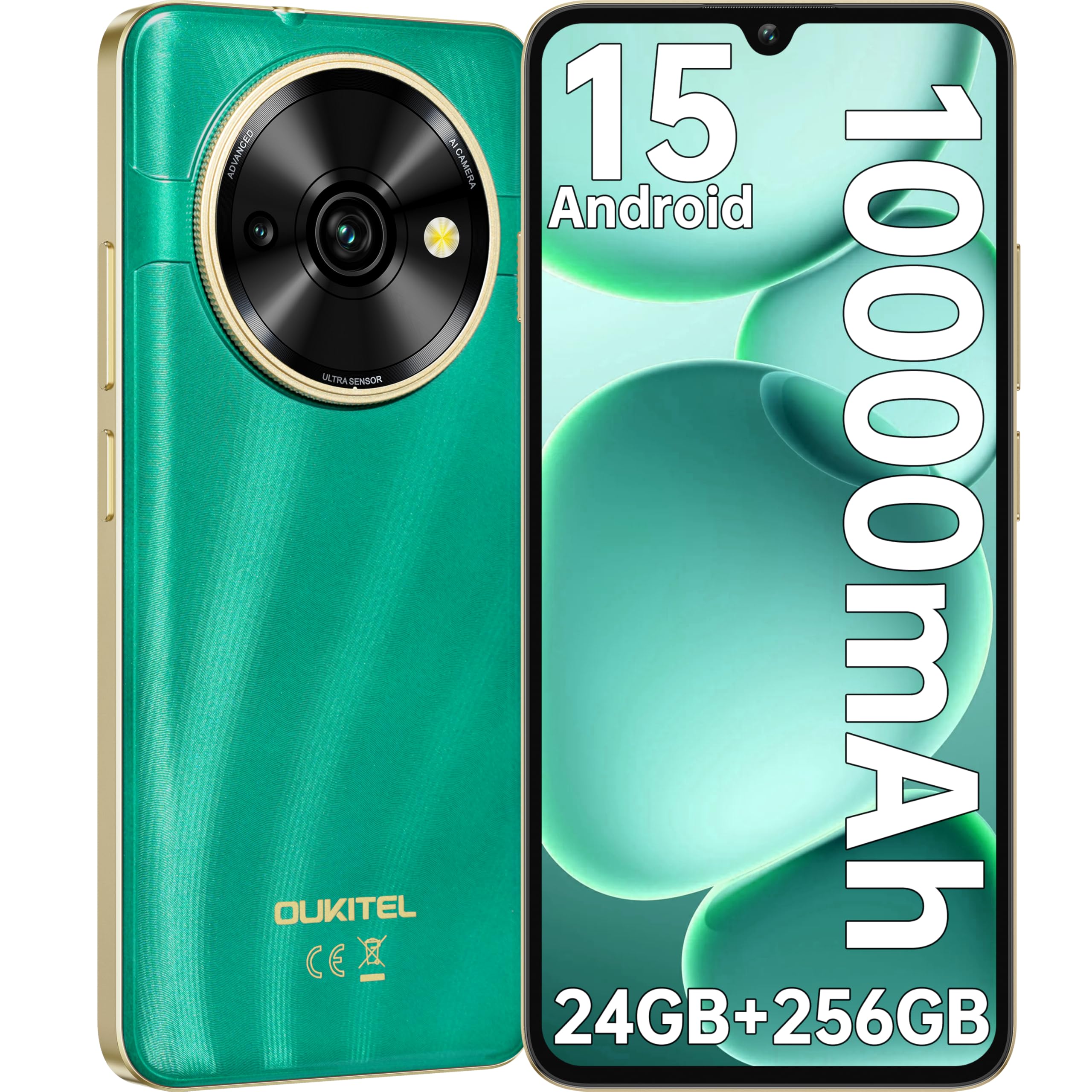
Image: Visual representation of the OUKITEL C59 Pro's 10000mAh battery capacity, indicating extended standby, talk, flashlight, and video playback times.
5.3 Įjungimas / išjungimas
- Norėdami įjungti: Paspauskite ir palaikykite maitinimo mygtuką, kol pasirodys OUKITEL logotipas.
- Norėdami išjungti: Paspauskite ir palaikykite maitinimo mygtuką, tada ekrane rodomoje parinkčių sąraše pasirinkite „Išjungti“.
- Norėdami paleisti iš naujo: Paspauskite ir palaikykite maitinimo mygtuką, tada iš parinkčių pasirinkite „Paleisti iš naujo“.
6. Išmaniojo telefono valdymas
6.1 „Android 15“ operacinė sistema
Your OUKITEL C59 Pro runs on the latest Android 15 operating system, offering enhanced energy efficiency, privacy protection, and multi-device integration capabilities optimized with artificial intelligence.

Image: A visual representation of the Android 15 operating system interface, showcasing its modern design and various application icons.
6.2 Biometric Security (Fingerprint & Face ID)
Unlock your device securely using the side-mounted fingerprint sensor or Face ID recognition.
- Pirštų atspaudų atpažinimas: Register your fingerprints in the Security settings. To unlock, simply place your registered finger on the side power button.
- Veido ID: Set up Face ID in the Security settings. To unlock, hold the phone in front of your face.
6.3 Connectivity Features (NFC, GPS)
The OUKITEL C59 Pro supports NFC for contactless payments and data transfer, and GPS for navigation and location services.
- NFC: Enable NFC in Settings > Connected devices > Connection preferences > NFC. Tap your phone to compatible devices for quick pairing or payments.
- GPS: Location services are enabled by default. You can manage them in Settings > Location.
6.4 Atmintis ir saugykla
The device comes with 24GB RAM (8GB physical + 16GB virtual) and 256GB internal storage, expandable up to 1TB via MicroSD card.

Image: A graphical representation of the OUKITEL C59 Pro's memory configuration, showing 24GB RAM (8GB + 16GB expansion) and 256GB ROM (expandable to 1TB).
6.5 OTG Functionality
The OUKITEL C59 Pro supports OTG (On-The-Go) reverse charging, allowing you to transfer data to other devices or use your phone as an emergency power bank.
7. Priežiūra
Proper maintenance ensures the longevity and optimal performance of your smartphone.
- Valymas: Įrenginio ekraną ir korpusą valykite minkštu, nepūkuotu audiniu. Venkite naudoti stiprias chemines medžiagas ar abrazyvines medžiagas.
- Programinės įrangos atnaujinimai: Regularly check for and install system updates to ensure your device has the latest features and security patches. Go to Settings > System > System update.
- Akumuliatoriaus priežiūra: Venkite dažnai visiškai iškrauti akumuliatorių. Ilgalaikiam laikymui įkraukite akumuliatorių maždaug iki 50 %.
- Saugyklos valdymas: Periodiškai valykite nereikalingus fileir programas, kad atlaisvintumėte vietos saugykloje ir pagerintumėte našumą.
8. Problemų sprendimas
Jei kyla problemų dėl įrenginio, išbandykite šiuos sprendimus:
- Įrenginys nereaguoja: Paspauskite ir palaikykite maitinimo mygtuką maždaug 10–15 sekundžių, kad priverstumėte paleisti iš naujo.
- Programėlių strigimas: Clear the cache and data of the problematic app in Settings > Apps > [App Name] > Storage. If the issue persists, uninstall and reinstall the app.
- Prastas baterijos veikimo laikas: Check battery usage in Settings > Battery to identify power-hungry apps. Reduce screen brightness, disable unnecessary features like GPS or Wi-Fi when not in use.
- Tinklo problemos: Ensure SIM cards are correctly inserted. Try restarting the device. Check network settings or contact your service provider.
- Perkaitimas: Avoid using the device while charging or during prolonged heavy usage. Close background apps.
- Gamykliniai nustatymai: As a last resort, if software issues persist, you can perform a factory reset. Įspėjimas: tai ištrins visus jūsų įrenginyje esančius duomenis. Prieš tęsdami sukurkite svarbių duomenų atsarginę kopiją. Eikite į Nustatymai > Sistema > Atstatymo parinktys > Ištrinti visus duomenis (gamyklinių parametrų atkūrimas).
9. Specifikacijos
Detailed technical specifications for the OUKITEL C59 Pro smartphone.
| Funkcija | Specifikacija |
|---|---|
| Prekės ženklas | OUKITEL |
| Modelio pavadinimas | OUKITEL C59 Pro |
| Operacinė sistema | Android 15 |
| Įdiegtos RAM dydis | 24 GB (8 GB fizinės + 16 GB virtualios) |
| Sandėliavimo talpa | 256 GB |
| Max Supported Flash Memory Size | 1024 GB (1 TB) |
| Ekrano dydis | 6.88 colių |
| Rezoliucija | 1640 x 720 pikselių |
| Atnaujinimo dažnis | 90 Hz |
| Ekrano tipas | LCD |
| Korinio ryšio technologija | 4G |
| Ryšio technologija | 4G |
| Spalva | ŽALIA |
| Number of SIM Card Slots | Dvi SIM kortelės |
| SIM kortelės dydis | Nano |
| Jungties tipas | C tipo USB |
| Formos faktorius | Baras |
| Biometric Security Feature | Pirštų atspaudų atpažinimas, veido atpažinimas |
| Atsparumo vandeniui lygis | Neatsparus vandeniui |
| Ausinių lizdas | Nėra |
| Galinės kameros skiriamoji geba | 13 MP |
| Number of Rear Cameras | 2 |
| Number of Front Cameras | 1 |
| Vaizdo įrašymo raiška | 1080p |
| Kadrų dažnis | 30 kadrai per sekundę, 60 kadrai per sekundę, 120 kadrai per sekundę |
| Baterijos talpa | 10000 mAh |
| Baterijos veikimo laikas | 50 valandos (pokalbių laikas) |
| GPS | Taip |
| Įtraukti komponentai | Phone case, USB cable, SIM ejector tool, Power adapter |
| Konkretus produkto naudojimas | Gaming, Photography, Streaming, Video Conferencing |
10. Garantija ir palaikymas
10.1 Informacija apie garantiją
The OUKITEL C59 Pro smartphone comes with a 2 metų gamintojo garantija. This warranty covers defects in materials and workmanship under normal use. It does not cover damage caused by misuse, accidents, unauthorized repairs, or normal wear and tear. Please retain your proof of purchase for warranty claims.
10.2 Pagalba klientams
For technical assistance, warranty claims, or any other inquiries regarding your OUKITEL C59 Pro, please contact OUKITEL customer support through their official website or the contact information provided with your purchase. Ensure you have your device model and purchase details ready when contacting support.