
1. Įvadas
This manual provides essential information for setting up, operating, and maintaining your TCL 98Q7K 98-inch QLED 4K Google TV. This television features a stunning QLED 4K display with a 144 Hz panel for smooth motion, integrated Google TV for smart functionality, and advanced audio with Dolby Atmos. It also includes Google Assistant and Alexa compatibility for hands-free voice control, VisionHDR10+, and AiPQ™ processing for optimized picture quality.

2. Sąranka
2.1 Išpakavimas ir pirminė apžiūra
Carefully remove the television from its packaging. Inspect the TV and all included accessories for any signs of damage. Keep the packaging materials for future transport or service needs.
2.2 Stovo montavimas
If you plan to use the TV with its included stand, follow these steps:
- Padėkite televizorių ekranu žemyn ant minkšto, lygaus paviršiaus, kad nesubraižytumėte.
- Sulygiuokite stovo komponentus su tam skirtomis angomis televizoriaus apačioje.
- Secure the stand using the screws provided in the accessory kit. Ensure all screws are tightened firmly.

2.3 Tvirtinimas prie sienos (pasirinktinai)
For wall mounting, a compatible VESA wall mount (not included) is required. Due to the size and weight of the 98-inch television, professional installation is highly recommended to ensure safety and proper mounting. Refer to the wall mount manufacturer's instructions for specific installation details.
2.4 Išorinių įrenginių prijungimas
Connect your external devices such as Blu-ray players, gaming consoles, sound systems, and cable/satellite boxes to the appropriate ports on the TV. The TCL 98Q7K features 4 HDMI ports and 2 USB ports for versatile connectivity.
3. Naudojimo instrukcijos
3.1 Maitinimo įjungimas/išjungimas
Connect the power cord to the TV and a power outlet. Press the power button on the remote control or on the TV itself to turn the television on or off.
3.2 Initial Setup with Google TV
Upon first power-on, the TV will guide you through the initial setup process for Google TV. This includes selecting your language, connecting to a Wi-Fi network, signing in with your Google account, and configuring basic settings. Follow the on-screen prompts.

3.3 Nuotolinio valdymo pulto funkcijos
The included remote control allows you to navigate the TV's interface, adjust volume, change channels, and access smart features. It supports voice control via Google Assistant and Alexa. Insert the provided batteries into the remote control before use.
3.4 Išmaniosios funkcijos ir valdymas balsu
- Google TV: Access a wide range of streaming apps, movies, and shows.
- „Google“ asistentas ir „Alexa“: Use voice commands for hands-free control of your TV, search for content, get information, and control smart home devices.
- Įtaisytasis „Chromecast“: Transliuokite turinį iš suderinamų mobiliųjų įrenginių tiesiai į televizorių.
3.5 Žaidimų funkcijos
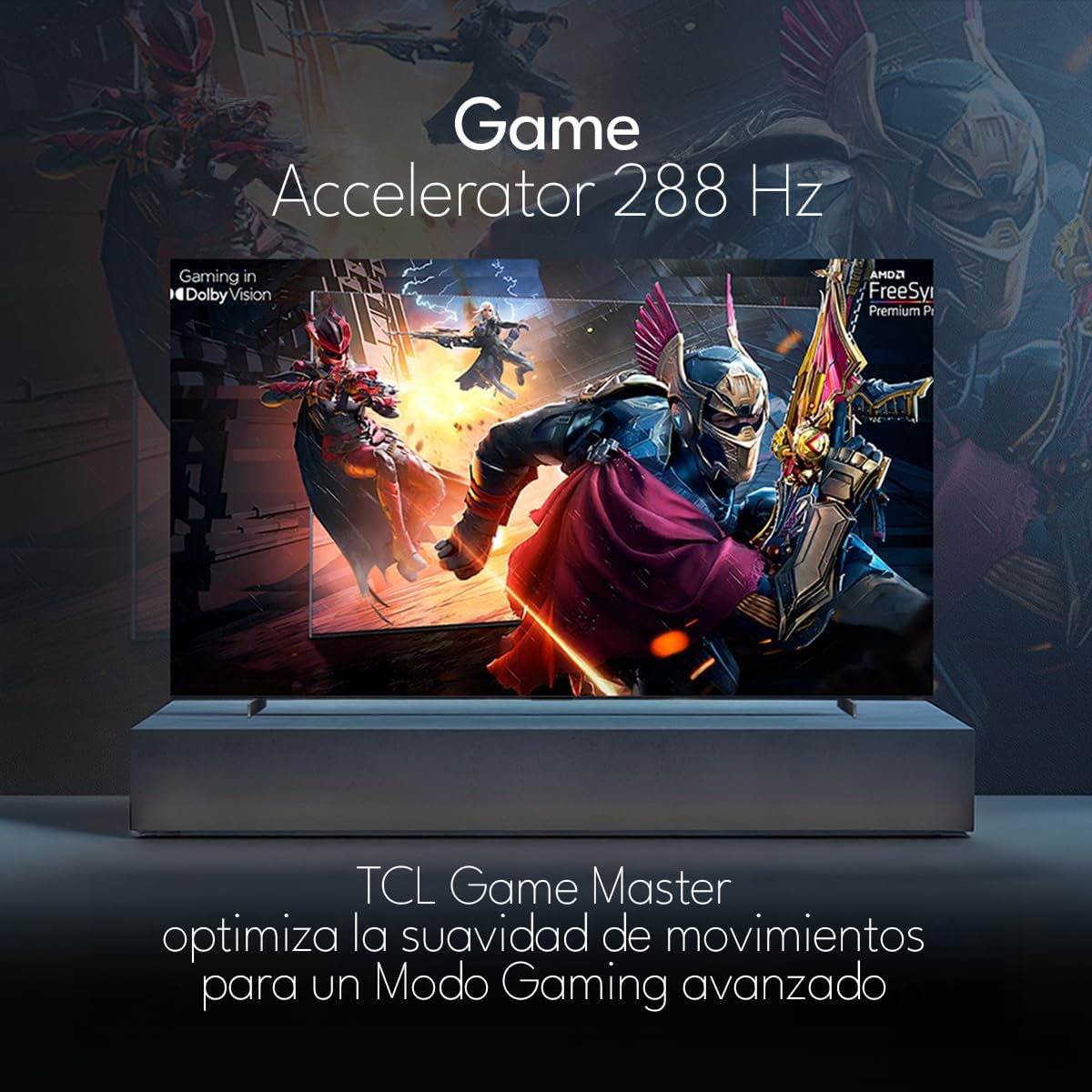
The TCL 98Q7K features a 144 Hz panel and Game Accelerator technology for an enhanced gaming experience with reduced latency and smoother motion.

3.6 Garso funkcijos
Experience immersive sound with Dolby Atmos and the integrated ONKYO Hi-Fi System 2.1 Channels, providing clear vocals and deep bass.

3.7 Produktas baigtasview Vaizdo įrašas
4. Priežiūra
4.1 Ekrano valymas
Norėdami išvalyti ekraną, švelniai nuvalykite jį minkštu, nepūkuotu skudurėliu. Jei dėmės sunkiai pašalinamos, lengvai nuvalykiteampNuvalykite šluostę vandeniu arba specializuotu ekrano valikliu. Venkite naudoti stiprias chemines medžiagas, abrazyvines medžiagas ir nepurkškite skysčių tiesiai ant ekrano.
4.2 Televizoriaus korpuso valymas
Wipe the TV body with a soft, dry cloth. Do not use liquid cleaners directly on the TV body.
4.3 Programinės įrangos naujiniai
Your TCL Google TV may receive automatic software updates. To manually check for updates, navigate to the settings menu, then select System > About > System update. Ensure your TV is connected to the internet for updates.
5. Problemų sprendimas
Jei kyla problemų dėl televizoriaus, žr. šiuos dažniausiai pasitaikančius sprendimus:
- Nėra galios:
Įsitikinkite, kad maitinimo laidas yra tvirtai prijungtas ir prie televizoriaus, ir prie veikiančio elektros lizdo. Pabandykite prijungti kitą įrenginį prie to paties lizdo, kad įsitikintumėte, jog jam tiekiama energija. - Nėra vaizdo ar garso:
Verify that the correct input source is selected (e.g., HDMI 1, AV). Check all cable connections between the TV and external devices. Ensure the volume is not muted or set to minimum. - Nuotolinio valdymo pultas neveikia:
Pakeiskite nuotolinio valdymo pulto baterijas. Įsitikinkite, kad tarp nuotolinio valdymo pulto ir televizoriaus IR jutiklio nėra jokių kliūčių. - Tinklo ryšio problemos:
Check your Wi-Fi router and ensure it is powered on and functioning correctly. Restart the TV and your router. In the TV settings, verify the Wi-Fi connection status. - Vaizdo kokybės problemos (pvz., neryškus, iškraipytas vaizdas):
Check the resolution settings of your input source. Ensure the cables are not damaged. Adjust picture settings (brightness, contrast, sharpness) in the TV menu.
For persistent issues, consult the full electronic manual available through the TV's help menu or contact TCL customer support.
6. Specifikacijos
| Funkcija | Specifikacija |
|---|---|
| Ekrano dydis | 98 colių |
| Ekrano technologija | QLED |
| Rezoliucija | 4K (3840 x 2160) |
| Atnaujinimo dažnis | 144 Hz |
| HDR formato palaikymas | Dolby Vision, HDR10, HDR10+, HLG |
| Didžiausias ryškumas | 450 XNUMX NITS |
| Garso sistema | Dolby Atmos, Dolby Digital, ONKYO Hi-Fi System 2.1 Channels |
| Operacinė sistema | Google TV |
| Valdymas balsu | „Google“ padėjėjas, Alexa |
| Ryšys | Wi-Fi, Ethernet, 4x HDMI, 2x USB |
| Matmenys (su stovu) | 217.8 x 128.5 x 42 cm |
| Matmenys (be stovo) | 0.06prof. x 2.18an. x 1.25alt. Meters (approx. 6 cm depth) |
| Modelio metai | 2025 |
| Įtraukti komponentai | Rankinis, Nuotolinio valdymo pultas, Baterijos |
7. Garantija ir palaikymas
7.1 Gaminio garantija
The TCL 98Q7K television comes with a 2 metų ribota garantija nuo įsigijimo datos. Ši garantija taikoma gamybos defektams ir gedimams įprasto naudojimo metu. Išsaugokite pirkimo įrodymą, jei galėtumėte pateikti pretenzijas dėl garantijos.
7.2 Pagalba klientams
For technical assistance, troubleshooting beyond this manual, or warranty inquiries, please contact TCL customer support. Refer to the contact information provided in the separate warranty card or visit the official TCL websvetainė jūsų regionui.