
SIMO SGO24
SIMO Solis Go 4G Mobile Hotspot WiFi Power Bank User Manual
Model: SGO24 | Brand: SIMO
1. Įvadas
This manual provides essential instructions for setting up, operating, and maintaining your SIMO Solis Go 4G Mobile Hotspot WiFi Power Bank. The Solis Go is designed to provide reliable internet connectivity in over 140 countries and also functions as a portable power bank for your devices. Please read this manual thoroughly before using the device to ensure optimal performance and safety.
2. Pakuotės turinys
Patikrinkite, ar pakuotėje yra visi reikalingi daiktai:
- SIMO Solis Go Device
- Charging Cable (built-in)
- Greitos pradžios vadovas

The image above displays the SIMO Solis Go device, a compact black unit with orange accents, alongside two cards indicating "10GB Data Included" and "Lifetime Data 12GB Per Year". The device features built-in charging cables.
3. Produktas baigtasview
The SIMO Solis Go combines a 4G mobile hotspot with a power bank, offering versatile connectivity and charging capabilities. It features a virtual SIM (vSIM) technology, eliminating the need for physical SIM cards and contracts.
Pagrindinės funkcijos:
- Visuotinis ryšys: Access to 4G LTE in over 140 countries via multiple carriers.
- Integruotas maitinimo bankas: 8,000mAh capacity to charge external devices.
- Integruoti kabeliai: Integrated USB-A, USB-C, and Lightning cables for convenience.
- SignalScan™ Technology: Automatically connects to the strongest available 4G network.
- Lifetime Data: Includes 1GB of global data per month for the life of the device.
- Įrenginio bendrinimas: Connect up to 16 devices simultaneously.

This image displays six icons representing key features: SignalScan™ Technology for automatic best carrier connection, Private, Secure Data for personal encrypted networks, Built-in Charging Cables (USB-A, USB-C, Lightning), Global WiFi in 140+ countries, 16+ Hours of Battery Life, and the ability to Share with 10 Devices.
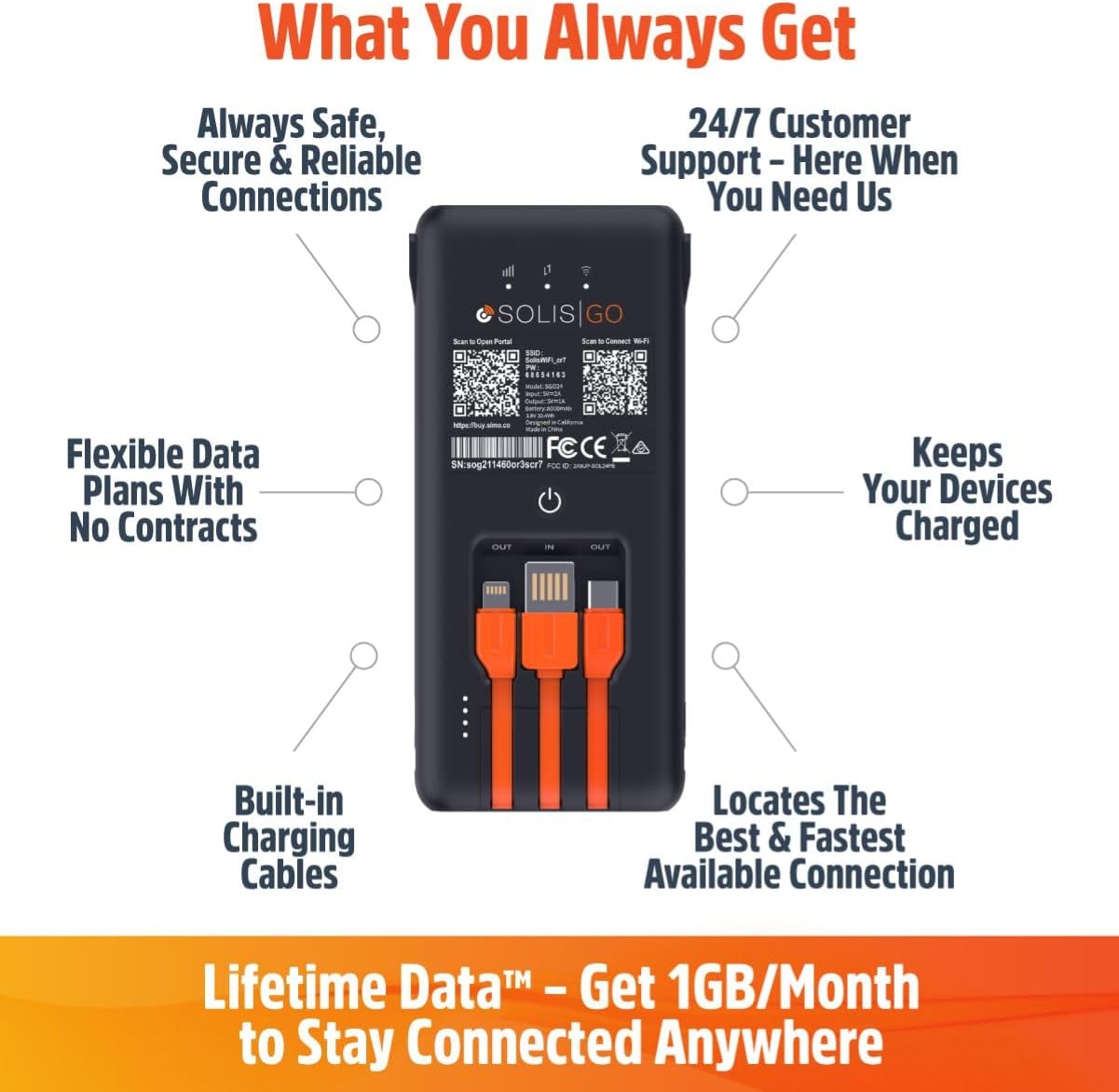
This image shows the back of the Solis Go device, detailing its various features such as built-in charging cables, the power button, and indicators for signal strength and battery. Labels point to "Always Safe, Secure & Reliable Connections", "24/7 Customer Support", "Flexible Data Plans With No Contracts", "Keeps Your Devices Charged", "Built-in Charging Cables", and "Locates The Best & Fastest Available Connection".
4. Sąranka
Follow these steps to set up your SIMO Solis Go:
- Įkraukite įrenginį: Before first use, fully charge your Solis Go using the built-in charging cable and a compatible USB power adapter (not included).
- Download the Solis App: Ieškokite "Solis" in your device's app store (iOS or Android) and download the official Solis app.
- Užregistruokite savo įrenginį: Open the Solis app and follow the on-screen instructions to create an account and register your Solis Go device. You will typically need to scan a QR code or enter a serial number found on the device.
- Aktyvuoti duomenų planą: Once registered, your included 1GB/month Lifetime Data plan will be active. You can view your data usage and purchase additional data plans through the app.
- Maitinimas: Press and hold the power button on the Solis Go until the indicator lights illuminate.
- Prisijunkite prie WiFi: On your smartphone, tablet, or laptop, search for available WiFi networks. Select the network name (SSID) broadcast by your Solis Go (e.g., "Solis_XXXX") and enter the password. The default SSID and password can be found on a sticker on the device or in the Quick Start Guide.

This diagram illustrates the three main steps for using the Solis Go: 1) Grab a Solis Global Hotspot, 2) Register Your Hotspot & Choose Your WiFi Plan (via a smartphone app), and 3) Enjoy WiFi Anywhere (showing multiple devices connected wirelessly).
5. Naudojimo instrukcijos
5.1 Įjungimas / išjungimas
- Norėdami įjungti: Press and hold the power button for approximately 3 seconds until the indicator lights activate.
- Norėdami išjungti: Paspauskite ir palaikykite maitinimo mygtuką maždaug 3 sekundes, kol indikatoriaus lemputės užges.
5.2 Įrenginių prijungimas
The Solis Go can connect up to 16 devices simultaneously. Ensure your device's WiFi is enabled and select the Solis Go network from the list of available networks. Enter the WiFi password when prompted.
5.3 Naudojimas kaip išorinės baterijos
The Solis Go features built-in USB-A, USB-C, and Lightning cables. To charge an external device:
- Pull out the appropriate built-in cable from the Solis Go.
- Connect the cable to your external device.
- The Solis Go will automatically begin charging the connected device.

This image shows a hand holding the Solis Go device, with its integrated USB-A, USB-C, and Lightning cables clearly visible and ready for use, highlighting its function as a power bank.
5.4 Global Coverage and Network Selection
The Solis Go utilizes SignalScan™ technology to automatically detect and connect to the strongest available 4G network in over 140 countries. This ensures optimal connectivity without manual network selection or SIM card swapping.

This image displays a world map with various national flags and signal strength indicators, emphasizing the Solis Go's global coverage in over 140 countries with no locked-in contract or SIM card required.
6. Data Plans and Management
Your Solis Go comes with a Lifetime Data plan, providing 1GB of global data per month. Additional data can be purchased as needed through the Solis app.
- Lifetime Data: Enjoy 1GB of global data every month, automatically refreshed.
- Papildomi duomenys: Purchase one-time data packages (e.g., 10GB Global Data) or monthly plans directly from the Solis app.
- Naudojimo stebėjimas: The Solis app allows you to monitor your current data usage and plan status.
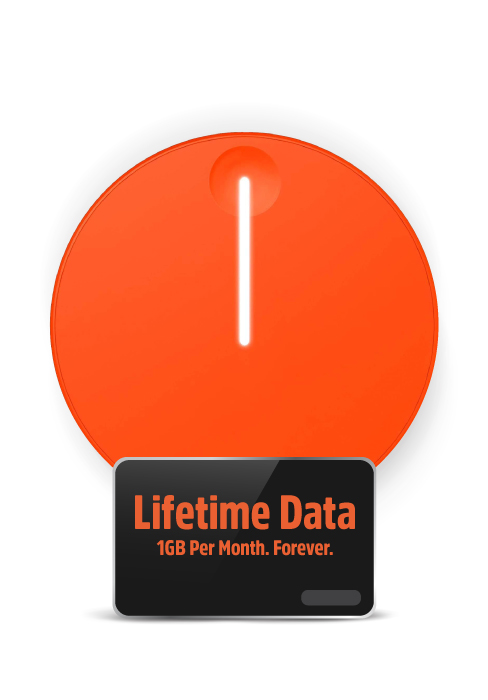
This image highlights the "Lifetime Data" feature, offering "1GB Per Month. Forever." for continuous connectivity.
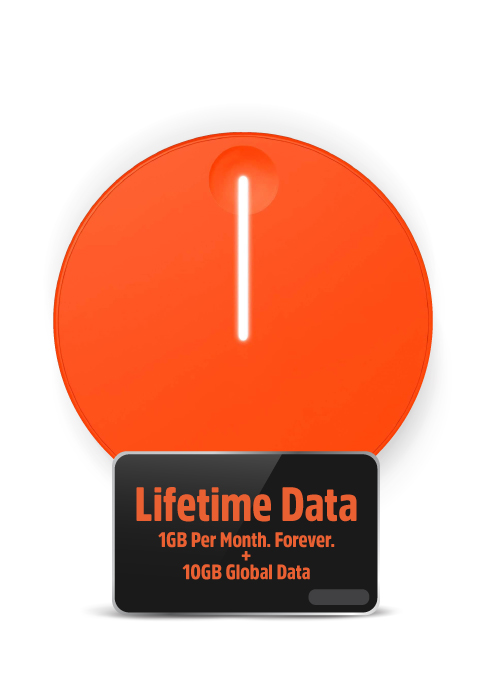
This image shows the "Lifetime Data" plan, which includes "1GB Per Month. Forever." along with an additional "10GB Global Data" bundle.
7. Problemų sprendimas
If you encounter issues with your Solis Go, try the following steps:
- Nėra interneto ryšio:
- Ensure the Solis Go is powered on and fully charged.
- Check the signal strength indicators on the device.
- Verify that your connected device is properly linked to the Solis Go's WiFi network.
- Restart the Solis Go device.
- Open the Solis app to check your data plan status and ensure you have available data.
- If in a new location, allow a few minutes for the device to connect to the local network via SignalScan™.
- Lėtas ryšio greitis:
- Persikelkite į vietą, kurioje geresnis mobiliojo ryšio signalas.
- Sumažinkite prijungtų įrenginių skaičių.
- Close bandwidth-intensive applications on connected devices.
- Restart the Solis Go.
- Įrenginys neįkraunamas:
- Ensure the built-in charging cable is securely connected to a working USB power source.
- Išbandykite kitą USB maitinimo adapterį arba prievadą.
- If using the Solis Go to charge another device, ensure the Solis Go itself has sufficient battery charge.
- Programos problemos:
- Ensure your Solis app is updated to the latest version.
- Paleiskite programėlę arba išmanųjį telefoną iš naujo.
If problems persist, please contact SIMO customer support for further assistance.
8. Specifikacijos
| Funkcija | Detalė |
|---|---|
| Modelio numeris | SGO24 |
| Ryšio technologija | Wi-Fi, 4G LTE |
| Belaidžio ryšio standartas | 802.11a, 802.11ac, 802.11b |
| Dažnių juostos klasė | Dviejų juostų |
| Suderinami įrenginiai | Smart Phones, Tablets, Laptops, Wi-Fi Compatible Devices |
| Ypatinga funkcija | Access Point Mode, Built-in Power Bank, Built-in Cables |
| Baterija | Reikalinga 1 ličio jonų baterija (įmontuota) |
| Prekės svoris | 14.9 uncijos |
| Pakuotės matmenys | 7.83 x 4.29 x 2.05 colio |
| Gamintojas | SIMO Holdings Inc. |
9. Saugos informacija
Please observe the following safety precautions to prevent damage to your device or injury to yourself:
- Nelaikykite prietaiso ekstremaliose temperatūrose, tiesioginiuose saulės spinduliuose ar didelėje drėgmėje.
- Venkite numesti įrenginį ir stipriai jį sutrenkti.
- Nebandykite ardyti, taisyti ar modifikuoti įrenginio. Tai panaikins garantiją.
- Saugokite prietaisą nuo vandens ir kitų skysčių.
- Naudokite tik patvirtintus įkrovimo priedus.
- Atsakingai utilizuokite įrenginį ir jo bateriją laikydamiesi vietinių taisyklių.
10. Garantija ir palaikymas
The SIMO Solis Go is manufactured by SIMO Holdings Inc. For detailed warranty information, product support, or to contact customer service, please visit the official SIMO websvetainėje arba žr. prie pirkinio pridėtą garantinę kortelę.
Gamintojas: SIMO Holdings Inc.
Norėdami gauti naujausius pagalbos išteklius, apsilankykite: www.soliswifi.co
Susiję dokumentai - SGO24
 |
Solis Go Mobile Hotspot User Manual User manual for the Solis Go high-speed mobile hotspot and power bank. Includes setup instructions, charging guide, LED status indicators, and technical specifications. |
 |
Solis Go Power Bank User Manual (SGO24) User manual for the Solis Go Power Bank (Model SGO24/TS-61), a multi-function device featuring a 4G/LTE WiFi router and an 8000mAh power bank. |
 |
Solis 5G Mobile Hotspot User Guide and Specifications A comprehensive guide to setting up and using the SIMO Solis 5G mobile hotspot, including step-by-step instructions, technical specifications, support contact information, and FCC compliance details. |
 |
Solis Tag User Manual: Setup, Features, and Specifications Comprehensive user manual for the Solis Tag portable Wi-Fi hotspot. Learn how to set up, connect, manage data plans, understand light indicators, and view Techninės specifikacijos. |
 |
Solis Hero Portable Wi-Fi Hotspot User Manual and Specifications Comprehensive guide to the Solis Hero portable Wi-Fi hotspot by SIMO, covering setup, features like SignalScan and Lifetime Data, technical specifications, and compliance information. |
 |
SIM0-7610 用户手册:主板安装、配置与BIOS设置指南 获取SIM0-7610主板的详细用户手册,了解包装清单、主板规格、硬件安装、BIOS设置、编程指南及订购信息。 |
Ask a question about this manual
Ask about setup, troubleshooting, compatibility, parts, safety, or missing instructions. Manuals+ will review the question and use this page’s manual context to help answer it.