
1. Svarbios saugos instrukcijos
Please read all instructions carefully before using the projector and retain this manual for future reference. Improper use may result in electric shock, fire, or other hazards.
- Neužblokuokite ventiliacijos angų. Užtikrinkite pakankamai vietos aplink projektorių tinkamam oro cirkuliavimui.
- Saugokite projektorių nuo lietaus ar drėgmės, kad išvengtumėte gaisro ar elektros smūgio.
- Venkite žiūrėti tiesiai į projektoriaus objektyvą, kai lamp įjungtas, nes ryški šviesa gali pažeisti akis.
- Naudokite tik gamintojo nurodytus priedus/priedus.
- Atjunkite projektorių nuo elektros tinklo žaibuojant arba kai jis ilgą laiką nenaudojamas.
- Nebandykite patys taisyti šio gaminio. Visus techninės priežiūros darbus patikėkite kvalifikuotiems techninės priežiūros darbuotojams.
2. Sąrankos vadovas
2.1 Kas yra dėžutėje
Patikrinkite, ar pakuotėje yra visi reikalingi daiktai:
- HOMPOW Mini Projector
- Nuotolinio valdymo pultas
- Maitinimo adapteris
- HDMI kabelis
- Vartotojo vadovas
- Garantijos kortelė

Image: The HOMPOW Mini Projector shown with its remote control, power adapter, and HDMI cable.
2.2 Pradinė sąranka
2.2.1 Maitinimo jungtis
- Prijunkite maitinimo adapterį prie projektoriaus maitinimo įvesties prievado.
- Įkiškite maitinimo adapterį į tinkamą elektros lizdą.
2.2.2 Išdėstymas ir dėmesys
Pastatykite projektorių ant stabilaus, lygaus paviršiaus. Optimaliam veikimui viewing, place it perpendicular to the projection surface (wall or screen).
- Projekcijos atstumas: The recommended projection distance ranges from 3.49 feet to 7.26 feet.
- Vaizdo dydis: This allows for an image size between 40 inches and 120 inches.
- Fokuso reguliavimas: Sukite projektoriaus objektyvo fokusavimo žiedą, kol vaizdas taps aiškus ir ryškus.

Image: Visual comparison demonstrating the clarity of 1080P Full HD supported resolution versus 480P.
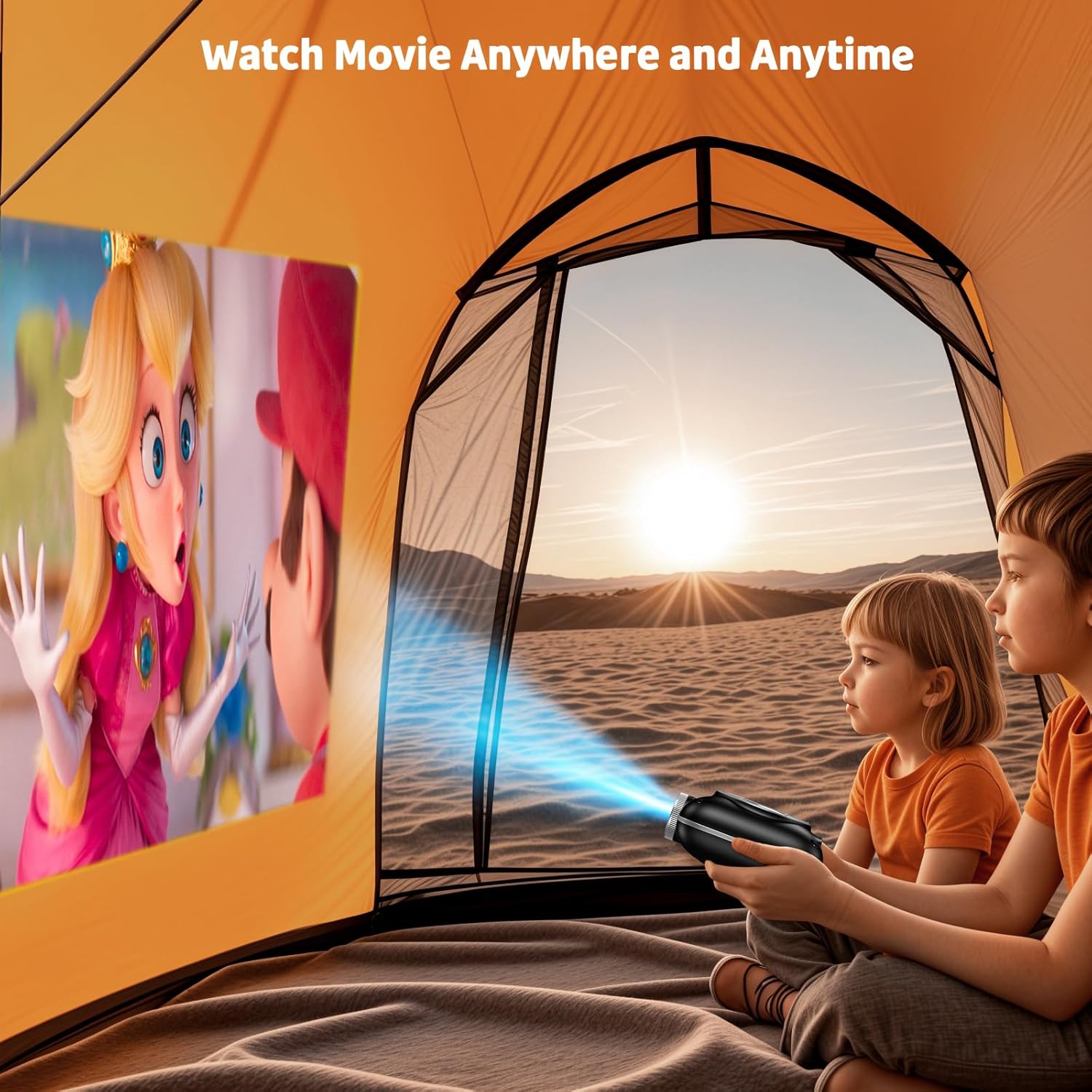
Image: The compact projector projecting a movie inside a tent, highlighting its portability for outdoor use.
3. Naudojimo instrukcijos
3.1 Maitinimo įjungimas/išjungimas
Press the power button on the projector or the remote control to turn the device on or off. The projector features an auto-off timer for convenient screen time management.
3.2 Ryšys
The HOMPOW Mini Projector offers multiple connectivity options:
- HDMI 2.0 prievadas: Connect to laptops, TV sticks, gaming consoles (PS4, PS5), and other HDMI-enabled devices using the included HDMI cable.
- USB 2.0 prievadas: Prijunkite USB atmintines, kad galėtumėte atkurti medijos failus.
- Two-Way Bluetooth 5.1: Connect external Bluetooth speakers for enhanced audio or use the projector as a Bluetooth speaker to play music from your phone.

Image: The projector highlighting its wireless connectivity features, including WiFi and Bluetooth.

Image: A visual guide illustrating how to connect various devices such as smartphones, tablets, TV sticks, laptops, PS3/PS4, headphones, and USB drives to the projector.
3.3 Ekrano atspindėjimas
To mirror your smartphone or tablet screen:
- „Android“ telefonams: Use a Micro USB/Type-C to HDMI adapter (sold separately).
- For iPhones/iPads: Use a Lightning to HDMI adapter (sold separately).
- For Streaming Services: Plug in a TV stick (sold separately) for Netflix/Hulu and other HDCP-compliant streaming platforms.
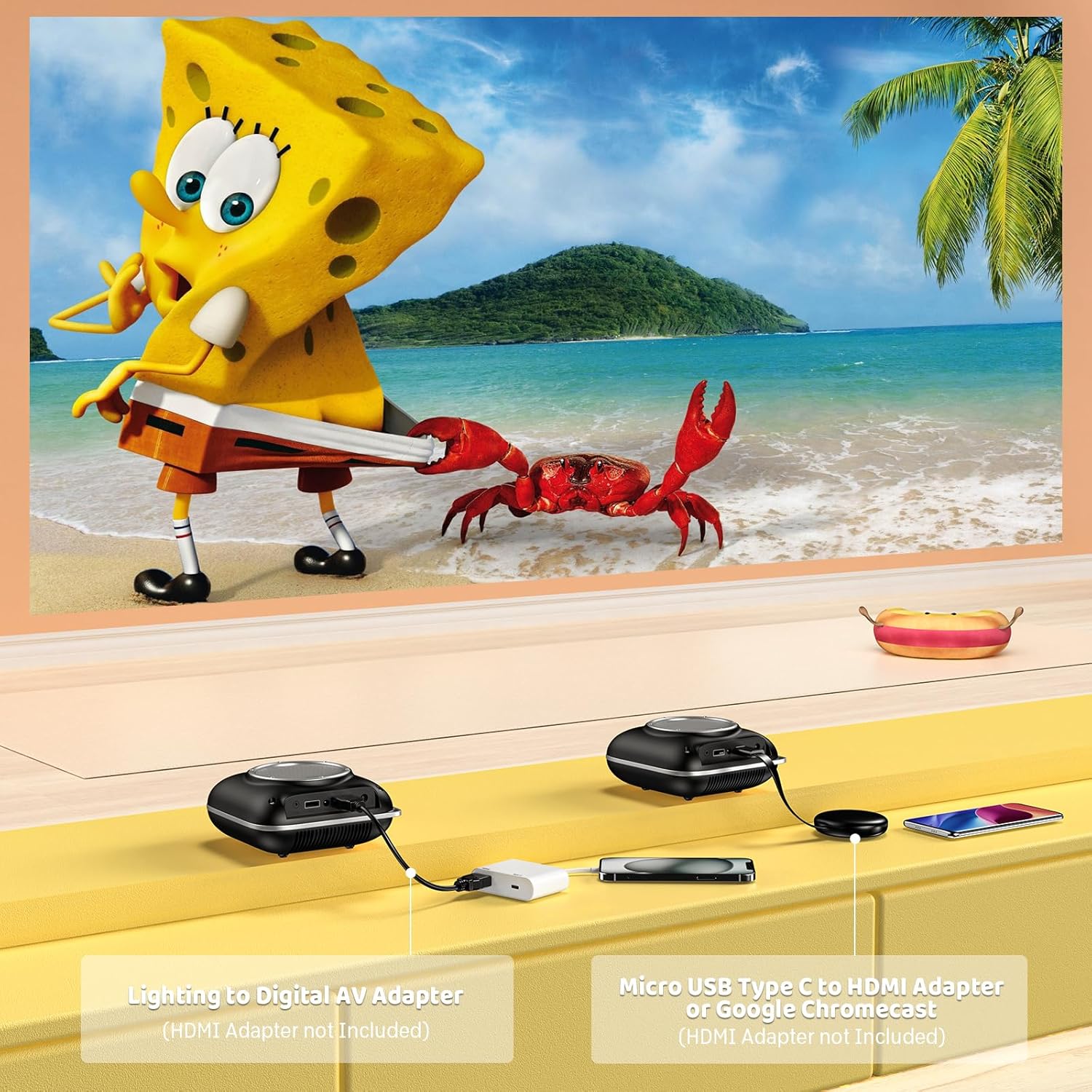
Image: Instructions for connecting mobile devices to the projector using Lightning to Digital AV Adapter for iOS and Micro USB Type-C to HDMI Adapter or Google Chromecast for Android.
3.4 Garso išvestis
The projector features built-in 5W high-powered stereo speakers. For enhanced sound, utilize the bidirectional Bluetooth 5.1 to connect to external Bluetooth speakers or headphones.

Image: Diagram showing the projector's two-way Bluetooth functionality, allowing connection to an external speaker or functioning as a Bluetooth speaker for a phone.
3.5 Projection Size and Zoom
The projector supports a projection size from 40 to 120 inches. Use the 50%-100% zoom function to adjust the image size without moving the projector.

Image: A visual representation of the 50%-100% zoom function, showing how the projected image size can be adjusted.
4. Priežiūra
4.1 Valymas
- Objektyvas: Naudokite minkštą, nepūkuotą šluostę, specialiai skirtą optiniams lęšiams. Nenaudokite abrazyvinių valiklių.
- Išorė: Projektoriaus išorę nuvalykite minkštu, sausu skudurėliu. Venkite naudoti stiprias chemines medžiagas ar tirpiklius.
- Vėdinimas: Ensure ventilation openings are free from dust and debris to prevent overheating.
4.2 Saugykla
Kai nenaudojate, laikykite projektorių vėsioje, sausoje vietoje, toliau nuo tiesioginių saulės spindulių ir ekstremalių temperatūrų. Naudokite originalią pakuotę arba apsauginį dėklą, kad išvengtumėte dulkių kaupimosi ir pažeidimų.
5. Problemų sprendimas
Dažniausiai pasitaikančias problemas ir jų sprendimus žr. toliau pateiktoje lentelėje.
| problema | Galima priežastis | Sprendimas |
|---|---|---|
| Neprojektuojamas vaizdas | Power not connected, input source incorrect, lens cap on. | Check power connection, select correct input source (HDMI/USB), remove lens cap. |
| Neryškus vaizdas | Focus not adjusted, projector too close/far. | Adjust the focus ring, ensure projector is within optimal projection distance (3.49-7.26 ft). |
| Nėra garso | Volume too low, external speaker not connected, audio format unsupported. | Increase volume, connect Bluetooth speaker, check audio format compatibility. |
| Ekrano veidrodis neveikia | Incorrect adapter, device compatibility issue. | Ensure correct HDMI adapter for your phone (Micro USB/Type-C for Android, Lightning for iOS). |
| Projektoriaus perkaitimas | Užblokuota ventiliacija, ilgalaikis naudojimas. | Ensure clear space around vents, allow projector to cool down if used for extended periods. |
6. Techninės specifikacijos
| Funkcija | Detalė |
|---|---|
| Prekės ženklas | HOMPOW |
| Modelis | B0F43PY223 |
| Gimtoji raiška | 1280 x 720 (720p) |
| Palaikoma rezoliucija | 1920 x 1080 (1080P „Full HD“) |
| Ryšio technologija | HDMI, USB 2.0, Bluetooth 5.1 (Two-Way) |
| Ekrano tipas | CRT (as per specification, typically LCD for mini projectors) |
| Kontrasto santykis | 10000:1 |
| Projekcijos dydis | 40–120 colio |
| Metimo atstumas | 3.49–7.26 pėdos |
| Šviesos šaltinio veikimo laikas | 50000 valandų |
| Integruotas garsiakalbis | 5W High-Powered Stereo Speakers |
| Mastelio funkcija | 50–100 % |
| Matmenys (I x P x A) | 4.9" x 4.9" x 2.1" |
| Svoris | 0.7 kilogramo |
| Energijos suvartojimas | 30 vatų |
| ttage | 110 voltų |
7. Garantija ir palaikymas
7.1 Informacija apie garantiją
The HOMPOW Mini Projector comes with:
- A 30-day replacement window.
- 2-year repair coverage.
Išsaugokite pirkimo įrodymą, kad galėtumėte kreiptis dėl garantijos.
7.2 Pagalba klientams
For any questions, troubleshooting assistance, or warranty inquiries, please contact HOMPOW customer support. We offer 24/7 assistance to ensure stress-free ownership.
Contact information can typically be found on the HOMPOW official websvetainėje arba garantijos kortelėje, pridėtoje prie jūsų pakuotės.