
Įvadas
This manual provides detailed instructions for the proper installation, use, and maintenance of your Spigen Tough Armor MagFit case, designed for the Google Pixel 10 and Pixel 10 Pro. Please read this manual thoroughly to ensure optimal protection and functionality for your device.
Produktas baigtasview
Pagrindinės savybės
- Hybrid PC and TPU structure with Air Cushion Technology for a slim yet durable design.
- Built-in kickstand for hands-free viewing.
- Raised edges for enhanced screen and camera protection.
- Military-grade protection via Extreme Protection Tech.
- Designed for Pixelsnap and compatible with MagSafe accessories.
- Suderinamas su belaidžiu įkrovimu.
Medžiagos
The case is constructed from a combination of Polycarbonate and Thermoplastic Polyurethane, offering robust protection.
Matmenys ir svoris
- Gaminio matmenys: 3 x 0.4 x 6 colio
- Prekės svoris: 1.86 uncijos
Suderinamumas
This case is specifically designed for the Google Pixel 10 and Pixel 10 Pro. It is not compatible with Pixel 10 Pro XL, Pixel 9a, Pixel 9 Pro, or Pixel 9.
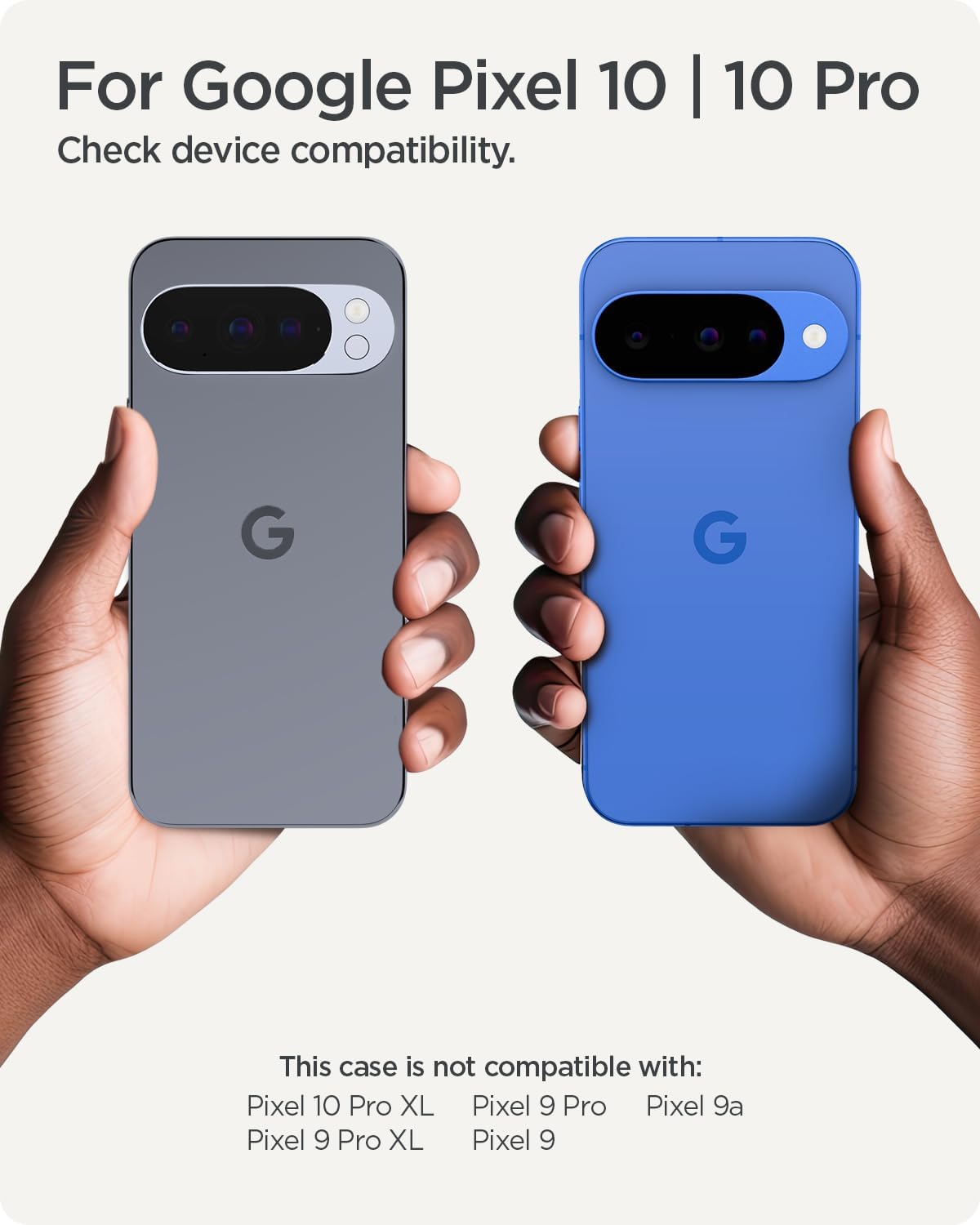
This image illustrates the specific device models compatible with the Spigen Tough Armor MagFit case, highlighting that it fits the Google Pixel 10 and Pixel 10 Pro, but not other Pixel models like the XL or 9 series.

A visual summary of the case's main features, including its lifted edges for screen protection, MagFit compatibility, integrated kickstand, Air Cushion Technology for shock absorption, AI-tested protection, and support for wireless charging.
Sąranka ir diegimas
Dėklo montavimas
- Ensure your Google Pixel 10 or Pixel 10 Pro device is clean and free of dust or debris.
- Separate the two layers of the case if they are not already separated: the soft TPU inner layer and the rigid PC outer shell.
- Carefully insert your phone into the soft TPU inner layer, ensuring all edges and corners are properly seated.
- Align the rigid PC outer shell with the TPU layer and snap it into place, starting from one side and working your way around until it is securely fastened.
- Patikrinkite, ar veikia visi mygtukai ir ar visos jungtys yra prieinamos.

This diagram illustrates the multi-layered construction of the case, detailing how the soft inner TPU layer, rigid outer PC shell, and internal impact foam combine to provide comprehensive protection.
Naudojimo instrukcijos
Integruoto atraminio stovo naudojimas
Integruotas atraminis stovas leidžia naudoti laisvas rankas viewing. To deploy, gently pull the kickstand tab located on the back of the case until it clicks into an open position. To retract, push the kickstand back into its recess until it lies flush with the case. The kickstand is designed for horizontal viewing.
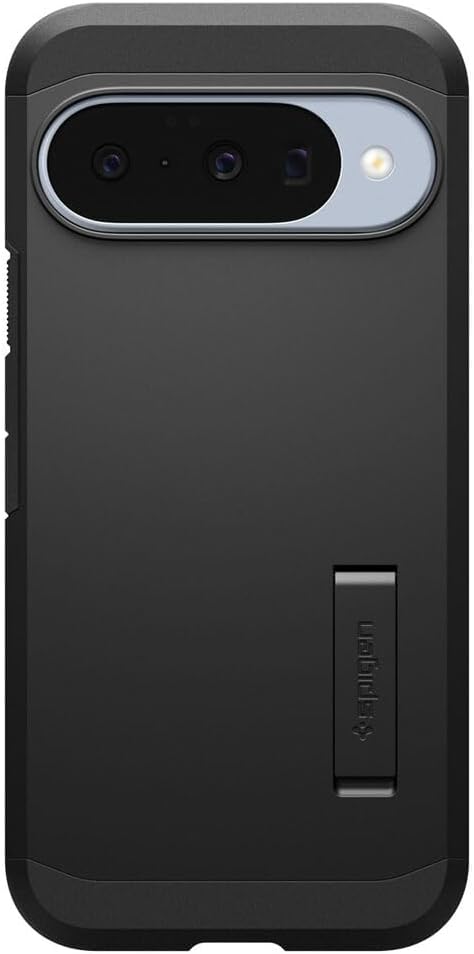
Išsamią view of the case's kickstand in its extended position, demonstrating its design for supporting the phone horizontally.
MagFit and Wireless Charging
The Spigen Tough Armor MagFit case features an integrated magnet ring for compatibility with Pixelsnap and other MagSafe-compatible accessories. This enables secure attachment of magnetic chargers, wallets, and mounts.
For wireless charging, place your device with the case onto a Qi2-certified wireless charger. Note that compatibility with older Google Pixel Stand 1 or Pixel Stand 2 may be limited.

This image demonstrates the MagFit functionality of the case, showing how it securely attaches to a magnetic wireless charger and a magnetic wallet, expanding the phone's accessory options.
Priežiūra
Cleaning Your Case
To clean your Spigen Tough Armor MagFit case, remove it from your device. Use a soft, damp cloth with mild soap and water to gently wipe down the surfaces. Avoid abrasive cleaners or harsh chemicals, as these can damage the case material. Allow the case to air dry completely before re-installing your phone.
Bendroji priežiūra
While the case offers robust protection, avoid exposing it to extreme temperatures or prolonged direct sunlight, which can affect its material integrity and color over time.
Trikčių šalinimas
Wireless Charging Issues
If you experience issues with wireless charging, ensure you are using a Qi2-certified charger. Older Google Pixel Stand 1 or Pixel Stand 2 models may have limited compatibility. Reposition your phone on the charger to ensure proper alignment with the MagFit ring.
Screen Protector Interference
In rare instances, some screen protectors, particularly thicker ones, may experience reduced touch responsiveness around the edges when used in conjunction with this case. If this occurs, consider adjusting the screen protector or using a thinner alternative.
Button Responsiveness
If buttons feel stiff or unresponsive, ensure the case is correctly installed and fully seated around your device. Remove and re-install the case, checking for any obstructions.
Specifikacijos
| Funkcija | Detalė |
|---|---|
| Gaminio matmenys | 3 x 0.4 x 6 colio |
| Prekės svoris | 1.86 uncijos |
| ASIN | B0F49G6MNX |
| Prekės modelio numeris | ACS09705 |
| Ypatingos savybės | Heavy Duty Protection |
| Kitos ekrano funkcijos | Bevielis |
| Formos faktorius | Pagrindinis atvejis |
| Spalva | Juoda |
| Gamintojas | Spigenas |
| Suderinami telefonų modeliai | Google Pixel 10 / Pixel 10 Pro |
| Suderinami įrenginiai | Pixel 10 / Pixel 10 Pro |
| Medžiaga | Polikarbonatas, termoplastinis poliuretanas |
Garantija ir palaikymas
Informacija apie garantiją
Spigen products typically come with a manufacturer's warranty. For specific warranty terms and conditions, please refer to the official Spigen website or contact Spigen customer support directly. Keep your proof of purchase for warranty claims.
Pagalba klientams
For further assistance, technical support, or inquiries regarding your Spigen Tough Armor MagFit case, please visit the official Spigen websvetainėje arba susisiekite su klientų aptarnavimo skyriumi.