
Seeed Studio XIAO MG24
„Seeed Studio XIAO MG24“ mikrovaldiklio naudotojo vadovas
Model: XIAO MG24
1. Įvadas
The Seeed Studio XIAO MG24 is a compact, high-performance microcontroller board designed for Internet of Things (IoT) and embedded applications. It integrates the Silicon Labs EFR32MG24 SoC, offering robust processing capabilities, Matter over Thread, and Bluetooth Low Energy (BLE) 5.3 connectivity. Its ultra-low-power design makes it suitable for battery-powered projects, while its Arduino compatibility ensures ease of development.
This manual provides essential information for setting up, operating, and maintaining your XIAO MG24, along with detailed specifications and troubleshooting tips.

1.1 vaizdas: Baigtaview of Seeed Studio XIAO MG24 key features, including Matter-Native support, low power consumption, and security features.
2. Pagrindinės savybės
- High Performance MCU: Silicon Labs EFR32MG24 SoC, 32-bit 78 MHz ARM Cortex-M33 with DSP instruction.
- Gimtoji materija: Compatible with Matter over Thread and Bluetooth Low Energy 5.3, supported by the Arduino Core.
- Išskirtinis radijo dažnių našumas: Equipped with an on-board antenna with BLE range up to 50m in open locations, with an interface for an external UFL antenna.
- Super-Low Power Design: Power consumption less than 1.95µA in sleep mode, ideal for battery-powered applications.
- Rich On-Board Resources: Includes 4MB Flash, on-board battery charging circuit, 19 GPIOs, and an LED.
- Security Encrypted On-Chip: A dedicated hardware secure engine with its own CPU enables Secure Vault functions.
- Klasikinis XIAO dizainas: Thumb-size form factor (21 x 17.8mm) and single-sided mount, suitable for space-limited projects.
- XIAO Accessory Compatibility: Natively compatible with various XIAO accessory add-ons and kits.
3. Sąrankos vadovas
3.1 Fizinis ryšys
To begin using your Seeed Studio XIAO MG24, connect it to your computer using a USB Type-C cable. The board will draw power and establish a data connection through this port.

3.1 vaizdas: priekis view of the Seeed Studio XIAO MG24, highlighting the USB Type-C port for power and data.
3.2 Programinės įrangos diegimas („Arduino IDE“)
The XIAO MG24 is compatible with the Arduino IDE. Follow these steps for initial software setup:
- Įdiekite Arduino IDE: Atsisiųskite ir įdiekite naujausią „Arduino IDE“ versiją iš oficialios „Arduino“ svetainės. websvetainę.
- Add Board Manager URL: Arduino IDE aplinkoje eikite į File > Nuostatos. In the 'Additional Boards Manager URLs lauke pridėkite URL for Seeed Studio boards. Refer to the official Seeed Studio documentation for the most current URL.
- Install Board Package: Eikite į Įrankiai > Lenta > Lentų tvarkyklė. Ieškokite 'Seeed Studio XIAO' and install the corresponding board package.
- Pasirinkite lentą: Po įdiegimo eikite į Tools > Board > Seeed Studio XIAO and select 'XIAO MG24'.
- Pasirinkite prievadą: Connect your XIAO MG24 to your computer. Go to Įrankiai > Prievadas ir pasirinkite nuoseklųjį prievadą, atitinkantį prijungtą plokštę.
3.3 Pinout and Component Overview
Understanding the pinout and on-board components is crucial for proper integration and programming.

Image 3.2: Labeled diagram of the XIAO MG24's front and back components, including USB Type-C port, reset button, LEDs, UFL antenna connector, and SWD interfaces.

Image 3.3: Detailed pinout diagram for the Seeed Studio XIAO MG24, showing digital, analog, I2C, UART, SPI, and power pins.
4. Naudojimo instrukcijos
4.1 Pagrindinis programavimas
Once the Arduino IDE is set up, you can write and upload sketches to your XIAO MG24. Start with simple examples like blinking an LED to verify your setup. The board's 19 GPIOs offer flexibility for connecting various sensors and actuators.
4.2 Matter, Thread, and BLE 5.3 Connectivity
The XIAO MG24 is designed for modern IoT applications, supporting Matter over Thread and BLE 5.3. Utilize the provided libraries and examples within the Arduino environment to develop connected projects. Refer to Seeed Studio's online documentation and community forums for specific guides on implementing these protocols.
4.3 Ultra-Low Power Operation
For battery-powered applications, leverage the XIAO MG24's ultra-low power capabilities. Implement sleep modes and optimize your code to minimize power consumption. The on-board battery charging circuit simplifies integration with rechargeable batteries.
4.4 Saugos funkcijos
The EFR32MG24 SoC includes a hardware secure engine for enhanced security. When developing applications requiring data protection or secure boot, consult the Silicon Labs documentation for details on utilizing the Secure Vault functions.
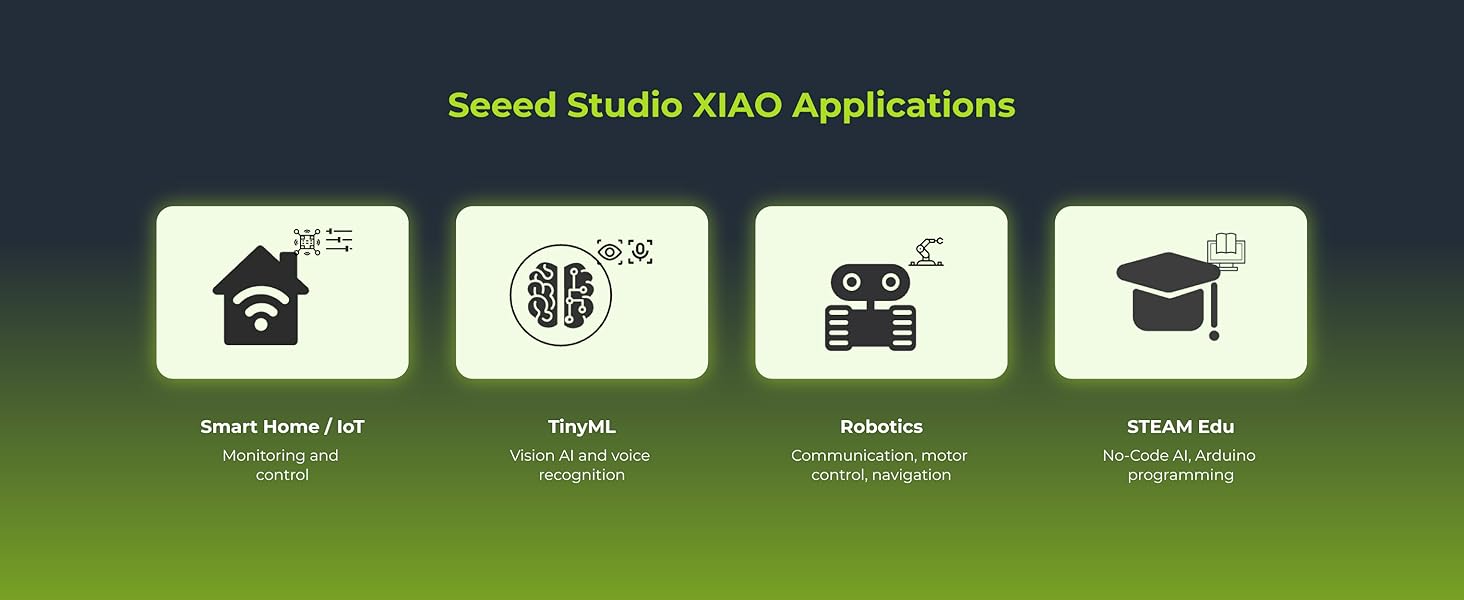
4.1 pav.: pvz.amples of Seeed Studio XIAO applications, including Smart Home/IoT, TinyML, Robotics, and STEAM Education.
5. Priežiūra
The Seeed Studio XIAO MG24 is a robust development board, but proper handling and care will ensure its longevity.
- Tvarkymas: Always handle the board by its edges to avoid touching sensitive components, especially the pins.
- Saugykla: Store the board in an anti-static bag when not in use to protect it from electrostatic discharge.
- Valymas: Jei reikia, lentą švelniai nuvalykite minkštu, sausu šepečiu arba suslėgtu oru. Venkite naudoti skysčius ar abrazyvines medžiagas.
- Maitinimas: Ensure you use a stable 5V power supply via the USB-C port. Incorrect voltaggali pažeisti plokštę.
6. Problemų sprendimas
If you encounter issues with your XIAO MG24, consider the following troubleshooting steps:
- Plokštė neaptikta:
- Įsitikinkite, kad USB-C laidas yra visiškai prijungtas ir veikia.
- Check if the correct board and port are selected in the Arduino IDE.
- Išbandykite kitą USB prievadą arba kompiuterį.
- Reinstall the board package in the Arduino IDE.
- Įkėlimo klaidos:
- Verify your code for syntax errors.
- Įsitikinkite, kad pasirinkta tinkama plokštė ir prievadas.
- Press the reset button on the board before uploading, if necessary.
- Connectivity Issues (BLE/Thread/Matter):
- Check your code for correct implementation of communication protocols.
- Įsitikinkite, kad antena tinkamai prijungta (jei naudojate išorinę UFL anteną).
- Verify that other devices are within range and properly configured.
- Maitinimo problemos:
- Confirm the USB power source provides sufficient current.
- If using a battery, ensure it is charged and correctly connected to the battery charging circuit.
For further assistance, refer to the official Seeed Studio documentation and community forums.
7. Specifikacijos
The following table details the technical specifications of the Seeed Studio XIAO MG24.

Image 7.1: Seeed Studio XIAO MG24 showing its compact dimensions of 21mm x 17.8mm.

Image 7.2: Detailed product specifications table for the Seeed Studio XIAO MG24.
| Parametras | XIAO MG24 |
|---|---|
| Procesorius | Silicon Labs EFR32MG24, ARM Cortex-M33 @ 78MHz |
| Flash / RAM | 1536KB + 4MB Onboard / 256KB |
| šviesos diodai | 1 User LED, 1 Power LED |
| Sąsajos | 22 Pins (11x Analog, 11x Digital, 1x I2C, 2x UART, 2x SPI, All PWM) |
| Mygtukai | 1 Atkūrimo mygtukas |
| Apsaugos funkcijos | Hardware Encryption Acceleration, True Random Number Generator, ARM® TrustZone®, Secure Boot, Secure Debug Unlock |
| Mažas energijos suvartojimas | Normal: 6.71mA, Sleep: 1.91µA |
| Programinės įrangos suderinamumas | Arduino IDE |
| Antenna Support | Max 2.4GHz Ceramic Antenna: 4.97dBi |
| Darbinė temperatūra | -20°C ~ 70°C |
| Matmenys | 21 x 17.8 mm |
| Prekės svoris | 0.634 uncijos |
| Operacinė sistema | FreeRTOS |
8. Garantija ir palaikymas
For warranty information and technical support, please refer to the official Seeed Studio website or contact their customer service directly. Online resources, including documentation, tutorials, and community forums, are available to assist with project development and troubleshooting.
Aplankykite Seeed Studio Store daugiau produktų ir informacijos.
Ask a question about this manual
Ask about setup, troubleshooting, compatibility, parts, safety, or missing instructions. Manuals+ will review the question and use this page’s manual context to help answer it.