
Įvadas
Ačiū, kad pirkoteasing the SWOFY 128GB MP3 Player with Bluetooth. This manual provides detailed instructions on how to set up, operate, and maintain your device. Please read this manual thoroughly before use to ensure proper functionality and to maximize your listening experience.
Produkto savybės
- Didelės talpos saugykla: 128GB built-in memory, expandable up to 512GB via Micro SD card.
- HiFi neprarandantis garsas: Supports MP3, OGG, FLAC, AAC, WMA, WAV, APE audio formats.
- Bluetooth 5.3 ryšys: Enhanced speed and stable connection for wireless audio.
- Ilgas baterijos veikimo laikas: Up to 50 hours of usage time on a full charge (approximately 2 hours charging time).
- 2.4-Inch Sensitive Touchscreen: Intuitive navigation and control.
- Kelios funkcijos: Includes Music Player, FM Radio, Voice Recorder, Video Player, Picture Viewer, E-Book Reader, Calendar, and Settings.

Image: The SWOFY MP3 Player highlighting its 128GB built-in storage, expandable to 512GB, with charging and usage times.

Image: A person enjoying music with headphones, representing the HiFi Lossless Sound quality and supported audio formats.
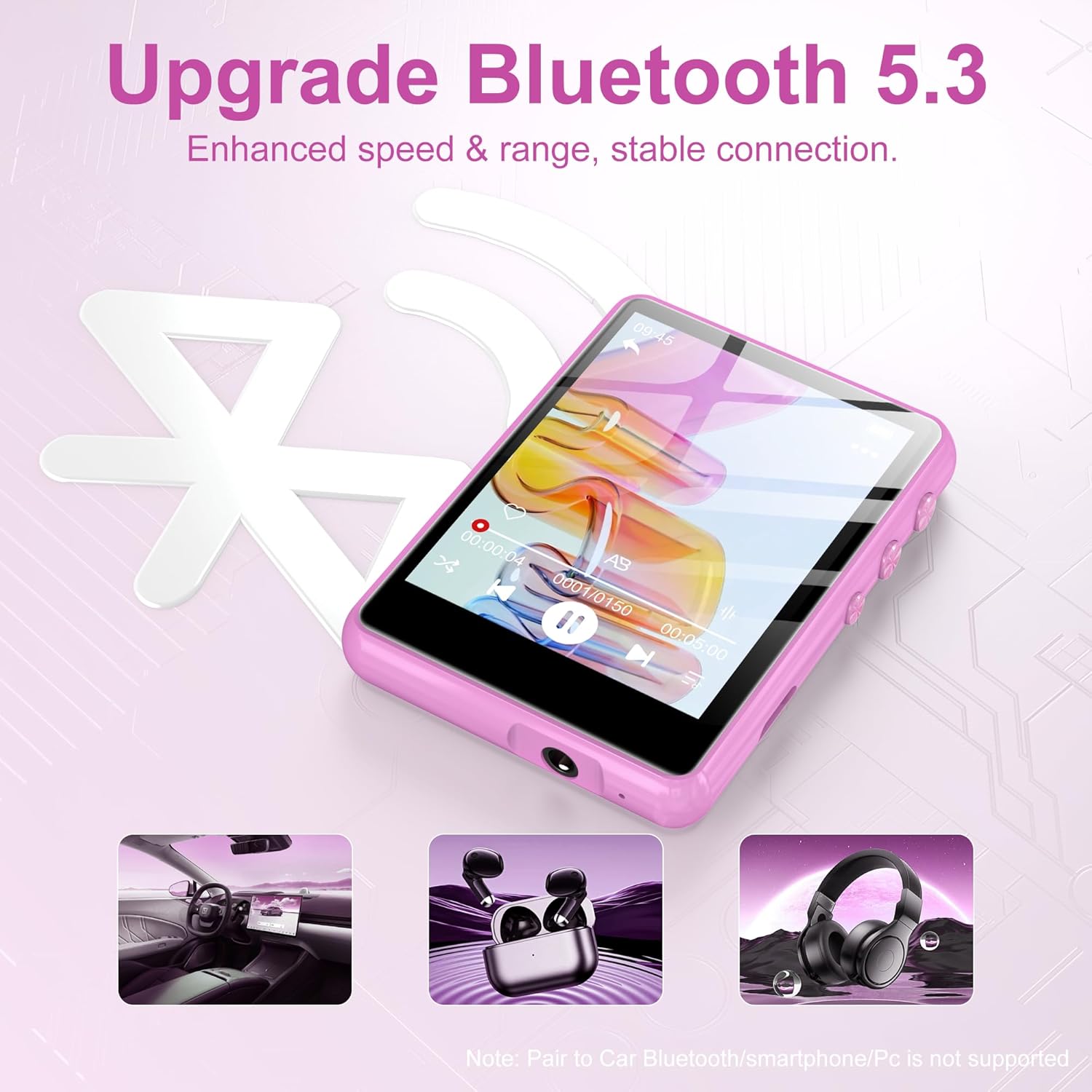
Image: The MP3 player displaying the Bluetooth 5.3 feature, indicating enhanced speed and stable connection. Note: Direct pairing to car Bluetooth, smartphones, or PCs is not supported for audio streaming.

Image: The MP3 player screen indicating a long battery life of up to 50 hours of continuous music playback after a 2-hour charge.
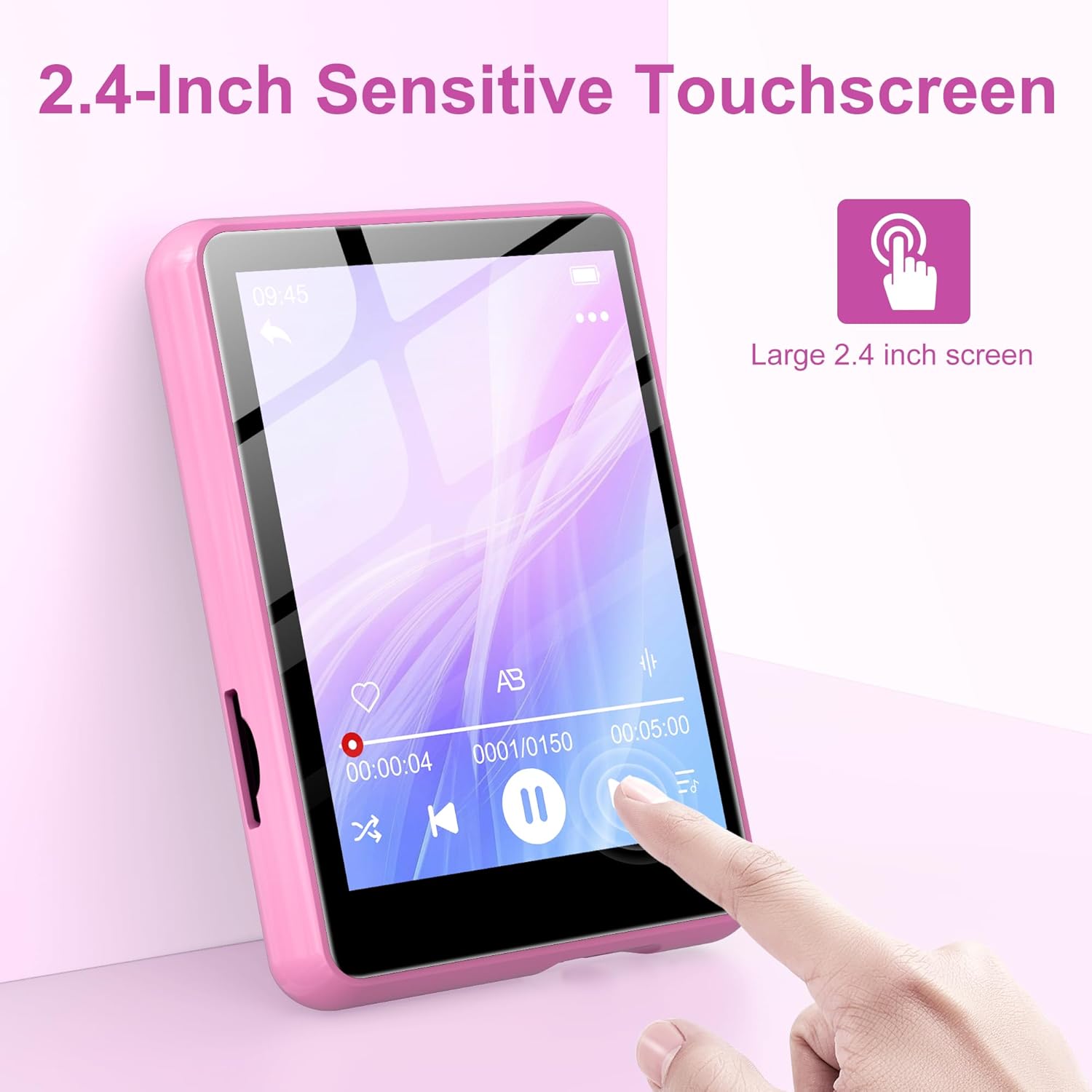
Image: A hand interacting with the 2.4-inch sensitive touchscreen of the MP3 player, demonstrating its touch interface.

Image: The MP3 player showcasing its various functions through icons, including Music, FM Radio, Folder, Bluetooth, Recording, Picture, Video, Calendar, EBook, and Settings.
Pakuotės turinys
Patikrinkite pakuotę, ar joje yra šie daiktai:
- SWOFY 128GB MP3 Player
- USB įkrovimo laidas
- Laidinės ausinės
- Protective Case (silicone)
- Vartotojo vadovas
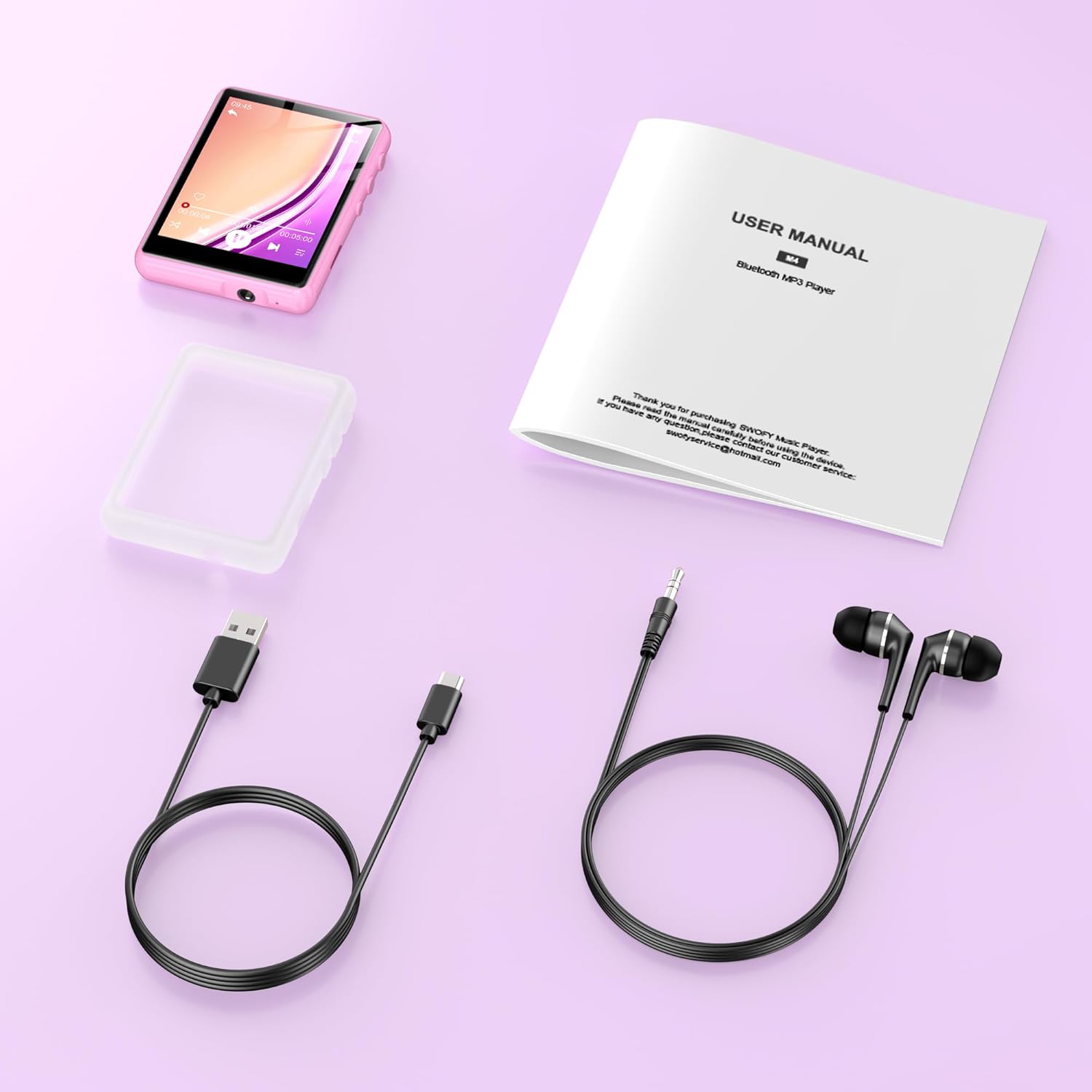
Image: All items included in the product package: the MP3 player, USB charging cable, wired earphones, a protective case, and the user manual.
Sąranka
1. Įrenginio įkrovimas
- Connect the small end of the USB charging cable to the MP3 player's charging port.
- Prijunkite didesnį USB kabelio galą prie USB maitinimo adapterio (nepridedamas) arba kompiuterio USB prievado.
- The device will indicate charging status. A full charge takes approximately 2 hours.
2. „Micro SD“ kortelės įdėjimas (neprivaloma)
To expand storage beyond the built-in 128GB, you can insert a Micro SD card (up to 512GB).
- Locate the Micro SD card slot on the side of the MP3 player.
- Švelniai įkiškite „Micro SD“ kortelę į lizdą, kol ji spragtelės į vietą. Įsitikinkite, kad kortelė yra tinkamai orientuota.
- Norėdami išimti, švelniai stumkite kortelę į vidų, kol ji iššoks.
3. Perkėlimas Files
To transfer music, videos, pictures, or e-books to your MP3 player:
- Prijunkite MP3 grotuvą prie kompiuterio naudodami pateiktą USB laidą.
- The device will appear as a removable disk on your computer.
- Nuvilkite norimą files into the appropriate folders on the MP3 player (e.g., 'Music' for audio files, 'Video' for videos).
- Kartą fileperkeliami, prieš atjungdami USB laidą, saugiai atjunkite įrenginį nuo kompiuterio.
Naudojimo instrukcijos
1. Maitinimo įjungimas/išjungimas
- Norėdami įjungti: Paspauskite ir palaikykite maitinimo mygtuką, kol ekranas užsidegs.
- Norėdami išjungti: Paspauskite ir palaikykite maitinimo mygtuką, kol ekrane pasirodys išjungimo parinktis, tada patvirtinkite.
2. Pagrindinė navigacija
- The device features a 2.4-inch sensitive touchscreen. Tap icons to select functions or options.
- Swipe left/right or up/down to navigate through menus or lists.
- Use the physical buttons on the side for volume control and screen lock/unlock.
3. Muzikos atkūrimas
- From the main menu, tap the 'Music' icon.
- Browse your music by Artist, Album, Songs, or Folder.
- Palieskite dainą, kad pradėtumėte atkūrimą.
- On the playback screen, you can pause/play, skip tracks, adjust volume, and access playback settings.
4. „Bluetooth“ ryšys
Norėdami prijungti prie „Bluetooth“ ausinių arba garsiakalbių:
- From the main menu, tap the 'Bluetooth' icon.
- Įjunkite „Bluetooth“ MP3 grotuve.
- Įsitikinkite, kad jūsų „Bluetooth“ garso įrenginys veikia susiejimo režimu.
- The MP3 player will scan for available devices. Select your device from the list to pair.
- Once paired, audio will be routed to your Bluetooth device.
5. FM radijas
- Connect wired earphones to the 3.5mm audio jack; they act as the antenna.
- From the main menu, tap the 'FM Radio' icon.
- Norėdami ieškoti stočių arba rankiniu būdu suderinti dažnį, naudokite ekrane rodomus valdiklius.
6. Kitos funkcijos
- Įrašas: Tap the 'Recording' icon to access the voice recorder.
- Video/Picture: Tap 'Video' or 'Picture' to browse and view jūsų žiniasklaida files.
- EBook: Tap 'EBook' to read supported text files.
- Nustatymai: Access device settings such as display, date/time, language, and system information.
Priežiūra
- Valymas: Įrenginį valykite minkšta, sausa šluoste. Venkite skystų valiklių ar abrazyvinių medžiagų.
- Saugykla: MP3 grotuvą laikykite vėsioje, sausoje vietoje, toliau nuo tiesioginių saulės spindulių ir ekstremalių temperatūrų.
- Akumuliatoriaus priežiūra: Norėdami pailginti baterijos veikimo laiką, venkite dažnai visiškai iškrauti įrenginį. Reguliariai jį įkraukite, net jei ilgą laiką nenaudojate.
- Programinės įrangos atnaujinimai: Patikrinkite gamintojo websvetainėje, ar nėra galimų programinės įrangos atnaujinimų.
Trikčių šalinimas
- Įrenginys neįsijungia: Įsitikinkite, kad akumuliatorius įkrautas. Prijunkite prie maitinimo šaltinio ir bandykite dar kartą.
- Negalima perkelti files: Ensure the USB cable is securely connected and the device is recognized by your computer. Try a different USB port or cable.
- Nėra garso: Check the volume level. Ensure headphones or Bluetooth devices are properly connected and functioning.
- „Bluetooth“ įrenginys nesusijungia: Ensure both devices are in pairing mode and within range. Disconnect and reconnect Bluetooth on the MP3 player.
- Ekranas nereaguoja: Pabandykite paleisti įrenginį iš naujo. Jei problema išlieka, susisiekite su klientų aptarnavimo tarnyba.
Specifikacijos
| Funkcija | Specifikacija |
|---|---|
| Prekės ženklas | SWOFY |
| Modelio numeris | M4-128GB |
| Ryšio technologija | Bluetooth 5.3, USB |
| Atminties talpa | 128 GB (išplečiama iki 512 GB naudojant „Micro SD“ kortelę) |
| Ekrano dydis | 2.4 colių |
| Ekrano technologija | LCD |
| Suderinami įrenginiai | Headphones, Personal Computer, Speaker |
| Palaikomas laikmenos tipas | Micro SD |
| Palaikomi garso formatai | MP3, OGG, FLAC, AAC, WMA, WAV, APE |
| Įkrovimo laikas | apytiksliai 2 valandas |
| Naudojimo laikas | Iki 50 valandų |
| Prekės svoris | 0.18 kilogramo |
Garantija ir palaikymas
This product comes with a standard manufacturer's warranty. For detailed warranty information, please refer to the warranty card included in your package or visit the official SWOFY website. For technical support, troubleshooting assistance, or any other inquiries, please contact SWOFY customer service through the contact information provided on the product packaging or websvetainę.