
1. Įvadas
This manual provides essential instructions for the installation, operation, and maintenance of your Hikvision DS-2CD1041G0-I 4MP Fixed Wired Bullet Network Camera. Please read this manual thoroughly before using the product to ensure correct usage and to prevent damage.
2. Saugos informacija
- Ensure the power supply meets the camera's requirements.
- Nelaikykite fotoaparato ekstremalioje temperatūroje, drėgmėje ar korozinėje aplinkoje.
- Venkite nukreipti fotoaparato objektyvą tiesiai į stiprius šviesos šaltinius.
- Montavimą turėtų atlikti kvalifikuotas personalas.
- Disconnect power before any maintenance or installation procedures.
3. Pakuotės turinys
Patikrinkite, ar pakuotėje yra visi reikalingi daiktai:
- Hikvision DS-2CD1041G0-I 4MP Fixed Wired Bullet Network Camera
- Instrukcijų vadovas
- Tvirtinimo varžtai
4. Produktas baigtasview
The Hikvision DS-2CD1041G0-I is a robust 4MP (2560 × 1440) fixed bullet network camera designed for reliable outdoor surveillance. It features advanced imaging and compression technologies to deliver clear video while optimizing storage and bandwidth.
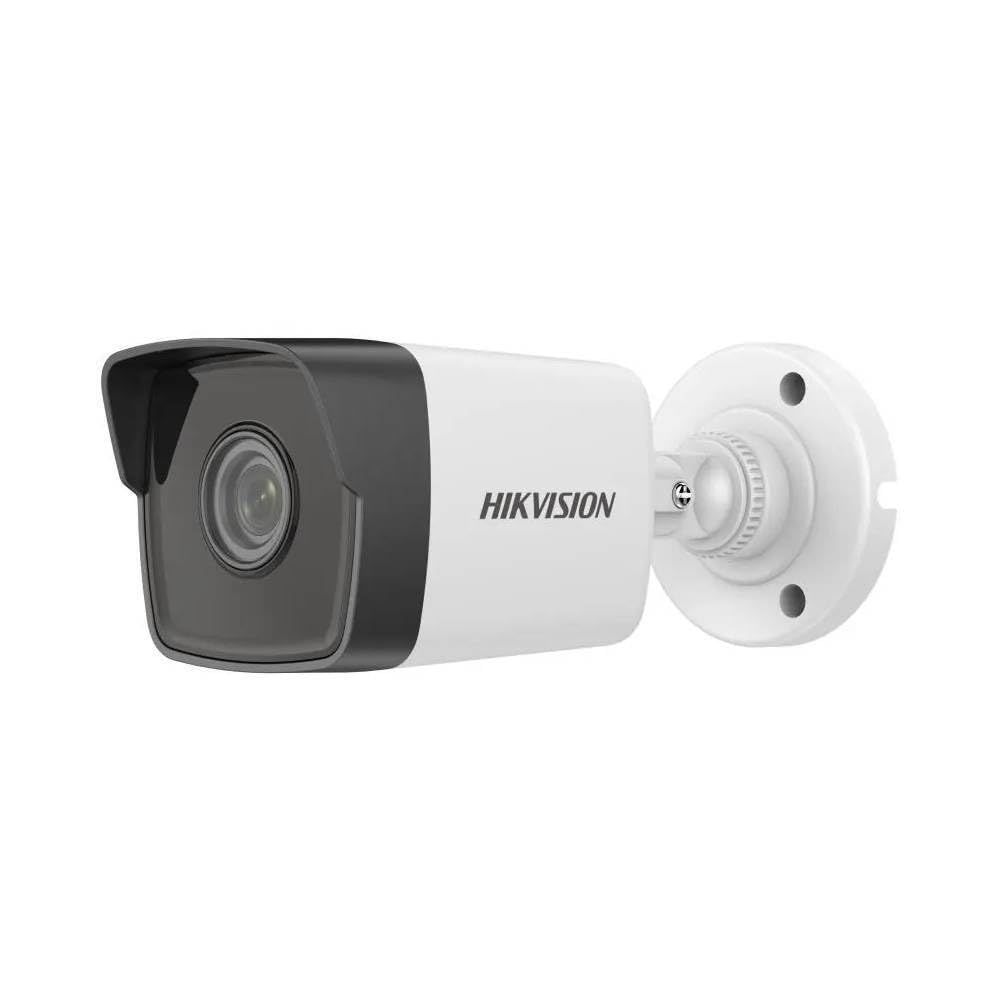
Figure 1: Hikvision DS-2CD1041G0-I 4MP Fixed Wired Bullet Network Camera. This image displays the compact bullet-style design of the camera, suitable for various outdoor mounting scenarios.
Pagrindinės funkcijos:
- Aukštos kokybės vaizdo gavimas: Delivers 4 MP resolution (2560 × 1440) for clear and detailed video.
- Išplėstinis suspaudimas: Utilizes H.265+ compression technology to reduce bandwidth and storage requirements.
- Platus dinaminis diapazonas (WDR): Ensures clear imaging in challenging lighting conditions.
- EXIR 2.0 Infrared Technology: Provides enhanced night vision capabilities with a long IR range up to 30 meters.
- Weather and Dust Resistance: Rated IP67, making it suitable for outdoor installations.
5. Sąranka ir diegimas
5.1 Montavimo vieta
Choose a suitable outdoor location for mounting the camera. Ensure the area provides a clear field of view and is within reach of power and network cables. The camera is designed for wall mount installation.
5.2 Fizinis įrengimas
- Paruoškite paviršių: Mark the drilling points on the wall using the camera's mounting template (if provided) or the camera base.
- Gręžimo skylės: Drill pilot holes at the marked positions. Insert wall anchors if necessary.
- Apsaugokite fotoaparatą: Attach the camera base to the wall using the provided mounting screws. Ensure it is firmly secured.
- Sureguliuoti kampą: Loosen the adjustment screws to position the camera for the desired viewkampą. Sureguliavus, priveržkite varžtus.
5.3 Laidų jungtys
Connect the camera to your network and power supply.
- Tinklo prisijungimas: Connect an Ethernet cable from your network switch or router to the camera's RJ45 port. This camera uses a wired Ethernet connection.
- Maitinimo jungtis: Connect the power adapter (not always included, check package) to the camera's power input and then to a power outlet. The camera operates via corded electric power.
6. Fotoaparato valdymas
6.1 Pradinė sąranka ir konfigūracija
After physical installation and connection, the camera needs to be configured via network software.
- Įdiegti programinę įrangą: Download and install the Hikvision SADP Tool or Hik-Connect app on your computer or mobile device.
- Įjungti kamerą: Use the SADP Tool to find the camera on your network. Activate it by setting a strong password.
- Tinklo nustatymai: Configure network parameters such as IP address (DHCP or static).
- Prieiga tiesiogiai View: Pasiekite kameros web interface via its IP address in a web browser or through the Hik-Connect app for live viewing and further settings.
6.2 Vaizdo įrašymas ir saugojimas
The camera supports various recording options, typically managed through a Network Video Recorder (NVR) or directly to an SD card (if supported by model, check specifications) or network storage.
- Configure recording schedules (continuous, motion-triggered, alarm-triggered).
- Set up storage locations and ensure sufficient capacity.
- Video capture format is AVI.
6.3 Nuotolinė prieiga
Nuotoliniam viewing, configure port forwarding on your router or use the Hik-Connect cloud service.
7. Priežiūra
7.1 Valymas
- Reguliariai valykite fotoaparato objektyvą minkštu, sausu skudurėliu, kad užtikrintumėte aiškią vaizdo kokybę.
- Nenaudokite stiprių chemikalų ar abrazyvinių valiklių.
- Nuvalykite kameros korpusą reklaminiu valikliuamp šluoste dulkėms ir nešvarumams pašalinti.
7.2 Firmware atnaujinimai
Reguliariai tikrinkite „Hikvision“ atstovą websvetainės, kurioje rasite programinės įrangos atnaujinimus. Atnaujinus programinę įrangą, galima pagerinti našumą, pridėti funkcijų ir sustiprinti saugumą.
7.3 Aplinkosaugos aspektai
Although rated IP67 for outdoor use, ensure the camera is not subjected to prolonged direct water submersion or extreme physical impact.
8. Problemų sprendimas
| Problema | Galima priežastis | Sprendimas |
|---|---|---|
| No image/No power | Power cable disconnected; Power adapter faulty. | Check power connections; Test with a known good power adapter. |
| Nepavyksta prisijungti prie tinklo | Ethernet cable faulty; Incorrect IP address; Network configuration error. | Check Ethernet cable; Verify IP settings using SADP Tool; Ensure camera and NVR/router are on the same subnet. |
| Prasta vaizdo kokybė | Dirty lens; Insufficient lighting; Incorrect resolution settings. | Clean the lens; Ensure adequate lighting or enable IR; Adjust resolution settings in the camera's web sąsaja. |
| Neveikia naktinis matymas | IR LEDs blocked; IR settings disabled. | Clear any obstructions; Check IR settings in the camera's configuration. |
9. Specifikacijos
| Funkcija | Detalė |
|---|---|
| Modelio pavadinimas | HIKVISION DS-2CD1041G0-I |
| Rekomenduojami naudojimo būdai | Lauko apsauga |
| Ryšio technologija | Laidinis (Eternetas) |
| Naudojimas viduje / lauke | Lauke |
| Maitinimo šaltinis | Su laidu elektra |
| Montavimo tipas | Sieninis laikiklis |
| Vaizdo įrašymo raiška | 1440p (4 MP) |
| Vaizdo įrašymo formatas | AVI |
| Prekės matmenys | 15x15x15 cm |
| IP reitingas | IP67 (Weather and Dust Resistance) |
| Infraraudonųjų spindulių technologija | EXIR 2.0, up to 30 meters IR range |
| Suspaudimo technologija | H.265 + |
| Dinaminis diapazonas | Platus dinaminis diapazonas (WDR) |
10. Garantija ir palaikymas
10.1 Informacija apie garantiją
This product typically comes with a standard manufacturer's warranty. Additionally, a 1-Year Extended Warranty by Onsitego may be available for purchase. Please refer to your purchase documentation for specific warranty terms and conditions.
10.2 Techninė pagalba
For technical assistance, troubleshooting beyond this manual, or warranty claims, please contact your authorized Hikvision dealer or visit the official Hikvision support website. Ensure you have your product model number (DS-2CD1041G0-I) and purchase details ready.
Manufacturer: HIKVISION