
1. Įvadas
The BOSEAN BH-W01 is a portable 3-in-1 Electromagnetic Field (EMF) meter designed for detecting Electric Field (EF), Magnetic Field (MF), and Radio Frequency (RF) radiation. This device features an integrated sensor for accurate signal capture and a 2.4-inch TFT color display for intuitive data visualization. It is suitable for use in various environments, including homes, offices, computer rooms, and communication base stations, to identify and manage radiation sources.

1 paveikslas: Priekyje view of the BOSEAN BH-W01 Portable 3-in-1 EMF Meter, showing its display and control buttons.
2. Produkto ypatybės
- 3-in-1 EMF Detection: Measures Electric Field (EF), Magnetic Field (MF), and Radio Frequency (RF) with high precision.
- Intuityvus ekranas: Features a 2.4-inch TFT color screen for real-time, maximum, and average value display, along with dynamic line graphs for trend visualization.
- Keli žadintuvo režimai: Supports audible, LED light, vibration, and on-screen alarms. Numeric values and curves change color when thresholds are exceeded.
- Platus pritaikymas: Suitable for measuring radiation levels from electronic devices like mobile phones, routers, microwaves, and identifying excessive radiation sources in various environments.
- Įkraunama baterija: Equipped with an 1800mAh Lithium-ion battery, rechargeable via Type-C port.
- Automatinis išjungimas: Configurable auto-shutdown timer (e.g., 15 minutes) to conserve battery.

2 paveikslas: Illustration of the BOSEAN BH-W01's 3-in-1 measurement capabilities for Electric Field (EF), Magnetic Field (MF), and Radio Frequency (RF).
3. Sąranka ir įkrovimas
3.1 Pradinis įkrovimas
Prieš pirmą kartą naudodami, pilnai įkraukite prietaisą.
- Locate the Type-C charging port on the side or bottom of the device.
- Connect the provided Type-C USB cable to the device and the other end to a standard USB power adapter (not included) or a computer USB port.
- The charging indicator on the display will show the charging status. Allow the device to charge until the battery icon indicates a full charge.

3 paveikslas: The BOSEAN BH-W01 features a Type-C charging port and an 1800mAh rechargeable battery.
3.2 Įjungimas / išjungimas
- Norėdami įjungti, paspauskite ir palaikykite Hold/Power mygtuką, kol užsidegs ekranas.
- Norėdami išjungti, paspauskite ir palaikykite Hold/Power mygtuką, kol ekranas išsijungs.
4. Operacija
4.1 Ekrano supratimas
The 2.4-inch TFT color display provides comprehensive information about the measured fields. Refer to the diagram below for an explanation of each indicator and function.

4 paveikslas: Detailed diagram of the BOSEAN BH-W01 display interface and button functions.
| Nr. | Funkcija | Nr. | Funkcija |
|---|---|---|---|
| 1 | Sound Alarm Icon (Mute icon appears if alarm is off) | 9 | Real-Time Magnetic Field (MF) Measurement |
| 2 | Alarm Light Icon | 10 | Real-Time Radio Frequency (RF) Measurement |
| 3 | Vibration Alarm Icon | 11 | Alarm Status Indicators: Low, Medium, High |
| 4 | Auto Shutdown Timer Icon | 12 | Graph Display Icon |
| 5 | Hold (Data Hold) | 13 | Real-Time Measurement Value |
| 6 | Baterijos lygis | 14 | Average Measurement Value |
| 7 | Įkrovimo indikatorius | 15 | Maximum Measurement Value |
| 8 | Real-Time Electric Field (EF) Measurement | 16 | Real-Time Curve Chart |
4.2 Matavimo režimai
The device automatically measures EF, MF, and RF simultaneously.
- Electric Field (EF): Measures in V/m (Volts per meter). Range: 1 ~ 1999 V/m.
- Magnetic Field (MF): Measures in mG (milligauss) or µT (microtesla). Range: 0.1 ~ 1999.9 mG / 0.01 ~ 99.99 µT.
- Radijo dažnis (RF): Measures in mW/m² (milliwatts per square meter). Range: 0.1 ~ 999.9 mW/m².

5 paveikslas: Common sources of Electric Field (EF), Magnetic Field (MF), and Radio Frequency (RF) radiation.
4.3 Mygtukų funkcijos
- Vieneto mygtukas: Press to cycle through measurement units for Magnetic Field (mG/µT) or to adjust other unit-related settings if available.
- Hold/Power Button:
- Short press: Activates/deactivates Data Hold function, freezing the current readings on the display.
- Long press: Powers the device on or off.
- Režimo mygtukas: Press to cycle through display modes (e.g., real-time values, graph display) or to adjust alarm settings.
4.4 Interpreting Readings and Alarms
The device displays real-time, average, and maximum values. The color of the numeric values and curves will change to indicate different radiation levels (e.g., green for low, yellow for medium, red for high).
- Pavojaus slenksčiai: The device has pre-set thresholds for low, medium, and high radiation levels. When a measured value exceeds a threshold, the corresponding alarm (audible, LED, vibration, screen color change) will activate.
- Perkrovos signalas: If the electromagnetic radiation exceeds the measurable range, an overload alarm will be triggered.
- Įspėjimas apie akumuliatorių: The device continuously monitors battery status and provides alerts for low power.
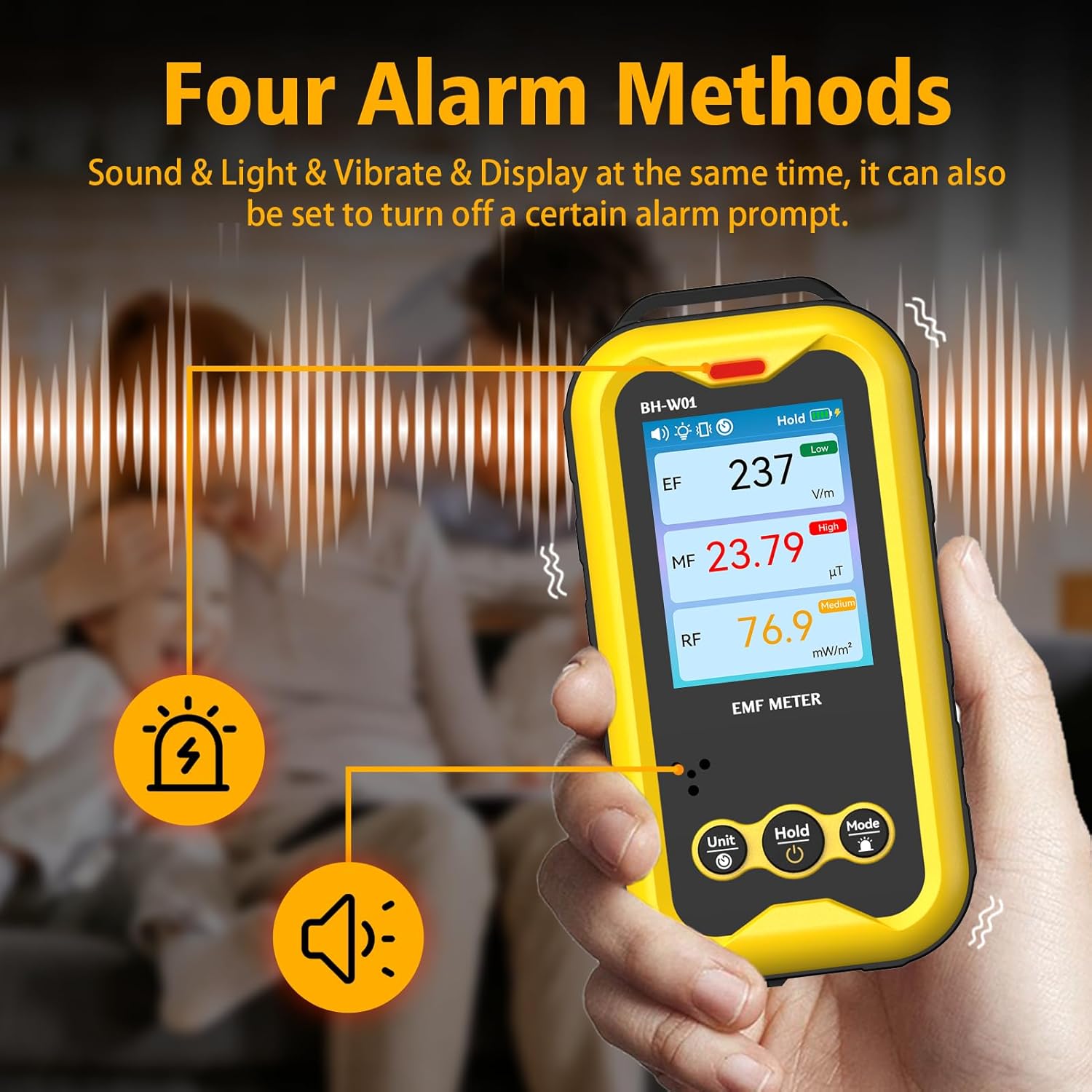
6 paveikslas: The BOSEAN BH-W01 offers four distinct alarm methods: sound, light, vibration, and display changes.
4.5 Real-Time Curve Chart
The device can display a real-time curve chart (Figure 4, item 16) to visualize the dynamic changes in magnetic field strength over time. This feature helps in observing trends and identifying intermittent radiation sources.
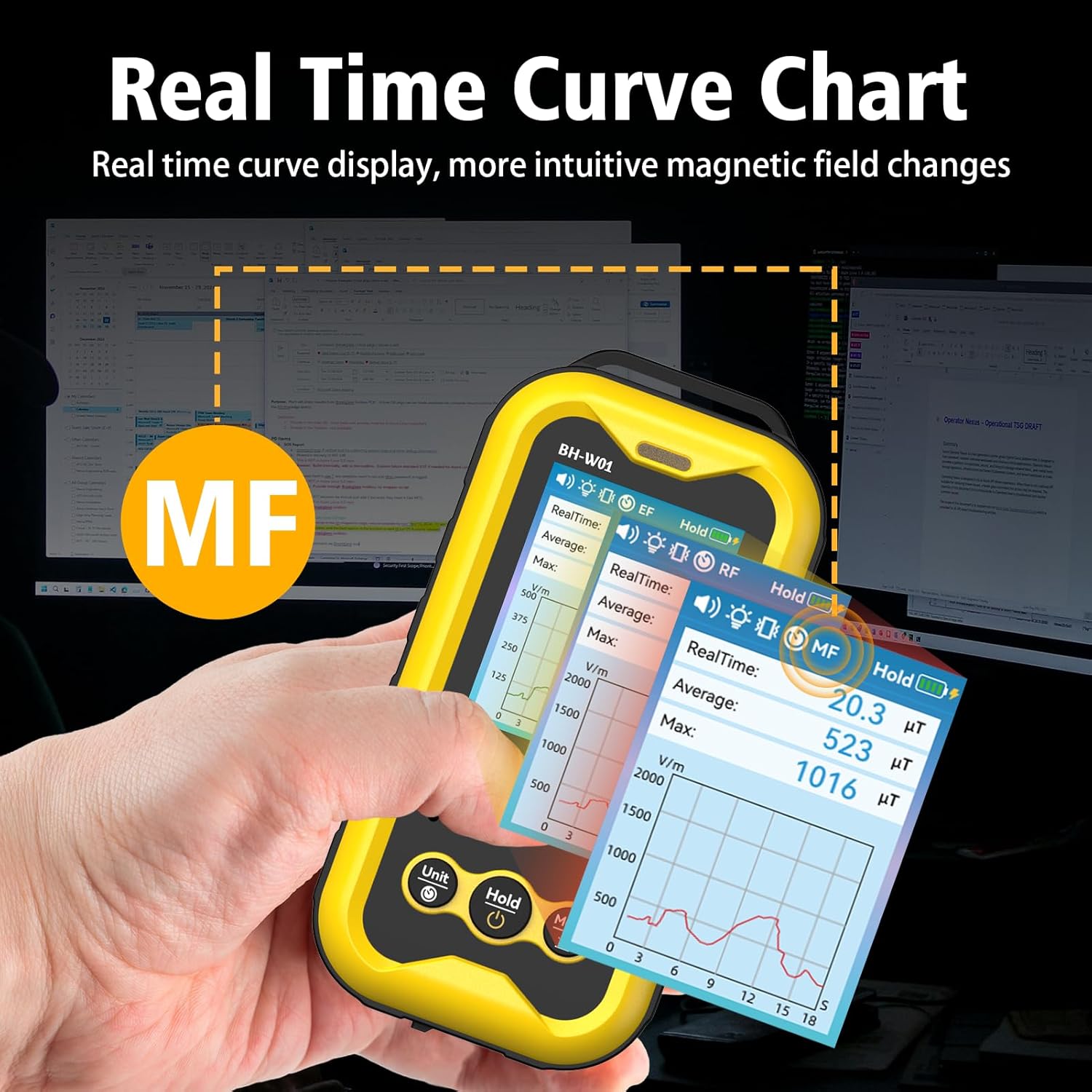
7 paveikslas: The real-time curve chart provides a visual representation of magnetic field changes over time.
5. Priežiūra
- Valymas: Įrenginį valykite minkšta, sausa šluoste. Nenaudokite abrazyvinių valiklių ar tirpiklių.
- Saugykla: Laikykite prietaisą vėsioje, sausoje vietoje, apsaugotoje nuo tiesioginių saulės spindulių ir ekstremalių temperatūrų.
- Akumuliatoriaus priežiūra: To prolong battery life, avoid fully discharging the battery frequently. If storing for an extended period, charge the device to approximately 50% and recharge every few months.
- Venkite poveikio: Saugokite įrenginį nuo kritimų ir stiprių smūgių, kurie gali pažeisti vidinius komponentus.
6. Problemų sprendimas
- Įrenginys neįsijungia:
- Įsitikinkite, kad akumuliatorius įkrautas. Prijunkite įrenginį prie maitinimo šaltinio naudodami C tipo laidą.
- Press and hold the Power button for several seconds.
- Netikslūs rodmenys:
- Ensure the device is held steadily during measurement. Rapid movements can affect accuracy.
- Keep the device away from strong magnetic fields or other electronic devices that might interfere with readings, unless those are the intended measurement targets.
- The device's calibration is based on manual operation; hold it by hand for best results.
- Signalizacijos neveikia:
- Check the alarm settings using the Mode button to ensure they are enabled.
- Verify that the measured values exceed the set thresholds.
- Ekranas tuščias arba užstrigęs:
- Pabandykite paleisti įrenginį iš naujo laikydami nuspaustą maitinimo mygtuką.
- Jei problema išlieka, susisiekite su klientų aptarnavimo tarnyba.
7. Specifikacijos
| Parametras | Vertė |
|---|---|
| Modelio numeris | BH-W01 |
| Prekės ženklas | BOSEAN (Manufacturer) / GLXY (Sub-brand/Distributor) |
| Matmenys (I x P x A) | 6.5 x 2.7 x 12.7 cm |
| Svoris | 240 gramų |
| Electric Field (EF) Range | nuo 1 V/m iki 1999 V/m |
| Magnetic Field (MF) Range | 0.1 mG to 1999.9 mG (0.01 µT to 99.99 µT) |
| Radio Frequency (RF) Range | 0.1 mW/m² to 999.9 mW/m² |
| Ekranas | 2.4 colio spalvotas TFT ekranas |
| Maitinimo šaltinis | 1 ličio jonų baterija (pridedama) |
| Baterijos talpa | 1800 mAh |
| Įkrovimo prievadas | C tipo USB |
| Automatinis išjungimas | Configurable (e.g., 15 minutes) |
8. Saugos informacija
- Nebandykite atidaryti ar modifikuoti įrenginio. Tai gali panaikinti garantiją ir sukelti pavojų saugumui.
- Saugokite prietaisą nuo vandens ir kitų skysčių.
- Venkite prietaiso laikymo ekstremaliose temperatūrose arba didelėje drėgmėje.
- Dispose of the battery and device according to local regulations. Do not dispose of in household waste.
- This device is for informational measurement purposes only and should not be used as a substitute for professional safety assessments or medical advice.
9. Garantija ir palaikymas
Specific warranty details are typically provided with the product packaging or by the retailer at the time of purchase. For technical support, warranty claims, or further assistance, please refer to the contact information provided by your seller or the manufacturer, BOSEAN.
Manufacturer: BOSEAN
Model: BH-W01