1. Įvadas
Thank you for choosing the Gawfolk 32-inch QD-OLED Gaming Monitor. This monitor is designed to provide an exceptional visual experience for gaming and professional use, featuring advanced QD-OLED technology, UHD resolution, and a high refresh rate. Please read this manual thoroughly before operating the device to ensure proper use and optimal performance.
Pagrindinės funkcijos:
- QD-OLED technologija: Combines quantum dots with organic light-emitting diodes for stunning color performance, true blacks, and superior contrast (1.5 million:1).
- UHD Resolution & High Refresh Rate: 3840x2160 resolution with a 240Hz refresh rate for clear, smooth, and fluid dynamic images.
- Itin greitas atsako laikas: 0.03ms (GTG) response time eliminates blur and ghosting in fast-moving scenes.
- Plati spalvų gama: 99% DCI-P3 coverage for rich, accurate, and vibrant colors.
- Universalus ryšys: Multi-purpose Type-C interface (65W power delivery), HUB3.0, HDMI, and DisplayPort.
- Padidintas produktyvumas: Supports Picture-in-Picture (PIP) and Picture-by-Picture (PBP) functions, and KVM for controlling multiple devices.
- Gaming Optimizations: FreeSync technology for tear-free gaming and HDR400 certification for enhanced dynamic range.
- Ergonomiškas dizainas: Adjustable stand with tilt, height, and swivel adjustments, plus VESA wall mount compatibility.
- RGB aplinkos apšvietimas: Customizable RGB lighting to enhance your gaming environment.

Figure 1.1: The 32-inch UHD display offers crisp detail and a wide 178° viewing kampas.

Figure 1.2: Experience ultra-smooth gameplay with 240Hz refresh rate and 0.03ms GTG response time.
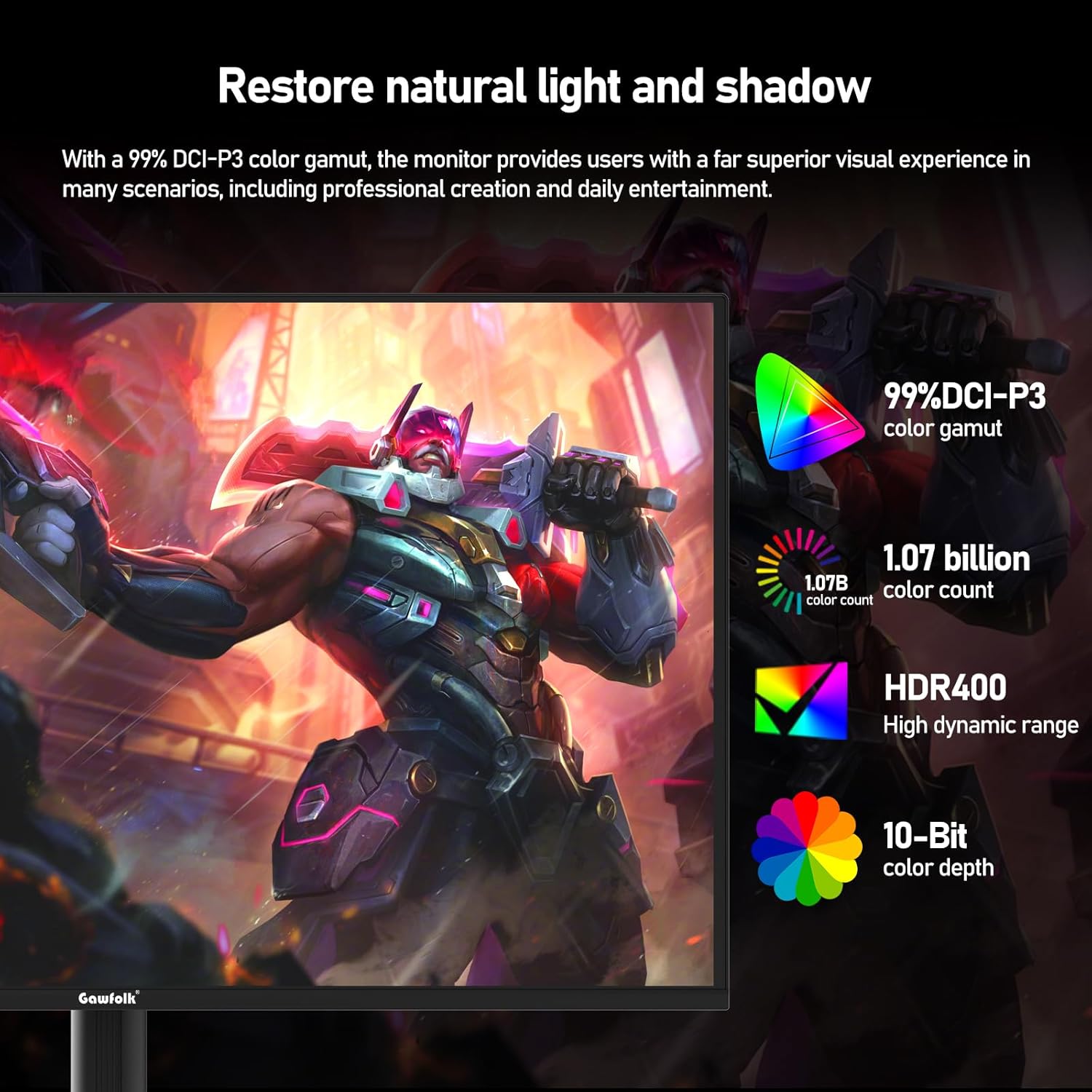
Figure 1.3: Enjoy vibrant and accurate colors with 99% DCI-P3, 1.07 billion colors, 10-bit color depth, and HDR400 support.
2. Pakuotės turinys
Atidžiai patikrinkite pakuotės turinį. Jei trūksta kokių nors daiktų arba jie pažeisti, susisiekite su pardavėju.
- Gawfolk 32-inch QD-OLED Gaming Monitor
- Adjustable Stand (Base and Neck)
- Maitinimo kabelis
- HDMI kabelis
- DisplayPort (DP) kabelis
- C tipo USB kabelis
- Vartotojo vadovas
- Stovo surinkimo varžtai
3. Sąrankos instrukcijos
3.1 Stovo surinkimas
- Atsargiai išimkite monitoriaus ir stovo komponentus iš pakuotės.
- Attach the stand neck to the monitor panel using the provided screws. Ensure it is securely fastened.
- Pritvirtinkite stovo pagrindą prie stovo kaklelio. Priveržkite visus varžtus pagal poreikį.
- Surinktą monitorių padėkite ant stabilaus, lygaus paviršiaus.
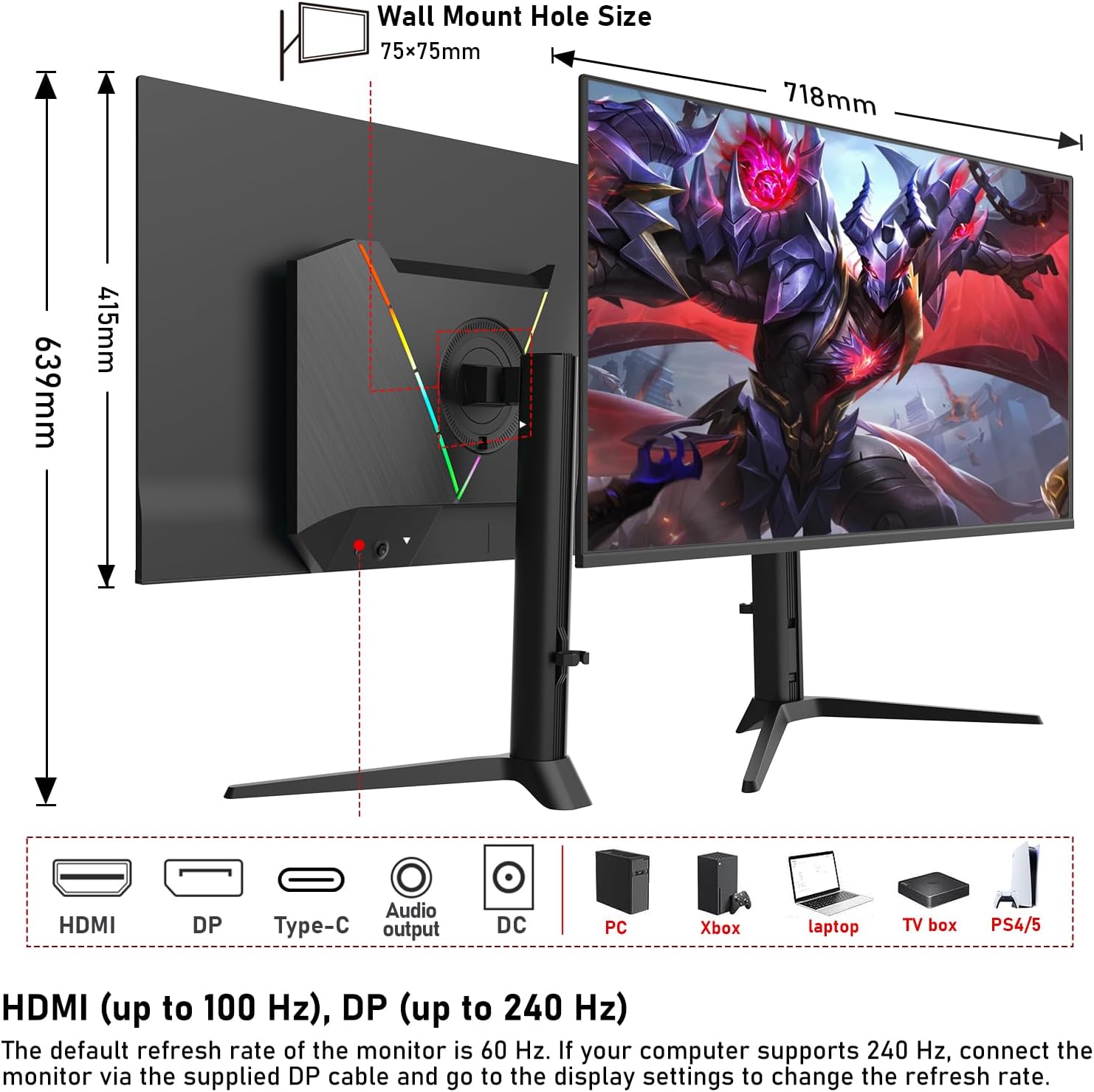
Figure 3.1: Monitor with adjustable stand and VESA mounting points. The stand supports tilt, height, and swivel adjustments. VESA wall mount hole size is 75x75mm.
3.2 Monitoriaus prijungimas
Prieš jungdami įsitikinkite, kad visi įrenginiai yra išjungti.
- Maitinimo jungtis: Connect the power cable to the monitor's DC input and then to a power outlet.
- Vaizdo jungtis:
- HDMI: Connect an HDMI cable from your computer/device to one of the monitor's HDMI ports. Supports up to 100Hz refresh rate.
- „DisplayPort“ (DP): Connect a DisplayPort cable from your computer/device to the monitor's DP port for up to 240Hz refresh rate.
- C tipo USB: Connect a USB Type-C cable from a compatible device (e.g., laptop, MacBook) to the monitor's Type-C port for video, data, and 65W power delivery.
- USB šakotuvo jungtis: Connect a USB upstream cable (if not using Type-C for data) from your computer to the monitor's USB upstream port to enable the HUB3.0 ports.
- Garso išvestis: Connect headphones or external speakers to the monitor's audio output jack if desired.

3.2 pav.: galinis view of the monitor with available ports. Connect your devices using HDMI, DisplayPort, or USB Type-C.

Figure 3.3: The multi-purpose Type-C interface supports 65W charging, data, and video transmission.
4. Naudojimo instrukcijos
4.1 Įjungimas / išjungimas
- Norėdami įjungti arba išjungti monitorių, paspauskite ant jo esantį maitinimo mygtuką.
- Maitinimo indikatoriaus lemputė užsidegs, kai monitorius bus įjungtas.
4.2 Ekrano meniu (OSD)
Use the joystick or buttons on the monitor to navigate and adjust settings in the OSD menu.
- Vaizdo nustatymai: Reguliuokite ryškumą, kontrastą, aiškumą ir spalvų temperatūrą.
- Spalvų režimas: Select from various preset color modes (e.g., Standard, Game, Movie, sRGB, DCI-P3).
- Įvesties šaltinis: Manually select the input source (HDMI1, HDMI2, DisplayPort, Type-C).
- PIP/PBP: Configure Picture-in-Picture or Picture-by-Picture modes to display multiple sources simultaneously.
- Žaidimų ypatybės: Enable/disable FreeSync, adjust response time, and other game-specific settings.
- RGB apšvietimas: Customize the RGB ambient lighting effects on the back of the monitor.
4.3 Stovo reguliavimas
The ergonomic stand allows for flexible adjustments to optimize your viewkomfortas.
- Aukščio reguliavimas: Švelniai stumkite arba traukite monitorių aukštyn arba žemyn, kad sureguliuotumėte jo aukštį.
- Pakreipimo reguliavimas: Pakreipkite monitoriaus ekraną į priekį arba atgal, kad rastumėte pageidaujamą viewing kampas.
- Sukimosi reguliavimas: Pasukite monitorių ant pagrindo į kairę arba į dešinę.
- Sukimasis (sukimas): Rotate the monitor 90 degrees for portrait mode (if supported by the stand model).

Figure 4.1: Multi-functional ergonomic stand adjustments and RGB backlight feature.
5. Priežiūra
5.1 Monitoriaus valymas
- Visada atjunkite monitorių prieš valydami.
- Minkšta, nepūkuota šluoste švelniai nuvalykite ekraną ir išorinius paviršius.
- Įsisenėjusioms dėmėms lengvai nuvalykiteampNuvalykite šluostę vandeniu arba švelniu, neabrazyviniu ekrano valikliu.
- Avoid using alcohol, ammonia, or abrasive cleaners, as they can damage the screen.
5.2 Saugykla
- If storing the monitor for an extended period, disconnect all cables and pack it in its original packaging.
- Laikyti vėsioje, sausoje vietoje, apsaugotoje nuo tiesioginių saulės spindulių ir ekstremalių temperatūrų.
6. Problemų sprendimas
| Problema | Galima priežastis | Sprendimas |
|---|---|---|
| Ekrane nėra vaizdo |
|
|
| Vaizdas neryškus arba iškraipytas |
|
|
| Nėra garso iš monitoriaus (jei yra) |
|
|
| Ekrano plyšimas arba mirgėjimas žaidimuose |
|
|
7. Specifikacijos
| Funkcija | Detalė |
|---|---|
| Prekės ženklas | Gawfolk |
| Modelio numeris | GF320L |
| Ekrano dydis | 32 colių |
| Skydelio tipas | QD-OLED |
| Rezoliucija | 3840 x 2160 (UHD 4K) |
| Atnaujinimo dažnis | 240 Hz |
| Reagavimo laikas (GTG) | 0.03 ms |
| Krašto santykis | 16:9 |
| Kontrasto santykis | 1.5 Million:1 |
| Spalvų gama | 99% DCI-P3 |
| HDR palaikymas | HDR400 |
| Adaptyvusis sinchronizavimas | FreeSync |
| Ryšys | 2x HDMI, 1x DisplayPort, 1x USB Type-C (65W PD), 2x USB 3.0 Hub, Audio Out |
| Ypatingos savybės | Frameless Design, Height Adjustment, Swivel Adjustment, Tilt Adjustment, USB Hub, PIP/PBP, KVM, RGB Lighting |
| VESA kalnas | 75 x 75 mm |
| Gaminio matmenys (IxPxH) | 71.8 x 24.5 x 63.9 cm |
| Prekės svoris | 9.8 kilogramo |
8. Garantija ir palaikymas
Gawfolk provides high-quality computer monitors and excellent services, including a 12-month warranty.
- Garantinis laikotarpis: 12 mėnesių nuo pirkimo datos.
- Aprėptis: This warranty covers manufacturing defects and malfunctions under normal use.
- Išimtys: Damage caused by misuse, accidents, unauthorized modifications, or natural disasters is not covered.
- Pretenzijos procesas: If you encounter any damage, malfunction, or missing accessories, please do not hesitate to contact Gawfolk customer support or your retailer.
Klientų aptarnavimas:
For technical assistance, warranty claims, or product inquiries, please refer to the contact information provided with your purchase or visit the official Gawfolk websvetainę.
Palaikymas internetu: Visit the Gawfolk Store on Amazon