
DigiLand DigiLand-S10
„DigiLand Android Tablet S10“ vartotojo vadovas
Model: DigiLand-S10
1. Įvadas
This manual provides essential information for the proper use and maintenance of your DigiLand Android Tablet S10. Please read it thoroughly before operating the device to ensure optimal performance and longevity. The DigiLand S10 is a 10.1-inch Android 14 tablet designed for versatile use, featuring an Octa-Core processor, ample memory, and a high-definition display.
2. Saugos informacija
- Nelaikykite planšetinio kompiuterio ekstremaliose temperatūrose, tiesioginiuose saulės spinduliuose ar didelėje drėgmėje.
- Venkite planšetinio kompiuterio numetimo ar stiprių smūgių.
- Use only the original charger and accessories provided with the tablet.
- Nebandykite patys ardyti ar taisyti planšetinio kompiuterio. Kreipkitės į kvalifikuotus techninės priežiūros darbuotojus.
- Laikykite tabletę atokiau nuo vandens ir kitų skysčių.
- Planšetinį kompiuterį ir jo bateriją utilizuokite atsakingai, laikydamiesi vietinių taisyklių.
3. Pakuotės turinys
Atidarę pakuotę, patikrinkite, ar yra visi toliau išvardyti daiktai ir ar jie yra geros būklės:
- DigiLand Android Tablet S10 (Blue)
- C tipo USB įkrovimo laidas
- Maitinimo adapteris
- Greitos pradžios vadovas

Figure 3.1: Items included in the DigiLand Tablet S10 package. This image displays the tablet itself, its packaging box, a USB Type-C charging cable, a power adapter, and a quick start guide, ensuring users can confirm all components are present.
4. Produktas baigtasview
The DigiLand S10 tablet features a sleek design with essential ports and controls for user convenience.
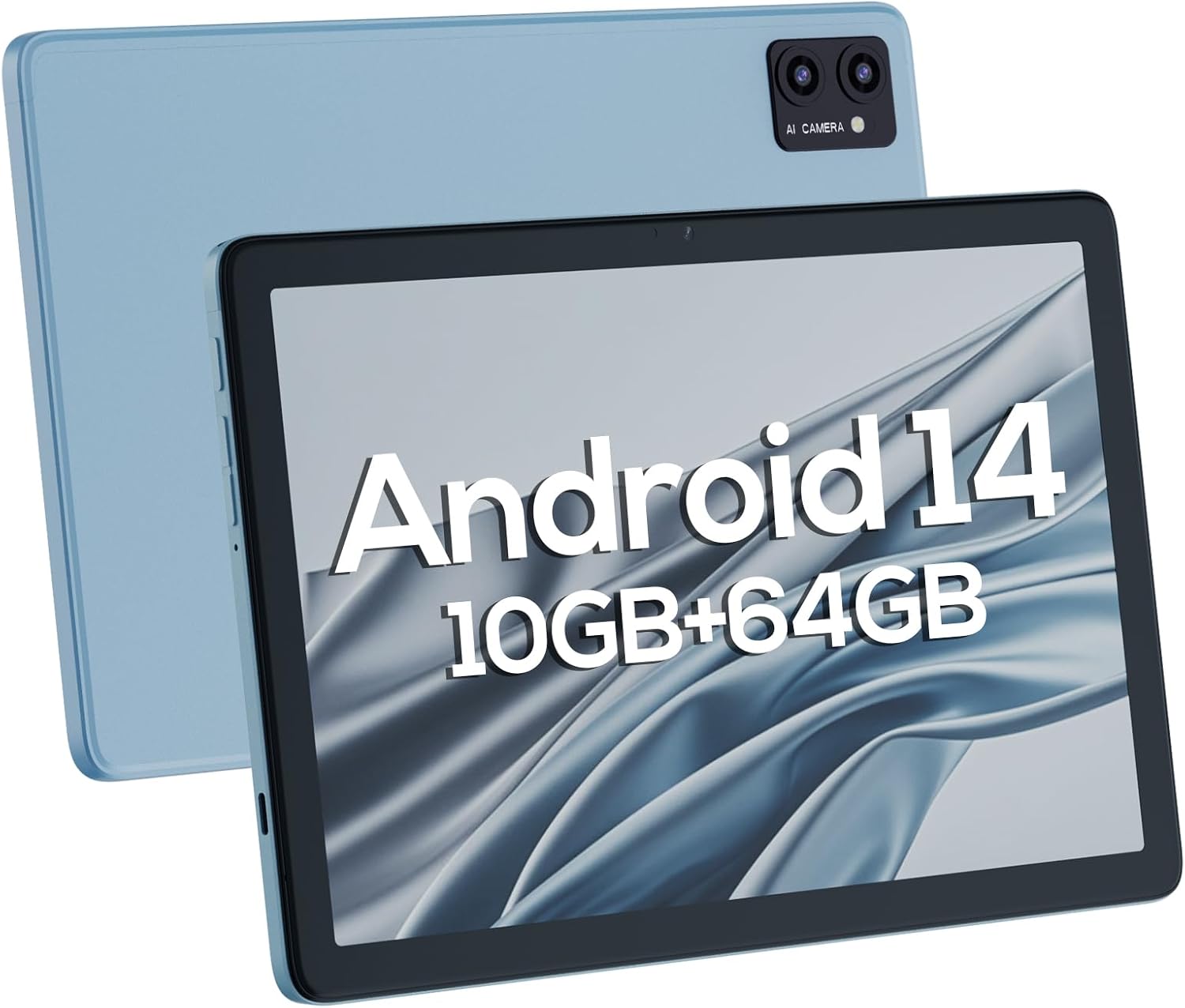
4.1 pav.: Priekinė ir galinė dalys views of the DigiLand Android Tablet S10. The image highlights the tablet's 10.1-inch display on the front and the dual camera module on the blue-colored back panel.
Pagrindiniai komponentai:
- 10.1 colio IPS HD ekranas: Provides vibrant visuals with 800x1280 resolution.
- Priekinė kamera (5MP): Located on the front bezel, suitable for video calls and selfies.
- Galinė kamera (8MP): Located on the back, for capturing photos and videos.
- Maitinimo mygtukas: Used to turn the tablet on/off or put it to sleep/wake.
- Garsumo mygtukai: Sureguliuokite garso garsumą.
- C tipo USB prievadas: Įkrovimui ir duomenų perdavimui.
- 3.5 mm ausinių lizdas: Laidinių ausinių prijungimui.
- MicroSD kortelės lizdas: Skirta atminties išplėtimui iki 256 GB.
- Dvigubi garsiakalbiai: Pateikite garso išvestį.
5. Sąranka
5.1 Pradinis įkrovimas
Before first use, fully charge your tablet. Connect the USB Type-C cable to the tablet's charging port and the power adapter to a wall outlet. The battery indicator on the screen will show charging status. A full charge typically takes several hours.
5.2 Įjungimas / išjungimas
- Norėdami įjungti: Press and hold the Power button until the DigiLand logo appears.
- Norėdami išjungti: Press and hold the Power button until a power-off menu appears. Select "Power off" and confirm.
- Miegui / pabudimui: Trumpai paspauskite maitinimo mygtuką.
5.3 Pradinio nustatymo vedlys
Upon first power-on, the Android 14 setup wizard will guide you through basic configurations:
- Pasirinkite savo kalbą.
- Prisijunkite prie „Wi-Fi“ tinklo.
- Prisijunkite naudodami „Google“ paskyrą arba sukurkite naują.
- Review ir sutikite su sąlygomis ir nuostatomis.
- Nustatykite ekrano užraktą (PIN kodą, šabloną arba slaptažodį).
- Konfigūruokite kitus nustatymus, kaip nurodyta.
5.4 Saugyklos išplėtimas
The tablet supports MicroSD cards up to 256GB for additional storage. Locate the MicroSD card slot (often near the headphone jack or power button, as shown in Figure 4.1) and insert the card gently until it clicks into place. You may need to format the card via the tablet's settings for optimal use.
6. Planšetinio kompiuterio valdymas
6.1 Pagrindinė navigacija
- Pagrindinis ekranas: Pagrindinis ekranas, kuriame galite pasiekti programas ir valdiklius.
- Programėlių stalčius: Braukite aukštyn iš pagrindinio ekrano į view visos įdiegtos programos.
- Pranešimų skydelis: Braukite žemyn nuo ekrano viršaus, kad pasiektumėte pranešimus ir greituosius nustatymus.
- Naujausios programos: Tap the square navigation button (or swipe up and hold from the bottom if using gestures) to see recently opened applications.
6.2 Prisijungimas prie „Wi-Fi“ ir „Bluetooth“
- „Wi-Fi“: Eikite į Nustatymai > Tinklas ir internetas > „Wi-Fi“Įjunkite „Wi-Fi“ ir pasirinkite norimą tinklą. Jei reikia, įveskite slaptažodį.
- Bluetooth: Eikite į Nustatymai> Prijungti įrenginiai> Ryšio nuostatos> „Bluetooth“Įjunkite „Bluetooth“ ir susiekite su pasiekiamais įrenginiais.
6.3 Fotoaparatų naudojimas
Planšetinis kompiuteris turi 5 MP priekinę kamerą ir 8 MP galinę kamerą.
- Atidarykite fotoaparato programą.
- Norėdami perjungti priekinę ir galinę kameras, palieskite kameros perjungimo piktogramą.
- Palieskite užrakto mygtuką, kad nufotografuotumėte arba pradėtumėte / sustabdytumėte vaizdo įrašymą.

Figure 6.1: Visual representation of the tablet's camera capabilities, showing sample images captured by both the 5MP front and 8MP rear cameras.
6.4 Akumuliatoriaus valdymas
6000 mAh baterija užtikrina ilgesnį veikimą. Norėdami optimizuoti baterijos veikimo laiką:
- Sumažinkite ekrano ryškumą.
- Išjunkite „Wi-Fi“ ir „Bluetooth“, kai jų nenaudojate.
- Uždarykite nenaudojamas programas, veikiančias fone.
- Įjunkite akumuliatoriaus taupymo režimą nustatymuose.

Figure 6.2: Battery performance details for the DigiLand Tablet S10. This graphic illustrates the 6000mAh battery capacity and provides estimated usage durations for various activities like video playback (9 hours), music (14 hours), and browsing (15 hours).
7. Priežiūra
- Valymas: Ekraną ir korpusą valykite minkštu, nepūkuotu audiniu. Venkite abrazyvinių valiklių.
- Programinės įrangos atnaujinimai: Reguliariai tikrinkite, ar yra sistemos atnaujinimų, ir juos įdiekite, kad užtikrintumėte optimalų našumą ir saugumą. Eikite į Nustatymai > Sistema > Sistemos naujinimas.
- Saugyklos valdymas: Periodiškai išvalykite talpyklą, ištrinkite nereikalingus fileir pašalinkite nenaudojamas programas, kad atlaisvintumėte vietos saugykloje.
- Atsarginiai duomenys: Regularly back up important data to a cloud service or external storage device to prevent data loss.
8. Problemų sprendimas
| Problema | Galimas sprendimas |
|---|---|
| Planšetinis kompiuteris neįsijungia | Įsitikinkite, kad akumuliatorius įkrautas. Paspauskite ir palaikykite maitinimo mygtuką 10–15 sekundžių, kad priverstumėte įrenginį paleisti iš naujo. |
| Lėtas veikimas | Close unused apps, clear cache, restart the tablet. Consider a factory reset if issues persist (backup data first). |
| Wi-Fi ryšio problemos | Restart the tablet and router. Forget the network and reconnect. Ensure Wi-Fi is enabled. |
| Programos stringa | Clear app cache/data (Settings > Apps), update the app, or reinstall it. |
| Ekranas nereaguoja | Force restart the tablet. If issue persists, contact support. |
9. Specifikacijos
Below are the detailed technical specifications for the DigiLand Android Tablet S10:
| Funkcija | Detalė |
|---|---|
| Prekės ženklas | DigiLand |
| Modelio pavadinimas | DigiLand-S10 |
| Operacinė sistema | Android 14 |
| Ekrano dydis | 10.1 colių |
| Ekrano raiška | 800 x 1280 (IPS HD Display) |
| Procesorius | A523, Octa core, Cortex A55@1.8 GHz, 22nm |
| RAM | 10GB (4+6GB) |
| Vidinė saugykla | 64 GB |
| Išplečiama saugykla | Up to 256GB via TF card (MicroSD) |
| Priekinė kamera | 5 MP |
| Galinė kamera | 8 MP |
| Baterijos talpa | 6000 mAh |
| Ryšys | Wi-Fi (2.4G+5G), Bluetooth 5.0, USB Type-C, 3.5mm Headphone Jack |
| Matmenys (IxPxH) | 7 x 4 x 0.5 colio |
| Prekės svoris | 2.42 svaro (apie 510 g) |
| Spalva | Mėlyna |

9.1 pav. Baigtaview of the DigiLand Tablet S10's core specifications. This graphic highlights features such as Android 14, MTK Helio A523 Octa-Core Processor, 10GB RAM, 64GB ROM (expandable to 256GB), 10.1-inch HD display, 6000mAh battery, 5MP front camera, 8MP rear camera, 510g weight, and 8.8mm thickness.
10. Garantija ir palaikymas
10.1 Informacija apie garantiją
DigiLand products typically come with a limited manufacturer's warranty. Please refer to the warranty card included in your product packaging or visit the official DigiLand website for detailed terms and conditions regarding warranty coverage, duration, and limitations. Keep your proof of purchase for warranty claims.
10.2 Pagalba klientams
For technical assistance, troubleshooting, or any inquiries regarding your DigiLand Android Tablet S10, please contact DigiLand customer support. Contact information can usually be found in the Quick Start Guide or on the official DigiLand website. When contacting support, please have your product model (DigiLand-S10) and purchase details ready.
Thank you for choosing DigiLand. We hope you enjoy your new tablet!
Ask a question about this manual
Ask about setup, troubleshooting, compatibility, parts, safety, or missing instructions. Manuals+ will review the question and use this page’s manual context to help answer it.